[Part 47] Receiving Alerts for Blocked SQL
November 13, 2026
After verifying SQL blocking, I wondered whether operators could learn about unauthorized attempts without opening audit screens.
I used Alerts for a blocked read-only UPDATE and compared its delivered message with audits, connecting enforcement to operational awareness.
Connecting a Notification Destination
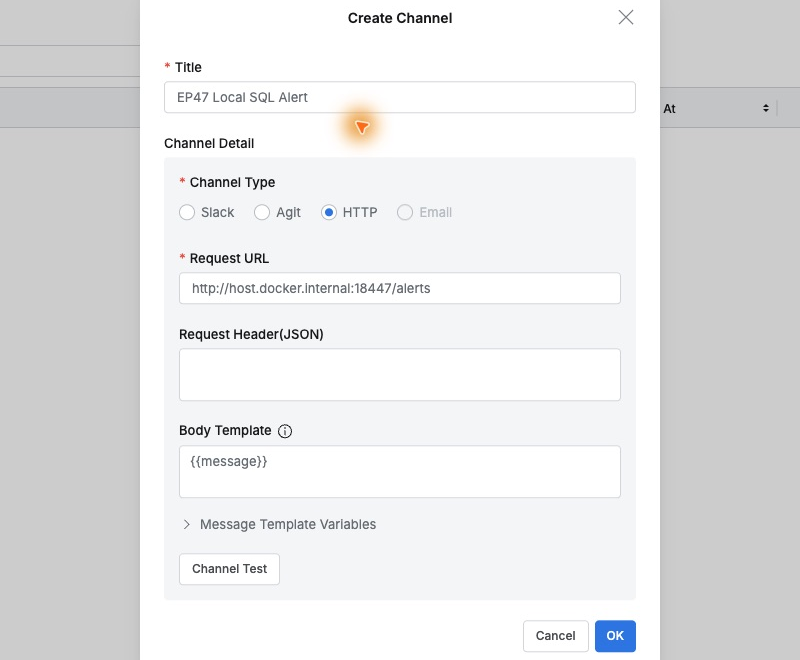
I created an HTTP channel in General → Channels, pointing to a small local Mac receiver. The inbox shown below is a lab UI displaying what QueryPie actually sent.
Body Template used the default {{message}}, forwarding the message defined in Alerts through this channel.
Alerting Only on Blocked SQL for This Database
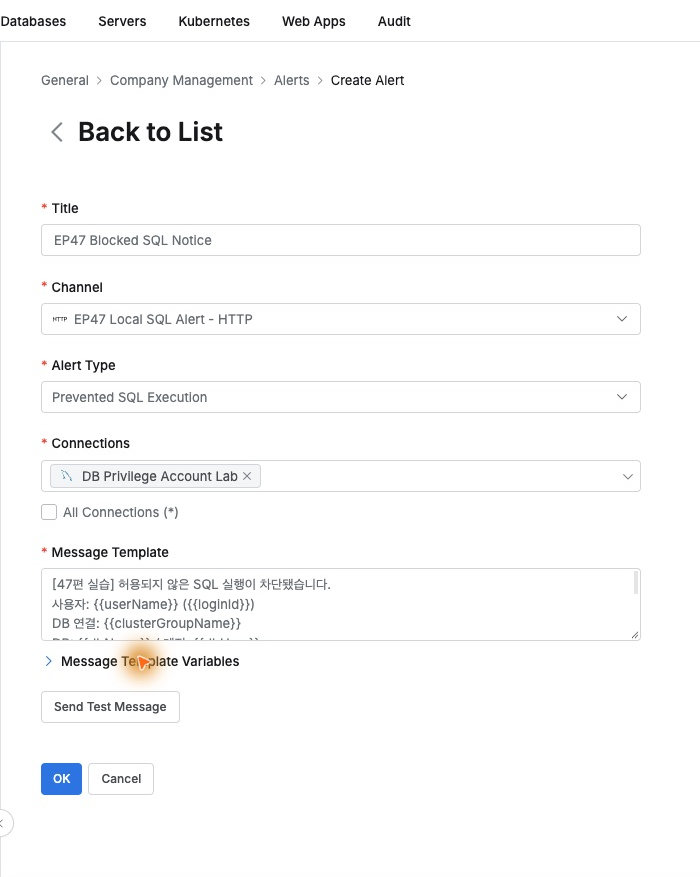
In Alerts, I selected type Prevented SQL Execution and targeted only the existing lab connection DB Privilege Account Lab , focusing on unauthorized execution for this database.
Using template variables, I included user, connection, time, SQL type, and statement, giving recipients enough context to understand the event.
Reads Succeed, Modifications Are Blocked
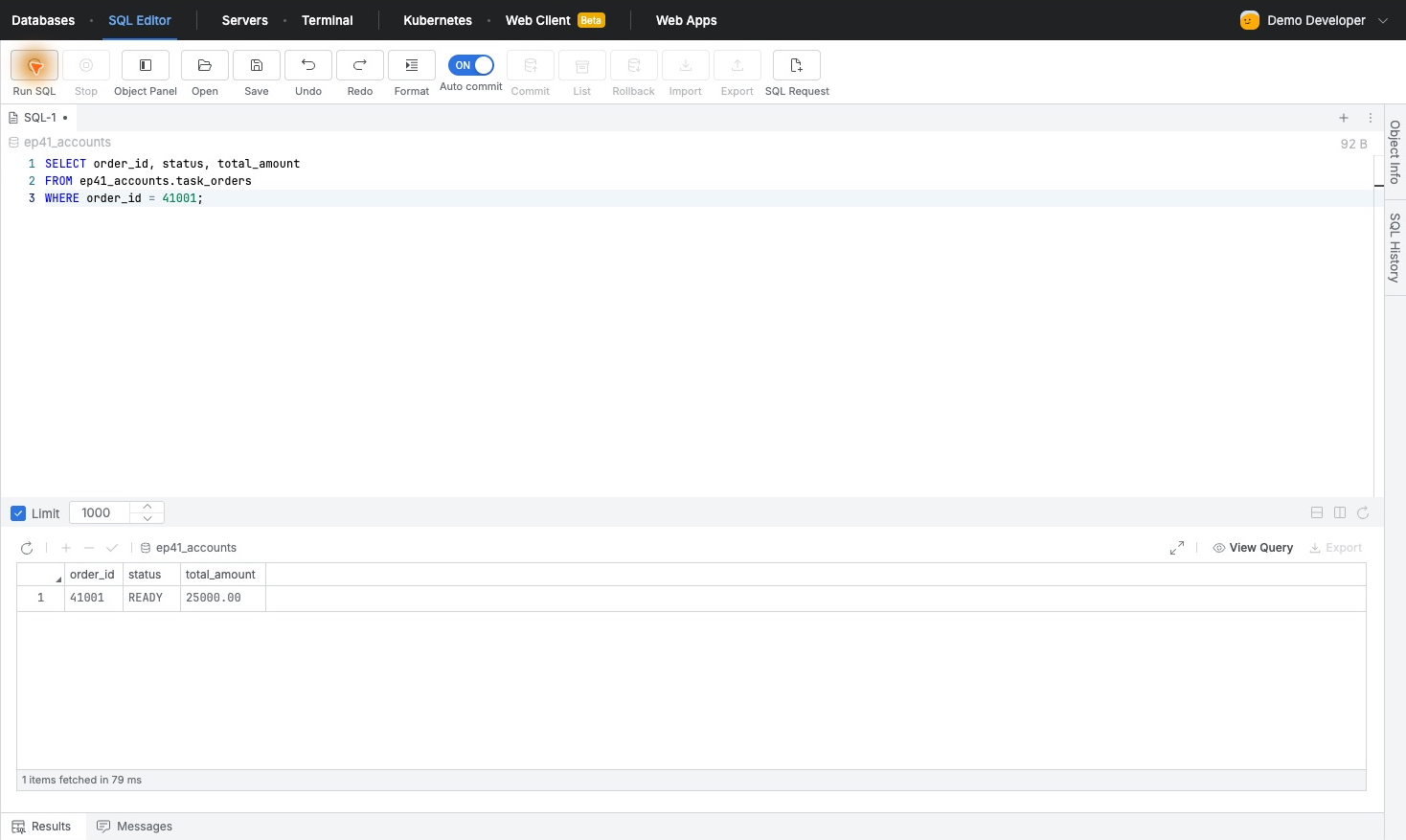
The test user had Read-Only only. SELECT returned order 41001 READY, amount KRW 25,000.
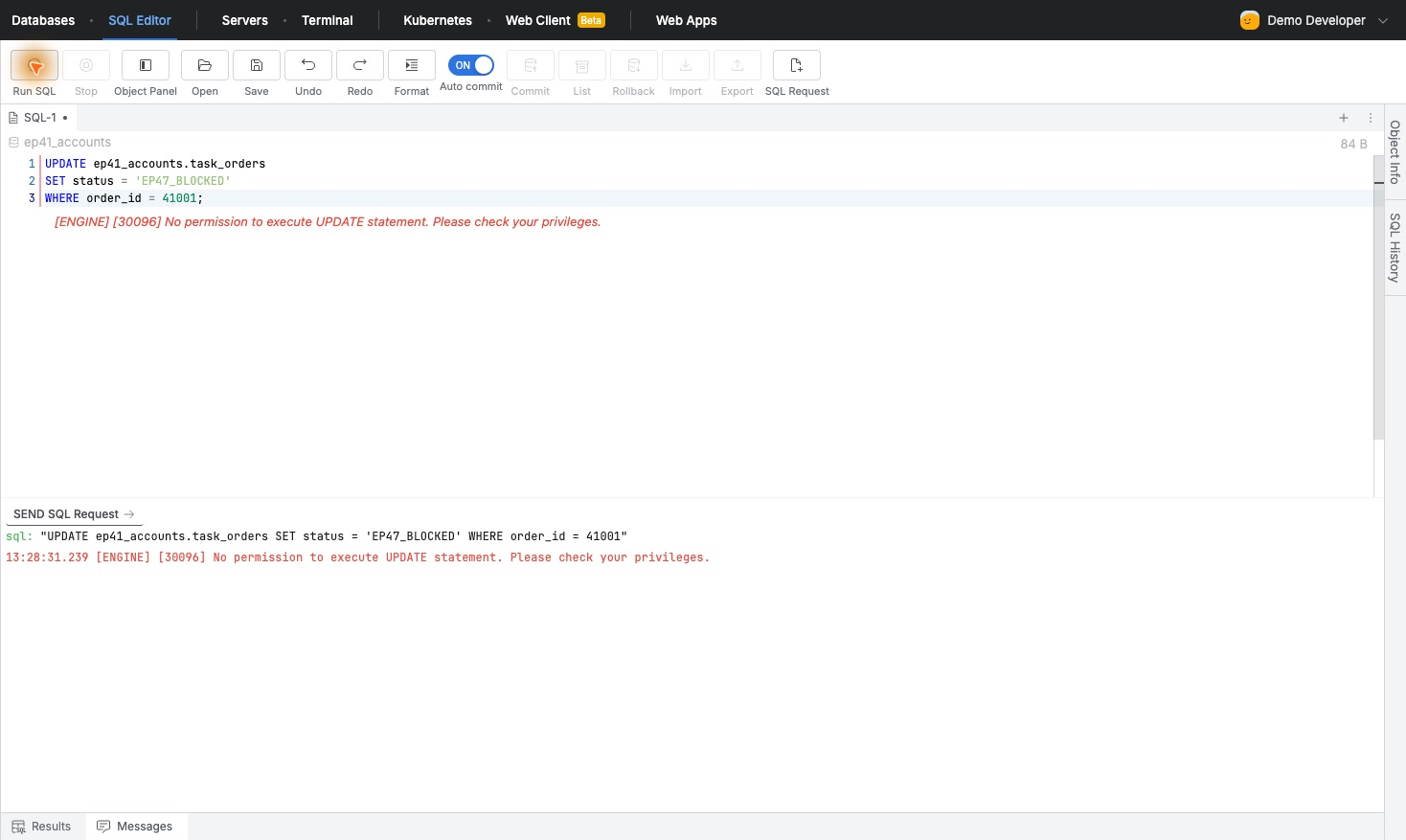
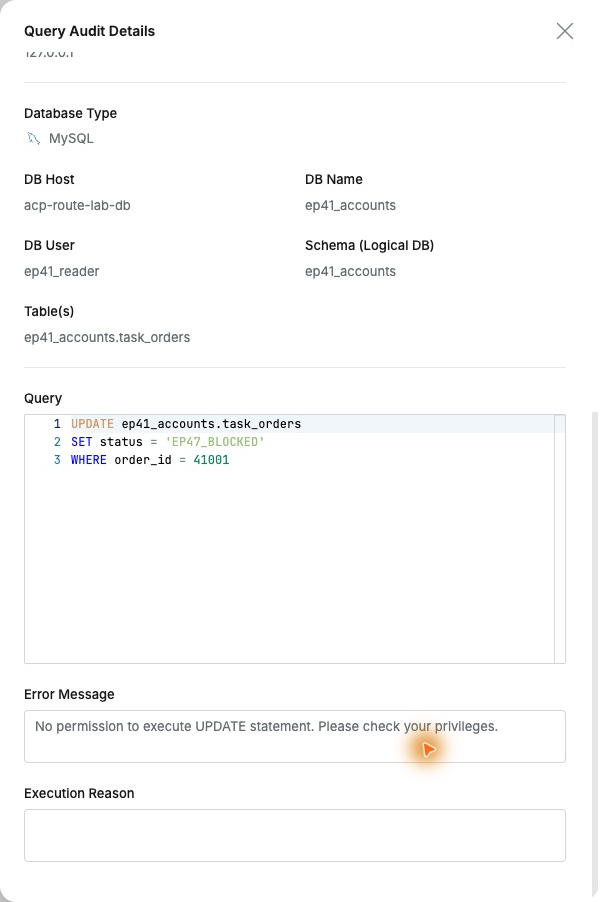
An UPDATE setting EP47_BLOCKED on the same connection returned No permission to execute UPDATE statement, as QueryPie denied modification under read-only access.
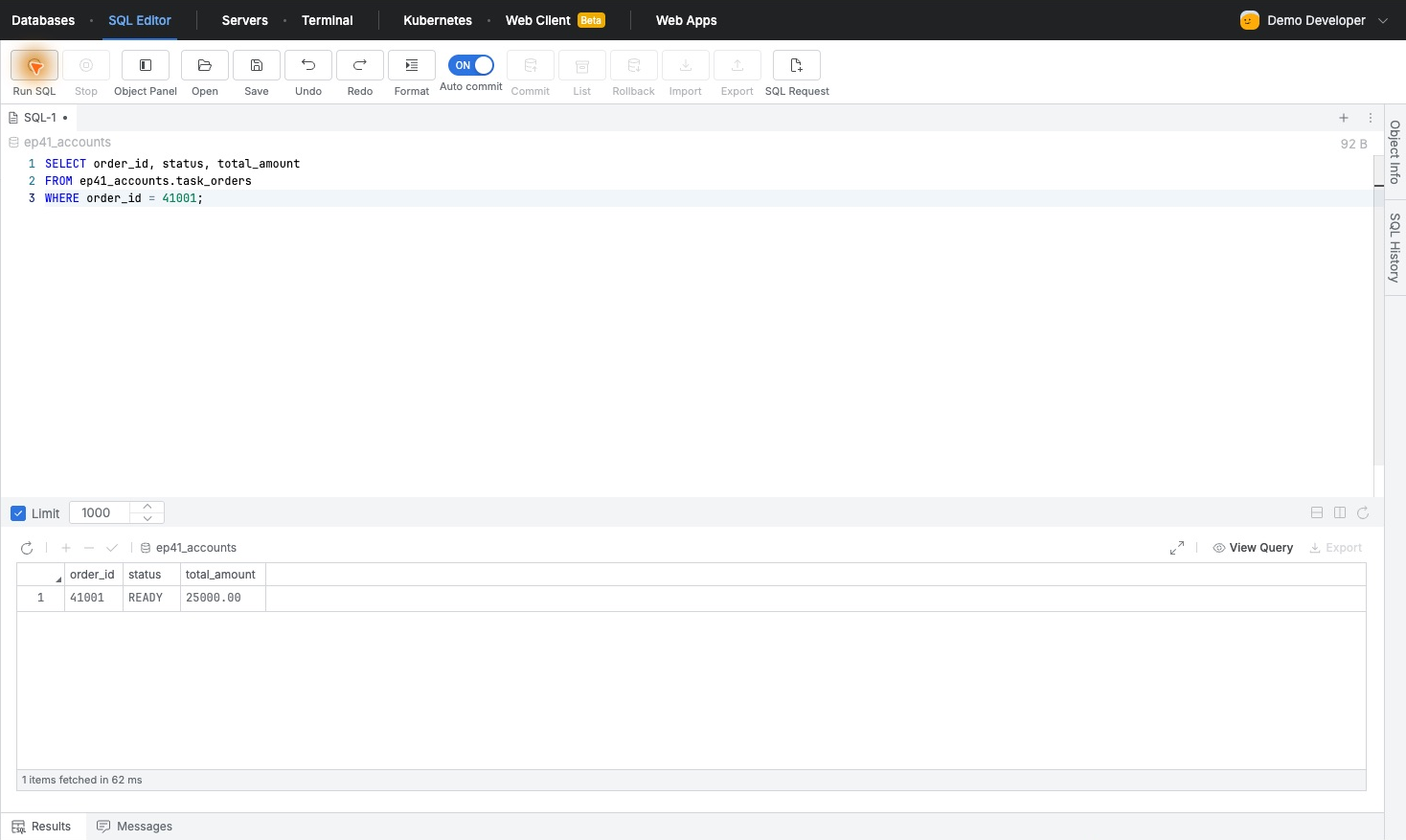
A new read and source-data check both showed READY unchanged. Necessary reads continued, with no unauthorized change.
The Exact Blocked SQL Arrives as an Alert
The inbox held one alert for the UPDATE between two normal reads. It contained Demo Developer, DB Privilege Account Lab, actual database account, and UPDATE text.
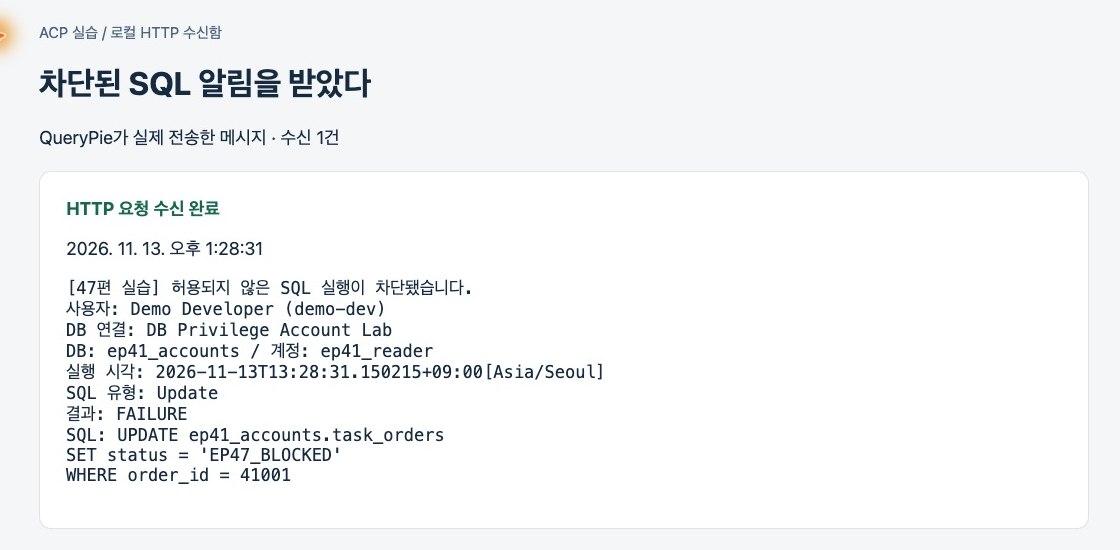
Execution and receipt both showed 13:28:31. No separate test message was sent; this alert came from the actual SQL block.
User and statement give much more actionable context than a generic error notification: who tried what and on which connection.
Checking Delivery and Audit Evidence
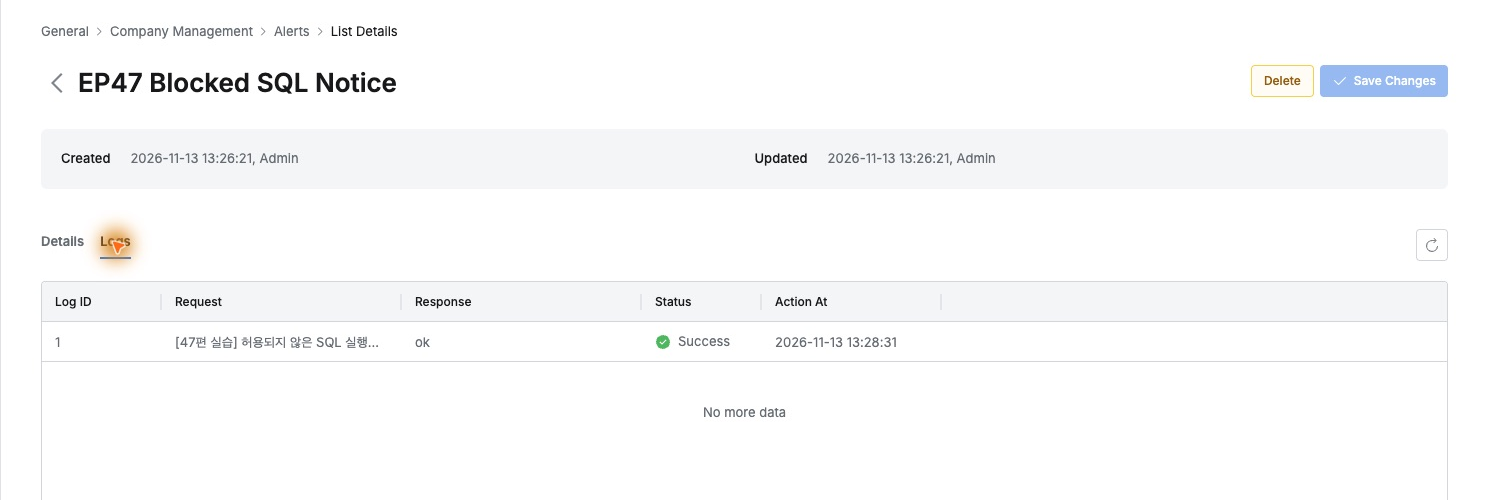
Alert Logs showed receiver response ok and delivery status Success at 13:28:31, confirming actual delivery rather than just configuration.
Query Audit matched the same UPDATE, Demo Developer and Read-Only. Adjacent SELECTs were Success; UPDATE was Failure/Prevented.
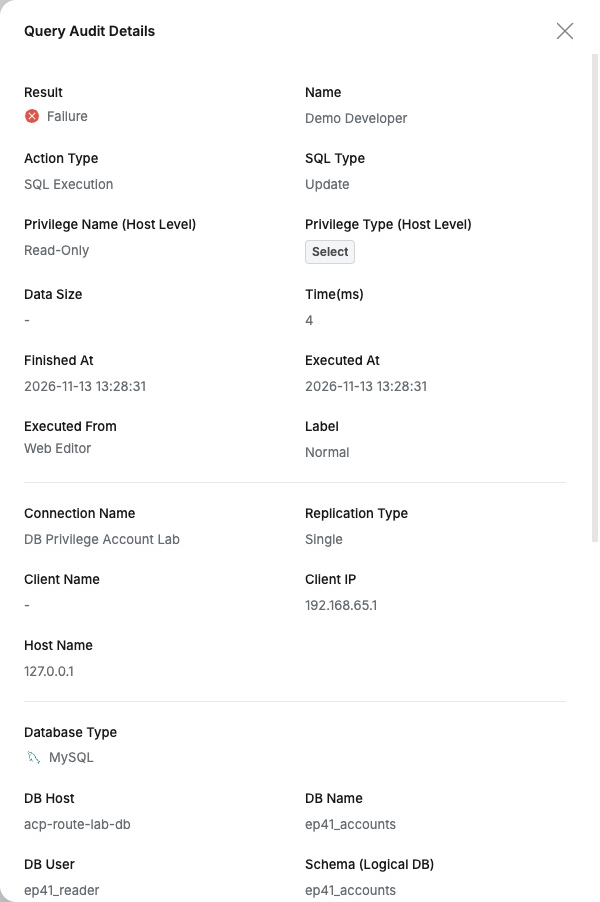
Details retained the identical statement and missing-UPDATE-permission error, letting me trace the received event directly into audits.
The flow allowed reads, prevented changes, and notified the attempt. Operators can receive relevant incidents without continuously watching every audit record, combining access enforcement with less manual monitoring.