[Part 40] Keeping Database Privileges and Defining Allowed IPs
November 13, 2026
Database readers may also need source-IP limits: grant necessary privileges, but allow use only from a defined network.
I tried QueryPie’s Allowed Zone, retaining the same user/read privileges while changing allowed IPs, then restoring them and checking access again.
Finding the Current IP in Access History
I created the lab connection DB Allowed Zone Lab, reused the MySQL orders, and granted Demo Developer Read-Only access.
Before defining IPs, I connected in the web editor and opened Audit → DB Access History to inspect user, connection, route, and Client IP 172.21.0.1.
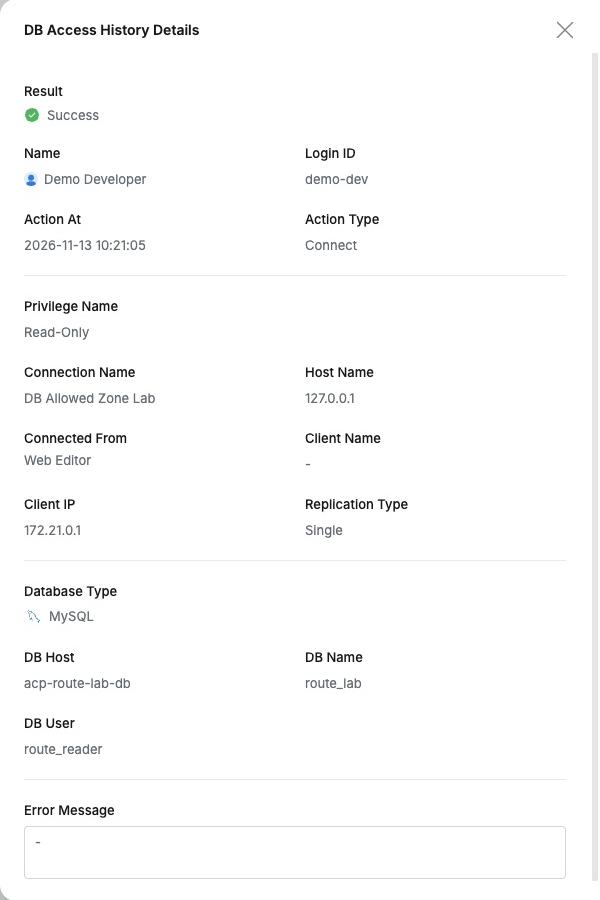
Using the address actually recorded by QueryPie clarified which IP to register.
Applying Allowed IPs Only to This Connection
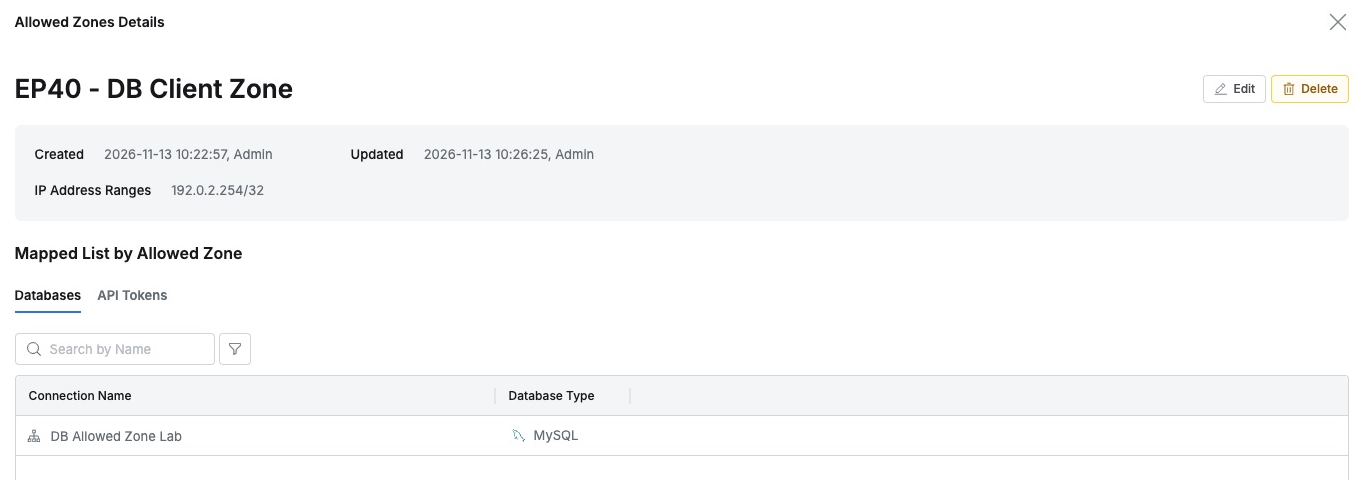
General → Company Management → Allowed Zones I created a new Zone in this menu, named EP40 - DB Client Zone, with IP range 172.21.0.1/32. /32 specifies one IPv4 address.
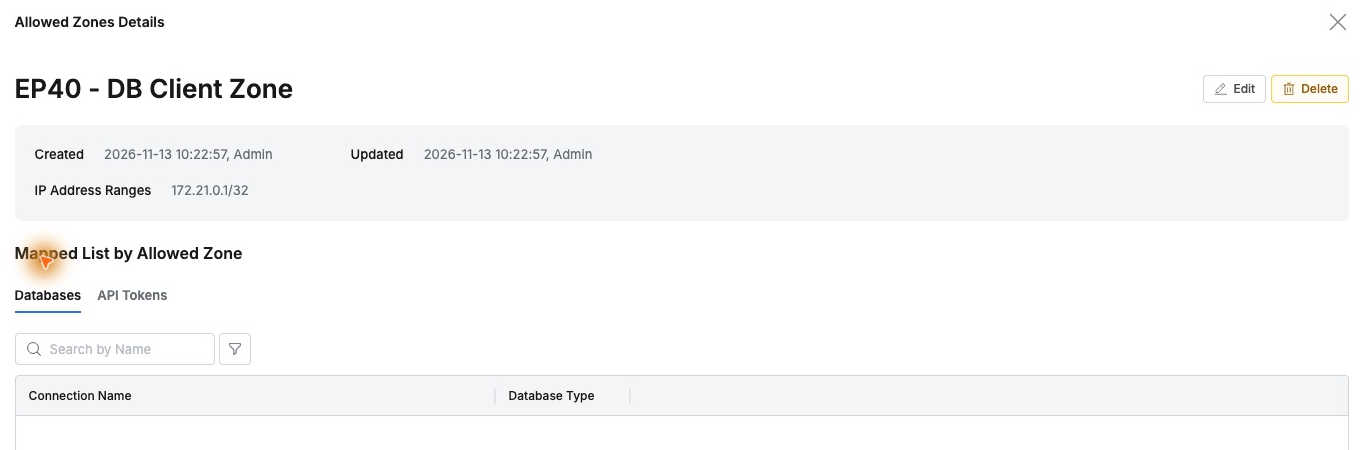
I selected it in DB Allowed Zone Lab → Allowed Zone and saved. The Zone’s applied-resource list contained only this connection.
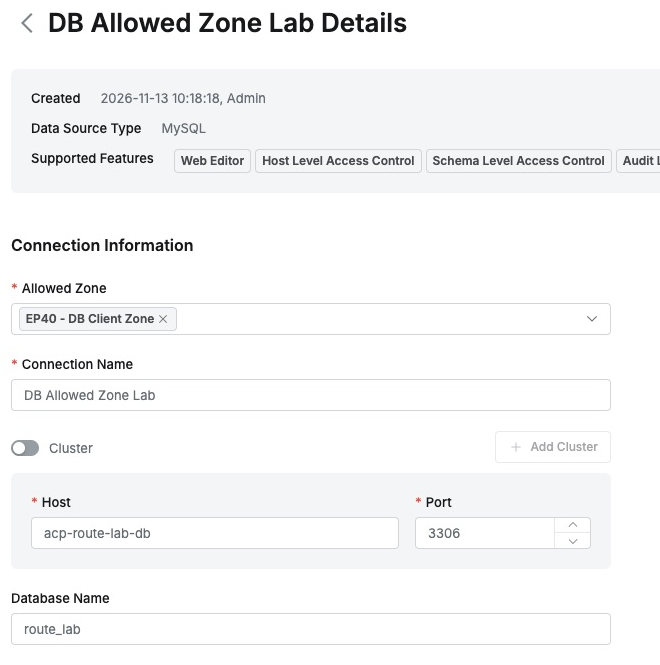
Named Zones are selected per connection, making both the applied range and affected databases easy to inspect.
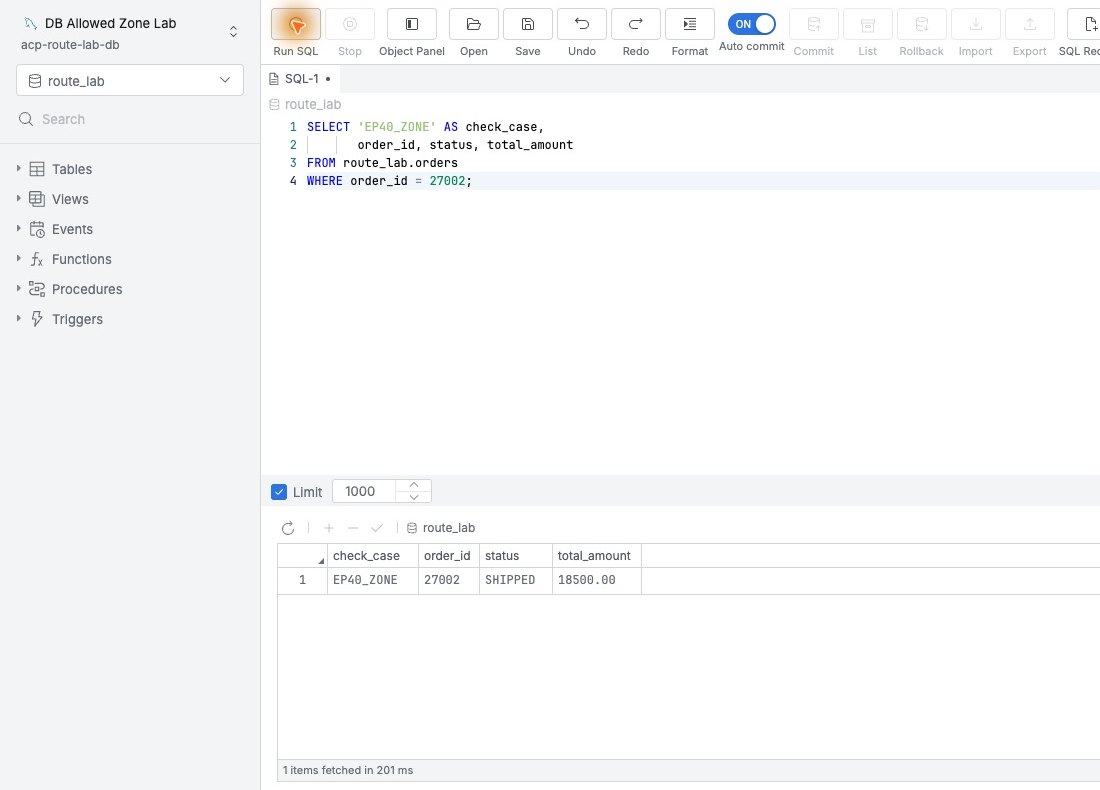
A new developer connection queried order 27002 and returned SHIPPED, 18500.00 as one row. Including the current IP allowed normal use.
Read Privileges Alone Are Not Enough
After disconnecting, I changed only the same Zone’s range to 192.0.2.254/32, a documentation address used to exclude the real IP. I neither changed users nor revoked Read-Only.
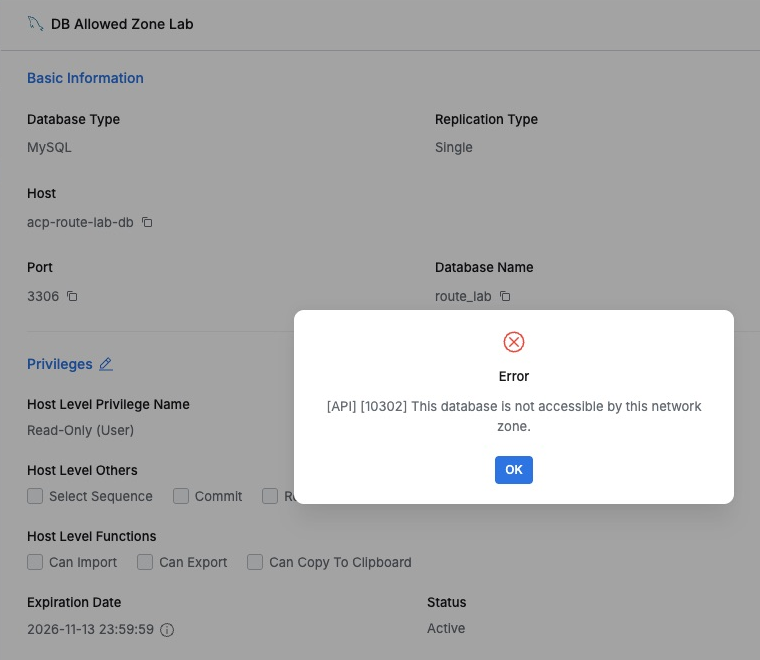
Connect now stopped before opening SQL and displayed the following.
“This database is not accessible by this network zone.”
The current network Zone could not access the database. Read-Only and Active remained visible behind the prompt, showing that the connection’s IP condition also applied.
Restoring the IP Restores the Same Query
I restored the Zone’s original range 172.21.0.1/32, without regranting privileges or changing database accounts.
A new developer connection returned 27002, SHIPPED, 18500.00 again. The user and privileges stayed fixed while IP settings governed connectivity.
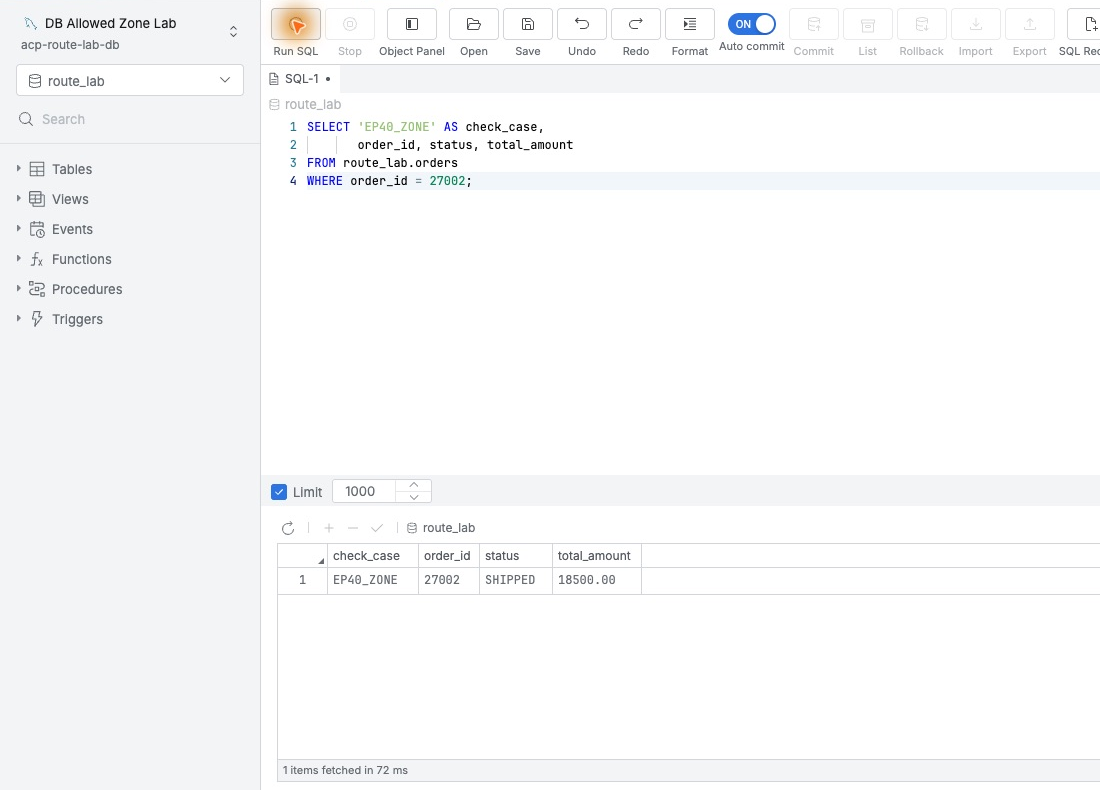
The comparison changed the allowlist from the same environment. Each step disconnected and established a fresh connection.
The Denial Reason Remains in History
DB Access History showed Success, Failure, Success as the IP was included, excluded, then restored, all with matching user, database, and Client IP.
The failed record’s Error Message included the current IP and the explanation that it could not access this database, matching what the user saw.
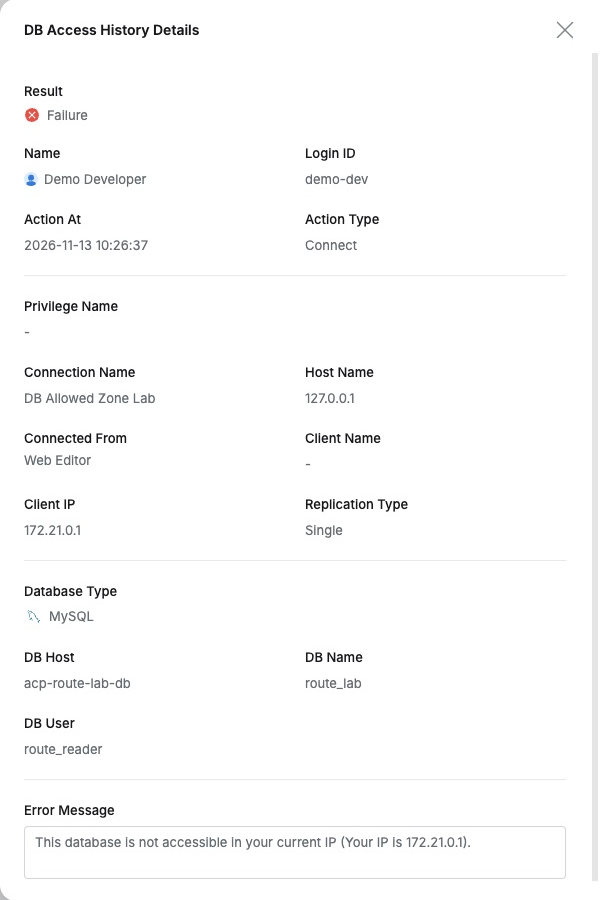
Both permitted SELECTs also succeeded in Query Audit. Connection history explains access decisions; SQL audits explain executed work.
I liked managing both who may query and from which IP they may connect. Necessary privileges remain while each connection has defined network boundaries, with outcomes and reasons recorded for operators.
This lab used QueryPie Community 11.6.7 and MySQL 8.0.42 with test users and orders.
Reference: Allowed Zones · DB Connections · DB Access History