[Part 41] Mapping Read and Operational Privileges to Different Database Accounts
November 13, 2026
Read accounts and operational accounts often differ: order reviewers get reads, while staff changing status receive necessary write access.
I connected those separate accounts to QueryPie privileges. Advanced Privilege lets different privileges use different accounts within one connection. I verified the actual account and audit evidence.
Preparing Read and Operator Accounts
I created two accounts for the lab orders table: ep41_reader received SELECT only; ep41_operator received SELECT and UPDATE. Order 41001 started READY with amount 25000.00.
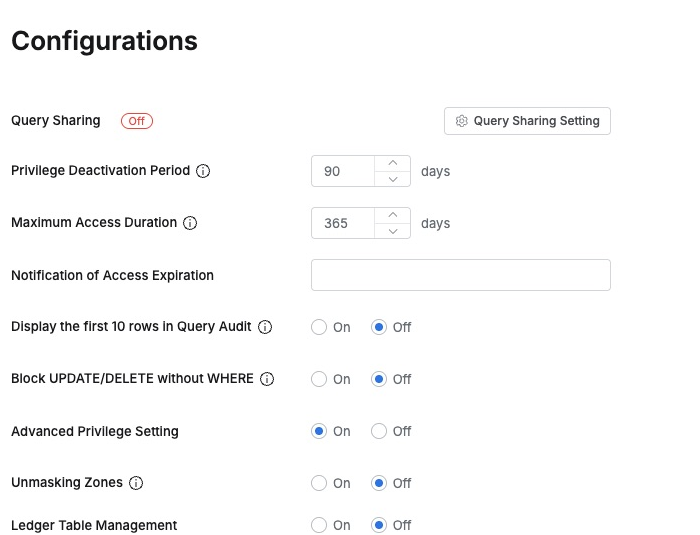
In the administrator view, I opened Databases → General → Configurations and enabled Advanced Privilege Setting, then opened Privilege Setting on the new DB Privilege Account Lab connection.
Read-Only uses ep41_reader; Read/Write uses ep41_operator. Both Test Connection checks succeeded before saving, making the account split explicit within one connection.
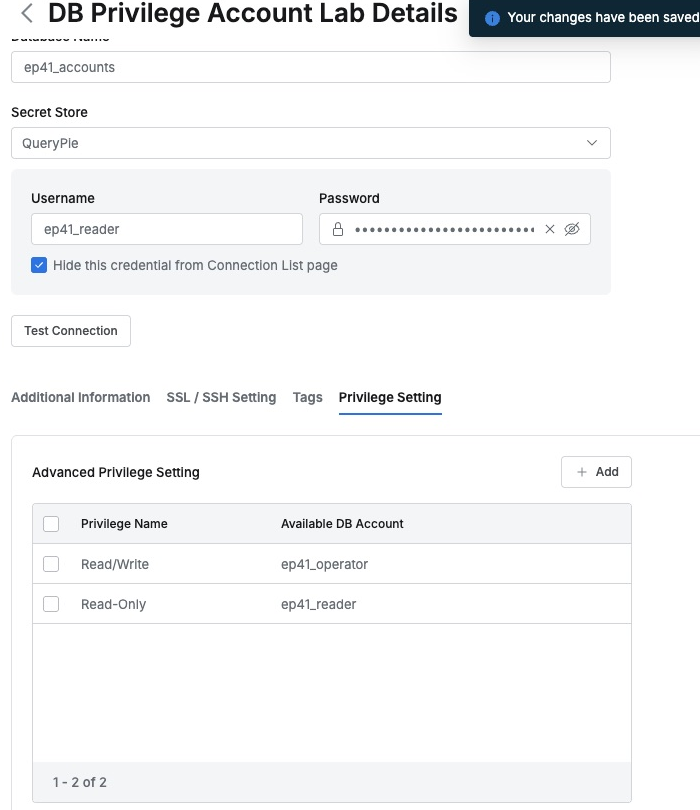
Existing task-based database accounts can carry into QueryPie: administrators map accounts; users receive the appropriate QueryPie privileges.
Read Privileges Use the Reader Account
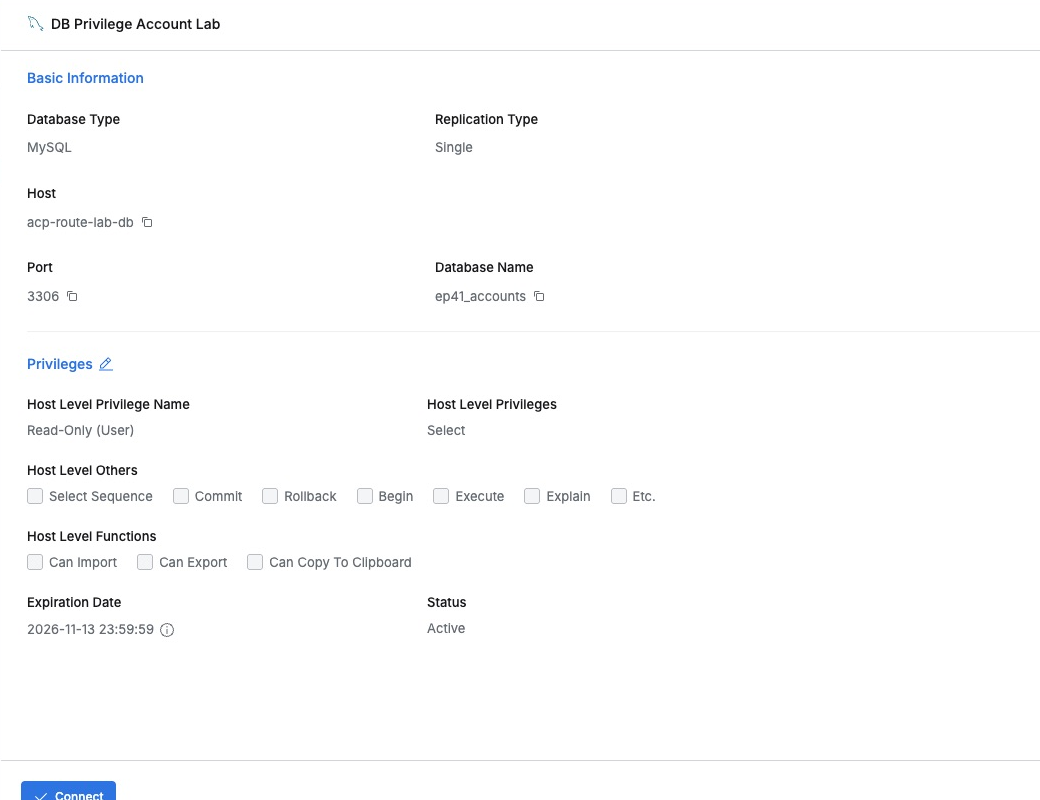
Demo Developer first received Read-Only. The user view confirmed it, and Connect opened the web editor without entering a database password.
While querying the order, I also checked CURRENT_USER(), which shows MySQL’s authenticated account. It returned ep41_reader@%, with the prepared status and amount.
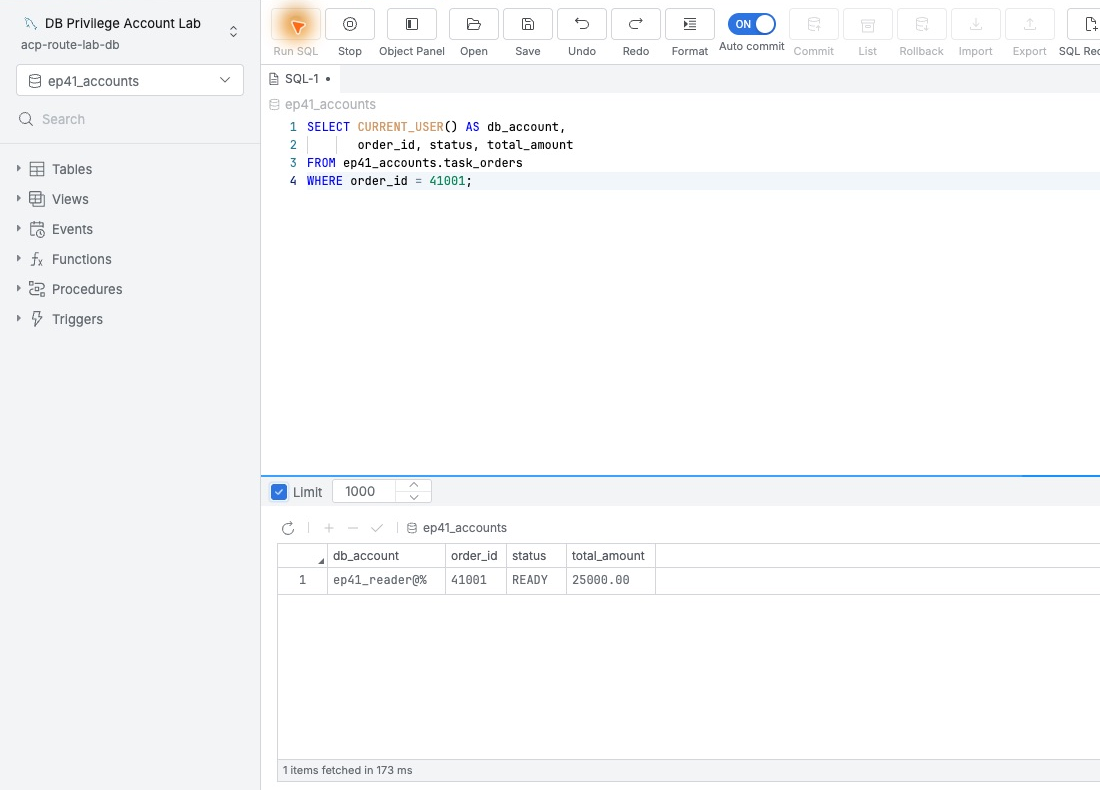
Checking the actual account, not just the privilege name, made the setting’s effect clear.
Operational Privileges Change the Account on Reconnection
After disconnecting, the administrator changed the same user’s privilege to Read/Write. Reconnecting and running the same SQL returned account ep41_operator@%.
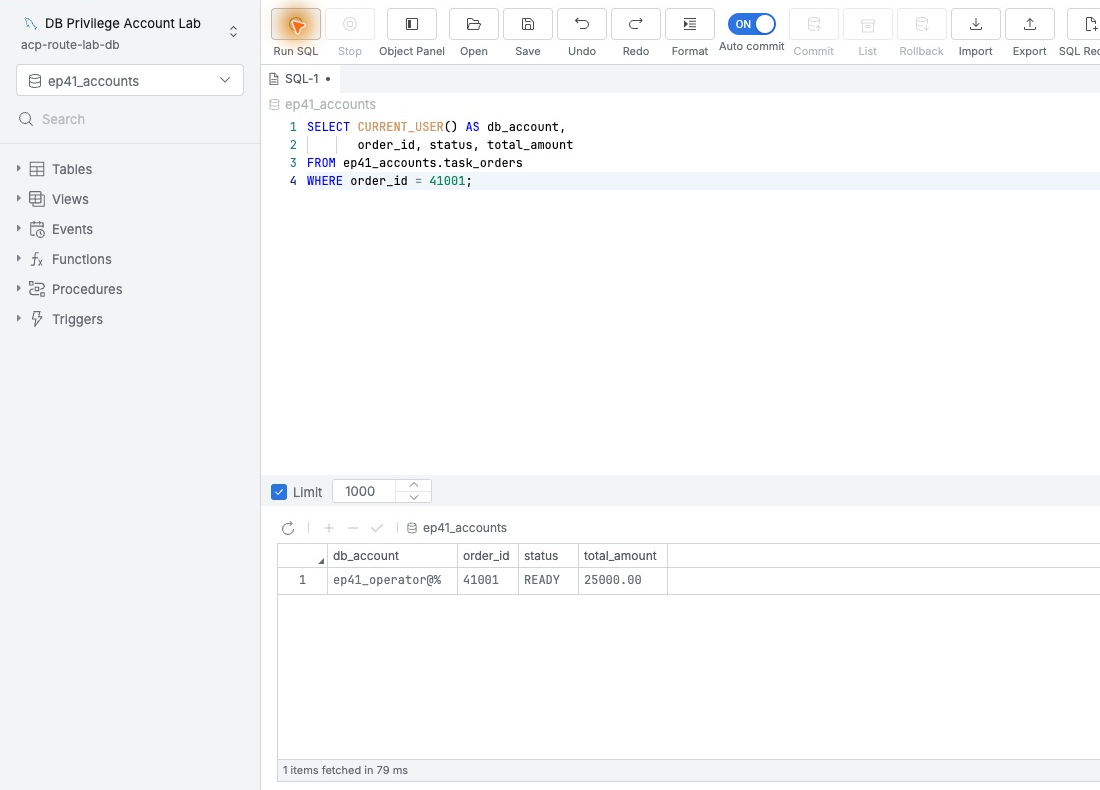
The user chose the same connection, but privileges selected the account. No separate reader/operator passwords needed distribution.
I then changed order 41001’s status from READY to CHECKED. UPDATE returned 1 Rows updated; a new read confirmed CHECKED and unchanged 25000.00.
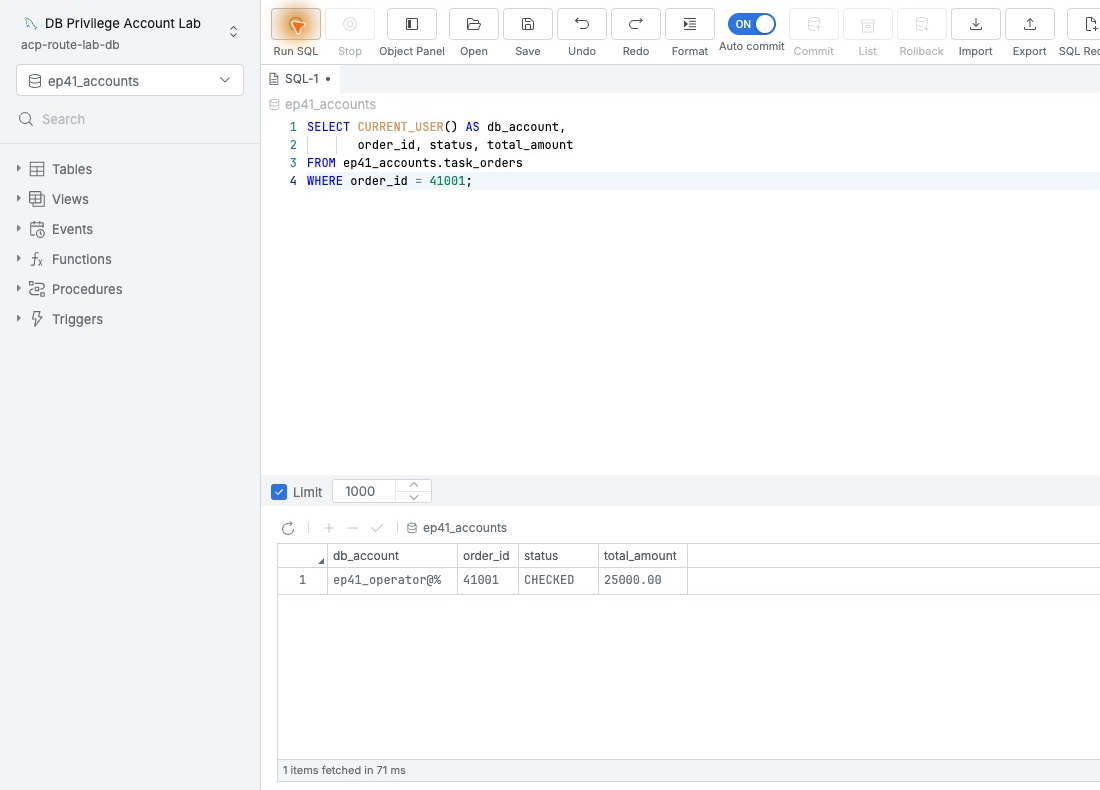
Audits Retain Both User and Database Account
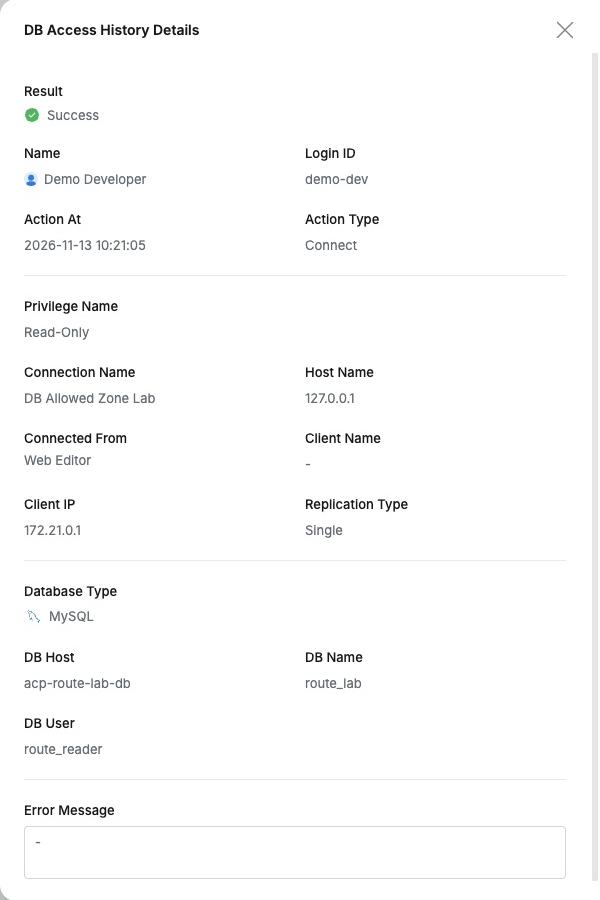
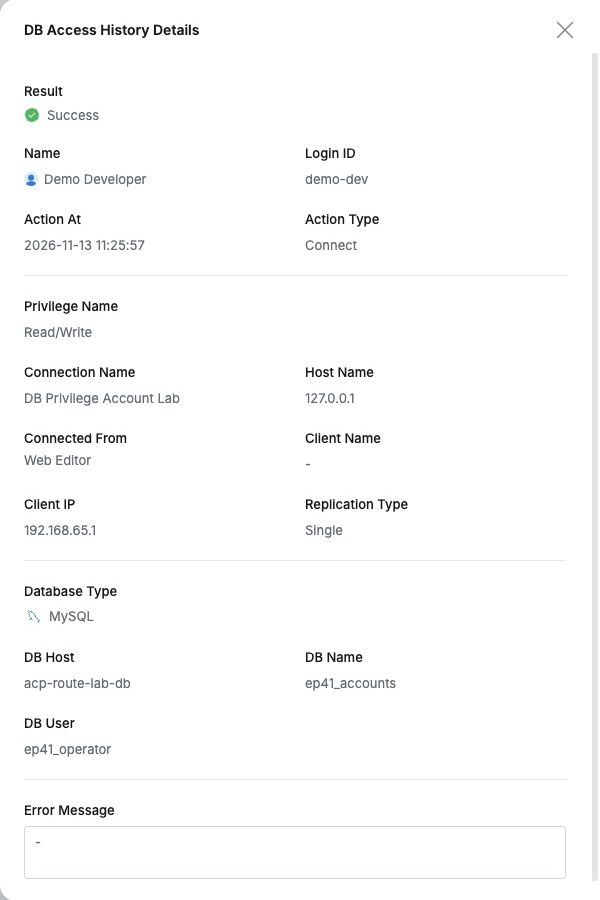
In the administrator’s DB Access History, the new connection showed Demo Developer, Read/Write, and DB User ep41_operator; the earlier one showed Read-Only/ep41_reader.
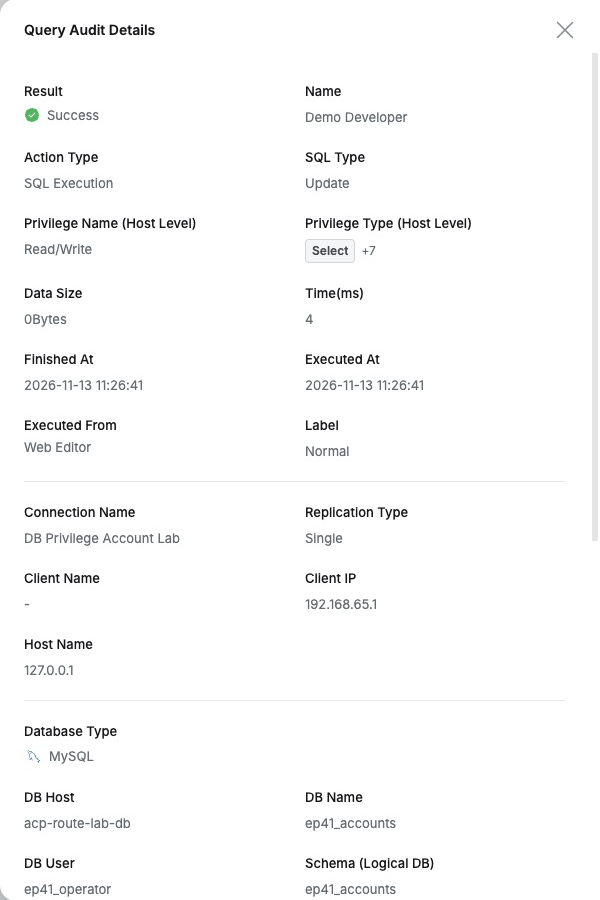
Query Audit showed the UPDATE as Success, with user, time, Read/Write, and Web Editor route.
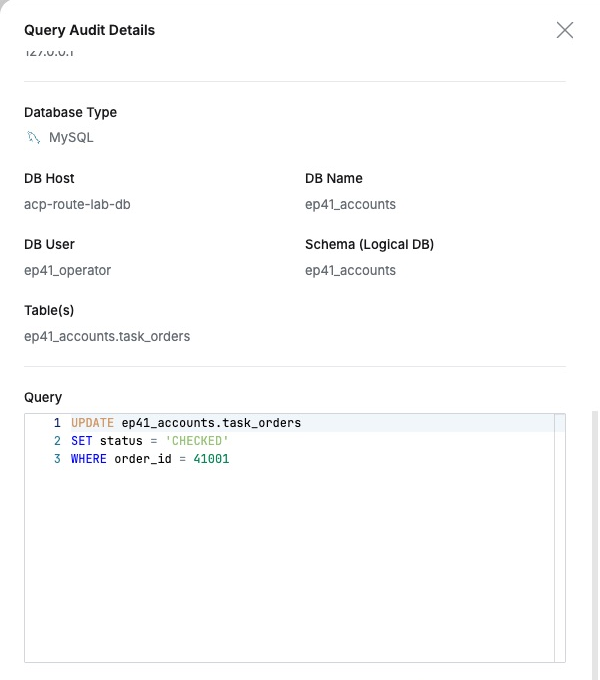
Further down were DB User, target table, and SQL, linking who used which privilege and database account to execute which SQL in one record.
Carrying Existing Account Separation into Access Management
The company’s database-account model can map naturally to QueryPie users, retaining reader/operator separation while applying accounts to responsibilities.
Users work through assigned connections; administrators manage privileges and accounts together. Actual users and activity remain auditable, so the purpose of separate accounts stays clear in both connections and work history.
This lab used QueryPie Community 11.6.7 and MySQL 8.0.42 with test users and orders.
Reference: Databases Configurations · DB Connections