[Part 50] After a breach, how far can an attacker go? Reflections on the first ACP series
November 13, 2026
When I wrote the first post, what concerned me most was what happens after an account is compromised. If that account can reach other servers or read more data than it needs, how far could one incident spread?
That led me to install QueryPie ACP Community myself. I started by connecting a test database from my Mac, then moved on to servers and Kubernetes. I took the role of a user requesting and receiving access, as well as an administrator granting and revoking it.
Looking back at the moments that stood out over these 50 posts, I noticed a common theme. I could check an order’s status, but unauthorized changes were blocked. I could read files on a server, but a restricted deletion command did not run. In Kubernetes, I could read configuration while requests to change it were denied.
Let people do the work assigned to them without granting privileges beyond it. I had now configured the controls I thought were needed in the first post and checked their actual effects.
Allow reads, require approval for changes
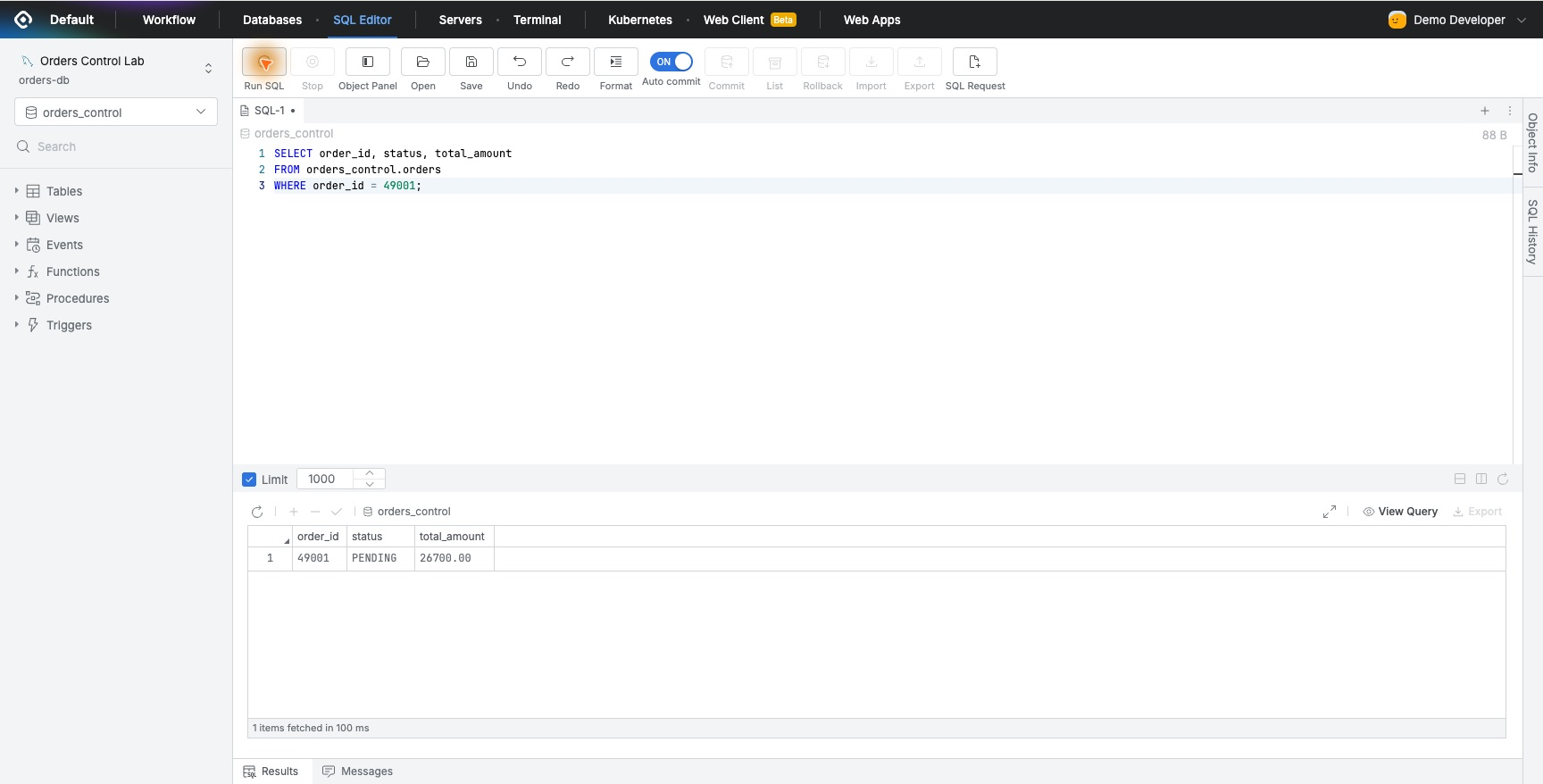
What I particularly liked about Database Access Control, or DAC, was how precisely I could separate different tasks.
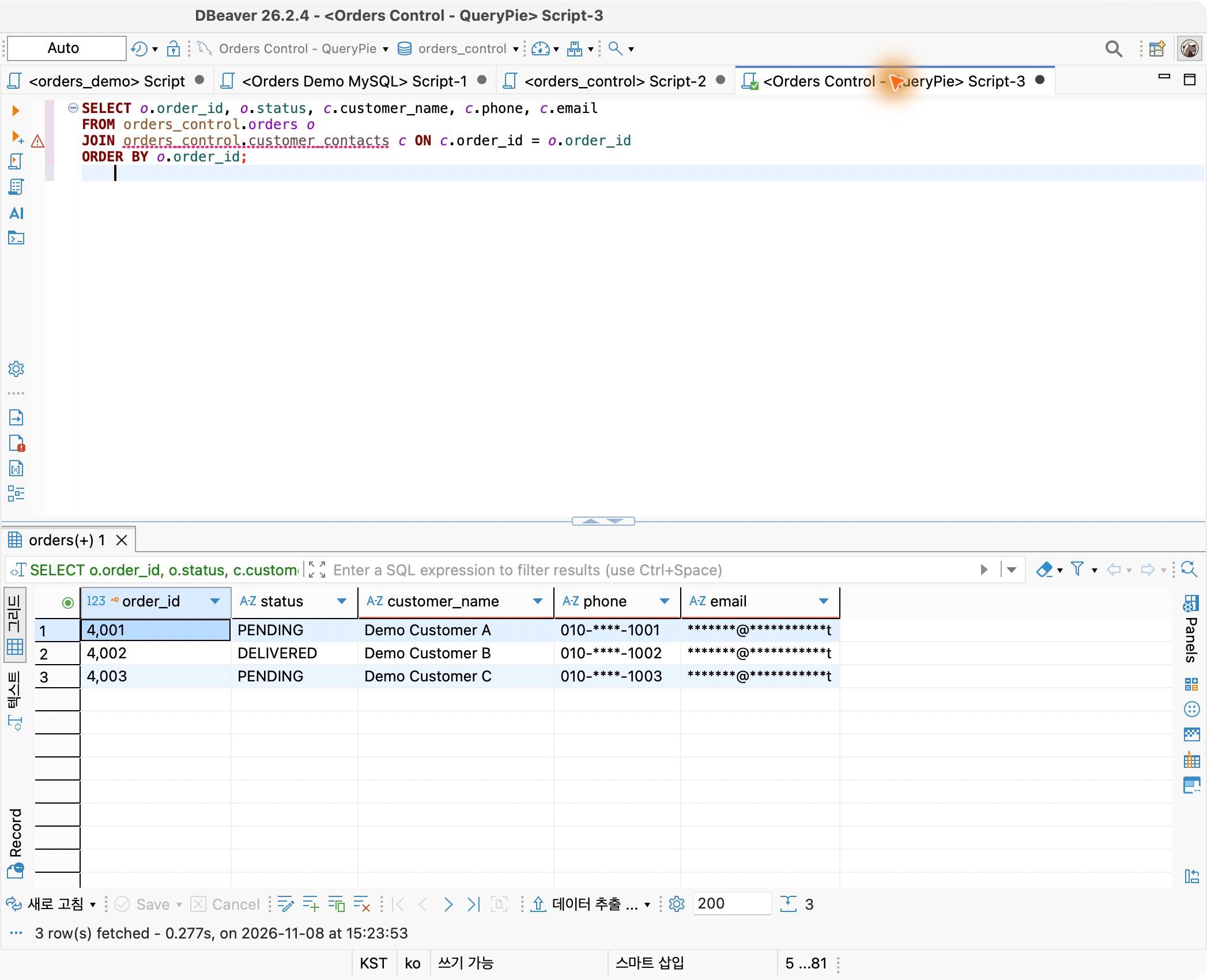
Someone checking whether an order was processed correctly needs its order number and delivery status, for example. They do not always need the customer’s full phone number and email address. In the exercise, I could apply masking to contact details while continuing to query normally in DBeaver. Order checks continued as usual, with exceptions only for people who needed the original values.
I could also turn ‘please only read the data’ into enforceable permissions. When a read-only user ran an UPDATE, it was blocked, while SELECT worked normally over the same connection.
Necessary changes went through approval. In Part 49, I kept the user’s regular connection at Read-Only and obtained separate approval for SQL that changed one order. The reason and approver were recorded, and DML Snapshot showed the status changing from PENDING to DELIVERED.
If I were leading an adoption evaluation, this is the first scenario I would show my colleagues. It separates read tasks from change tasks while still allowing necessary corrections, and it leaves enough evidence to explain why a change happened and which values changed.
Delegate server work without handing over passwords
Using Server Access Control, or SAC, made me rethink how connection credentials are passed to users in the first place.
Once the administrator registered a server account and assigned a role, the user logged in with their own QueryPie account and connected to an authorized server. There was no separate step to receive and enter the server password. Audit records showed both the QueryPie user who performed the work and the account used on the server.
The password rotation exercise also stood out. After changing a test account’s password in QueryPie, I reconnected without the user having to look up and enter the new password. I could see how this might reduce the work of distributing new passwords and having each person store them.
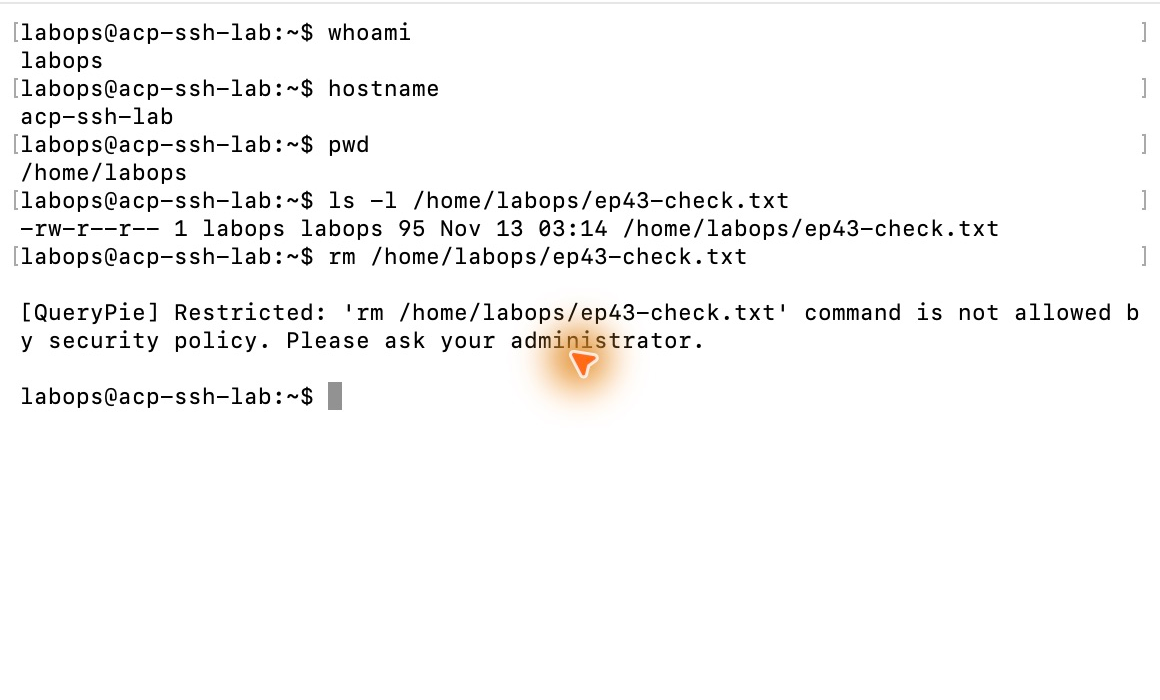
I could keep using the familiar Mac terminal for the work itself. I connected over SSH through Multi Agent and checked a file. When I ran the rm command included in the policy, the terminal immediately restricted it. Reading the file again showed that its contents were unchanged, and Command Audit recorded the deletion attempt as Restricted.
SAC’s appeal was being able to review both who enters a server and what they do inside it. I could provide access needed for an inspection, restrict specific commands, and later use records and session playback to review what happened. External maintenance and operational inspections came naturally to mind.
Keeping kubectl made KAC feel practical
With Kubernetes Access Control, or KAC, I separated reading configuration from changing it. I allowed reads of a ConfigMap in a test namespace while restricting changes to that same configuration.
After preparing connection settings that used Multi Agent authentication, I worked with familiar kubectl commands. Reading the current value with get worked, but attempting to change it with patch was denied by QueryPie policy. Reading it again confirmed that both the configuration value and the resource version were unchanged.
In the admin screen, I could see who requested a change, which resource in which cluster it targeted, and even the values included in the request. I liked being able to divide permissions by Kubernetes namespace, resource, and operation, then look up the results by user.
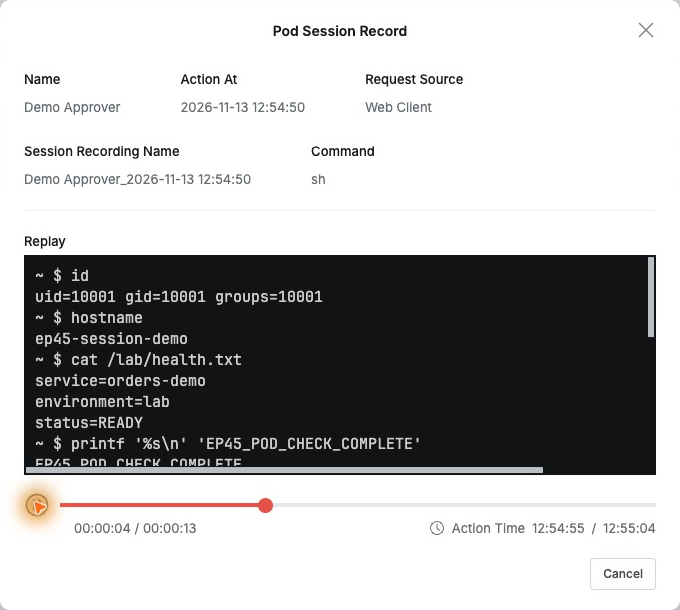
Replaying work inside a container was another memorable experience. I entered a test Pod, read a status file, and exited. Opening the recording afterward showed the commands I had entered and the values displayed at the time. From the access request, I could continue directly to the recording of that work.
Adopting Kubernetes changes both what you operate and how you work. Here I could answer the same questions I had considered important for databases and servers—who worked with which privileges, and what they did—within the same product for Kubernetes. Being able to keep using kubectl made it even easier to picture using this in real work.
Managing databases, servers, and Kubernetes in one place
After trying databases, servers, and Kubernetes, managing them together in one product mattered more than I had expected. A company’s important data sits in databases, while the servers and Kubernetes systems running its services also require access permissions. In QueryPie, I could register these assets in one place, define access scopes around the work, and review actual activity records.
I checked which SQL ran in the database, which commands were entered on the server, and which Kubernetes resources received operation requests. As the exercises progressed, I increasingly valued being able to answer ‘who accessed what, with which privileges, and what did they do?’ in the same product.
This is also worth examining during an adoption evaluation. I could picture starting with database access control and expanding to servers and Kubernetes. Operators keep using DBeaver, terminals, and kubectl, while administrators review access permissions and activity history for key assets in one place. After using it myself, I consider this one of QueryPie ACP’s major strengths.
I can now answer the first post’s question with concrete examples
Managing these key assets together brought me back to the question in the first post: ‘If an attacker is already inside, what can we still stop?’
In the final exercise of this series, I used a logged-in test account to attempt an order query, a settlement query, and an order change in sequence. The order query worked, but the settlement query and change fell outside the permitted scope and were blocked. The attempts remained in the audit trail. Once the administrator revoked that database permission, even the open connection could no longer run queries.
The result reminded me how much the scope of an account’s privileges matters. I could keep the account’s normal scope narrow, stop access when necessary, and review the work performed up to that point. The settings and operations needed for the ‘post-intrusion control’ discussed in Part 1 became much clearer.
For an adoption lead, showing the effect of controls while necessary work continues can be persuasive. Development and operations teams can see work done with familiar tools; security teams can see records of which actions were allowed and restricted. Confirming that these standards could apply across the company’s key assets gave me much more concrete reasons to evaluate QueryPie ACP.
Start with a single test database
If this series makes you want to try it yourself, you do not need to prepare databases, servers, and Kubernetes all at once. I started with one test database and separate administrator and operator accounts.
Give the operator read permission, query some data, then try a change with the same account. Next, find the records for both actions in the admin screen. Seeing allowed work succeed, restricted work blocked, and both outcomes recorded helps you understand what access control could do in your own work.
Then choose one situation your company often faces. It might be delegating an inspection to an external specialist or providing server access without sharing passwords. A team that wants Kubernetes configuration to be readable but not changeable could start by looking at KAC.
Being able to try the Community version myself let me test, one by one, the questions that arose while reading the product documentation. What began with a database connection grew into exercises with servers and Kubernetes.
This brings the first series to a close. In Part 1, I worried about what could happen after one account was compromised. Now I think about how much access our team actually needs and how to apply that standard consistently across databases, servers, and Kubernetes. Managing access and activity history for key assets in one place helped me picture much more clearly how I would use it at my own company. That is the biggest change I gained from trying QueryPie ACP myself.
To follow along from installation, see Part 2 of this series and the official QueryPie ACP Community installation guide for instructions.
This article reflects on exercises performed with QueryPie ACP Community 11.6.7 and separate test database, server, and Kubernetes environments.