[Part 35] Blocking UPDATE and DELETE Without WHERE
November 9, 2026
A missing WHERE in an UPDATE intended for one order can change others too. A DELETE without conditions can erase all rows.
I enabled QueryPie’s missing-condition guard and tested scoped and unscoped SQL with modification/deletion privileges, then checked the remaining data.
Preparing Update and Delete Privileges
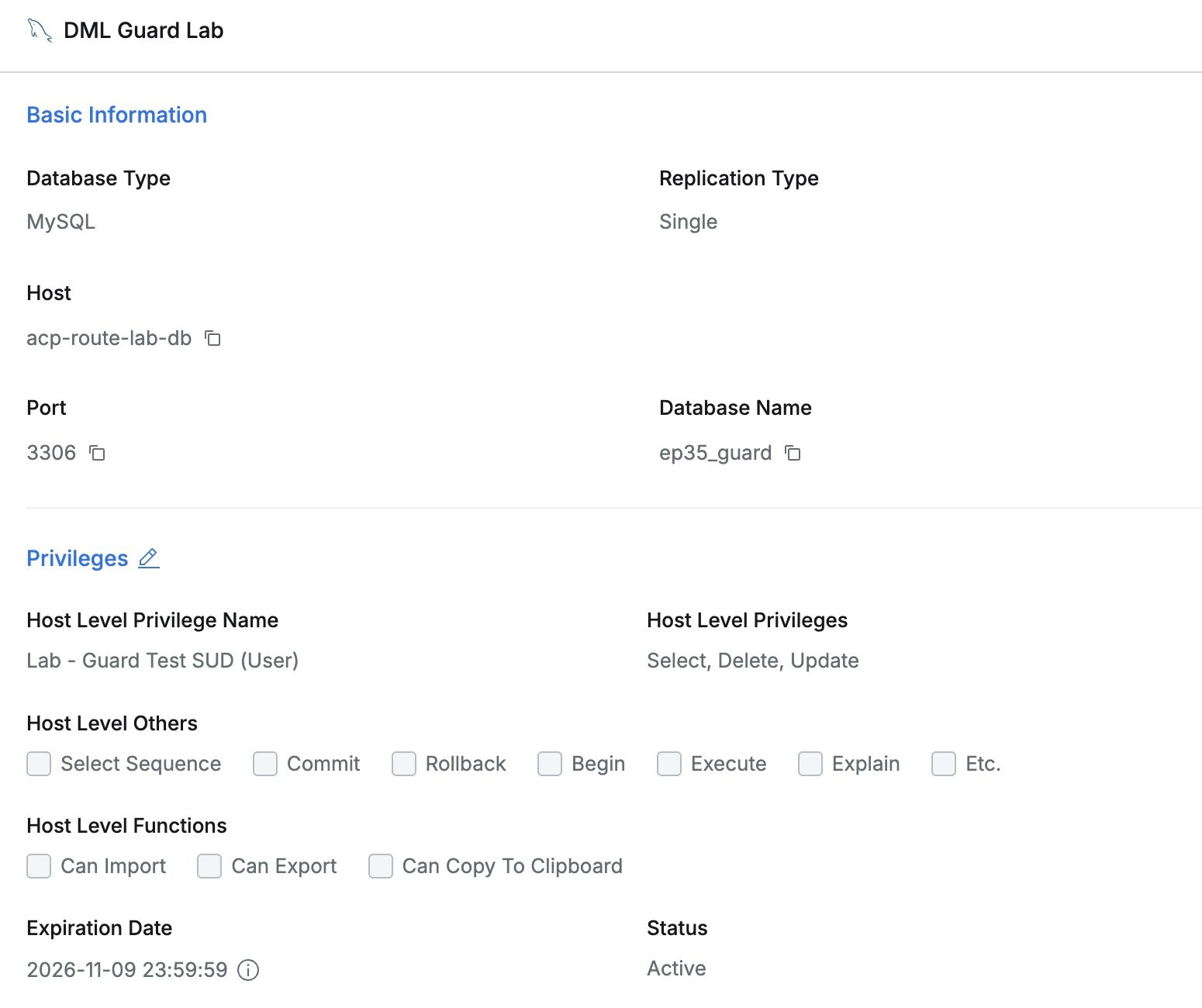
DML Guard Lab held fictional work orders 35001 and 35002 PENDING, and 35003 TEMPORARY.
Demo Developer had SELECT, UPDATE, and DELETE, verified in the user view. I kept them throughout to isolate the WHERE guard.
Enabling WHERE Protection
In Databases → General → Configurations, I switched Block UPDATE/DELETE without WHERE On and saved. This global administrator option restricts UPDATE and DELETE without WHERE.

After confirming the saved setting, I opened a fresh developer connection; all later changes used that connection.
A Single-Row UPDATE Works
I set order 35001 to CHECKED with WHERE work_id = 35001. Results showed 1 Rows updated..

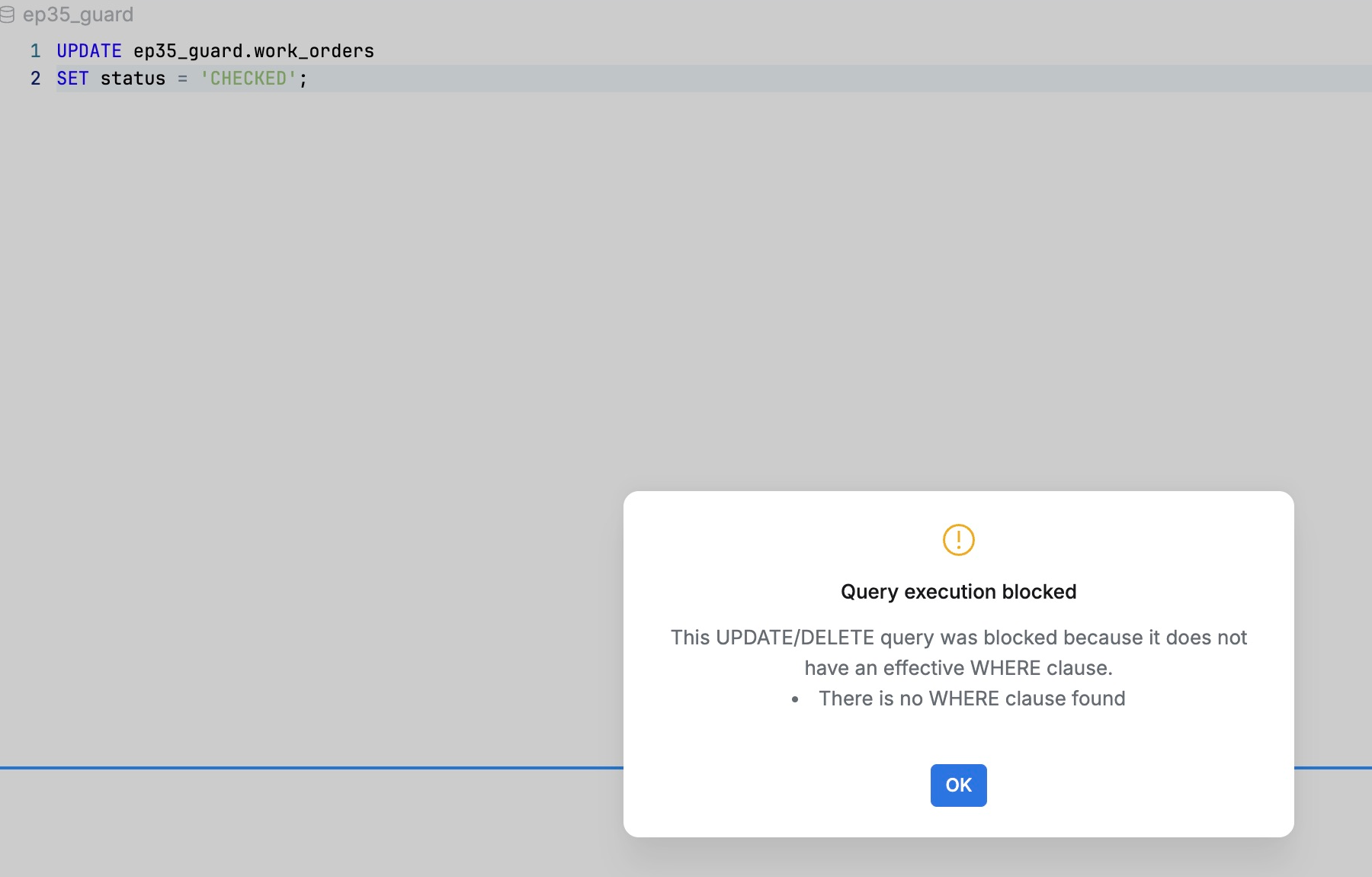
I removed only WHERE from the same UPDATE, leaving the CHECKED assignment unchanged but no target condition.
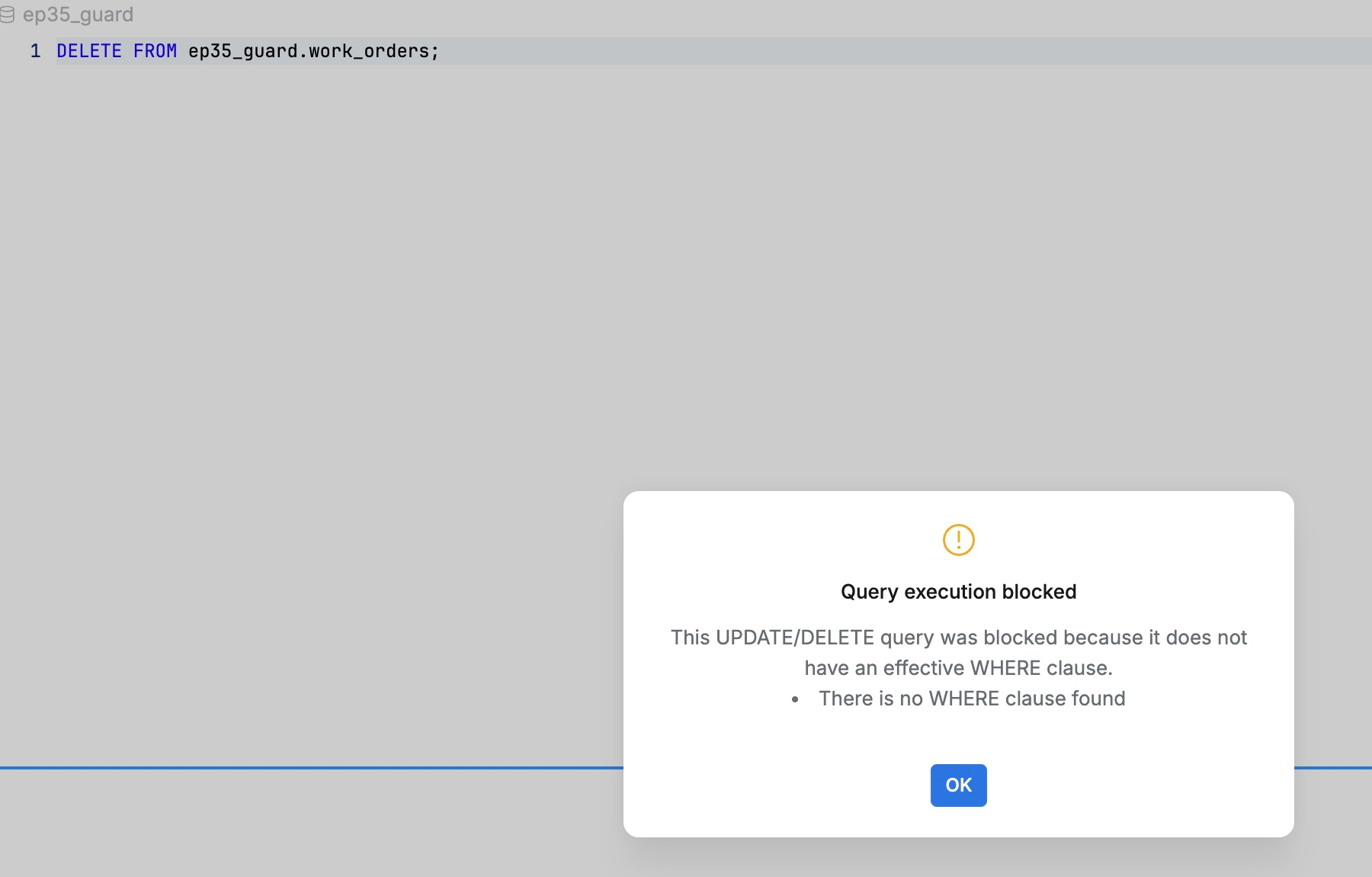
Execution opened the Query execution blocked dialog with the explanation There is no WHERE clause found, confirming QueryPie blocked the missing condition.
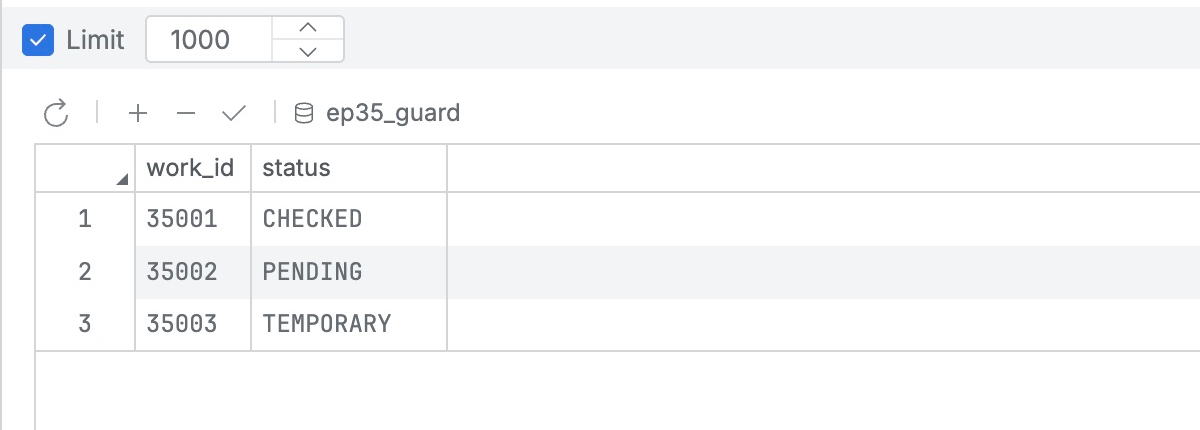
After closing the dialog, 35001 alone was CHECKED; 35002 remained PENDING and 35003 TEMPORARY. The unscoped UPDATE had no effect.
The Same Distinction for DELETE
I deleted TEMPORARY order 35003 using WHERE work_id = 35003, which returned 1 Rows deleted.. The targeted deletion succeeded.

DELETE FROM ep35_guard.work_orders; without WHERE again opened Query execution blocked, citing the absent condition.
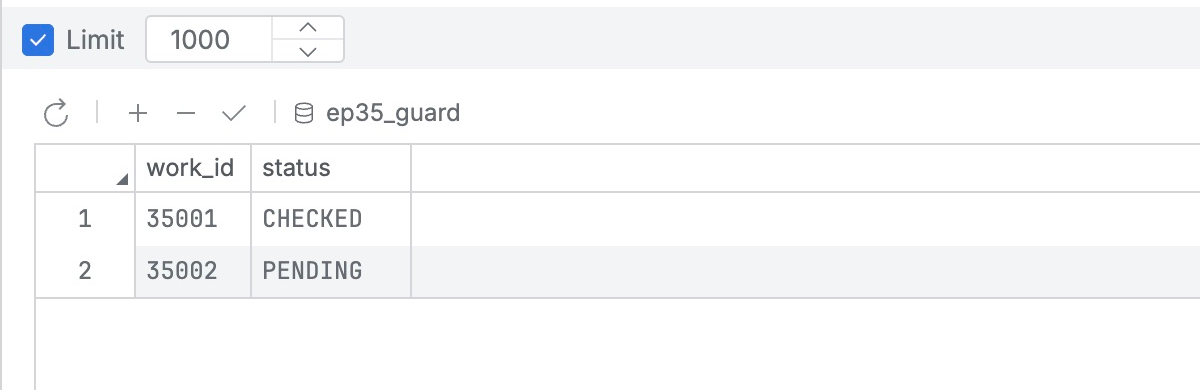
35001 CHECKED and 35002 PENDING remained. Only deliberately deleted 35003 was gone.
Adding Mistake Protection to Work Privileges
Staff can retain necessary change privileges while missing WHERE is blocked separately. The same user/connection could execute targeted SQL but not unscoped SQL.
This adds a safeguard to routine changes: configure centrally and show the reason at execution. It helps prevent a single-order task from affecting a wider range by mistake.
The lab used QueryPie Community 11.6.7/MySQL 8.0.42 web SQL editor and fictional data. Afterward, I restored data and the global option to its previous Off state.
Reference: QueryPie 11.6 release notes · DAC General Configurations