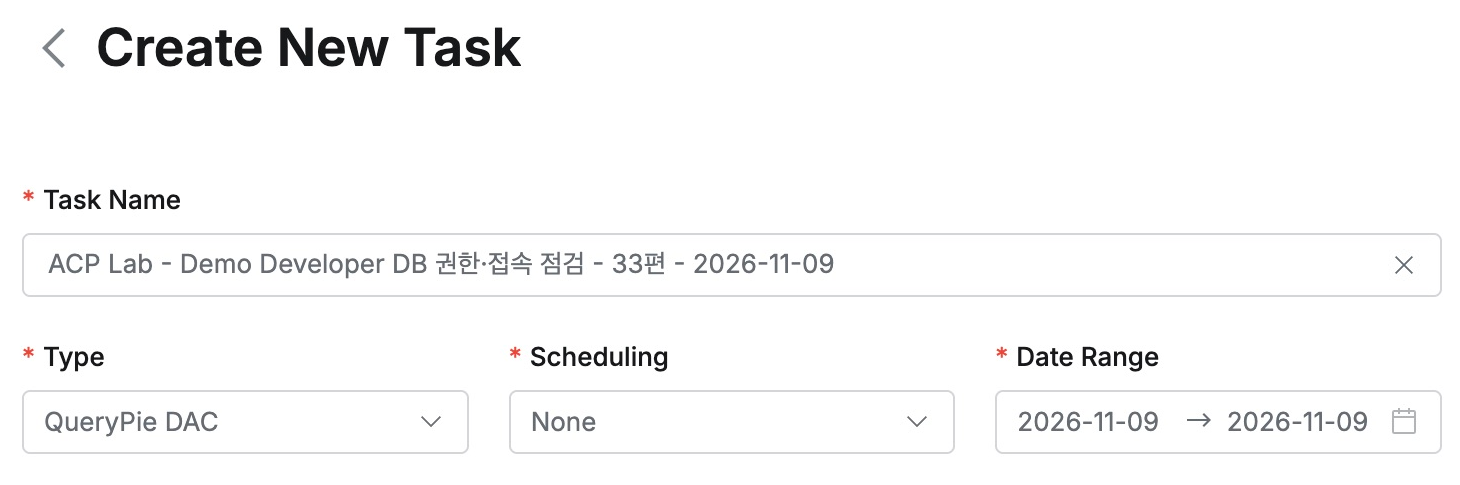
[Part 34] Separating Database Access by Task on the Same Server
November 9, 2026
Several business databases may share one server. That does not mean order staff need settlement access. I defined which databases a user could query in QueryPie.
Unlike earlier table restrictions, this separates databases themselves: order and finance databases on one MySQL, with access only to orders.
First Confirming Both Databases Are Readable
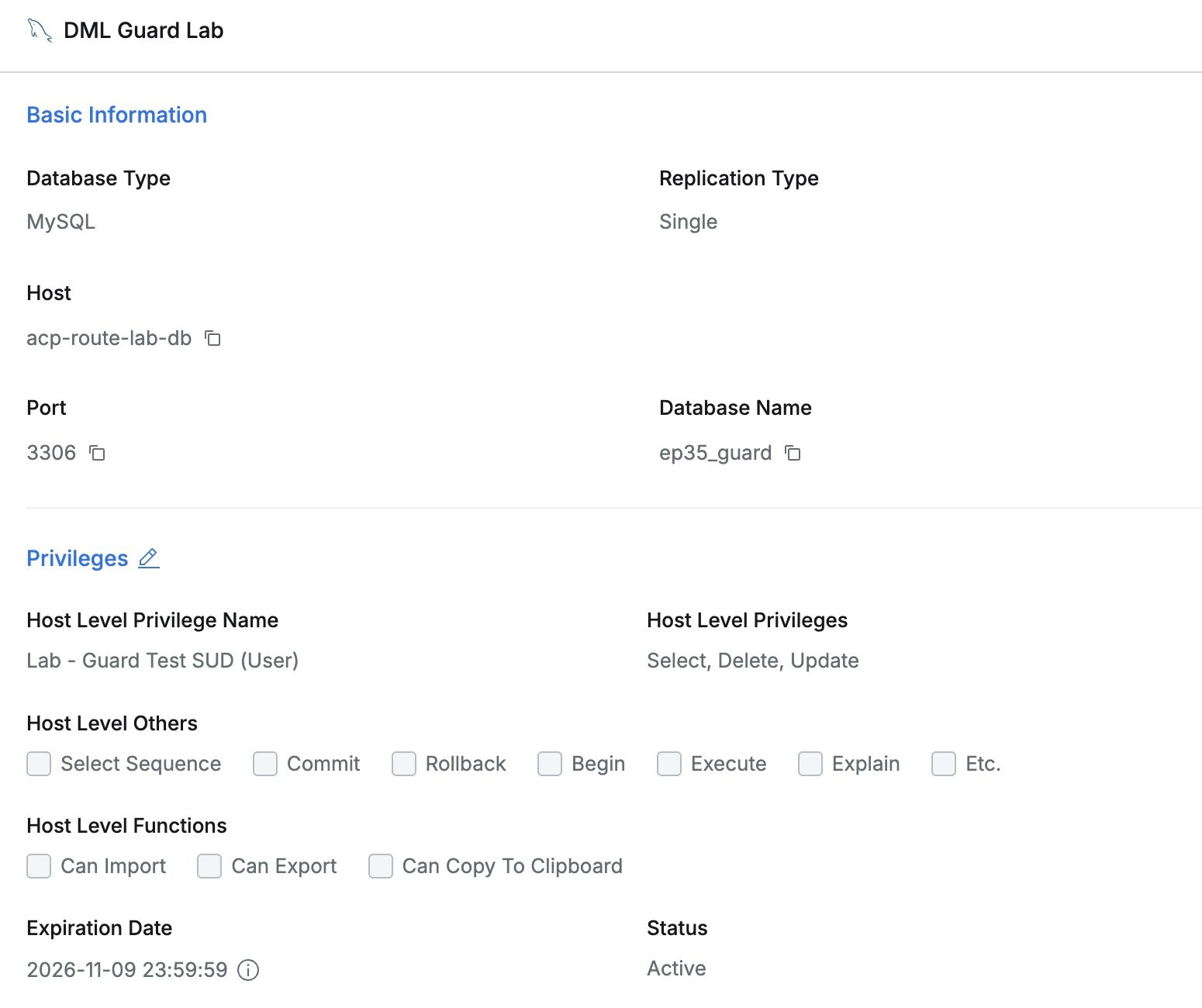
I reused route_lab and added ep34_finance with three fictional settlements on the same server, registered as DB Schema Scope Lab.
Initially, Demo Developer had Host-level Read-Only. The web editor returned both an order and settlement 34002 on the same connection.

The registered database account could read both tables. I retained its privileges while changing only the QueryPie user’s scope.
Specifying the Orders Database at Grant Time
I disconnected the baseline session, revoked Host access, and chose Access Control Level Schema (Logical DB) in Grant Privilege.
For DB Schema Scope Lab, I chose Host Level Privilege Read-Only, added route_lab, and selected Select. MySQL needs the database name here, not a table-qualified name.
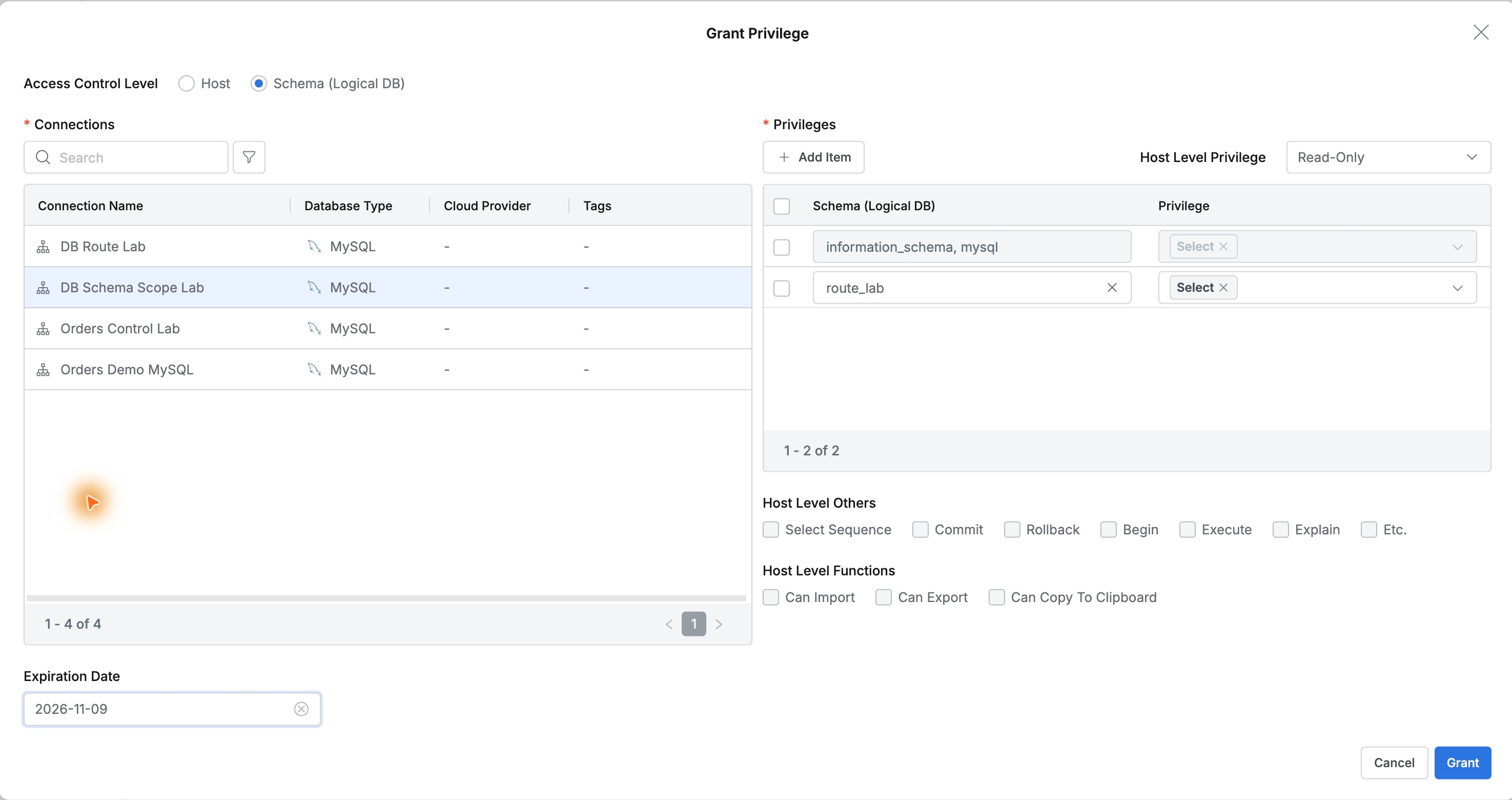
I retained the default Select entries for information_schema and mysql and did not add ep34_finance.
Reopening the grant showed the databases and Select under Schema Level. The user view showed the same scope.
Orders Work, Finance Is Restricted
On a new developer connection, the original order SQL returned 27002, SHIPPED, KRW 18,500.

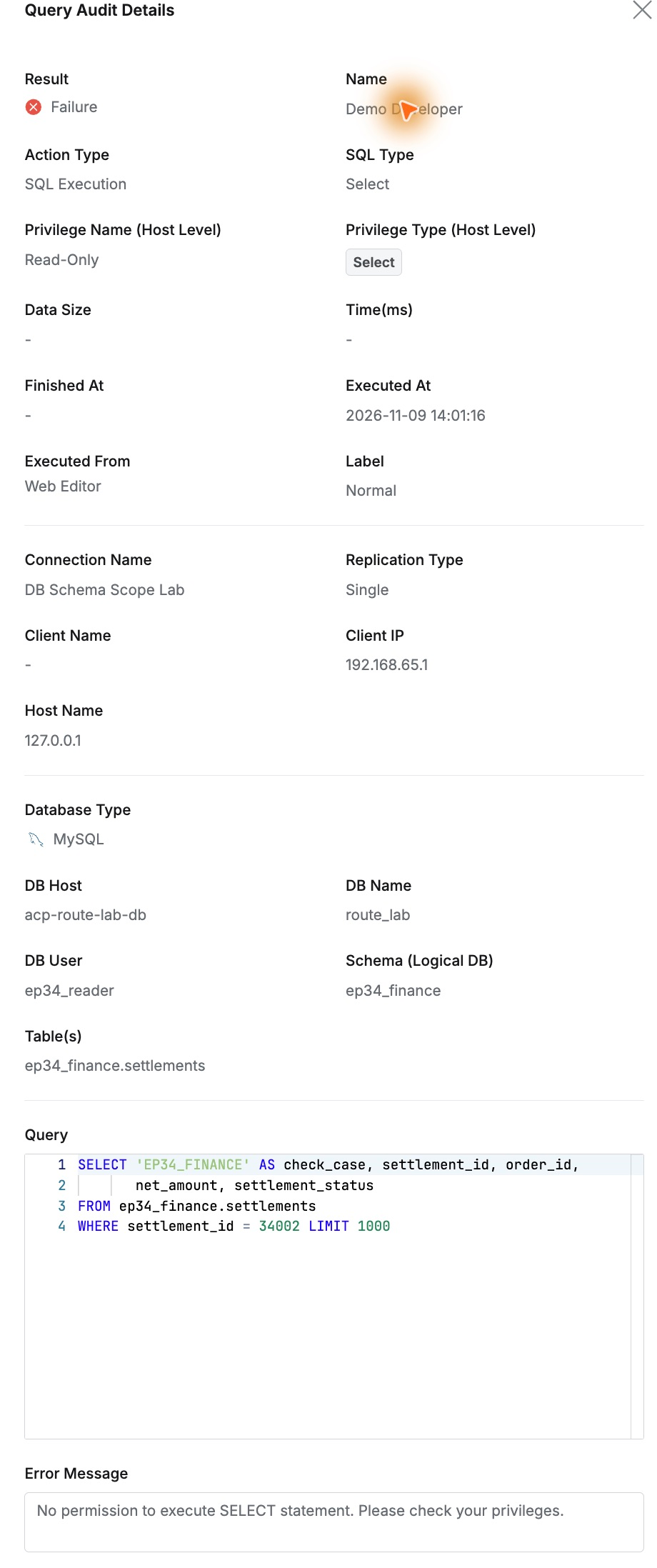
The same settlement SQL now returned ‘No permission to execute SELECT statement.’ Previously visible data was restricted by the new database scope.
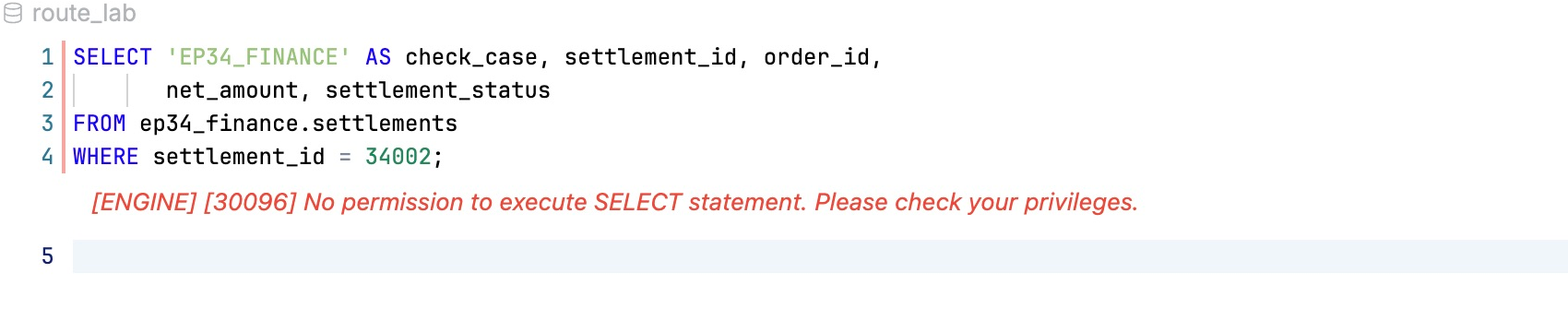
Another order query still worked, so normal order work continued after the finance denial.
A separate check as the registered database account could still read both tables. QueryPie scoped each user without changing the source account.
Audits Record the Target Database Too
Query Audit filtered by developer and connection collected five queries: two baseline and three after the change.
The denied settlement was Failure/Prevented. Details retained user, time, ep34_reader, ep34_finance.settlements, SQL, and denial message.
The final order query was Success with Schema Level route_lab Select, identifying the privileges actually used.
Reviewing the Privilege Changes
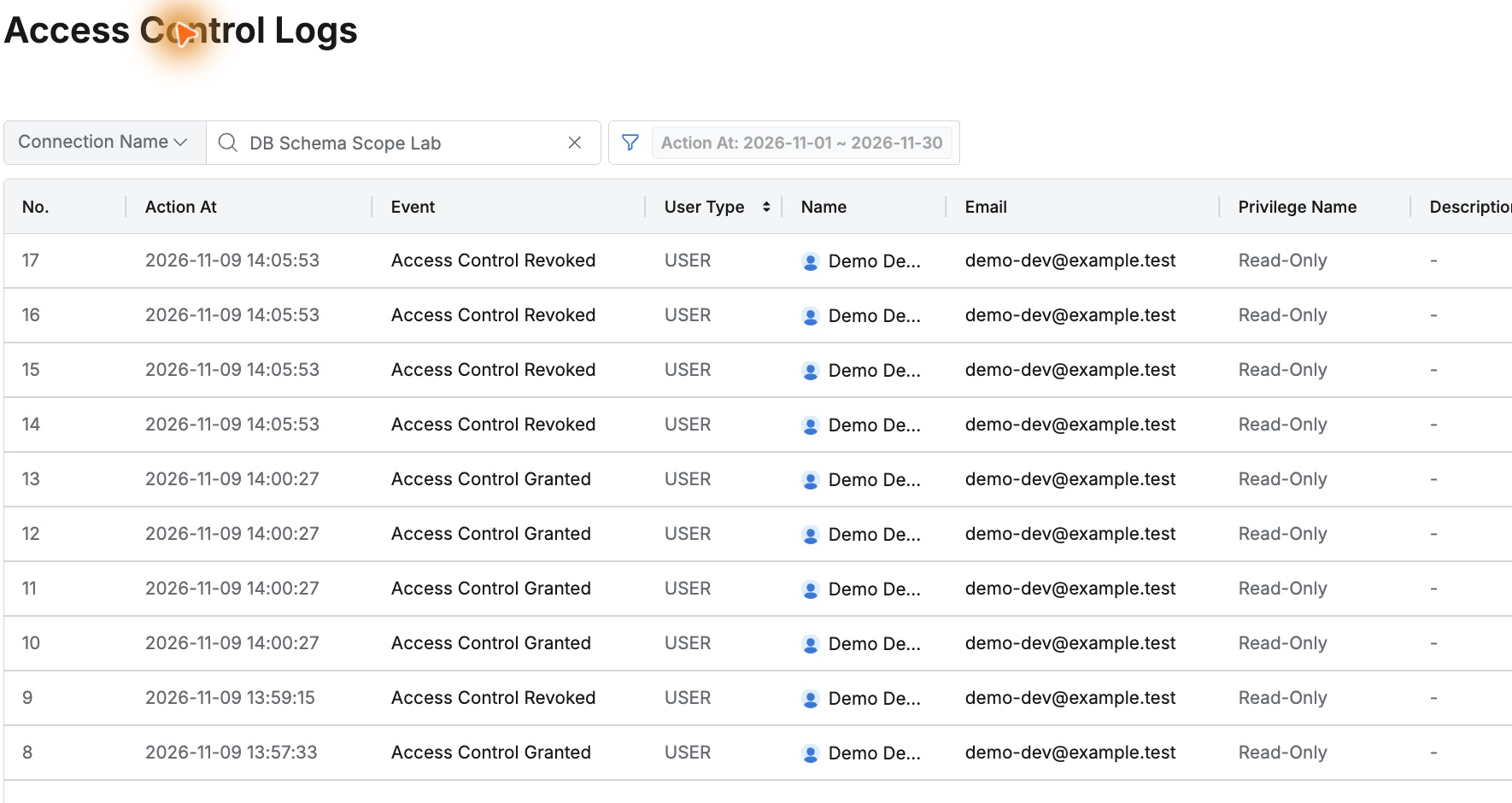
Access Control Logs retained grants and revocations, user, privilege, time, and Action By administrator. Final cleanup revocation appeared too.
Orders and finance could be managed separately without adding database servers. Both scope settings and actual query records helped tailor access to responsibilities.
This lab used QueryPie Community 11.6.7, MySQL 8.0.42, and the web SQL editor with test users and data.
Reference: Access Control · Privilege Type · Query Audit