[Part 38] Changing a Server Tag Also Changes Group Membership
November 9, 2026
I had registered servers and assigned access. Next I wondered whether changing their purpose or classification required editing every group list.
Server Groups supports tag conditions. I compared a tag-based group with a manually populated group containing the same lab server.
Adding a Classification Tag
I registered a new lab server named EP38 Tag Membership Lab and added tag key ep38-cohort with value blue.
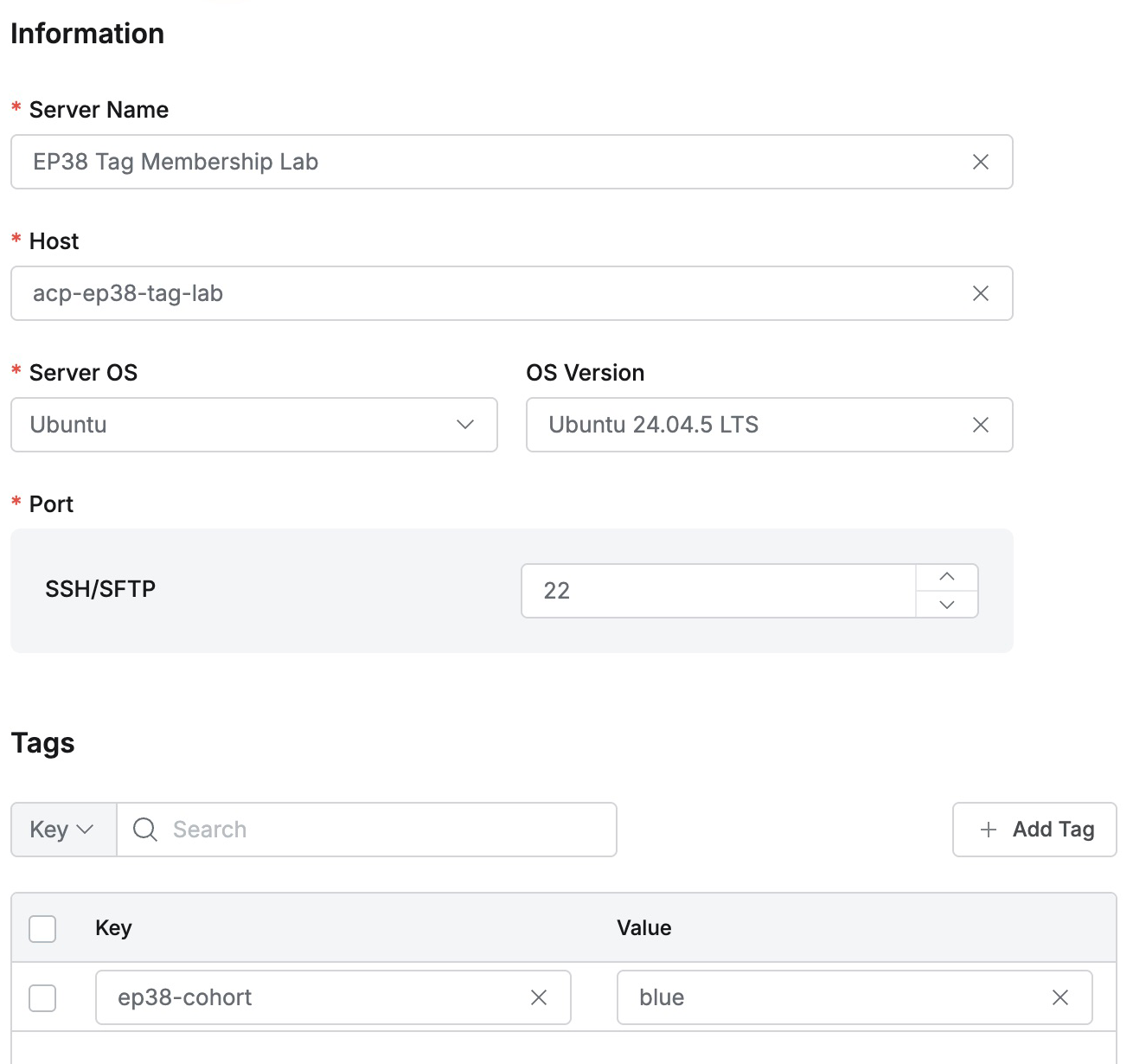
blue and green are lab classification values. Changing them would show inclusion and exclusion of the same server.
Two Ways to Put the Same Server in Groups
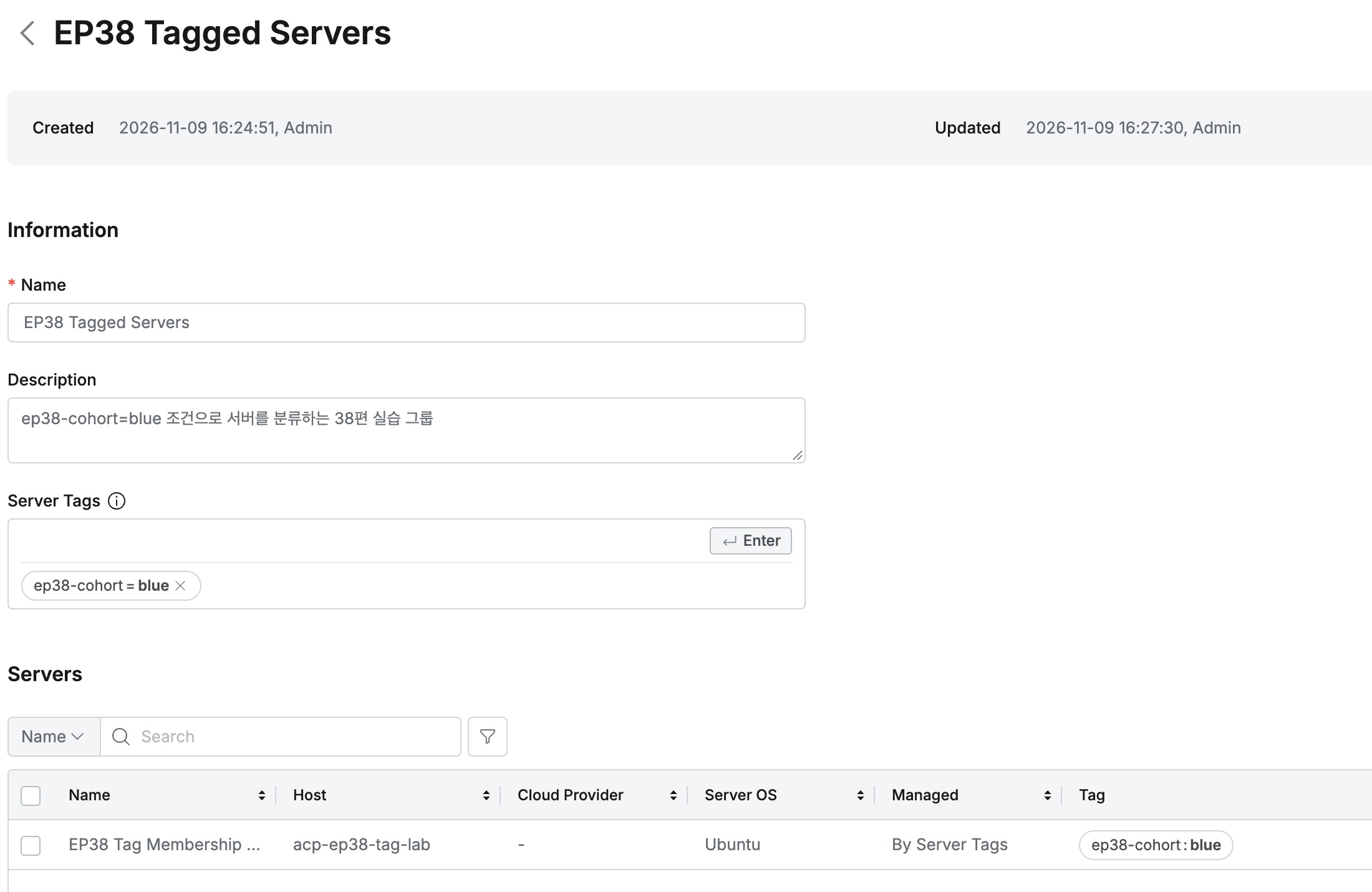
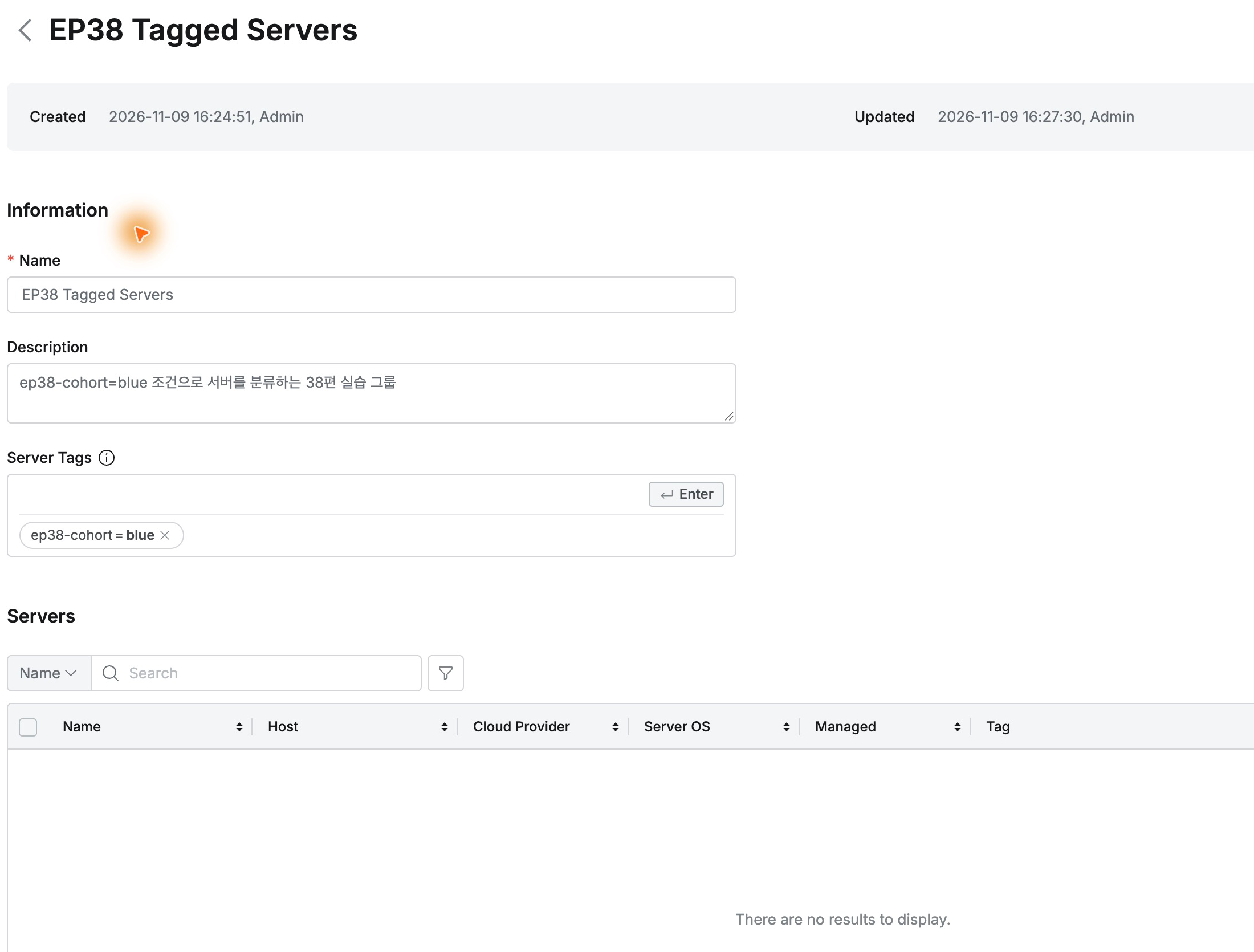
First I created EP38 Tagged Servers with Server Tags ep38-cohort = (Equals) blue, including servers matching blue.
The saved group listed the server automatically, without direct addition. Managed showed By Server Tags.
For comparison I created EP38 Manual Servers , left Server Tags empty, and manually selected the same server in Add Servers.
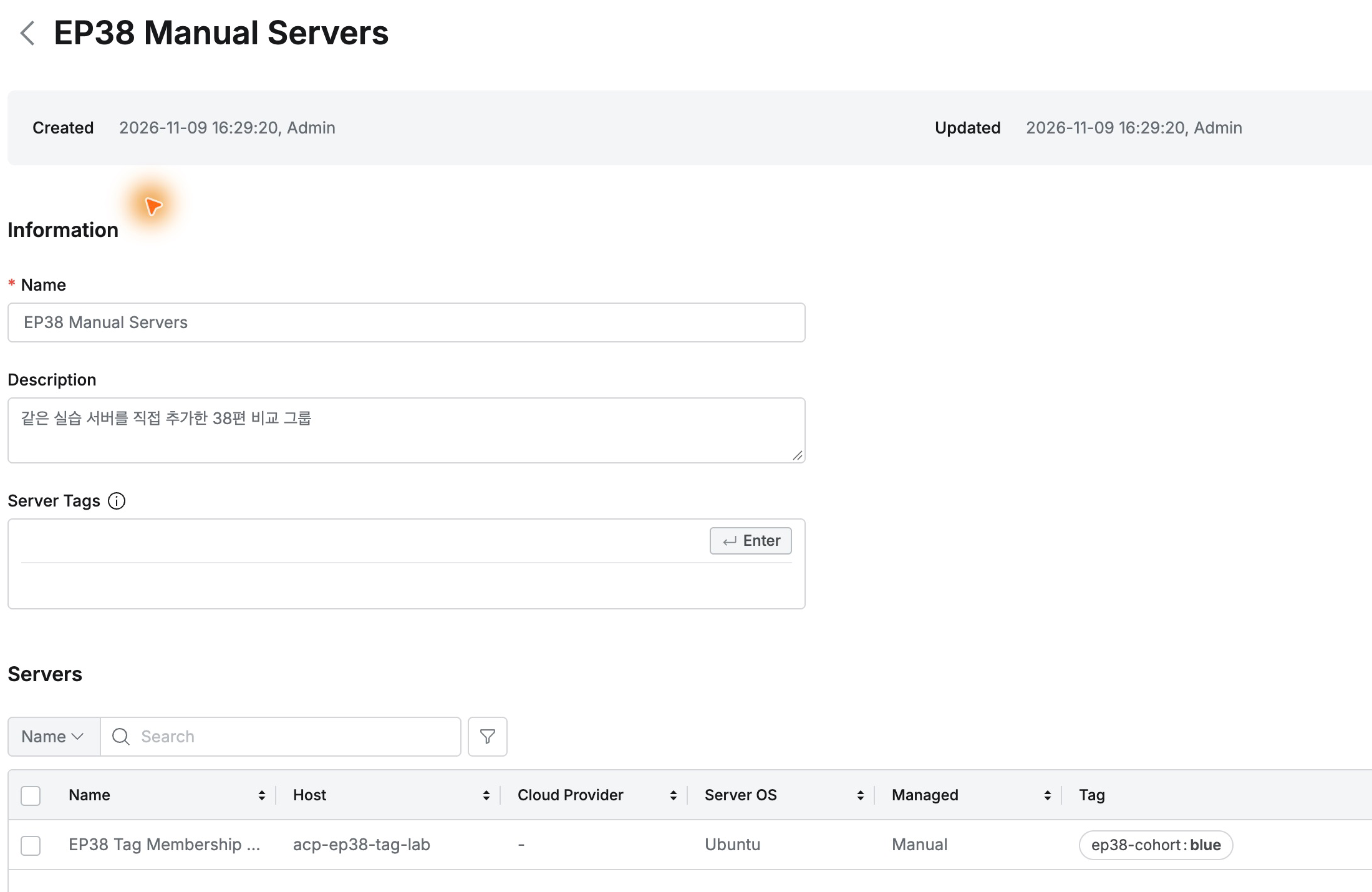
Both groups initially held one identical server; only the management method differed.
Changing Only the Server Tag to Green
In server details, I changed ep38-cohort from blue to green and saved, leaving both group configurations unchanged.
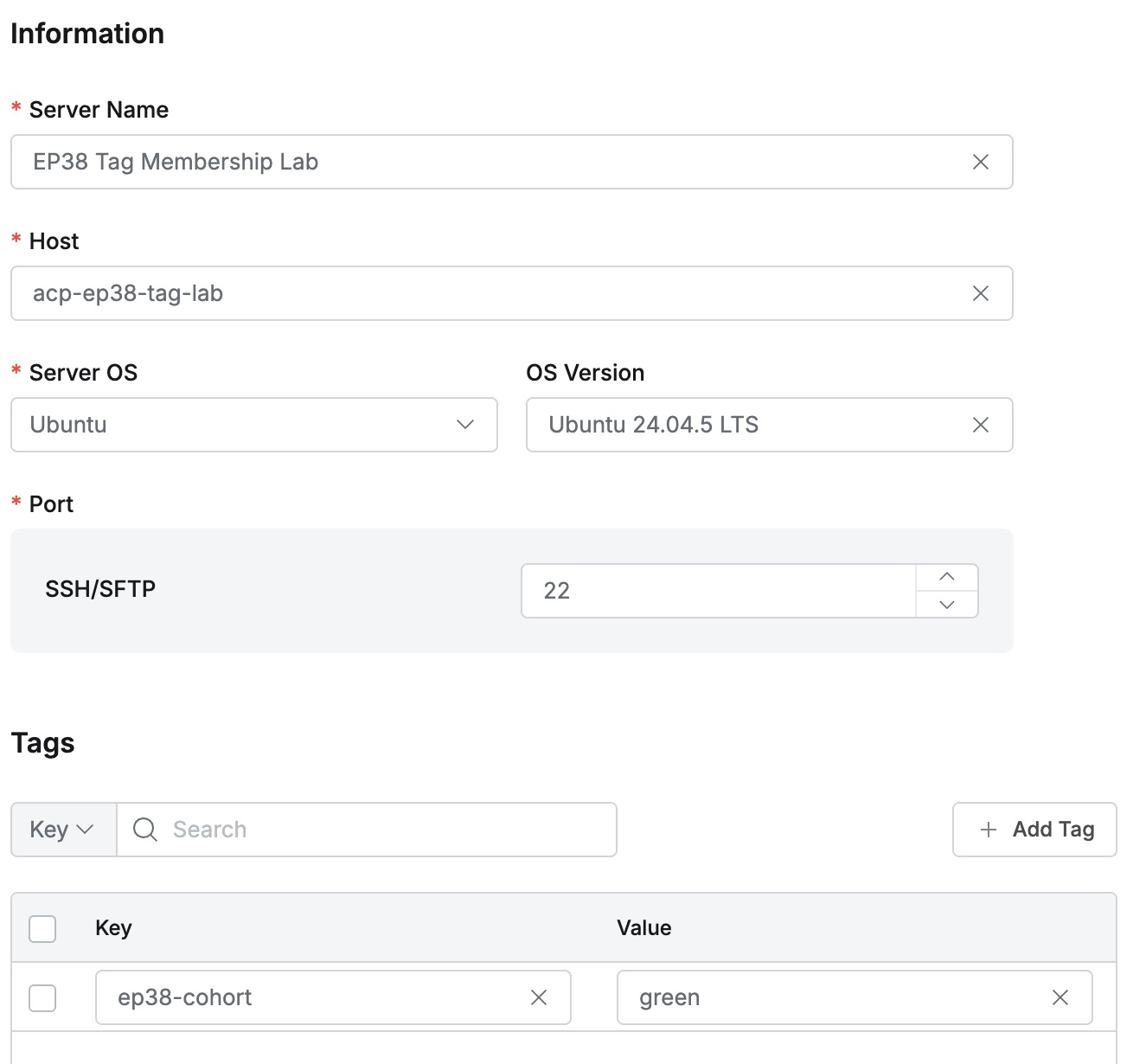
EP38 Tagged Servers still required blue, so its server list was now empty: the changed tag no longer matched.
EP38 Manual Servers still contained it, now showing green but Managed Manual and count one.
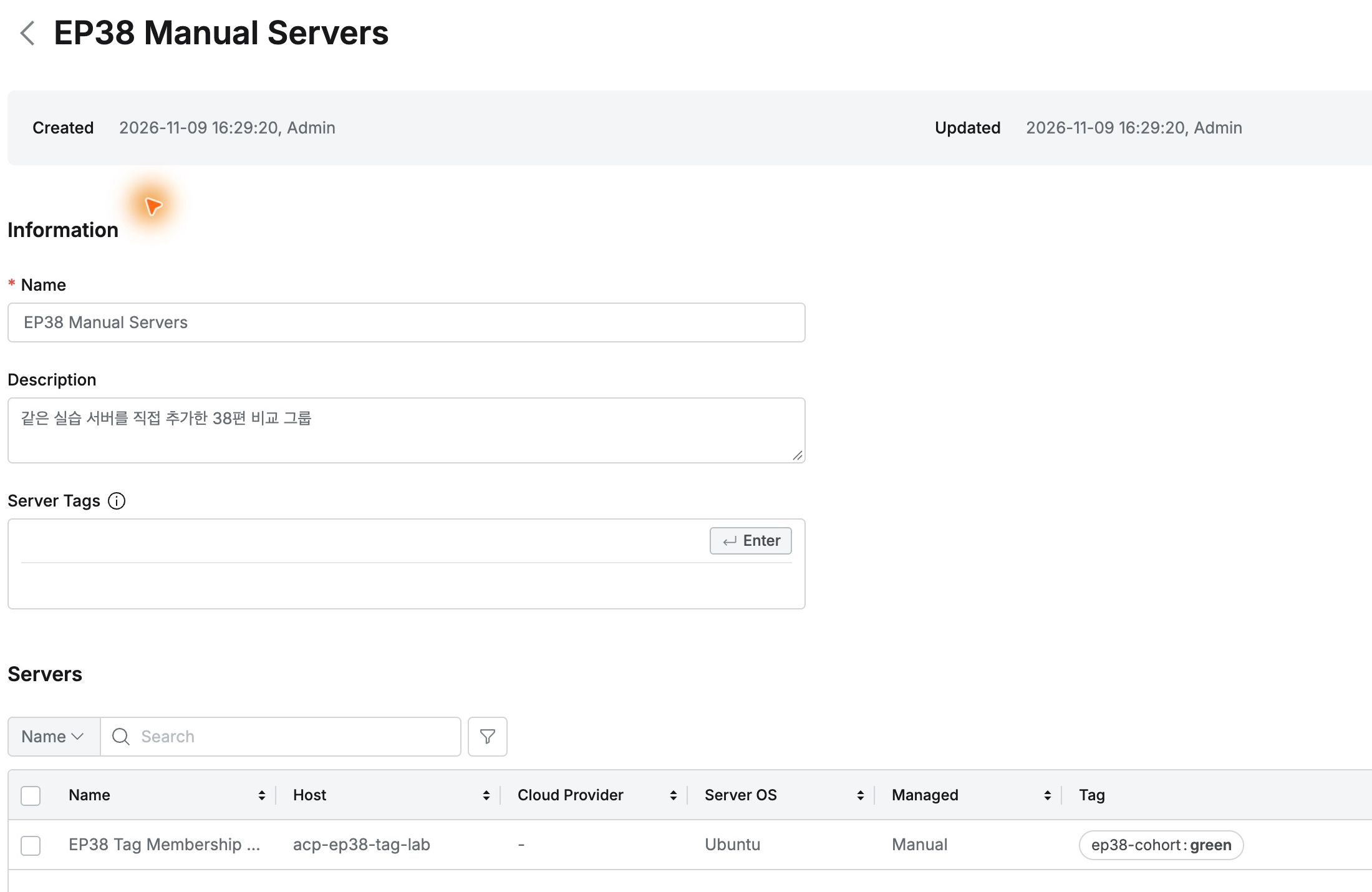
Tag-based membership followed current values; manual membership retained the administrator’s selection.
Restoring Blue Restores Membership
Saving blue again restored one server in EP38 Tagged Servers as By Server Tags.
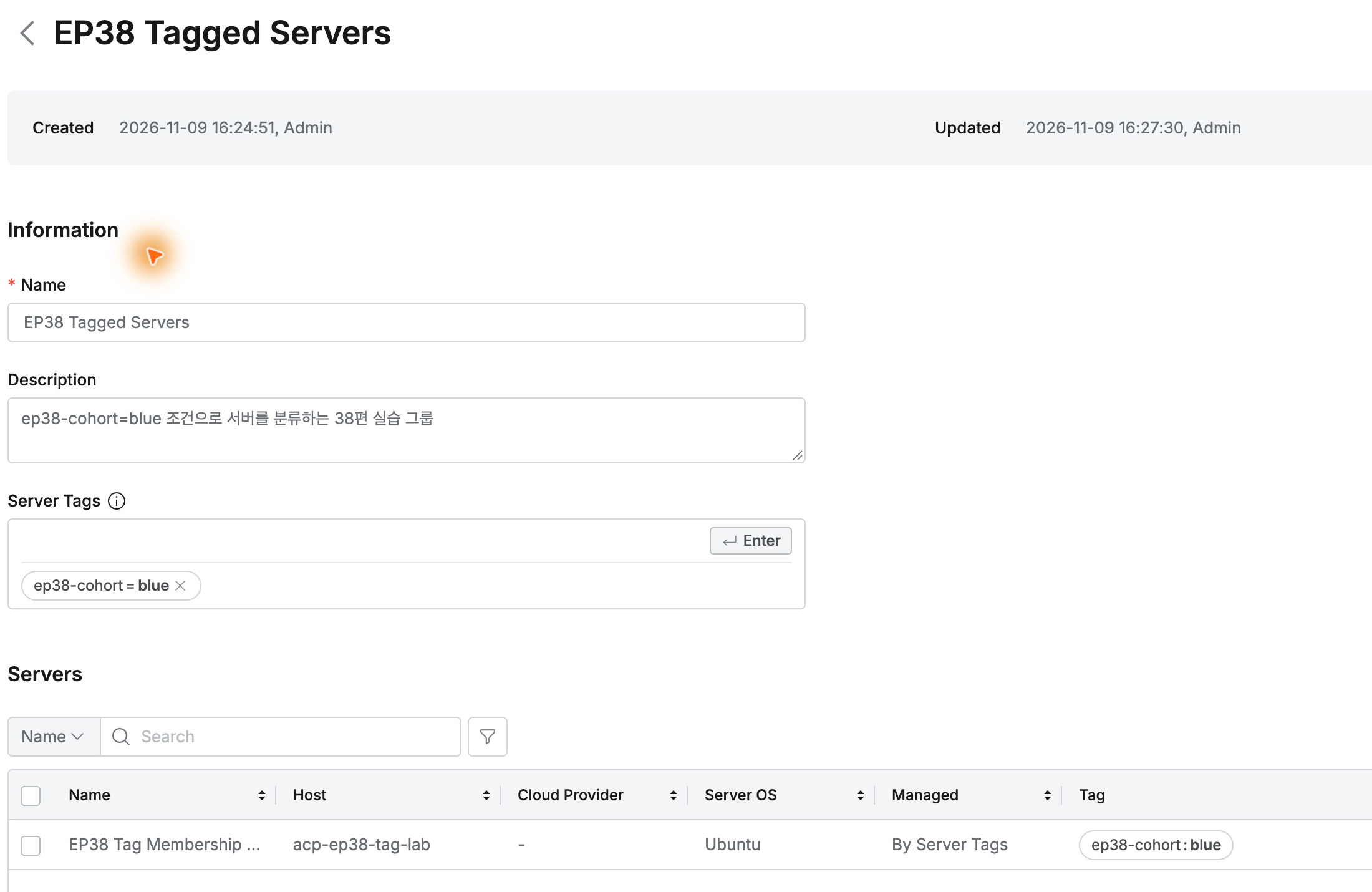
The manual group retained it throughout. The tagged group went from one to zero to one, with no edits to group conditions or manual add/remove operations.
No Need to Edit Every Group List
Classification changes had a clear control point: define group conditions, then change server tags. Inclusion and exclusion followed while group configuration stayed fixed.
Shared classifications such as service or purpose can use tags; individually selected servers can use manual membership. Both maintenance approaches are available after registration.
This lab used QueryPie Community 11.6.7, one Ubuntu 24.04.5 LTS server, and two new groups.
References: Server Groups · Managing servers in groups · Manually registering individual servers