[Part 37] Reviewing the Execution Plan Before Approving SQL
November 9, 2026
SQL and business reasons guide approval; an execution plan additionally shows expected tables and indexes.
I attached an execution plan to QueryPie SQL Request and verified the approver could review the author’s evidence in the same request.
Preparing Execution-Plan Attachments
In global administrator settings, I enabled Use "Attach Explain Results" feature in SQL Request to allow plan attachments. Attach Explain Results still defaults to Off per request; authors enable it when needed.

I created SQL Explain Lab and granted Demo Developer Lab - Explain Review with Select for reads and Explain for plans.
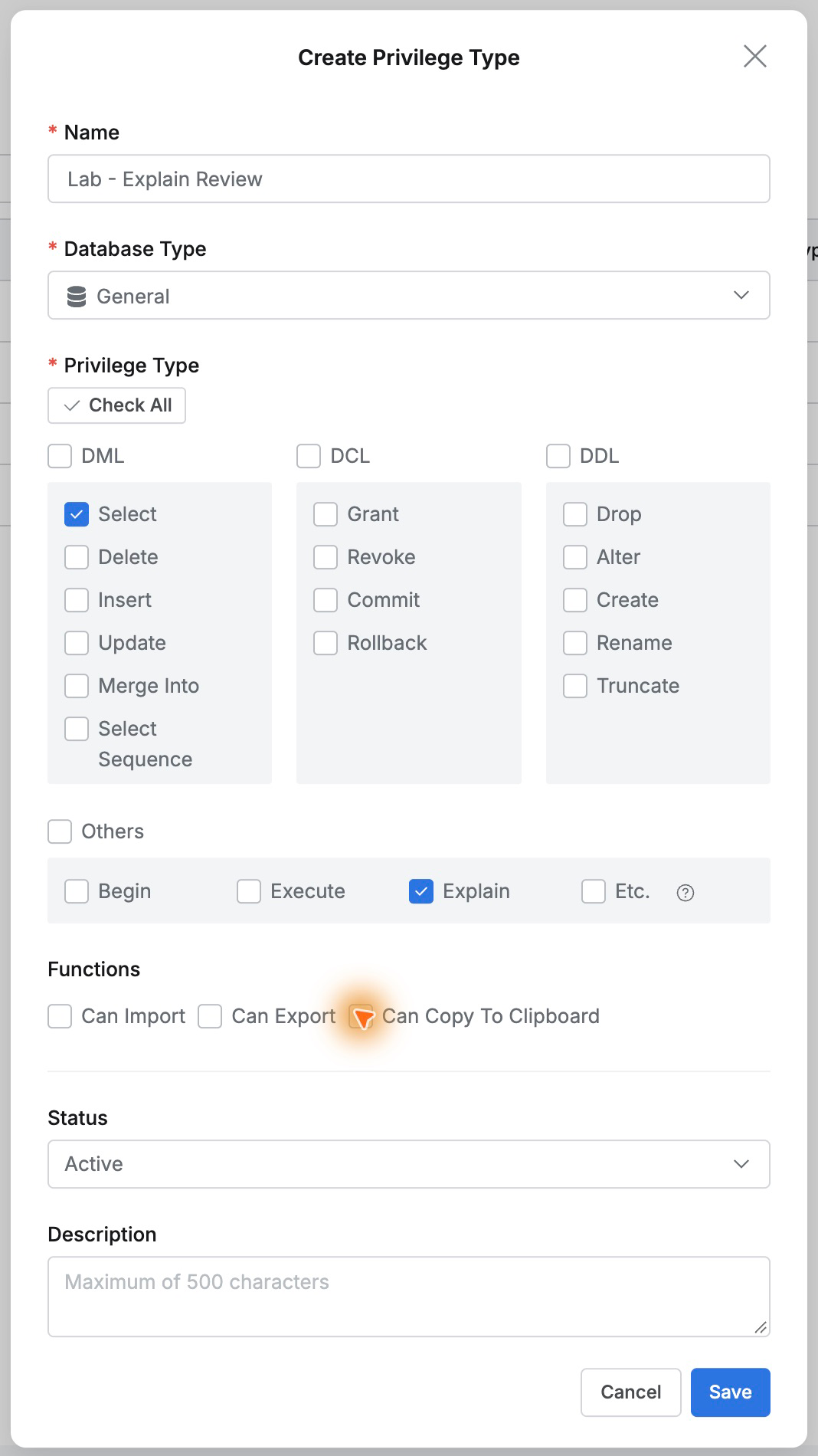
I reused Orders Lab - SQL Change Approval: Demo Developer requests/executes; Demo Approver approves.
Inspecting a Single-Order Query Plan
In a new Text SQL Request for SQL Explain Lab/route_lab, I entered a SELECT for order 27002’s status and amount.
I enabled Attach Explain Results, chose Table, and clicked Explain. The result showed SQL and MySQL’s execution plan together.
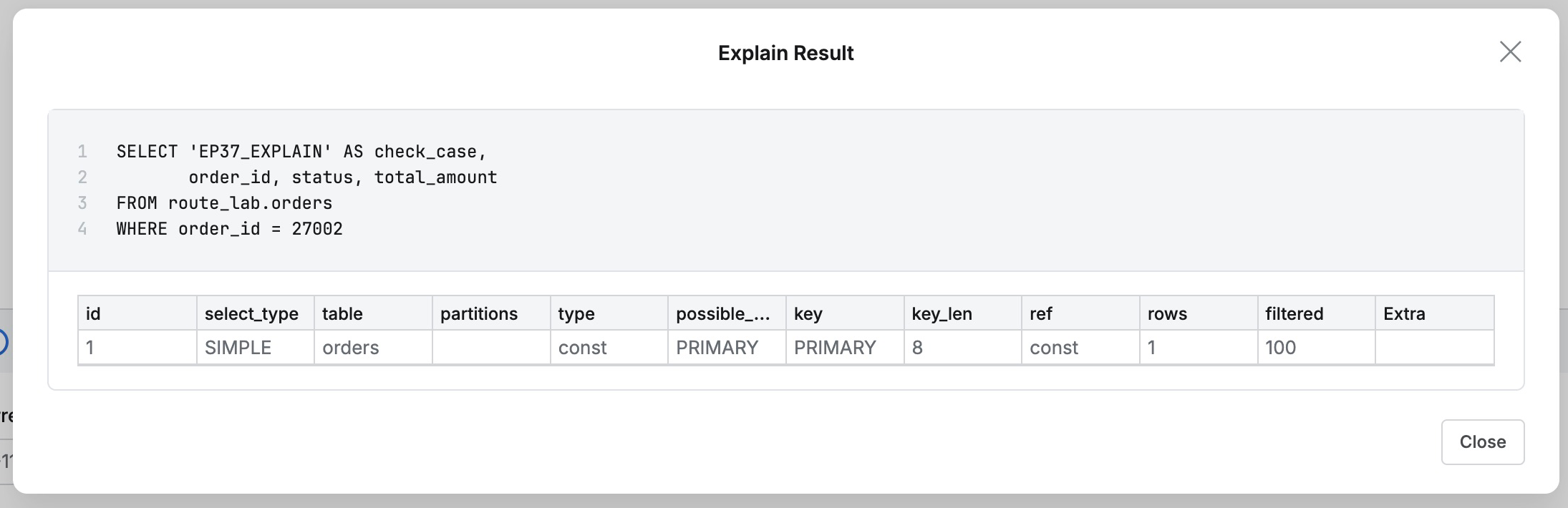
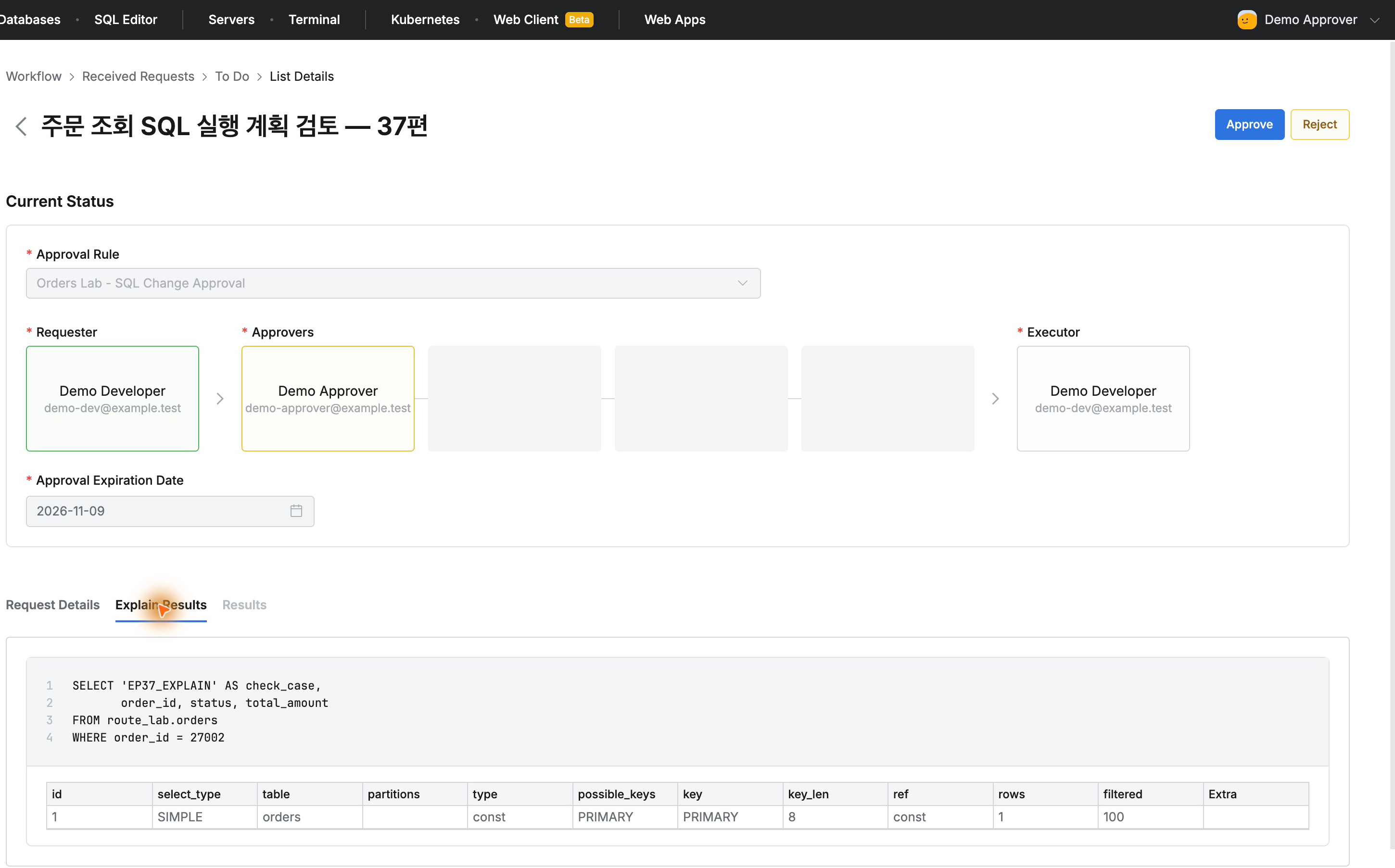
The plan showed orders, type const, key PRIMARY, rows 1. rows is MySQL’s estimate, not an actual count. The primary-key lookup was visible before approval.
I attached it and submitted the request titled Order query execution-plan review — Part 37.
The Approver Sees the Same Plan
As Demo Approver, I opened the request and selected Explain Results . The same SELECT and plan showed orders, PRIMARY, and estimated rows 1.
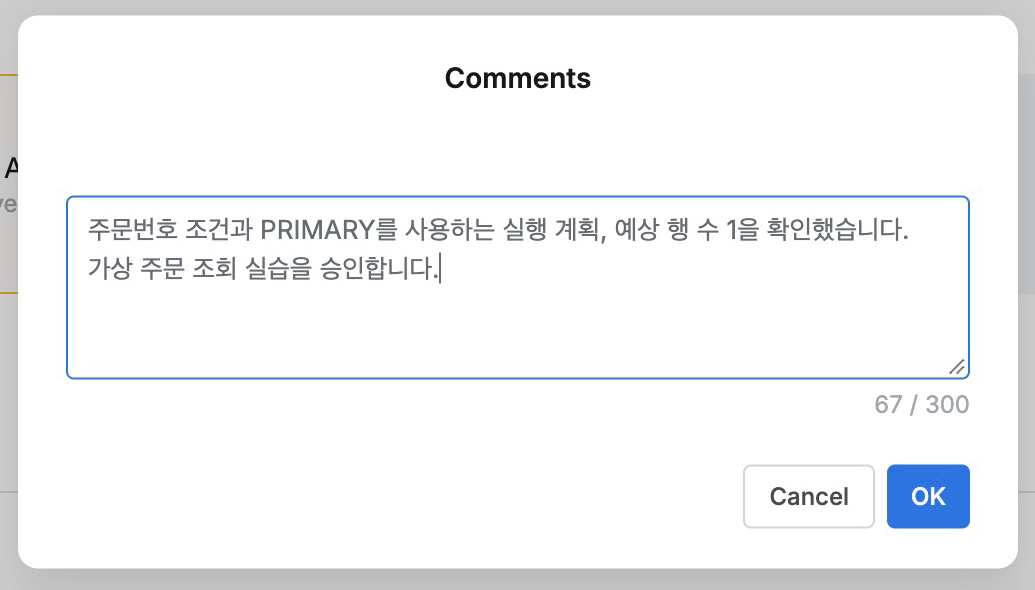
I commented: ‘Verified order-ID condition, PRIMARY index plan, and estimated one row. Approved this fictional order-query exercise.’ Then approved.
There was no separate file exchange or lookup: the SQL and evidence stayed together, avoiding mismatches.
Executing Approved SQL
Demo Developer opened the approved task and clicked Execute once. Results showed 1 Rows selected, in 10 ms.
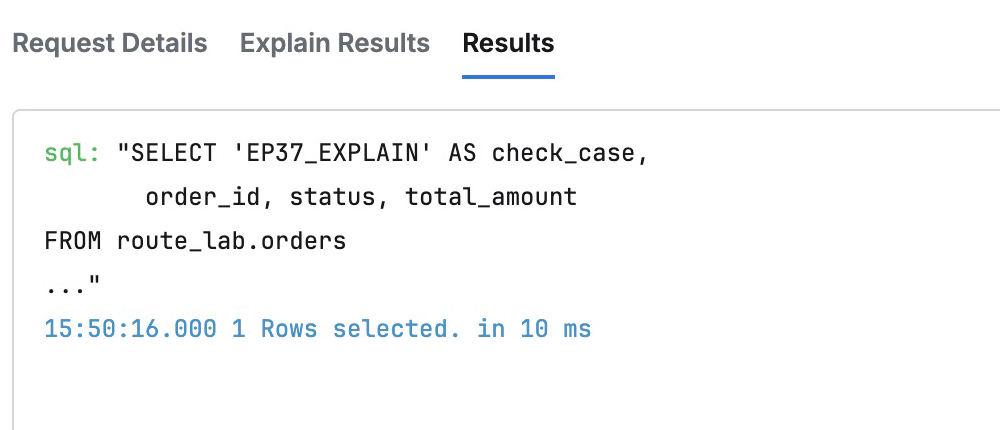
The earlier rows 1 was an estimate; 1 Rows selected is the actual outcome. Plan review led through approval to execution.
Connecting Reviewed Requests to Execution Evidence
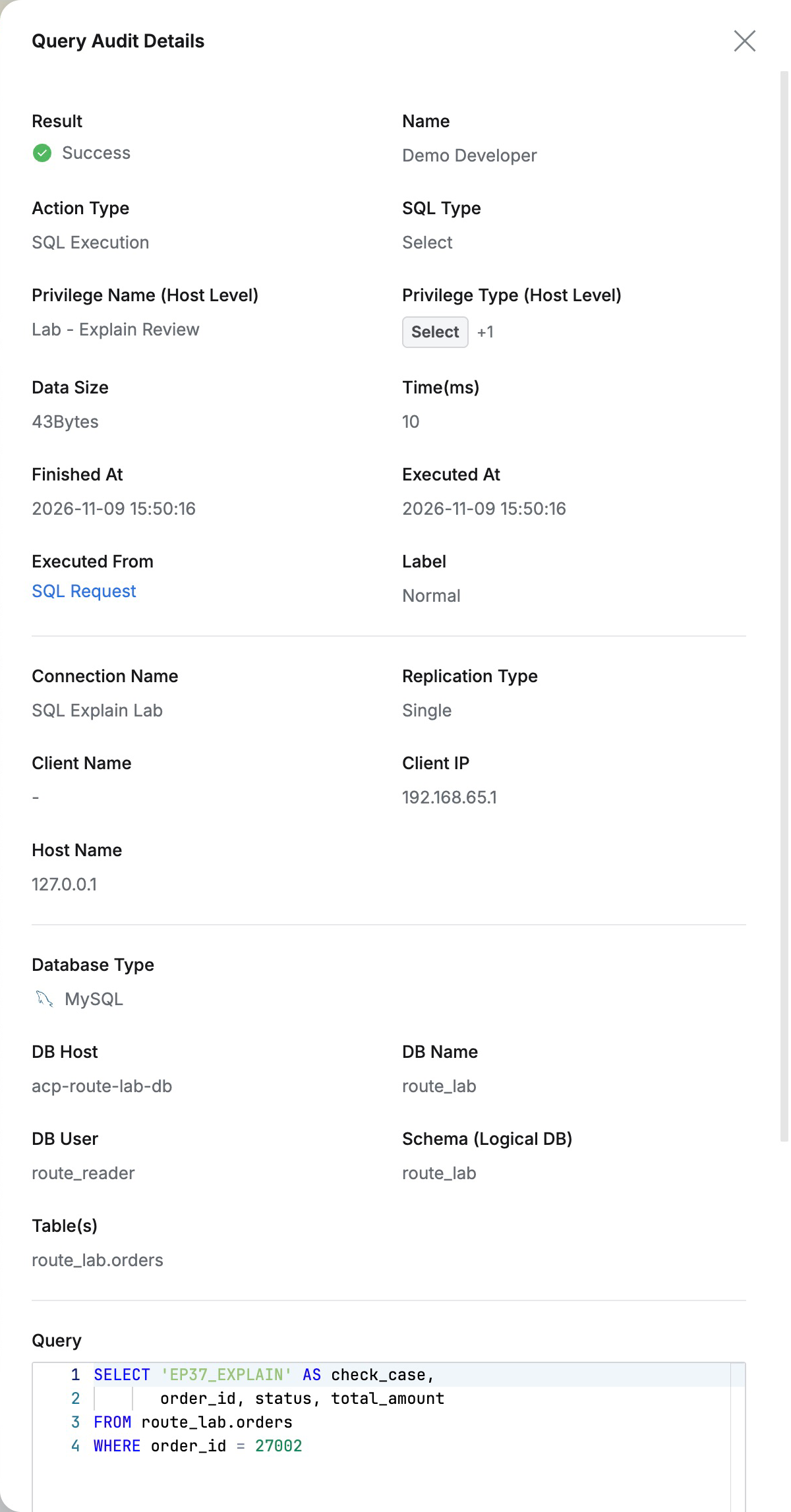
Query Audit showed success by Demo Developer, SQL Explain Lab, privilege Lab - Explain Review, and route SQL Request. The target route_lab.orders and SELECT matched the request.
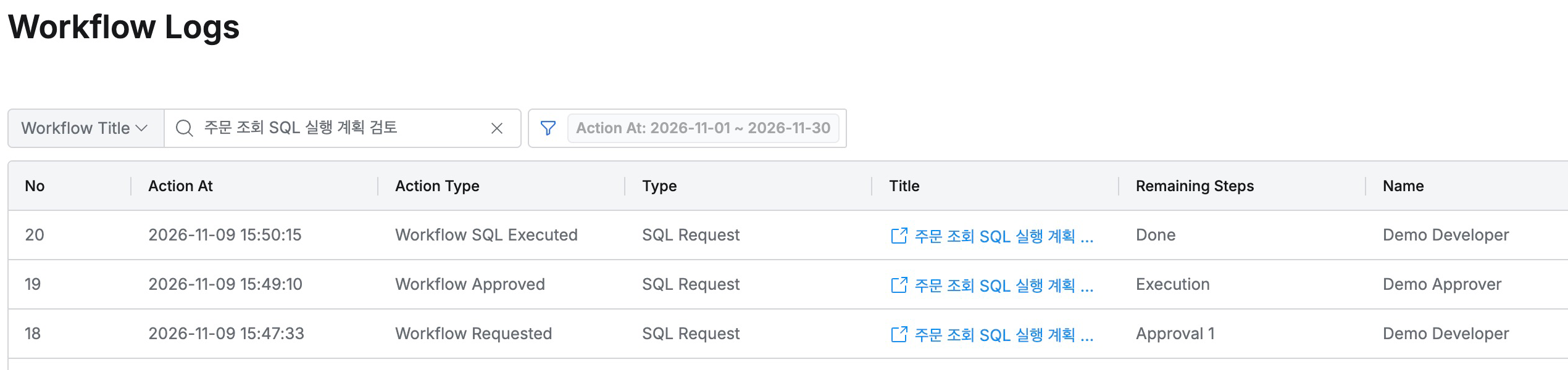
Workflow Logs retained submission, approval, execution, and the approval comment, linking the plan review to later execution.
After revoking lab privileges and restoring the global option to Off, the completed request still retained SQL and Explain Results.
Reviewing SQL, purpose, and plan in one request reduces separate exchanges and lets approvers document their assessment directly.
This lab used QueryPie Community 11.6.7 and MySQL 8.0.42 with fictional users and orders.
References: Using Explain execution plans · General configuration · SQL Request