[Part 1] After a Breach, How Far Can an Attacker Go? — Why I Want to Try ACP Firsthand
November 7, 2026
Recent security incident reports keep bringing me back to the same question.
‘If an attacker is already inside, what can we still stop?’
Finding and patching vulnerabilities and blocking suspicious connections remain important. But we also need to consider how far the damage could spread if just one account is stolen or one server is compromised.
If a single intrusion can lead to access to other servers and a large-scale data leak, detecting the initial intrusion alone is not enough.
This is where I think access control is becoming increasingly important. To explore that issue firsthand, I plan to try QueryPie ACP Community Edition.
Reducing the Damage After an Intrusion
A November 5, 2026 article from News1, ‘Unable to Keep Pace with AI Hacking… Control After Intrusion Is Key,’ helped crystallize this idea.
Read the original News1 article
The article explains that AI is reducing the time and cost required for attacks, making it harder for defenders to respond through speed alone. What particularly caught my attention was the recommendation to block attackers’ paths between internal systems after an intrusion and limit account and service privileges to the scope and duration required for work.
I read this as a call to design systems that limit what an attacker can do before detection, alongside the ability to detect attacks quickly.
What Real Incidents Reveal About Accounts and Privileges
Reported security incidents are indeed increasing. According to a report published by South Korea’s Ministry of Science and ICT and the Korea Internet & Security Agency, reports in 2025 reached 2,383, compared with 1,887 in 2024—an increase of 26.3%. Of course, reported incidents do not represent the total number of attacks. Still, they indicate the growing burden of security incidents on businesses.
Related coverage: Coverage of security incident reporting statistics
Examples from recent years help explain more concretely how that burden develops.
SK Telecom — Using Stolen Credentials to Reach Other Servers
The final investigation into the SK Telecom breach, published in 2025, revealed how attackers used credentials they had obtained to access other servers. According to the government announcement, some servers stored other servers’ account IDs and passwords in plaintext. Attackers used this information to access systems including a voice-call authentication management server and install malware.
Information obtained internally after the initial intrusion became a means of moving to the next system. The investigation also noted a limitation: it could not determine whether some data had been leaked during periods without retained logs. This shows why access management and record retention matter both for containing an incident and for determining the extent of the damage.
Government’s final investigation announcement: Government’s final investigation into the SK Telecom breach
Snowflake Customer Environments — Legitimate Accounts as a Route to Data Theft
In 2024, data theft targeted Snowflake customer environments overseas. Mandiant reported that the incidents it investigated involved customer credentials stolen by infostealer malware, and that the affected accounts did not have multi-factor authentication (MFA) enabled.
Attackers signed in with customer accounts, explored the databases, and extracted data. The key point is that this cannot simply be characterized as an exploit of a vulnerability in the Snowflake platform itself. Stolen legitimate accounts became a route to the data.
Mandiant’s analysis: Mandiant’s analysis of incidents in Snowflake customer environments
The environments and causes differ between these incidents. What stood out to me in both, however, was the same question: after obtaining one account or server, what privileges let the attacker reach how far?
We Also Need to Control What Happens After Connection
A successful login does not make every action by that account safe. Legitimate employee accounts can be stolen, and legitimate administration tools can be used in attacks. A data query permitted for work can also become the starting point for a major leak.
That is why I think access control needs to go beyond deciding whether to allow a connection.
Access control needs to establish who is connecting, which resources they can access, and which operations they can perform until when. Individual accounts, additional authentication, least privilege for the task, privilege expiration, sensitive-data protection, and access and activity histories are all needed together.
Managing these rules separately in each system makes omissions easy. Database access may be revoked while a server account remains active, or privileges granted for a temporary task may still exist months later. As teams grow and systems become more complex, managing these exceptions consistently becomes harder.
This is why I see a need for ACP—an access control platform. Granting and revoking privileges, controlling operations, and keeping audit records need to be applied continuously in real operations.
What I Want to Explore with QueryPie ACP
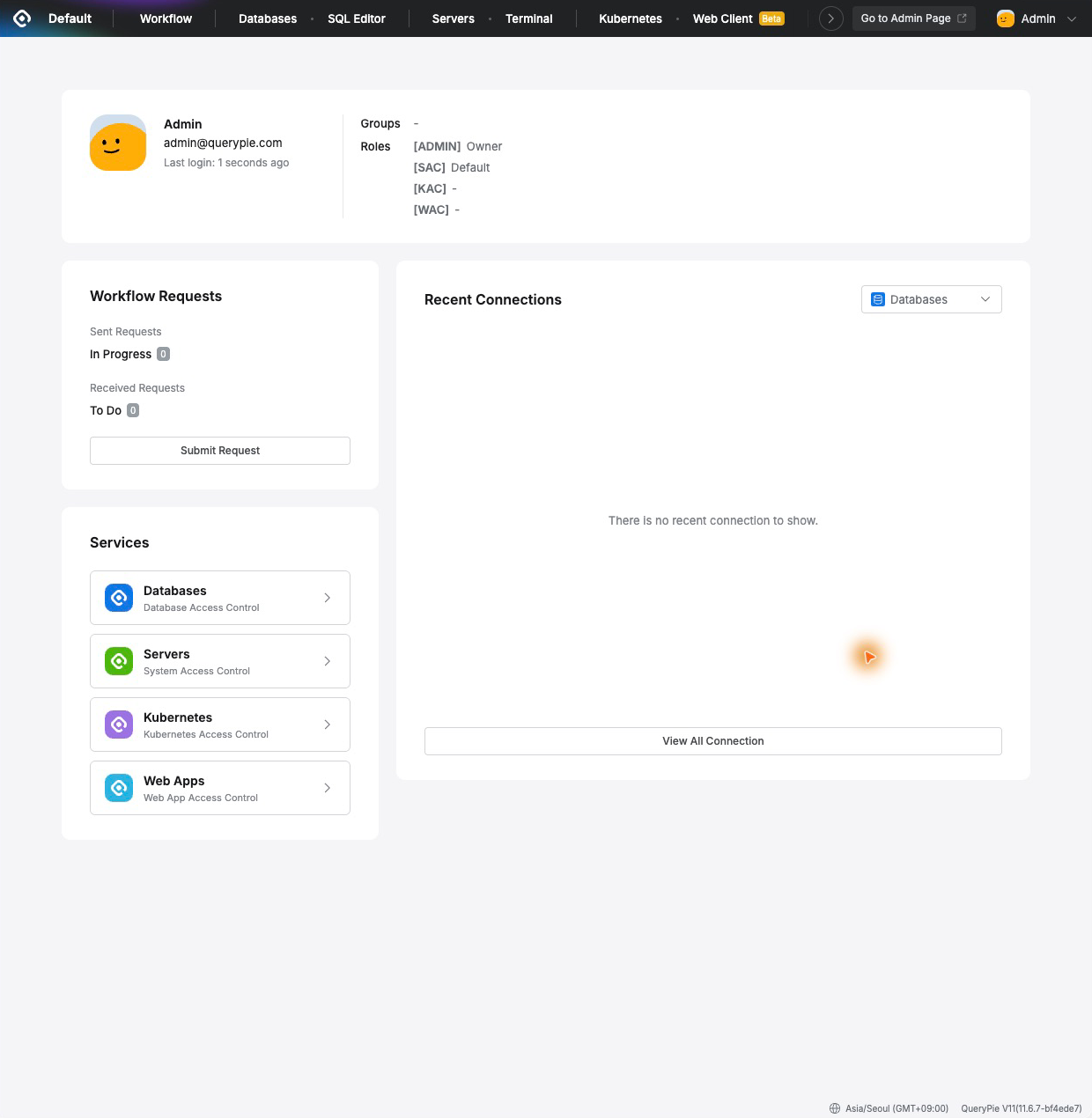
The product I will explore is QueryPie ACP. Its official Community Edition installation guide introduces database, server, Kubernetes, and MCP access control as core capabilities. The documentation also covers database access requests and approvals, access expiration dates, read-only privileges, and sensitive-data masking.
Consider checking a production database to investigate an incident. The controls needed are query permissions for the specific task and a defined period of use. If the original personal data is unnecessary, the work should use masked values, and it should be possible to determine who did what.
Even if that account is stolen, limiting the scope and duration of its privileges creates an opportunity to reduce the damage. Of course, read-only access still presents a leakage risk if it allows excessive access to sensitive data. We need to check exactly what data can be seen and what operations can be performed.
AI Agents Need Least Privilege Too
This becomes even more important when AI agents take part in work. Giving broad privileges to agents that retrieve information and invoke tools on people’s behalf can amplify the effects of incorrect instructions or malicious input.
The News1 article also recommends granting AI agents least privilege and requiring human approval for consequential actions such as payments, deletion, and external transfers. I agree that the tools, data, and operations available to an agent need to be managed separately. In later exercises, I want to see how far QueryPie’s MCP access control supports these requirements.
Applying Access Control in Real Operations
However, ACP’s effectiveness depends on its configuration and operation.
If users can connect directly to databases or servers without passing through the control point, a policy-bypass route remains. Even with properly configured platform permissions, excessive privileges on source-system accounts or exposed service-account passwords create separate risks.
Access control therefore needs to be designed alongside network restrictions, source-system privilege management, credential protection, patching, endpoint detection, and backups. Audit logs must lead to review and response, rather than simply being stored. That is why it is difficult to claim that any one product could have prevented the incidents above.
I want to verify these conditions in practice as well.
Starting Hands-on with Community Edition
QueryPie ACP Community Edition supports up to five active users with a license valid for one year from issue. It seems suitable for separating administrator and regular-user roles in a small test environment and exploring the difference access controls make.
For the first exercise, I plan to connect a test database and check the following.
Are connections from unauthorized users blocked?
Can users receive only the necessary privileges through requests and approvals?
Are modification operations restricted for read-only users?
Do sensitive-data masking and access expiration work as expected?
What records remain for permitted and blocked operations?
I do not have firsthand verification results yet. In these notes, I plan to record the installation process, configuration difficulties, controls in action, and areas that required additional measures.
My starting point for exploring ACP is clear.
The compromise of one account or server should not immediately turn into damage across the entire organization.
To achieve that in a real operating environment, we must be able to control who can access what, until when, and what they can do. With QueryPie ACP Community Edition, I intend to verify how those controls work, one step at a time.
Product Documentation