[Part 16] Who Granted This Database Access? — QueryPie Administrator Change History
November 8, 2026
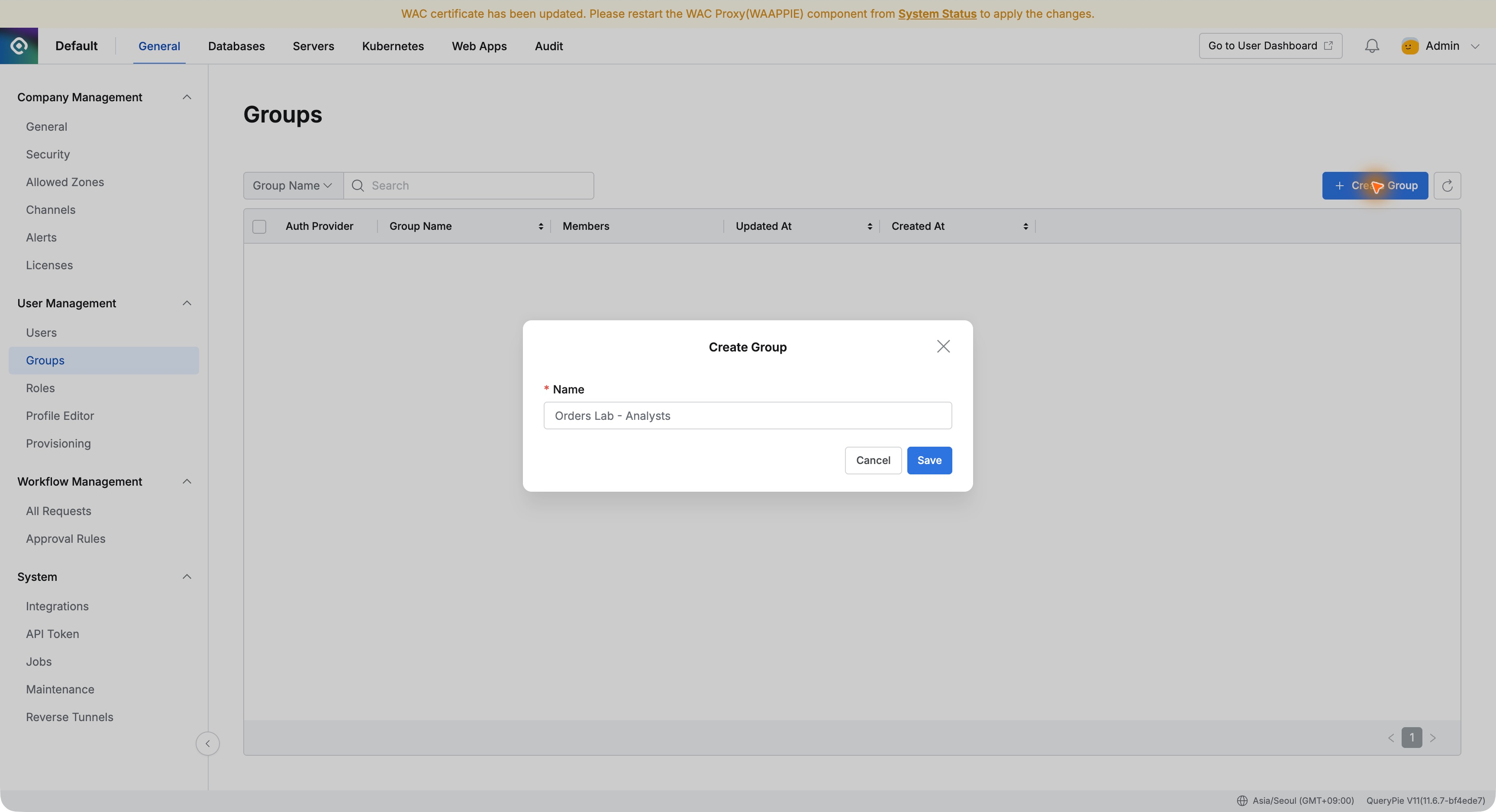
The previous article created an order-analysis group, added a user, and verified queries. With settings working, I wondered whether someone inheriting this environment could trace how today’s privileges were created.
I searched the audit menus for my recent group creation, database grant, and member addition. This tested where to answer the operational question, ‘Who granted this access?’
1. Administrator Actions Leave Records Too
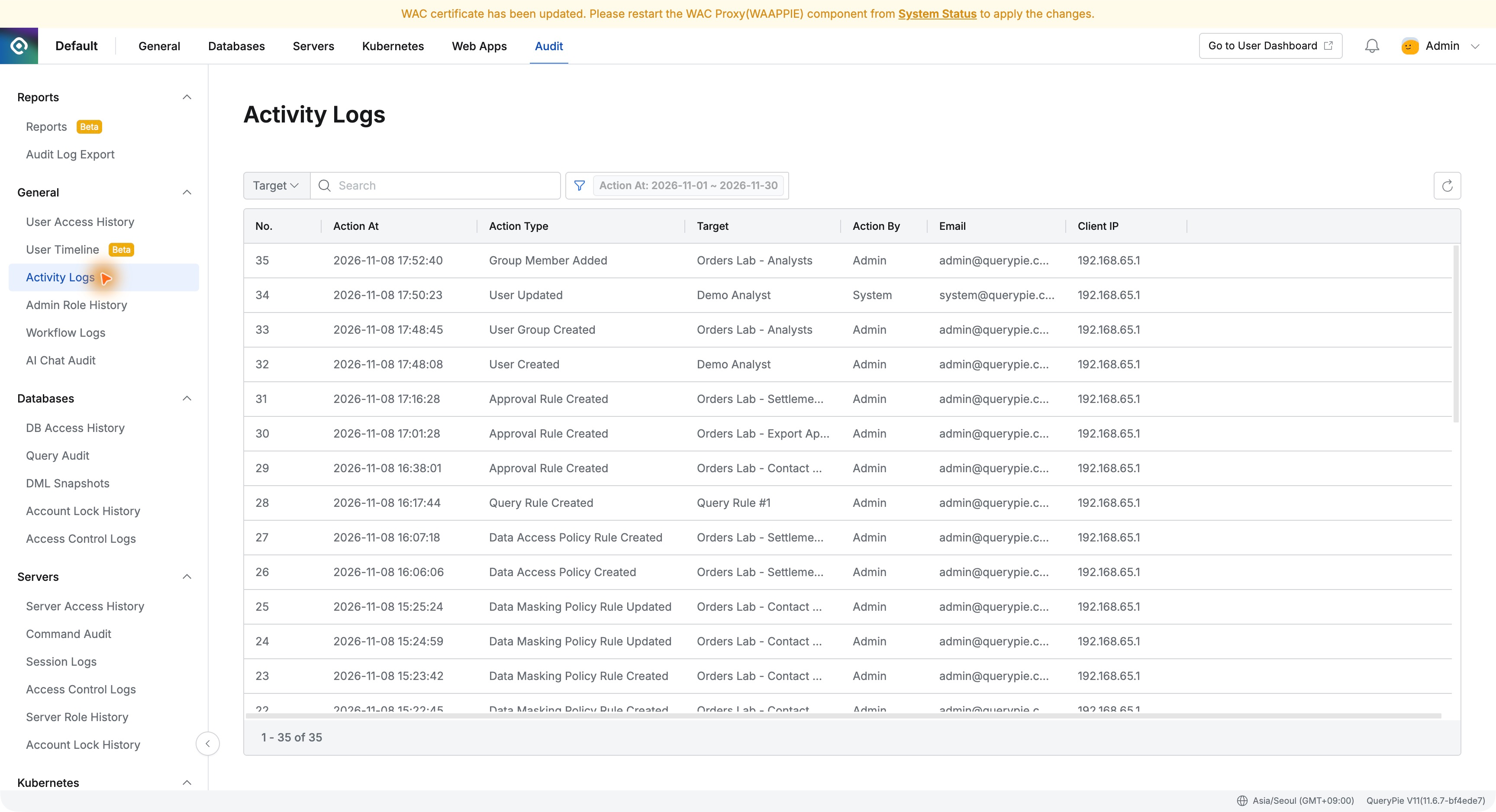
Audit → General → Activity Logs showed user and group creation, plus approval-rule and security-policy actions from earlier tests.
Rows included time, action type, target, operator, email, and source IP. Configuration changes, not just users’ SQL, could be found afterward.
2. Narrowing the Search by Group Name
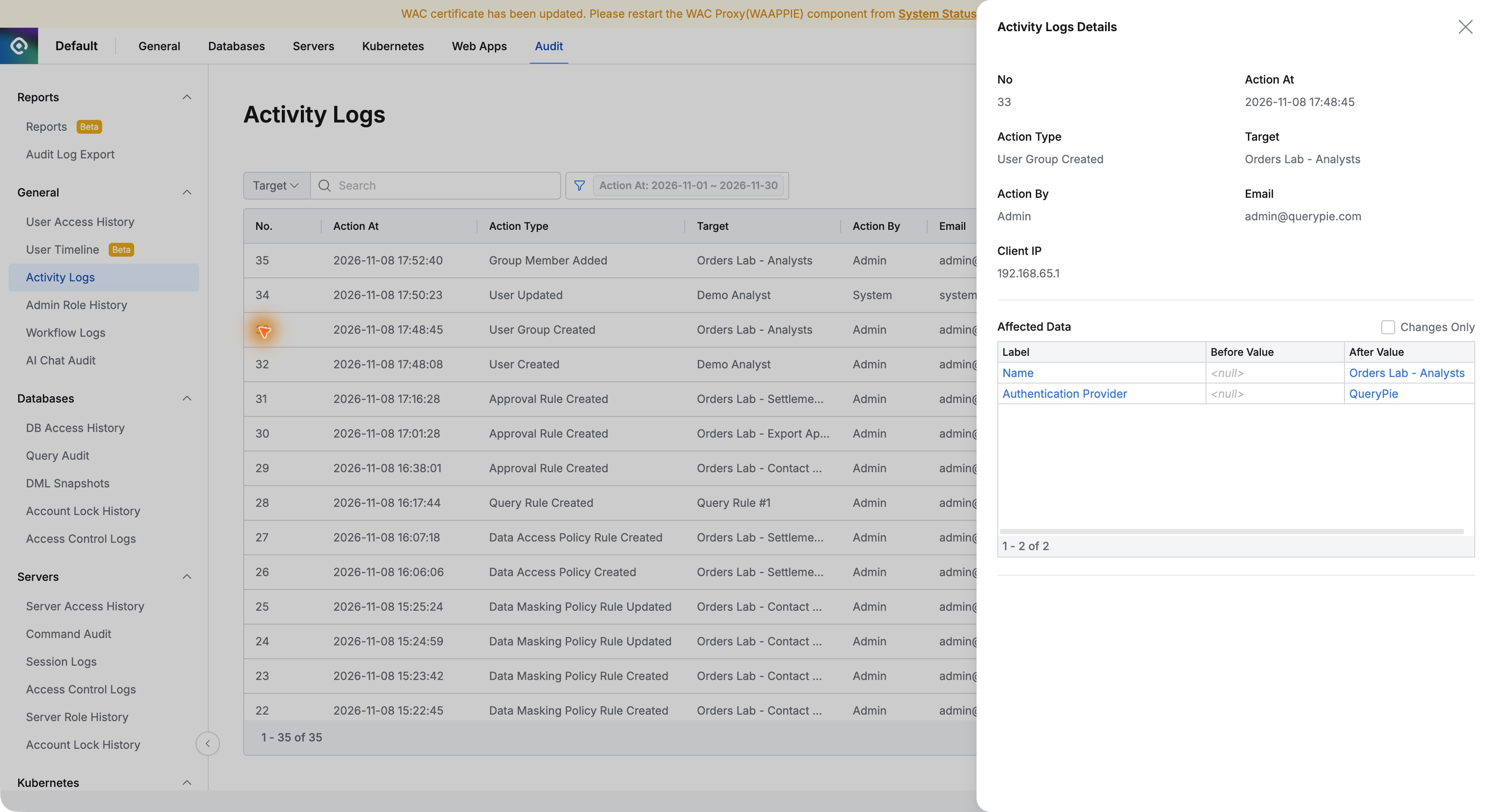
Searching Target for Orders Lab - Analysts returned User Group Created and Group Member Added.
Knowing the target name avoided scanning every log. Clear group and policy names should also help future investigations.
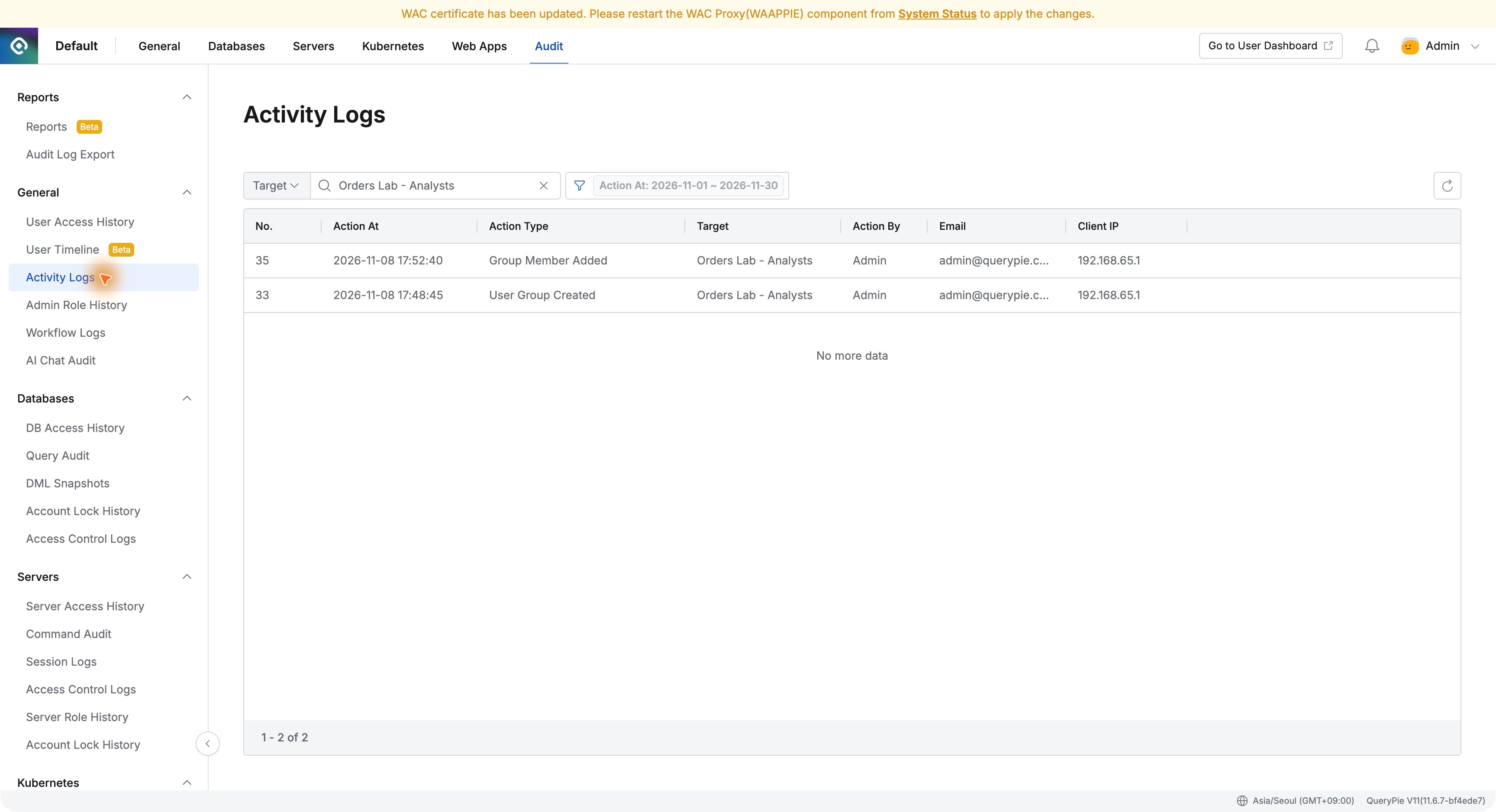
Creation details showed Admin at 17:48:45 on November 8, 2026, with the group name and QueryPie authentication provider in Affected Data.
3. Identifying Who Was Added to the Team
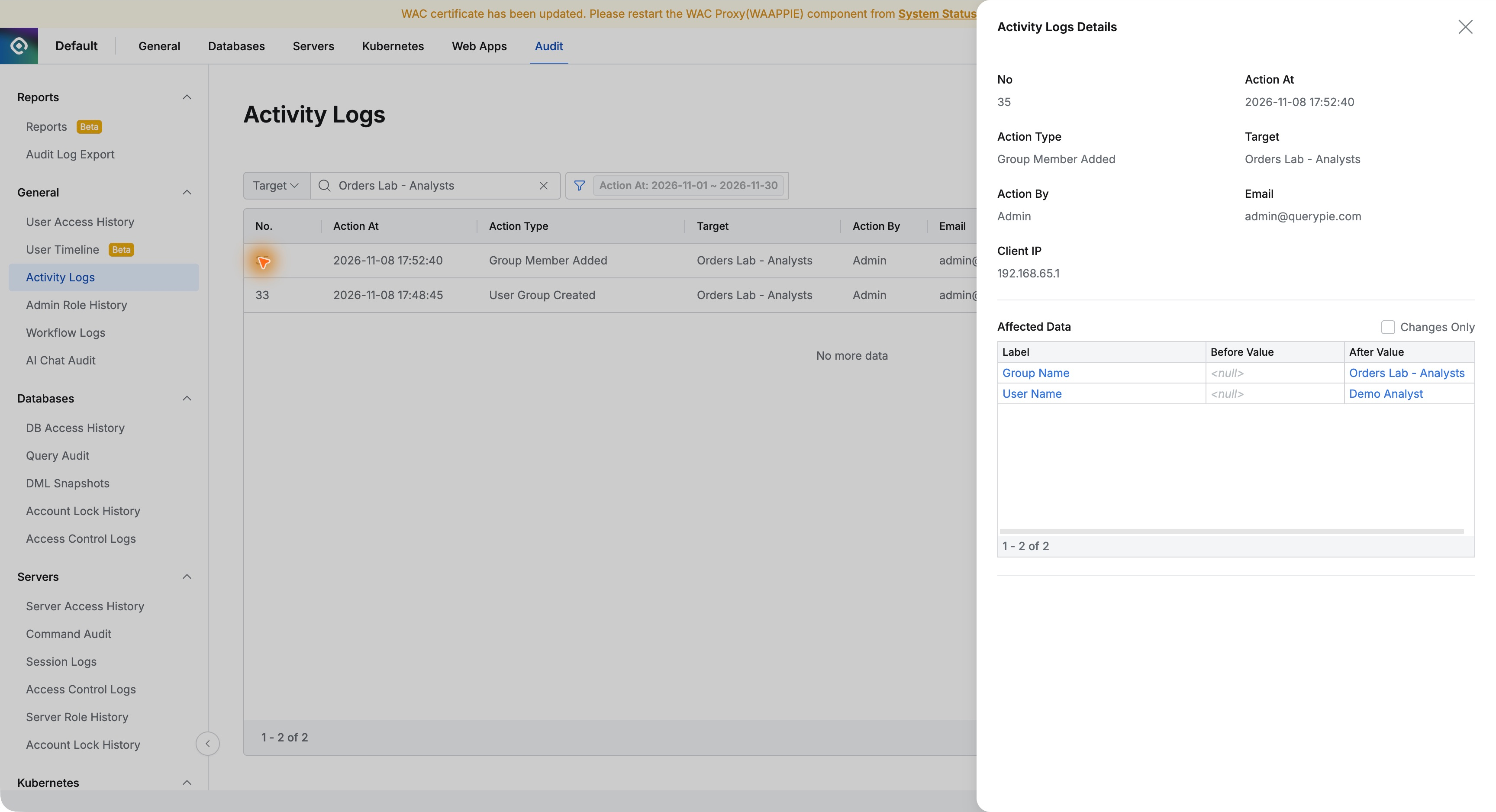
Group Member Added showed Admin at 17:52:40. Affected Data identified Orders Lab - Analysts and Demo Analyst.
The record identified the added person, not merely that the group changed. Membership history can explain changes even as users grow or operators change.
4. Finding the Database Privilege Grant
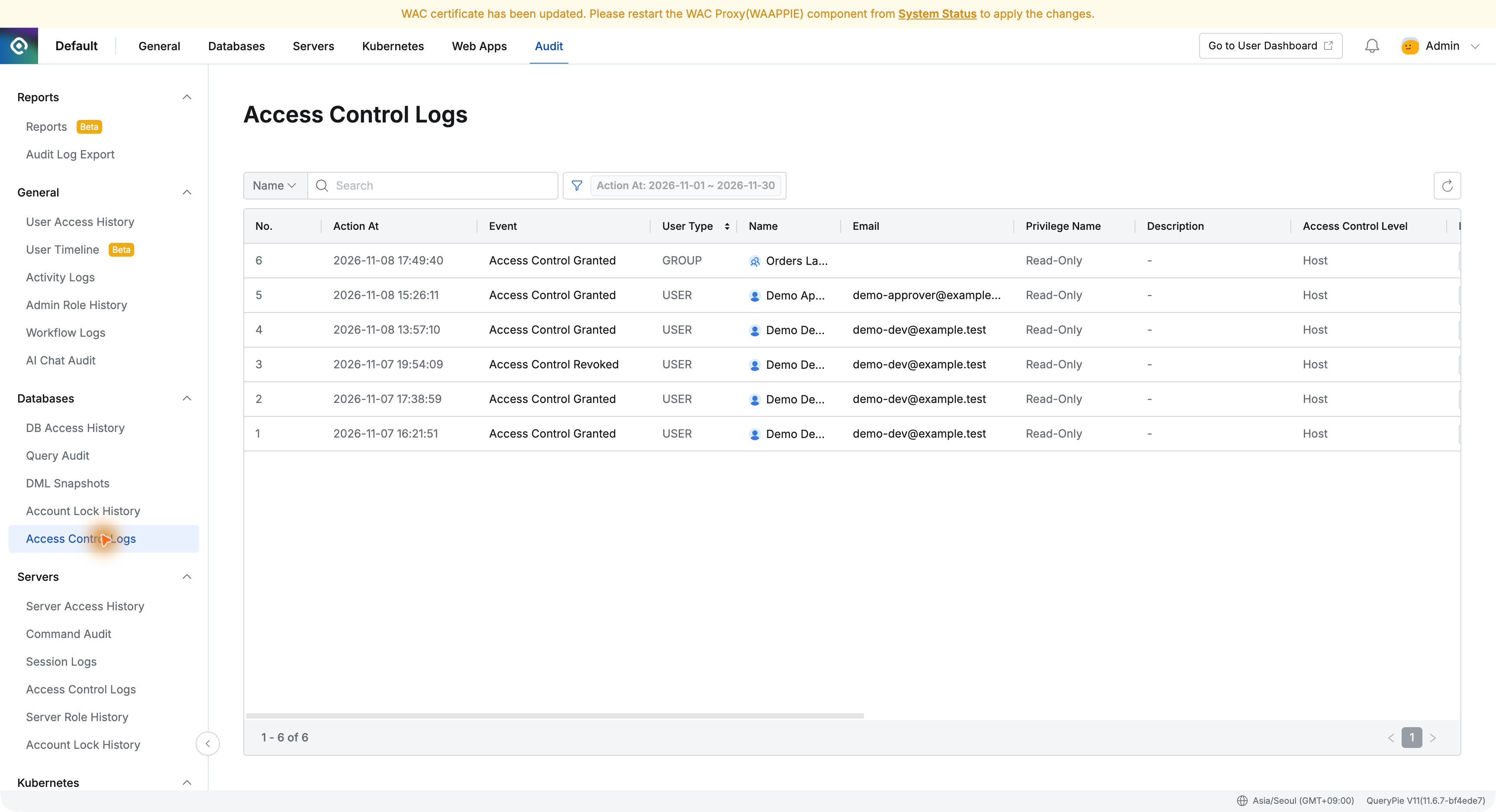
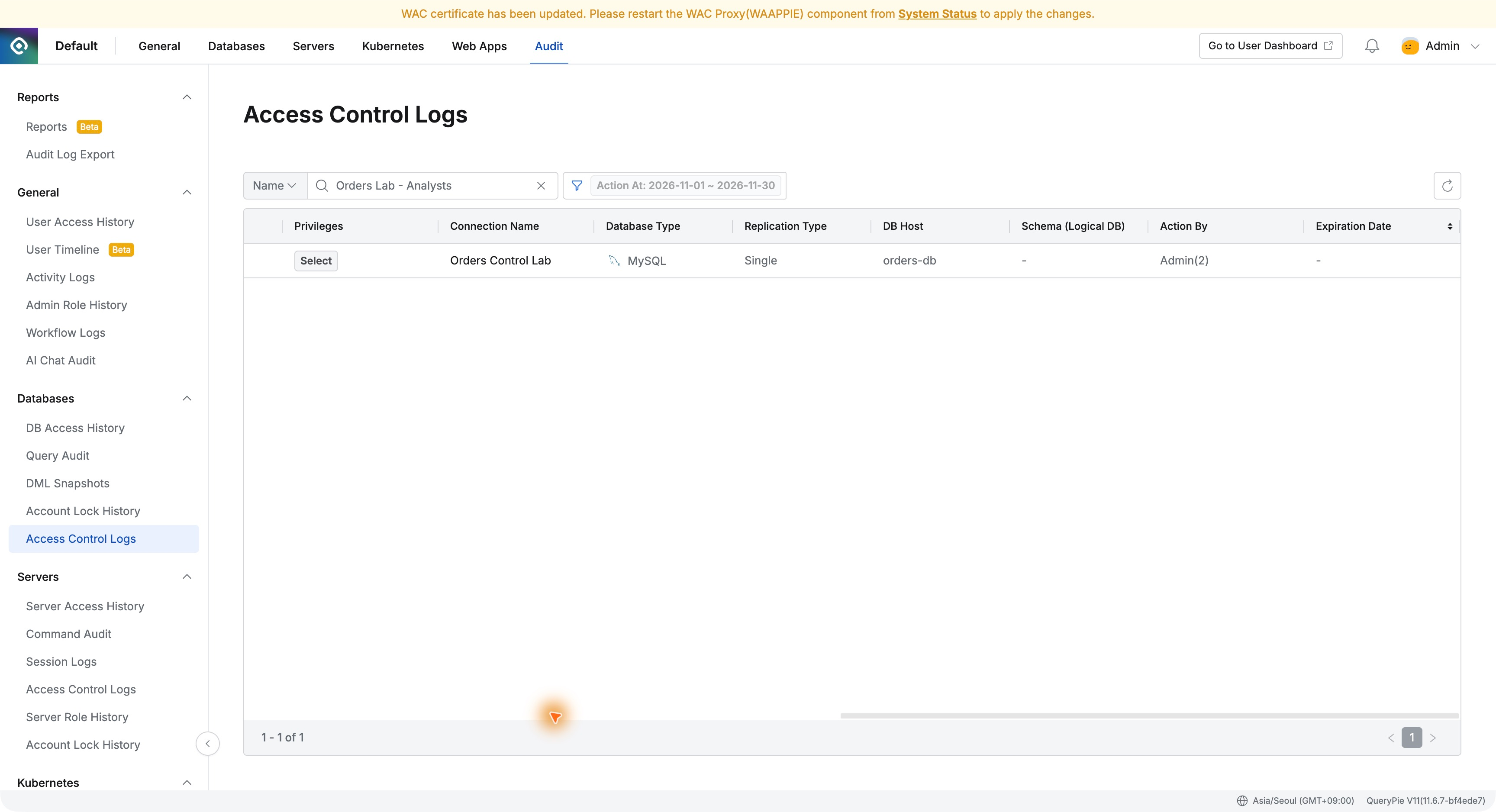
Audit → Databases → Access Control Logs listed events such as Access Control Granted and Access Control Revoked.
Earlier developer grants and revocations were present too. I used Name to locate the analysts group.
The search returned one Access Control Granted at 17:49:40, User Type GROUP, privilege Read-Only. Group grants and direct user grants were distinguishable.
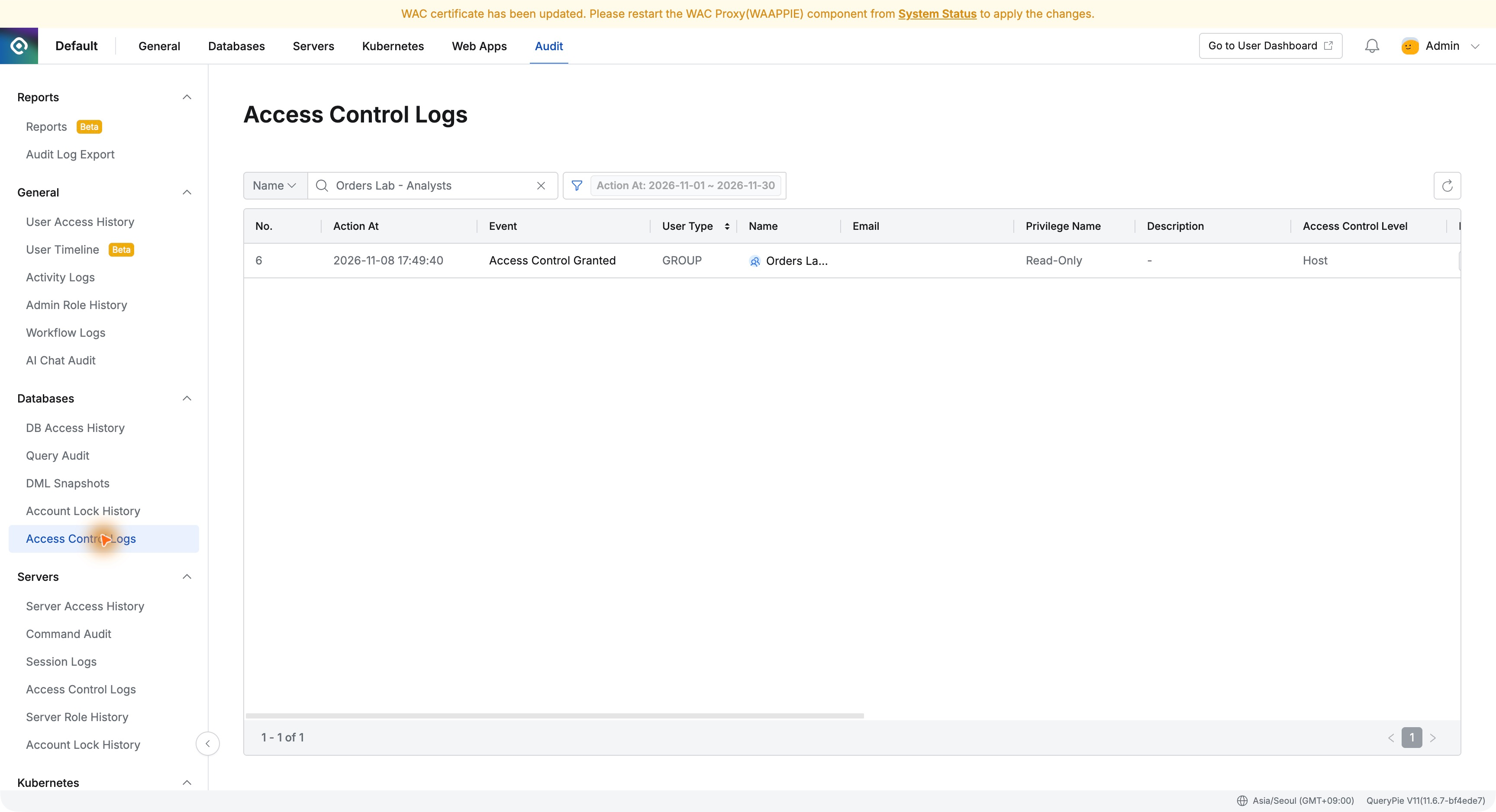
Scrolling across the record showed Select, Orders Control Lab, host orders-db, and Action By Admin(2). The recipient, database, privileges, and administrator were explicit.
5. Three Records Explain How Access Came About
Chronologically, the records were as follows, all from my lab on the same day.
17:48:45 — Create the analysts group
17:49:40 — Grant the group Read-Only on Orders Control Lab
17:52:40 — Add Demo Analyst to the group
This explains the previous article’s successful query: the analyst joined a group with database read privileges. Both current configuration and the process that produced it were available.
6. Evidence for Explaining Access Decisions
Evaluators need not only correct privileges but explanations later: security reviews ask who changed what and when; handovers ask how the current state arose.
QueryPie retained answers: search actions by group name, identify added users in details, and inspect the target connection and scope in database access logs.
Providing privilege configuration together with records that trace it stood out. Shared operations can rely on recorded actions rather than memory alone.