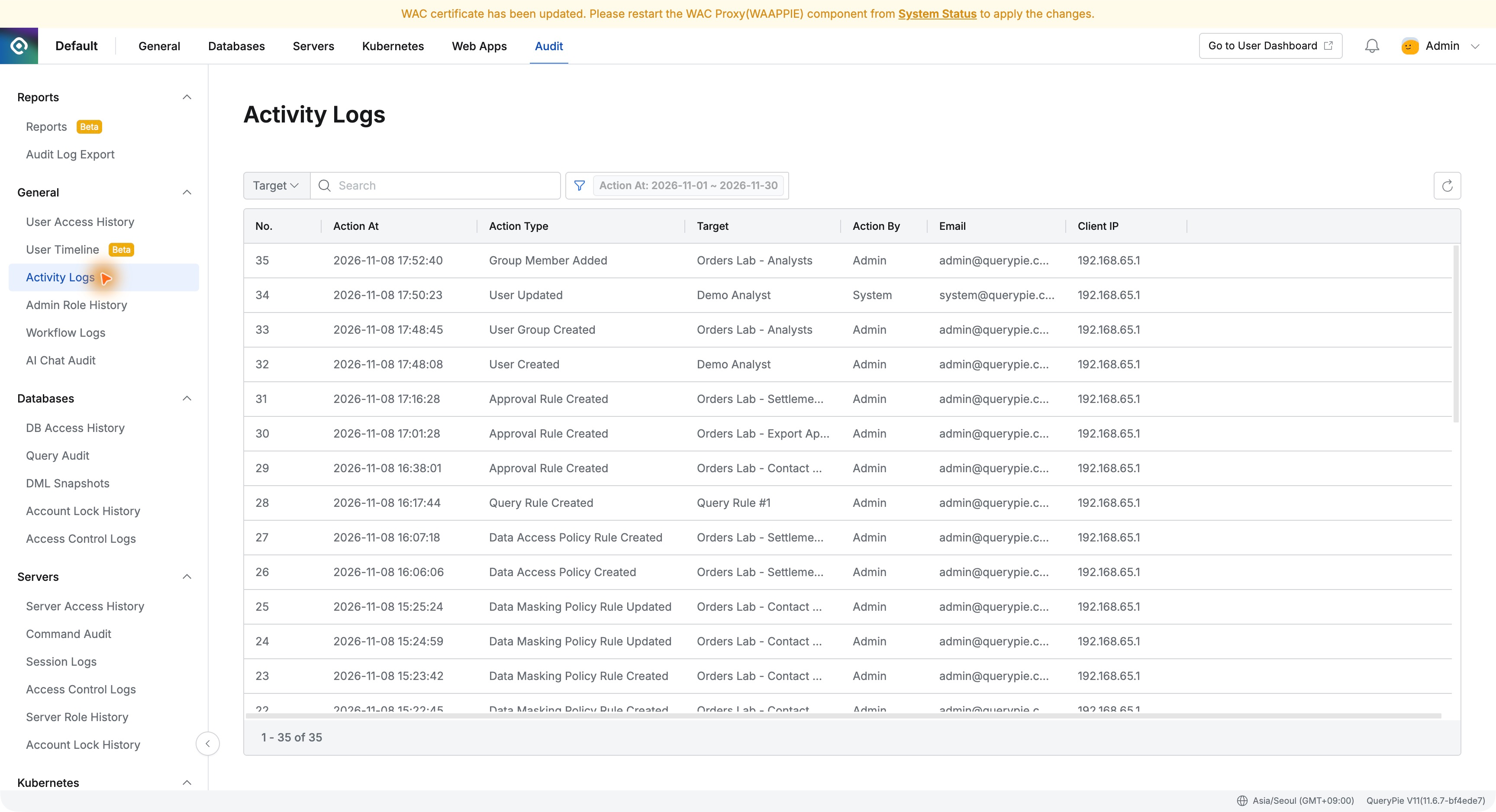
[Part 15] Join the Team, Receive Database Access — QueryPie Group Management
November 8, 2026
One user’s access was enough initially. As more teammates do the same work, checking every person’s privileges would become increasingly cumbersome.
I created an order-analysis team in QueryPie, defined its read-only access, then added a new analyst. I checked whether group membership alone enabled order queries.
1. Creating an Order-Analysis Group
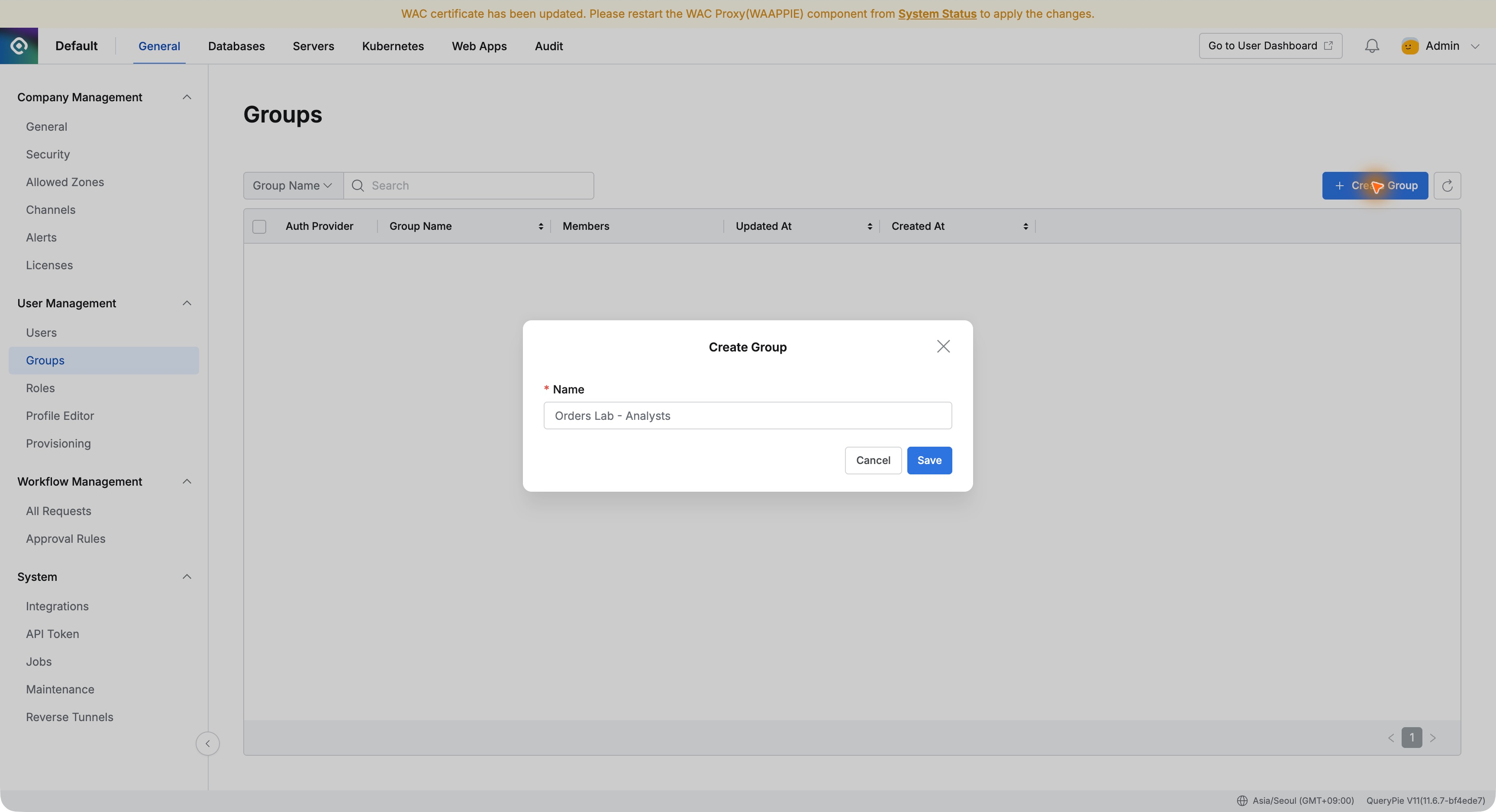
Under General → User Management → Groups, I created Orders Lab - Analysts for a fictional team checking order status.
I also prepared Demo Analyst without direct database access, to isolate the effect of group membership.
2. Defining the Team’s Required Privileges
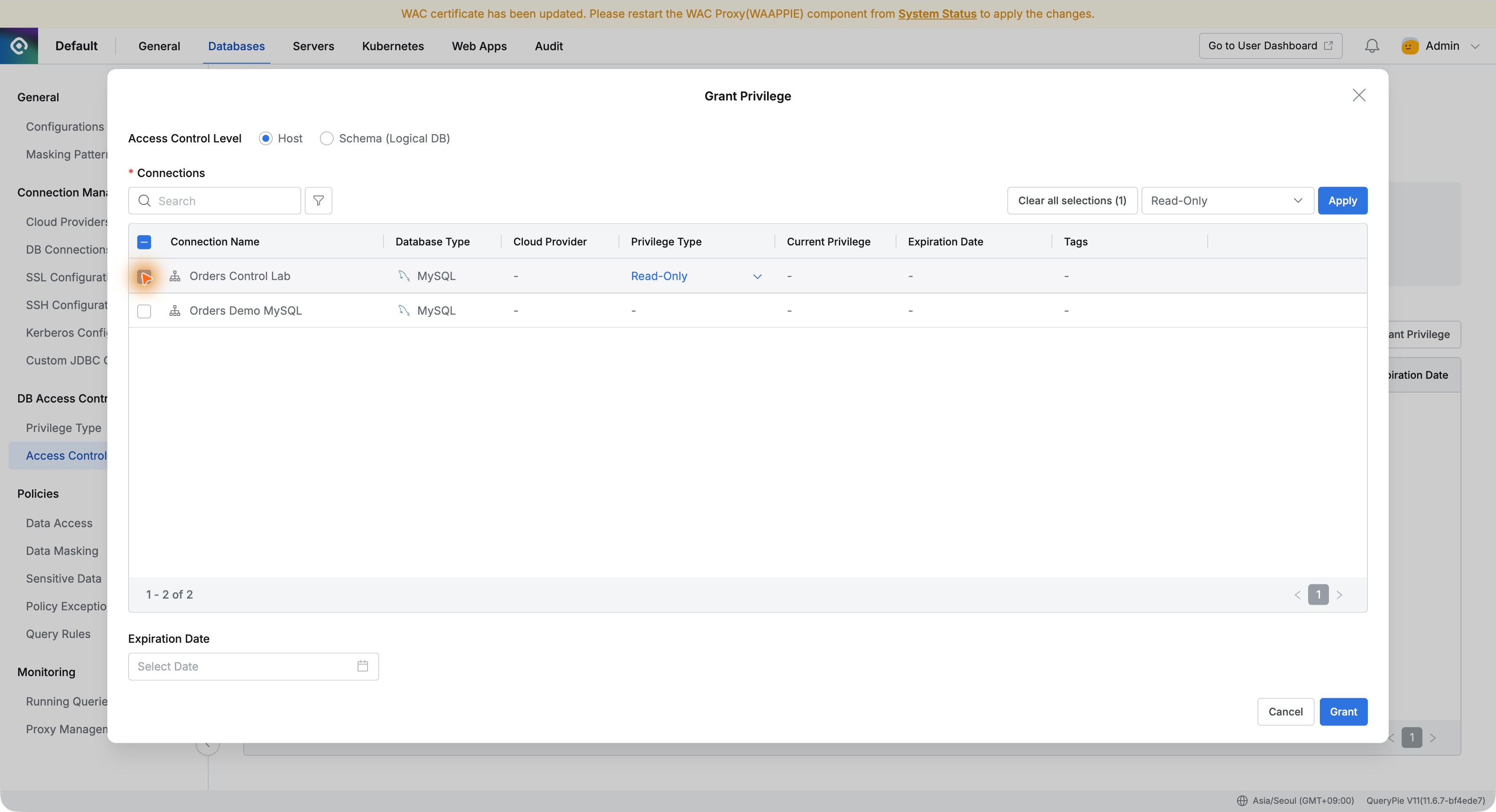
In Databases → DB Access Control → Access Control, I selected the group and granted Read-Only on Orders Control Lab.
Analysis starts with reads. I granted only what the team needed rather than modification privileges too.
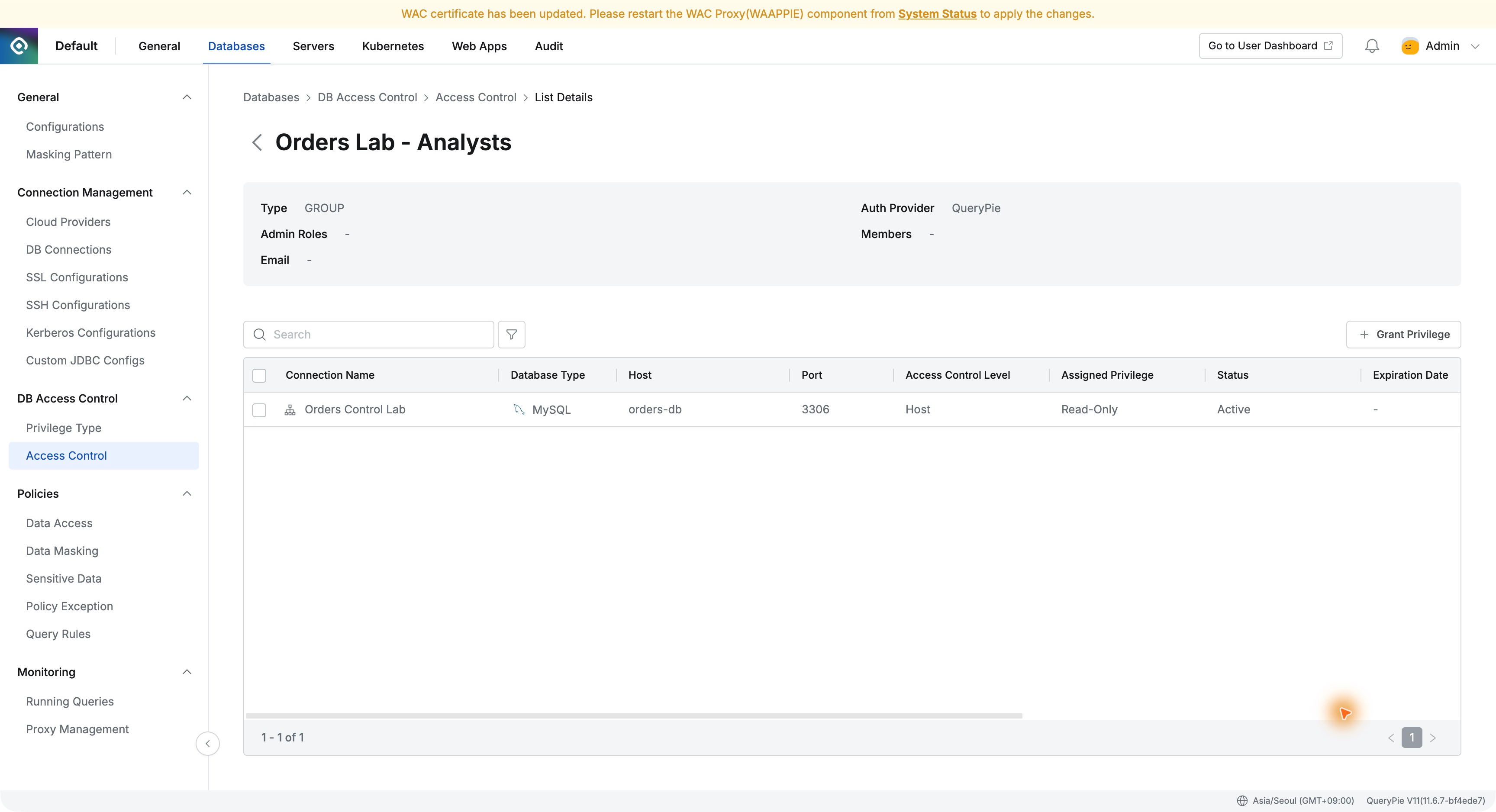
After saving, the group’s access list showed Orders Control Lab and Read-Only, making its database and privileges clear.
3. Before Joining, No Database Was Available
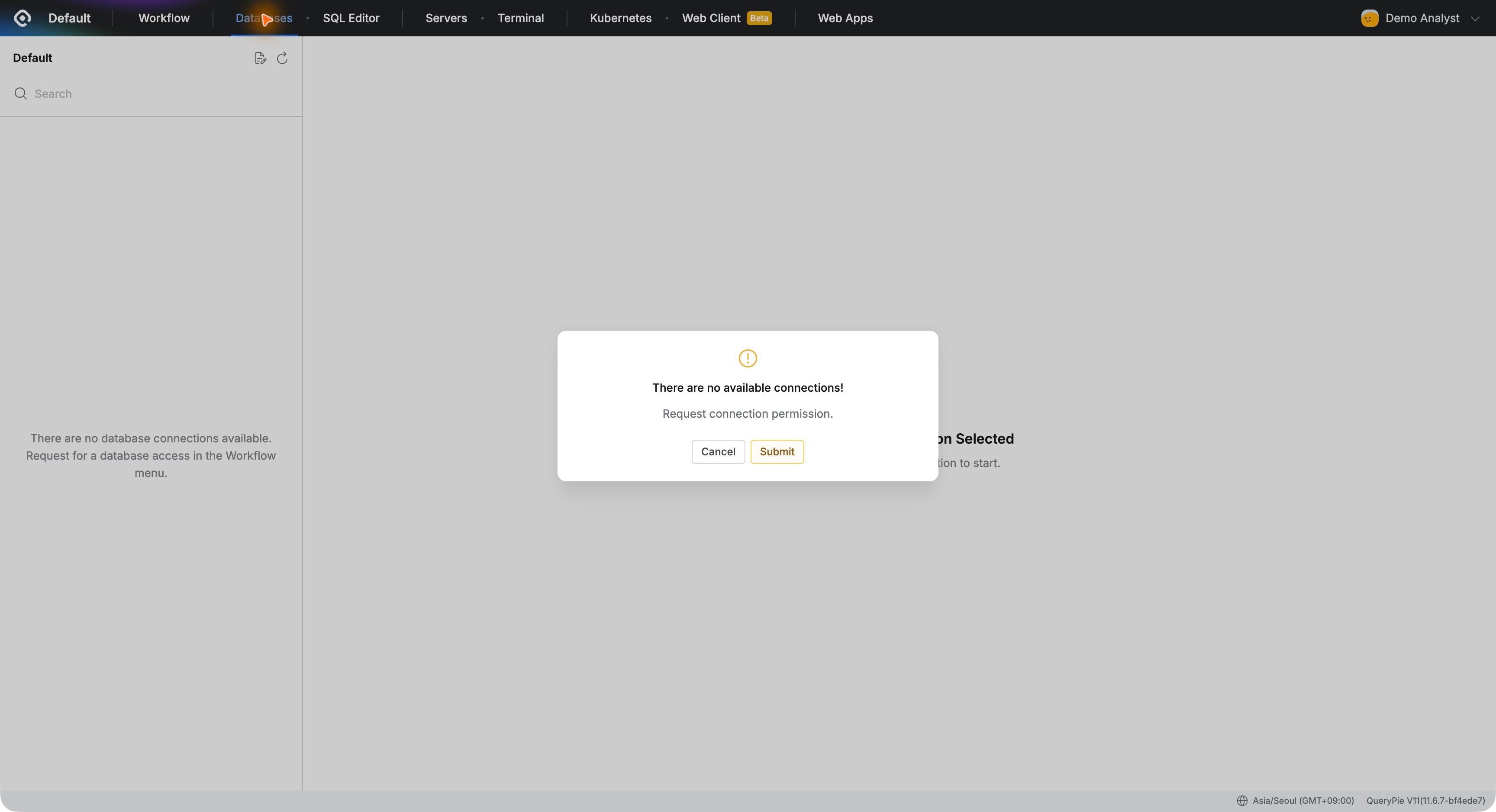
I signed in as Demo Analyst before adding it to the group. Databases displayed There are no available connections!. Creating an account alone did not grant database use.
User registration and work-related database access were separate. I could prepare an account first and assign a team based on responsibilities later.
4. Adding the Analyst to the Team
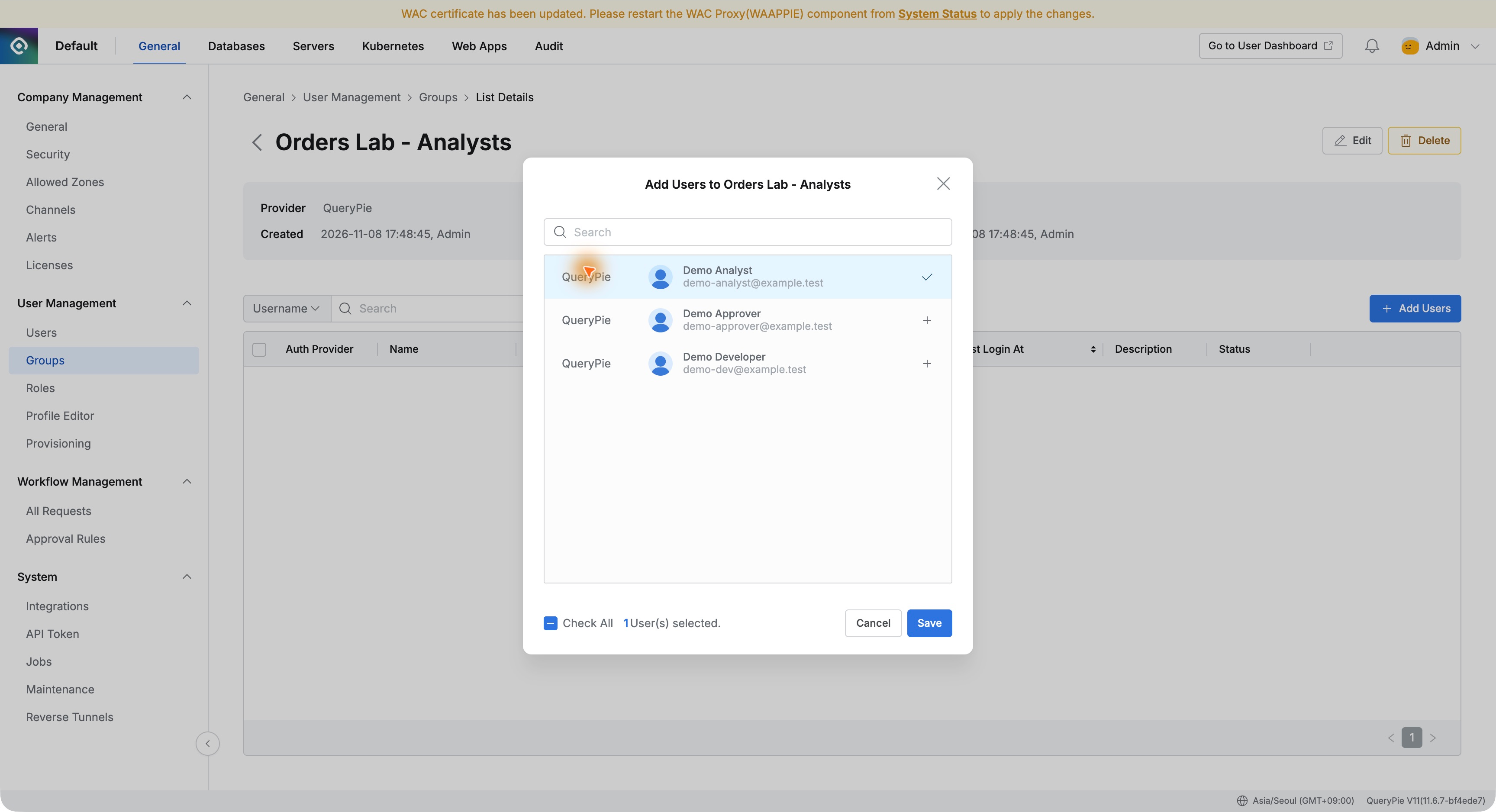
As administrator, I opened Orders Lab - Analysts, selected Demo Analyst in Add Users, and saved. I did not grant database privileges individually.
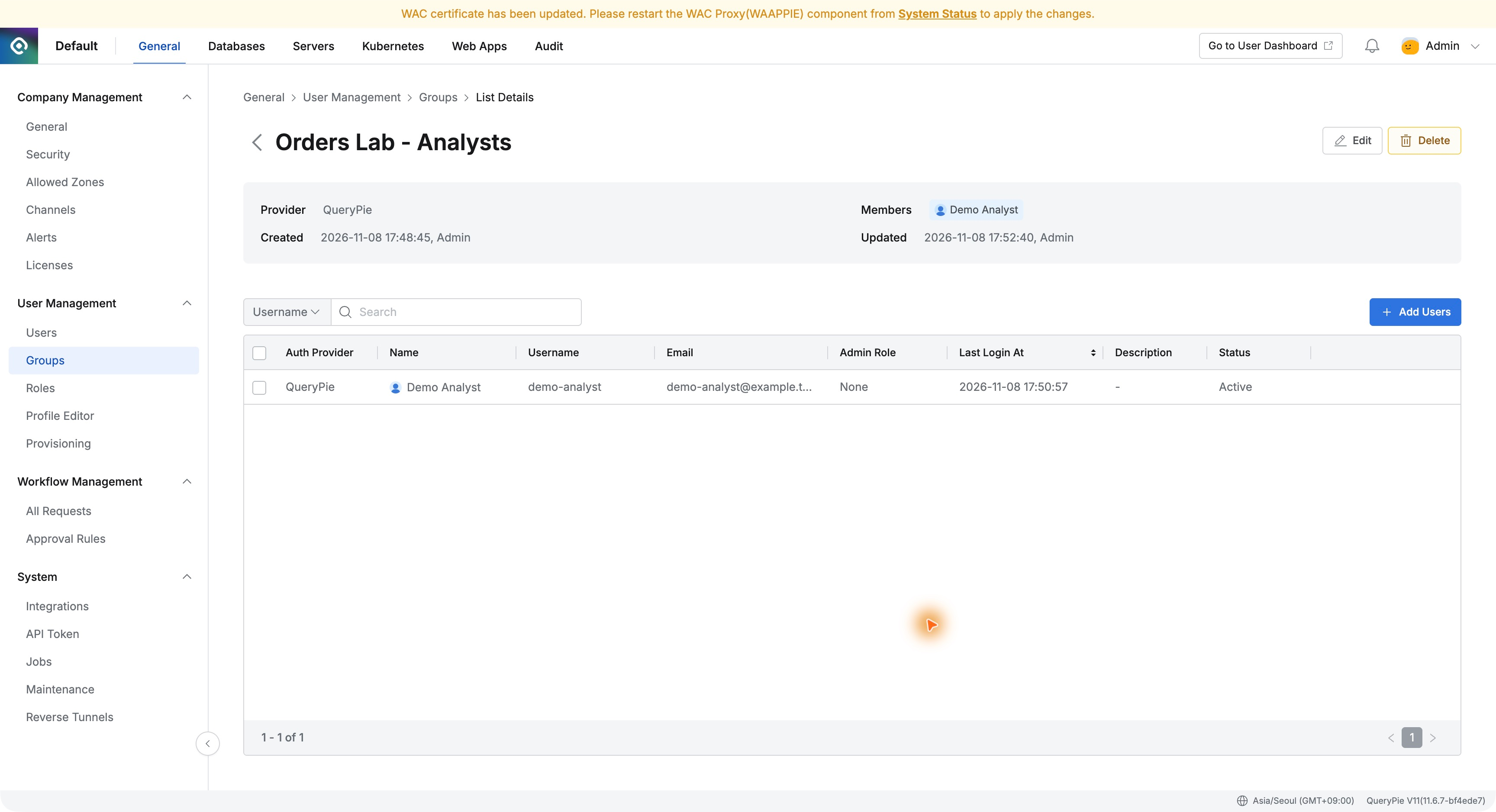
Demo Analyst appeared in the member list. Managing team privileges and membership separately should simplify consistent access for the same work.
5. Group Access Allows Reads, Not Changes
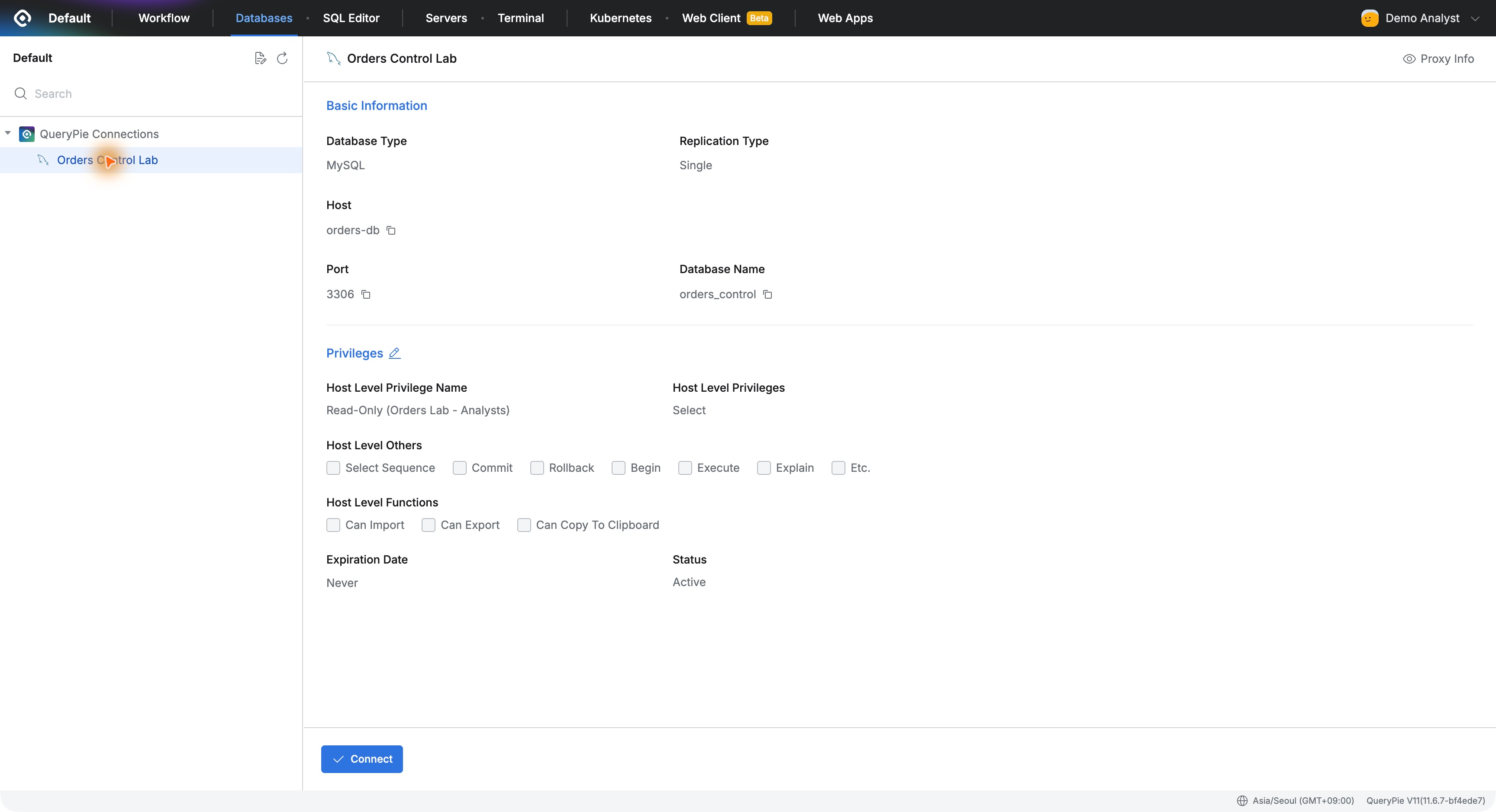
After signing in again, Demo Analyst could see Orders Control Lab. Connection details showed Read-Only (Orders Lab - Analysts) as the privilege name.
The user could see not just that access existed, but which group supplied it—useful when explaining why a database is accessible.
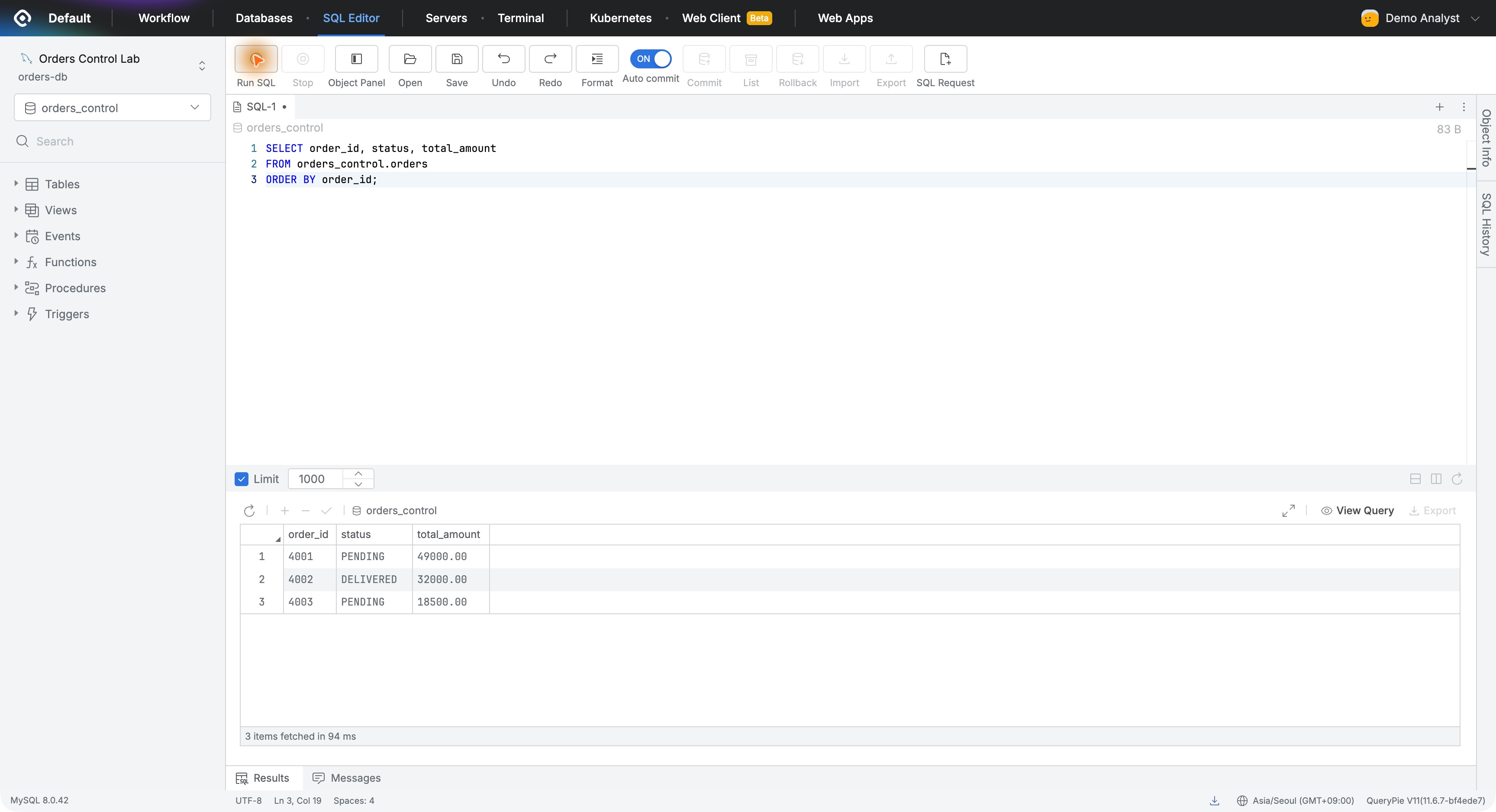
I clicked Connect and queried IDs, statuses, and amounts in the web SQL editor.
SELECT order_id, status, total_amountFROM orders_control.ordersORDER BY order_id;
Orders 4001–4003 returned normally. The new analyst could begin working using only the group’s configured privileges.
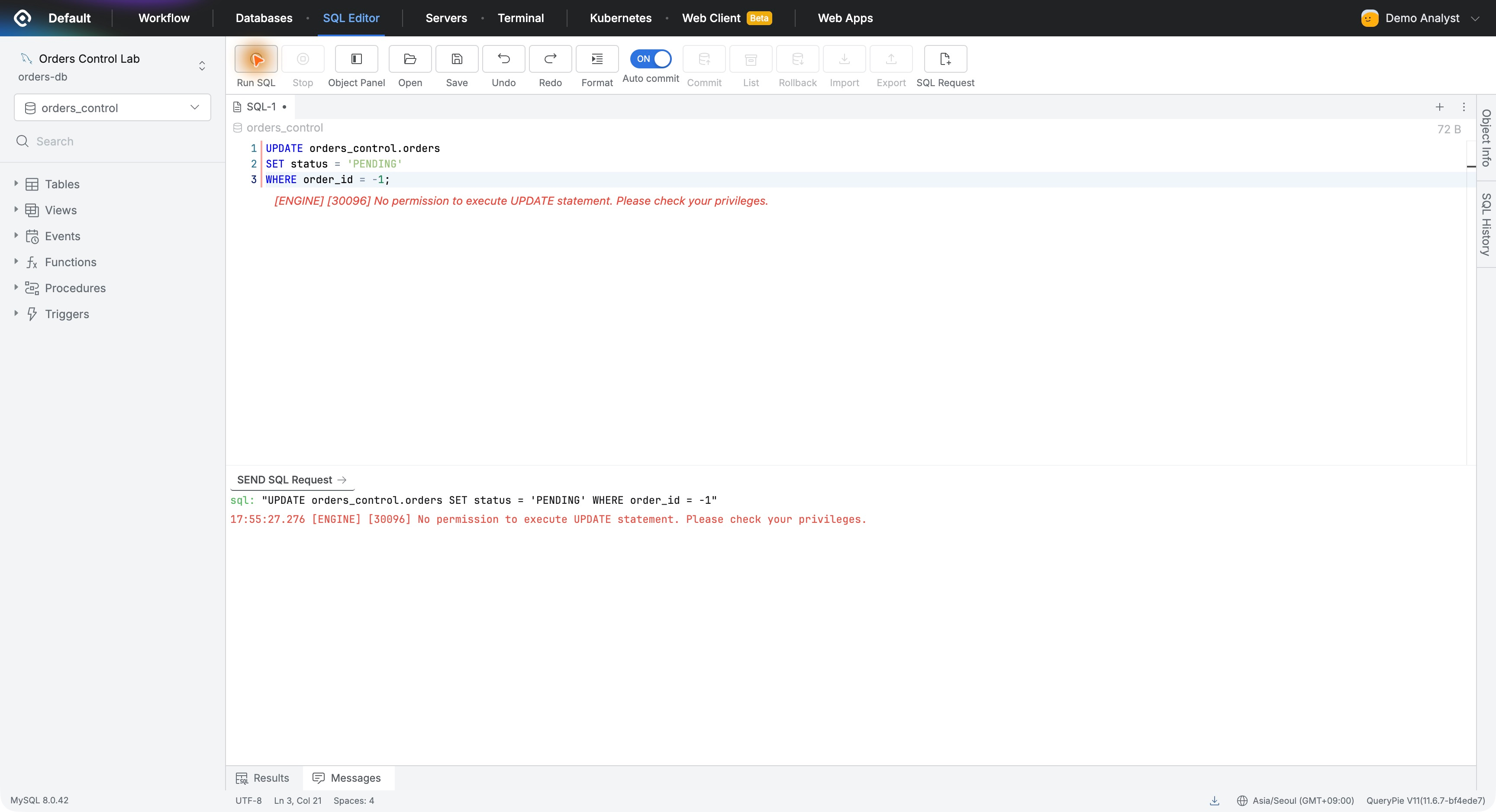
To verify read-only enforcement without changing data, I attempted UPDATE with nonexistent order ID -1. QueryPie blocked it with No permission to execute UPDATE statement as the error message.
6. A Useful Foundation as Teams Grow
The clearest benefit was a consistent basis for privileges: define the team’s databases and access, then add people responsible for that work.
Adoption requires consistent access management after user numbers grow, not just initial connectivity. Seeing team access in one place, managing members, and checking the source of user privileges stood out.
One new analyst was enough to understand the team-based operating model. Define a group rule that permits necessary reads and prevents changes. This should help those expanding QueryPie across an organization.