[Part 17] What Did This User Do? — QueryPie User Timeline
November 8, 2026
‘I can connect to the database, but one operation fails.’ Operators first need to distinguish failed login, database connectivity, and a blocked SQL statement.
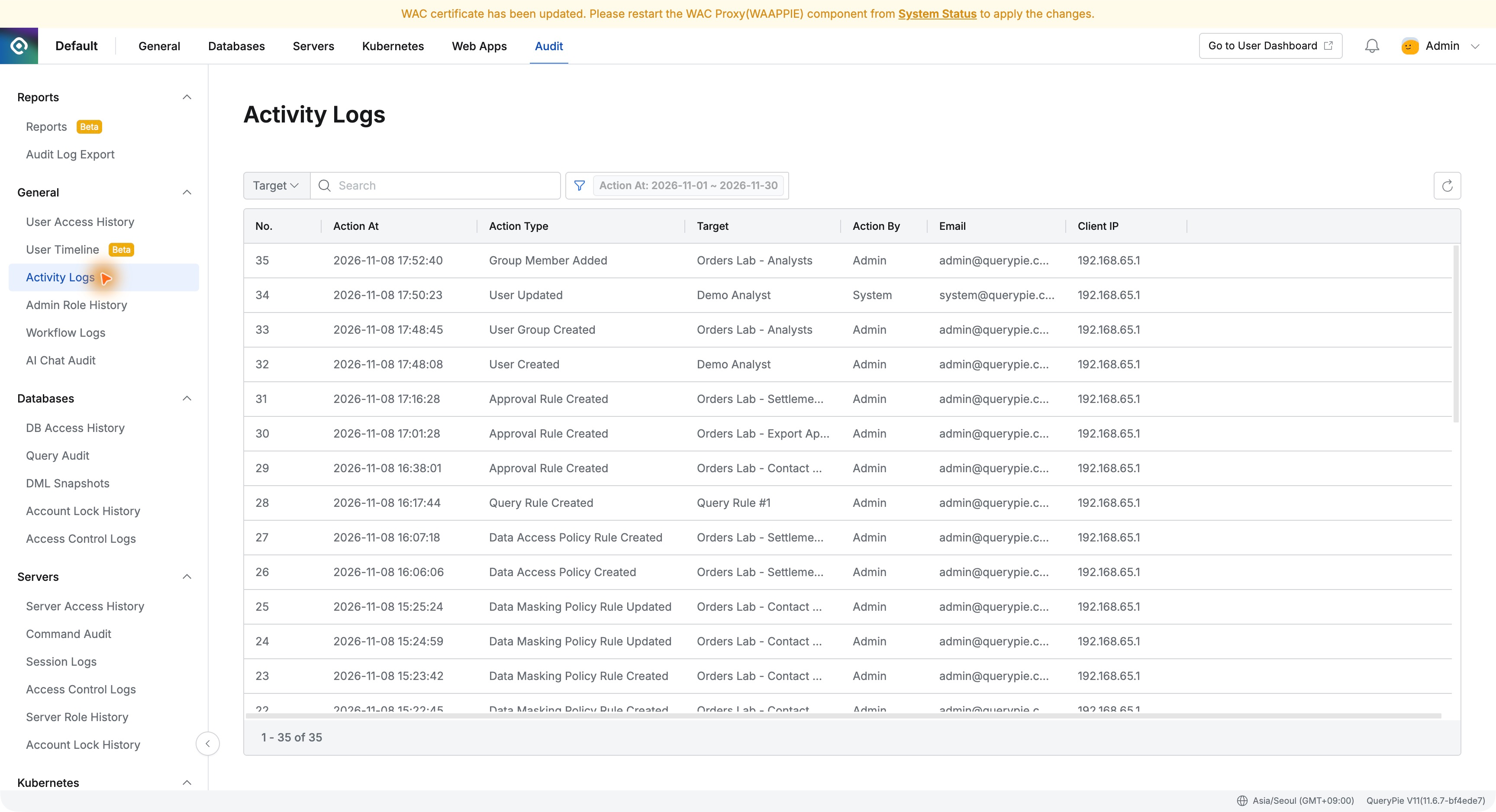
I opened User Timeline for Demo Analyst, whose order query succeeded and UPDATE was blocked in the earlier exercise. Seeing connections and SQL together for one person made events easier to follow.
1. Finding Activity by User and Period
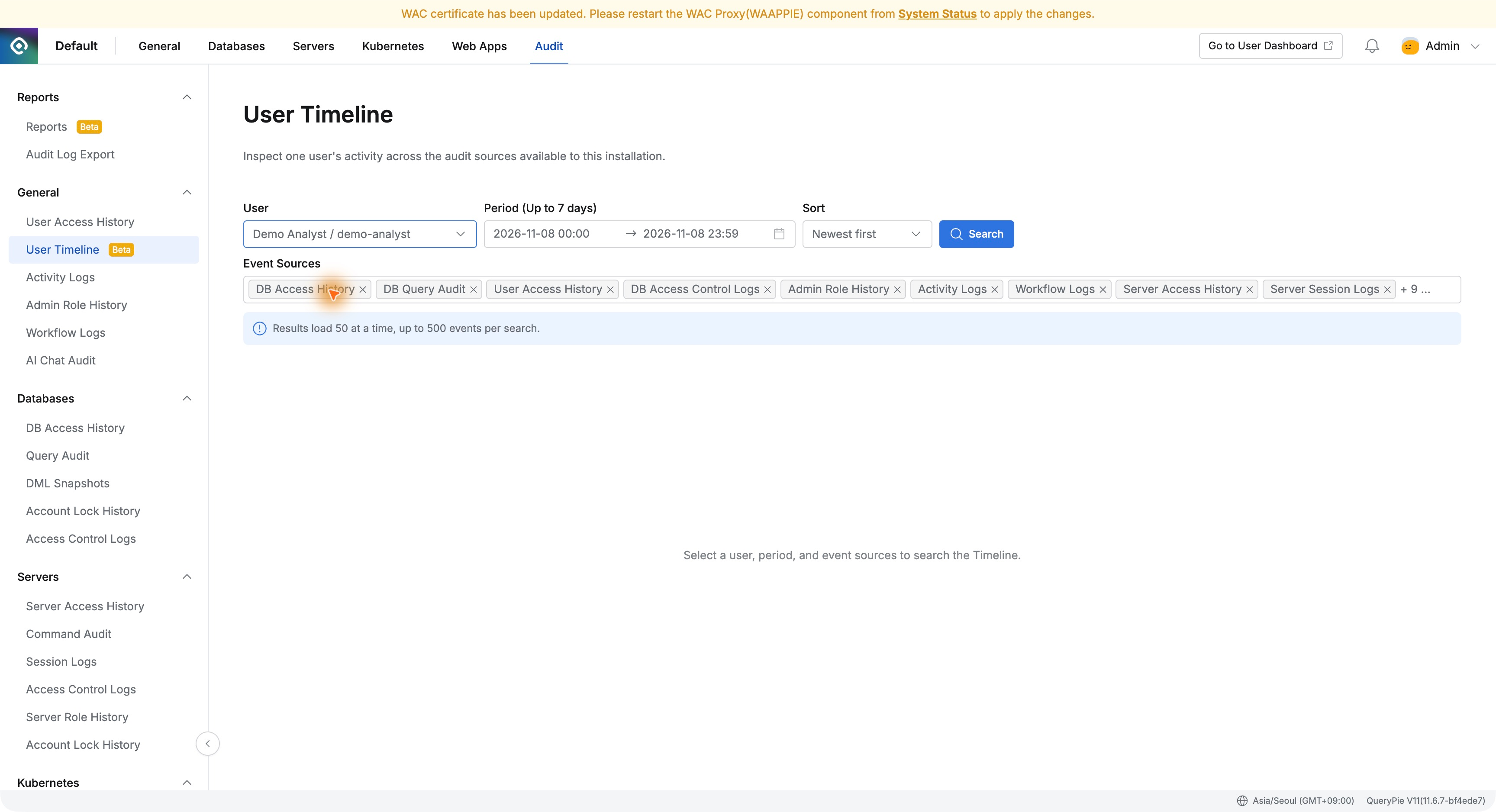
I opened Audit → General → User Timeline. In this environment, the menu carried a Beta label.
I selected Demo Analyst, November 8, 2026, and Newest first. Event Sources lets users choose which log types to include.
2. Login and Database Activity in One List
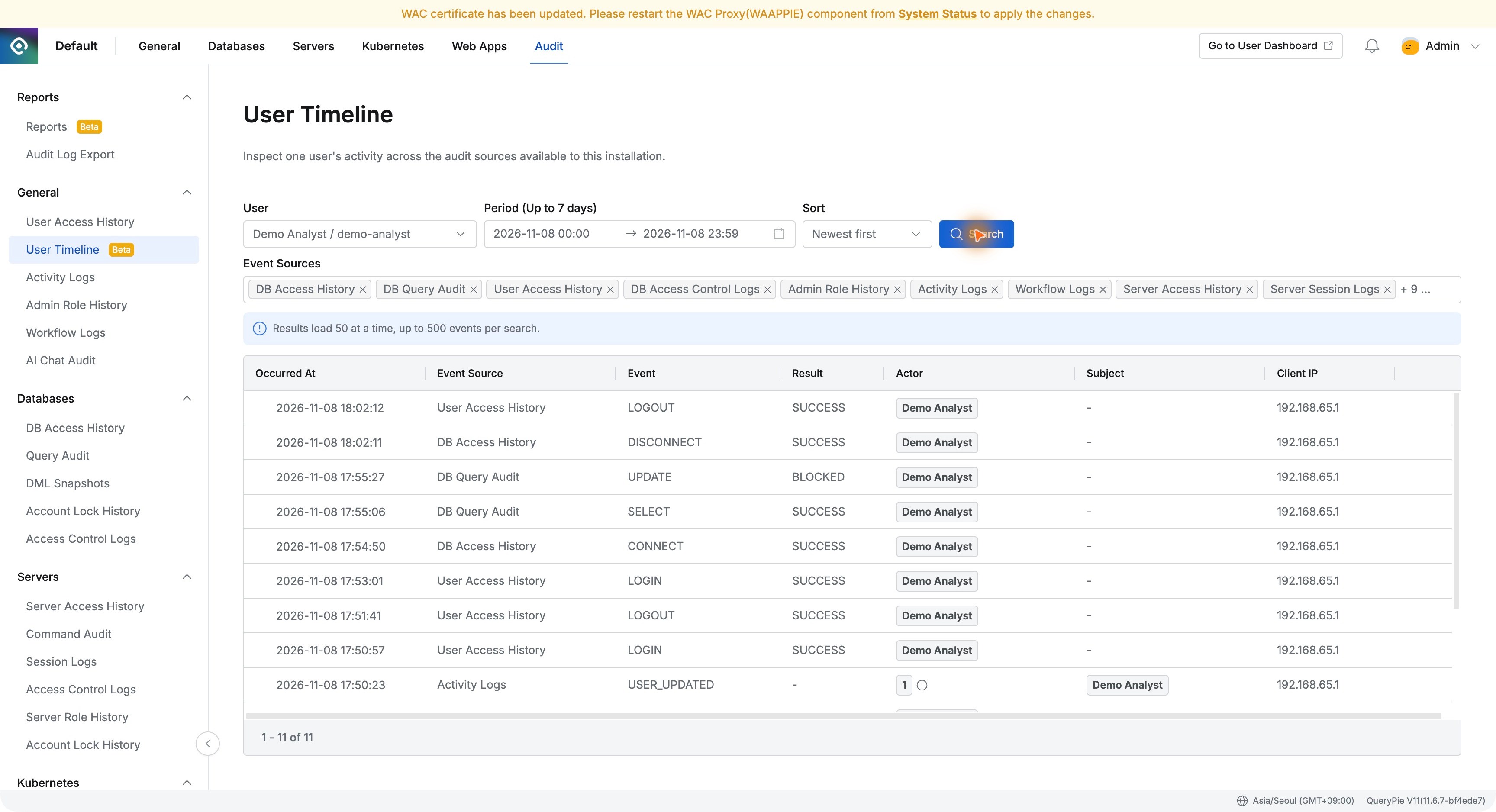
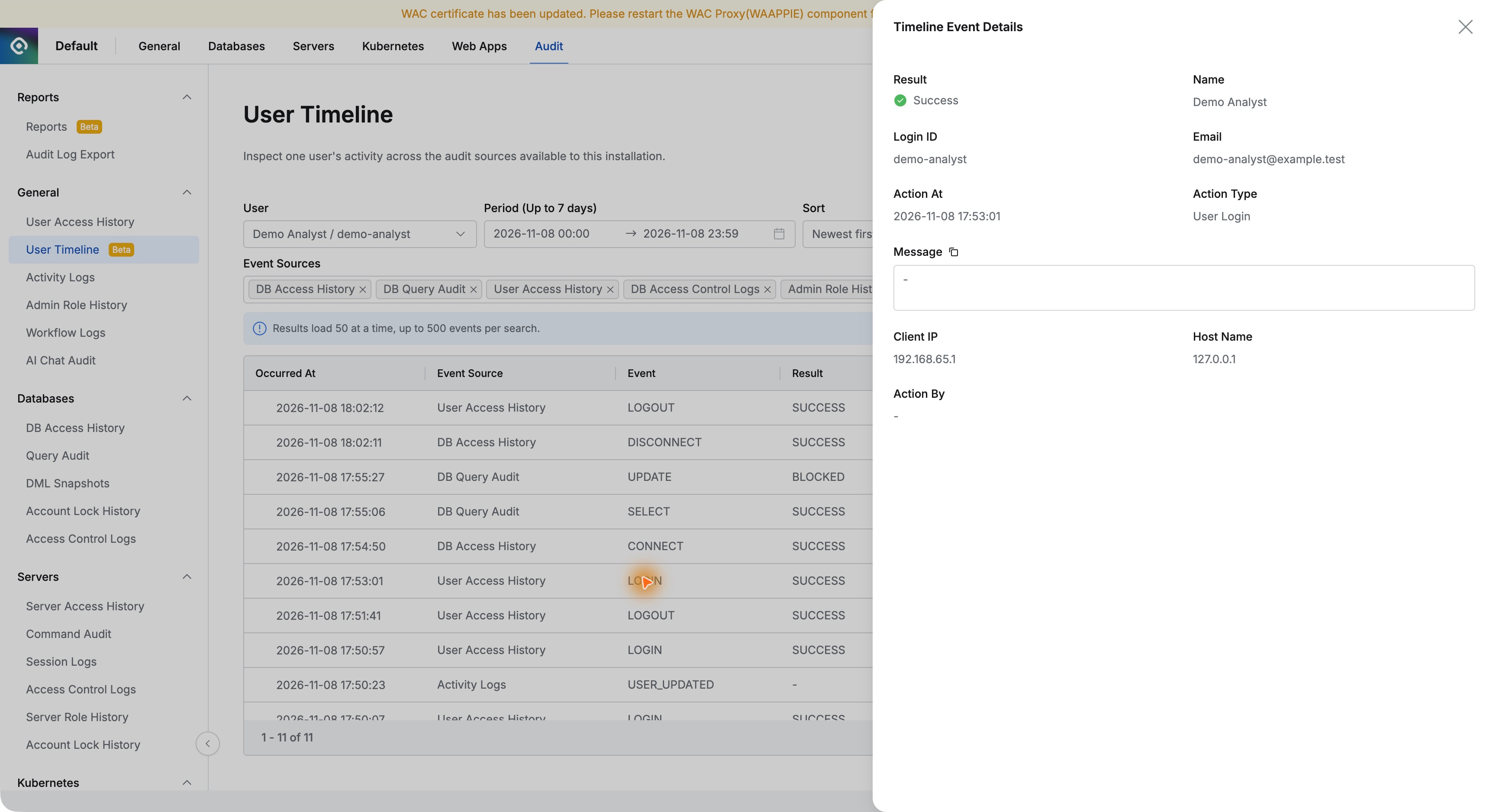
Search returned 11 records: logins and logouts, database connection and disconnection, SELECT success, and UPDATE blocking.
Each entry included time, source, event, result, user, and IP. This gave an overall sequence without repeating the same user search across multiple log screens.
Login details showed Demo Analyst’s ID, email, 17:53:01 timestamp, and IP, confirming a successful login before the work.
3. Opening a Blocked Task Reveals the Reason
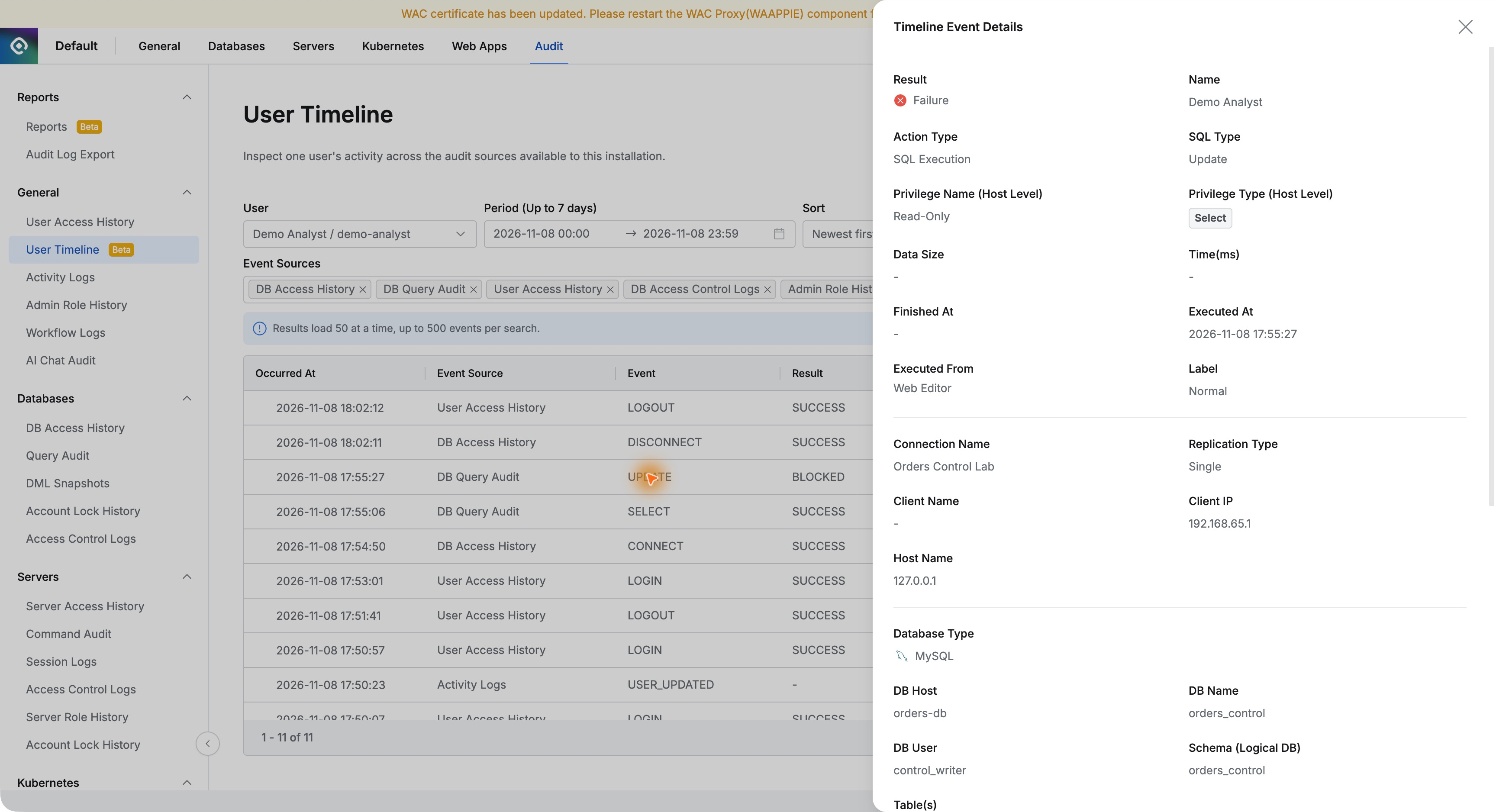
The 17:55:27 UPDATE stood out as BLOCKED. Timeline Event Details showed Read-Only and Orders Control Lab.
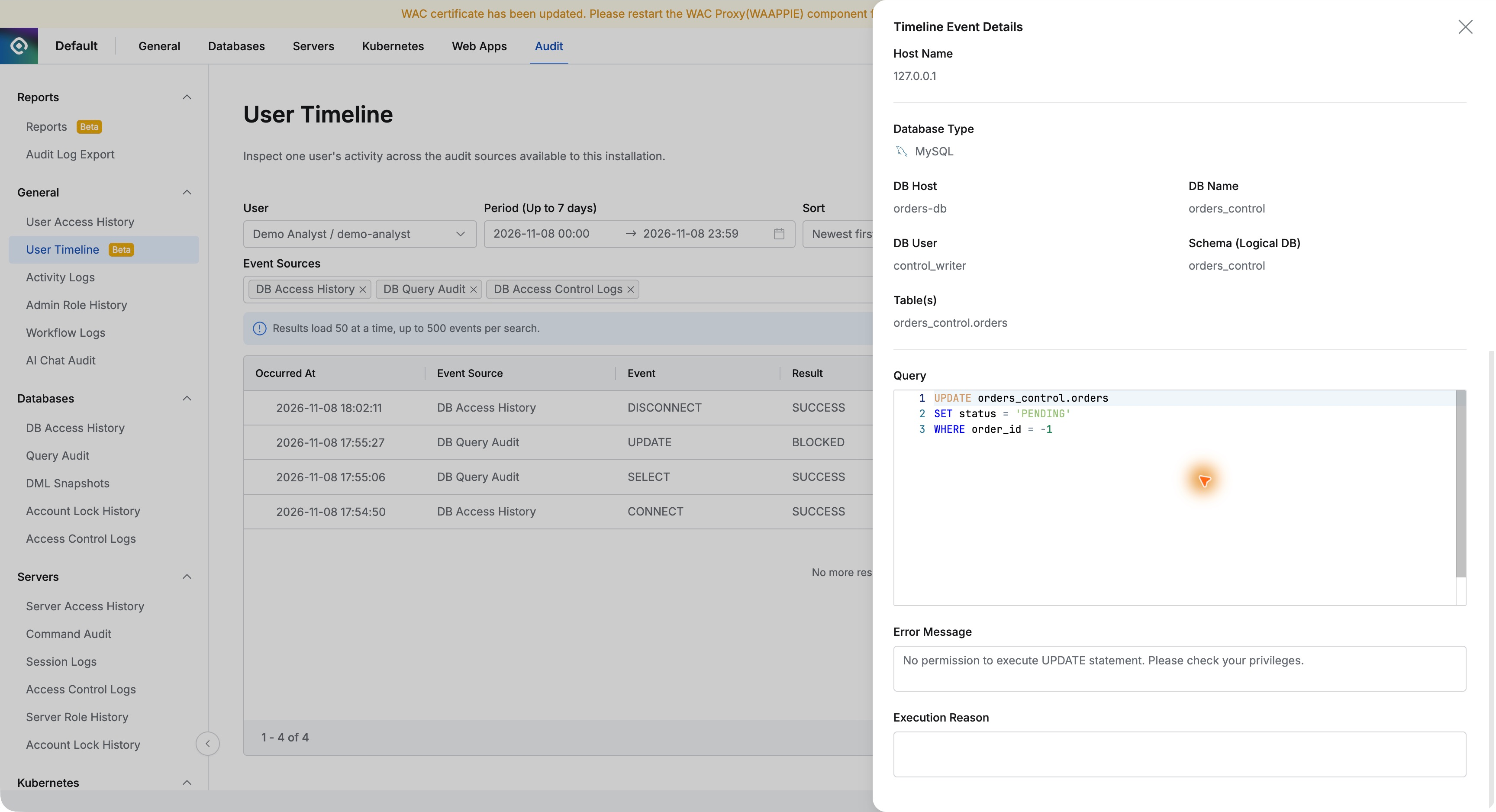
Further down, the actual SQL and error were retained. No permission to execute UPDATE statement explained that modification was blocked for lack of privileges.
This was the earlier read-only test using nonexistent order ID -1. QueryPie blocked execution, and the user-facing error and administrator record referred to the same operation.
4. Comparing the Successful Read Immediately Before It
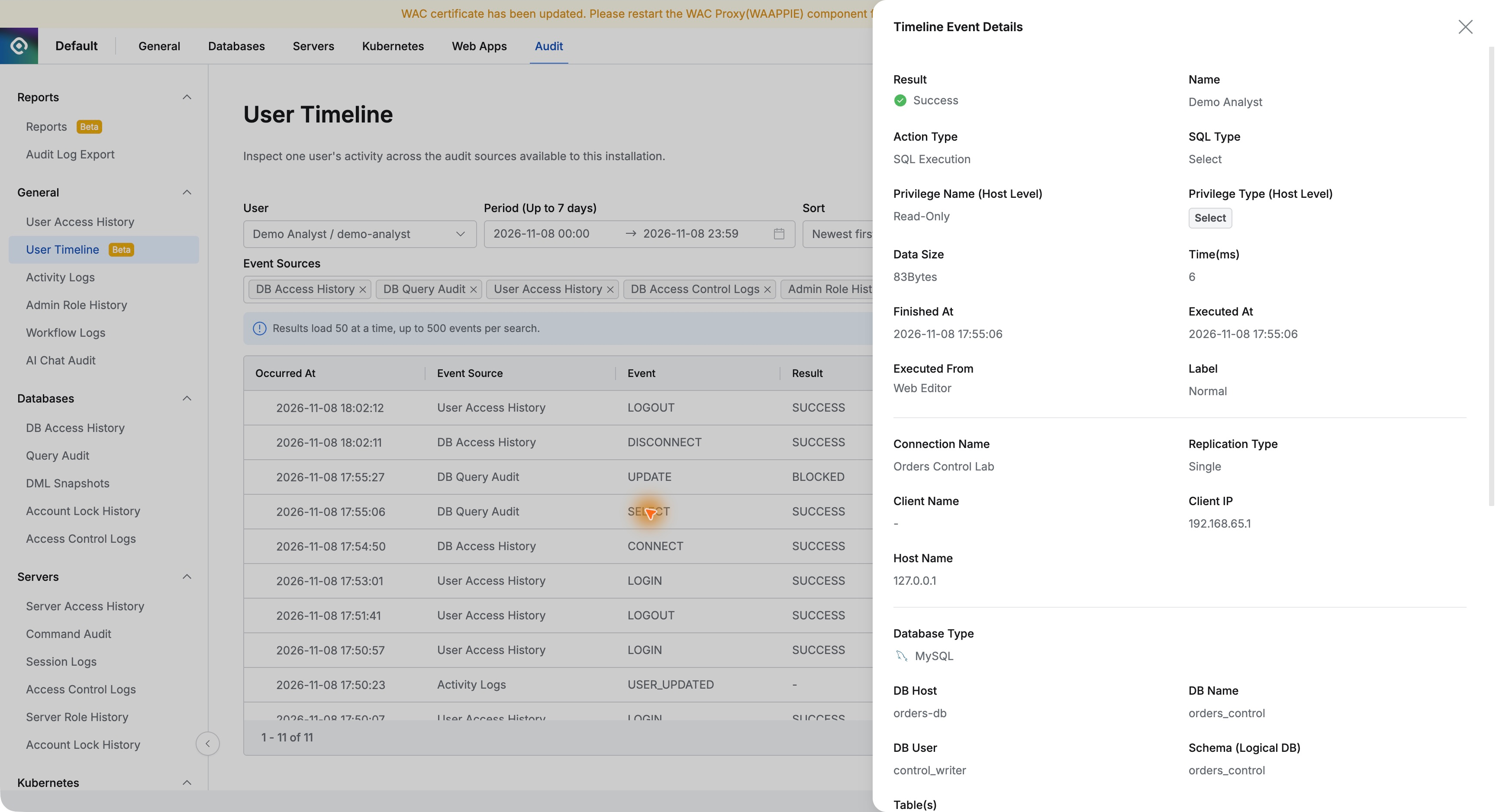
The preceding SELECT at 17:55:06 showed Success, executed in the web SQL editor with Read-Only.
The three-order read succeeded; only the following UPDATE was blocked. Together, these distinguish total database failure from exceeding the permitted operation scope.
5. Filtering to Database Events Simplifies the View
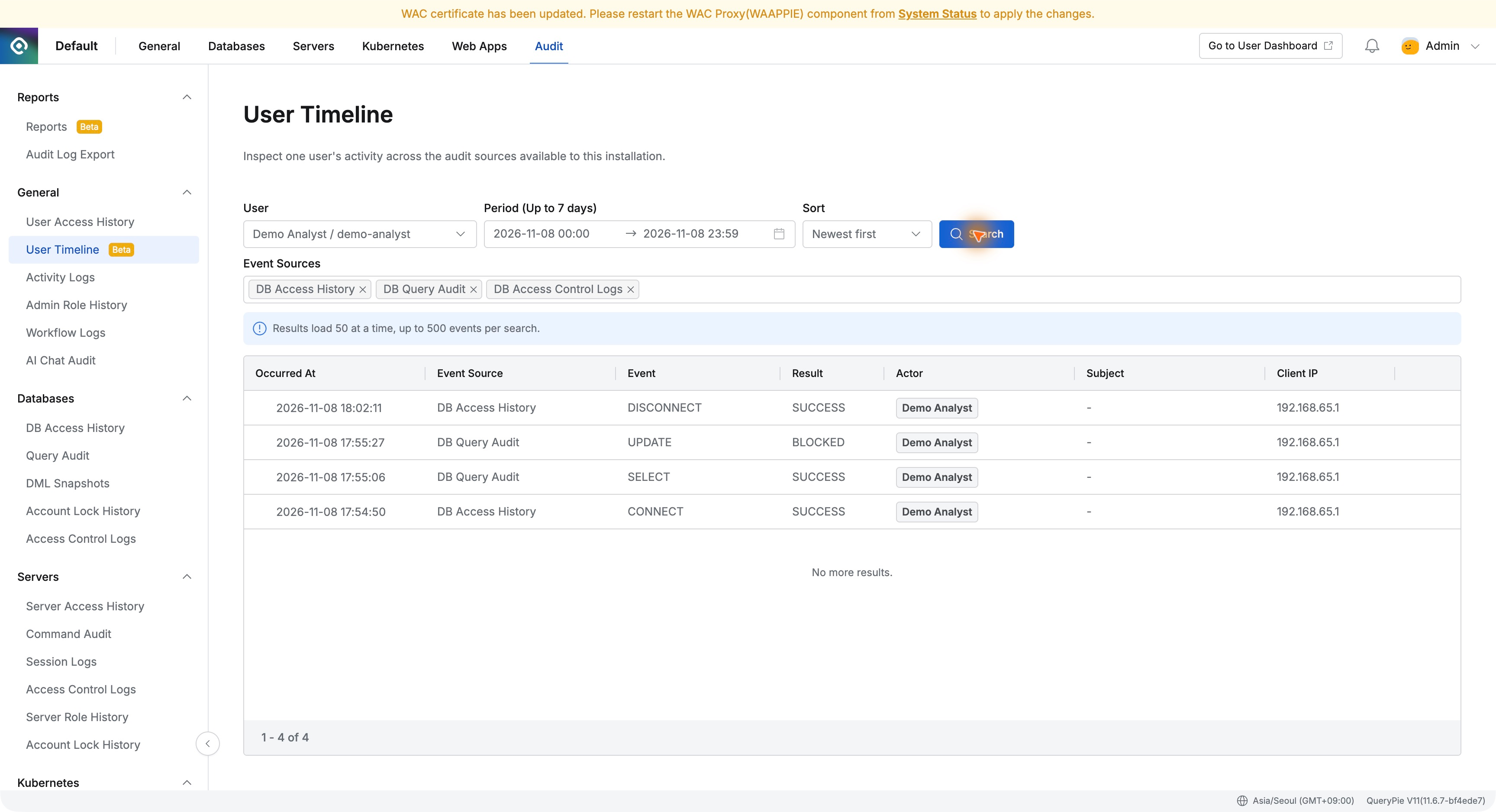
I selected Databases in Event Sources, including DB Access History, DB Query Audit, and DB Access Control Logs, then searched again.
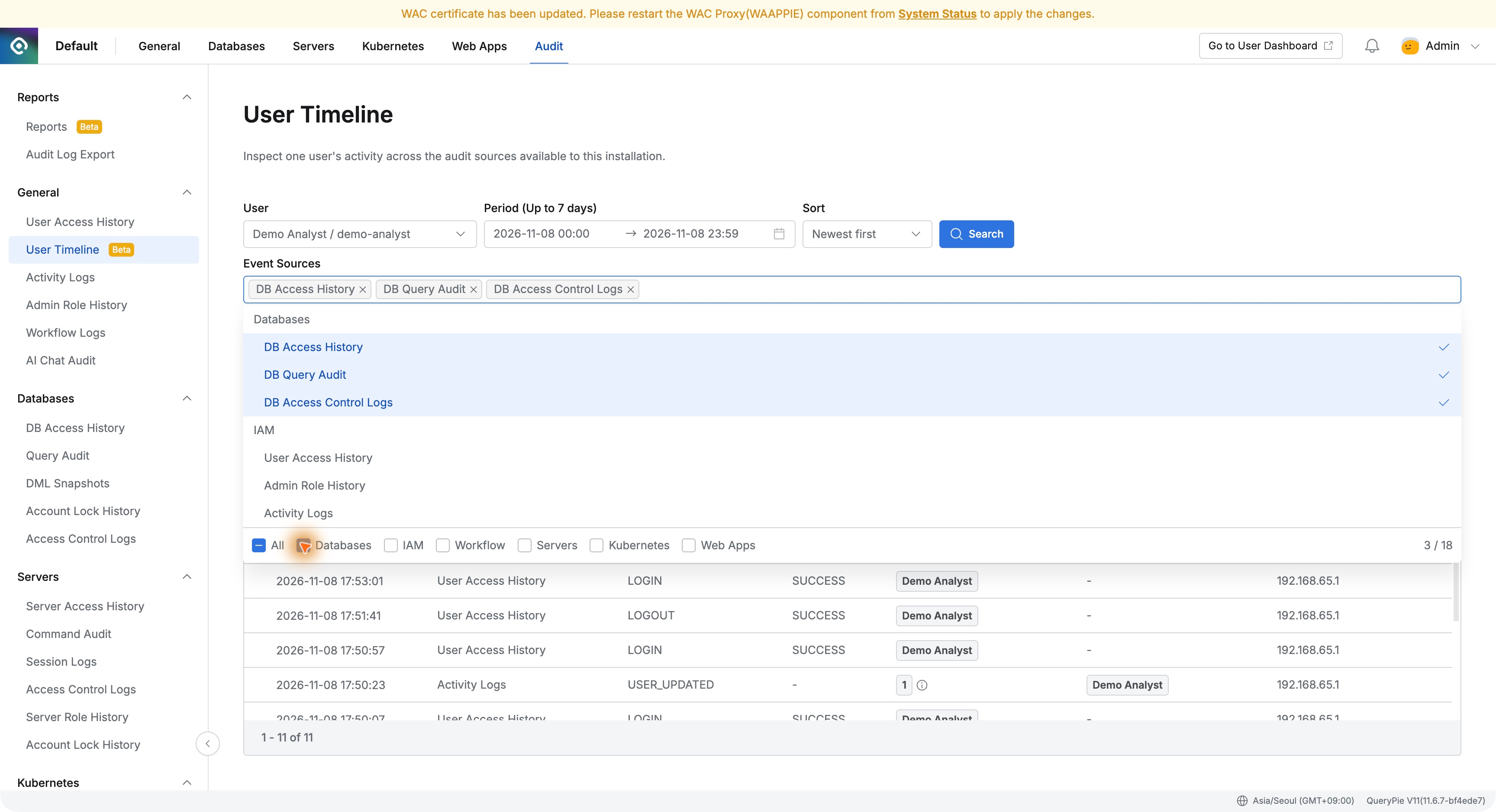
Four records remained: connection at 17:54:50, successful read at 17:55:06, blocked UPDATE at 17:55:27, and disconnection at 18:02:11. The database sequence was now especially clear.
6. Useful for Investigating User Questions
User Timeline was convenient for following one person’s activity: choose user and time, review the sequence, inspect SQL or connection details, and narrow log types if needed.
Alongside functioning controls, evaluators need the ability to answer operational questions. Here, I could see in one sequence that reads completed and modifications were blocked by Read-Only.
Not just who did what, but how far they succeeded and which task was blocked for what reason was valuable. It helps operators explain security-policy outcomes to users.