[Part 21] Giving Auditors Only the Access They Need — Separating QueryPie Administrator Roles
November 9, 2026
Previously, I reviewed and downloaded database audits as an administrator. In real operations, the configurator and reviewer may differ. Auditors should be able to inspect evidence with their own accounts.
I created a separate audit role, viewed order changes and DML Snapshot, and downloaded evidence. Database configuration returned No Permission. Separate roles made responsibilities explicit.
Creating a Role with Audit Policies
Under General → User Management → Roles, I created DB Audit Reviewer, described as responsible for reviewing order-database audits and exporting evidence.
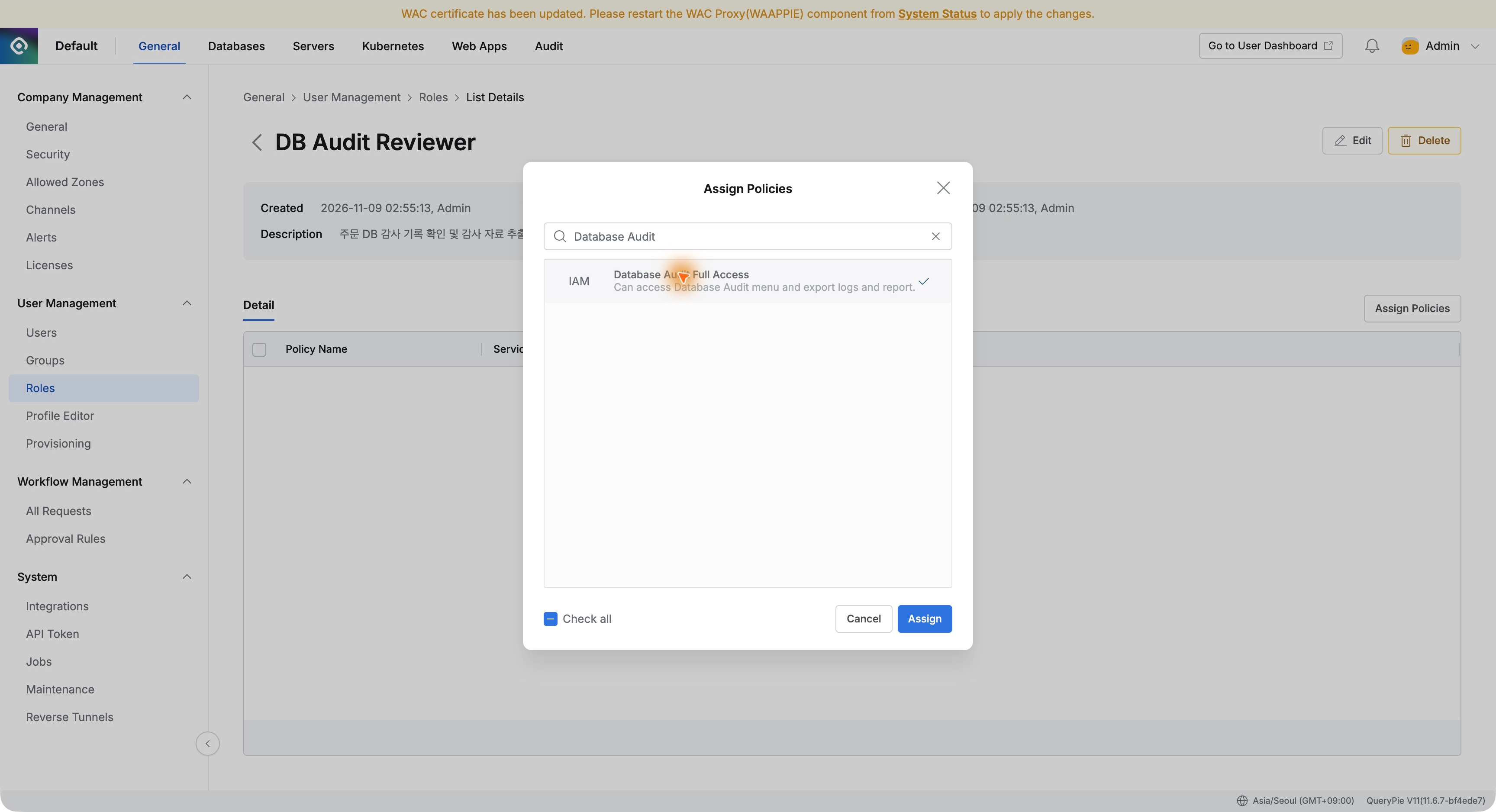
Assign Policies lets you choose policies. I first selected Database Audit Full Access for database audit menus.
I assigned Database Audit Full Access and Report Audit Full Access, enabling audit review and Reports downloads. I added no user-management or database-configuration policies.
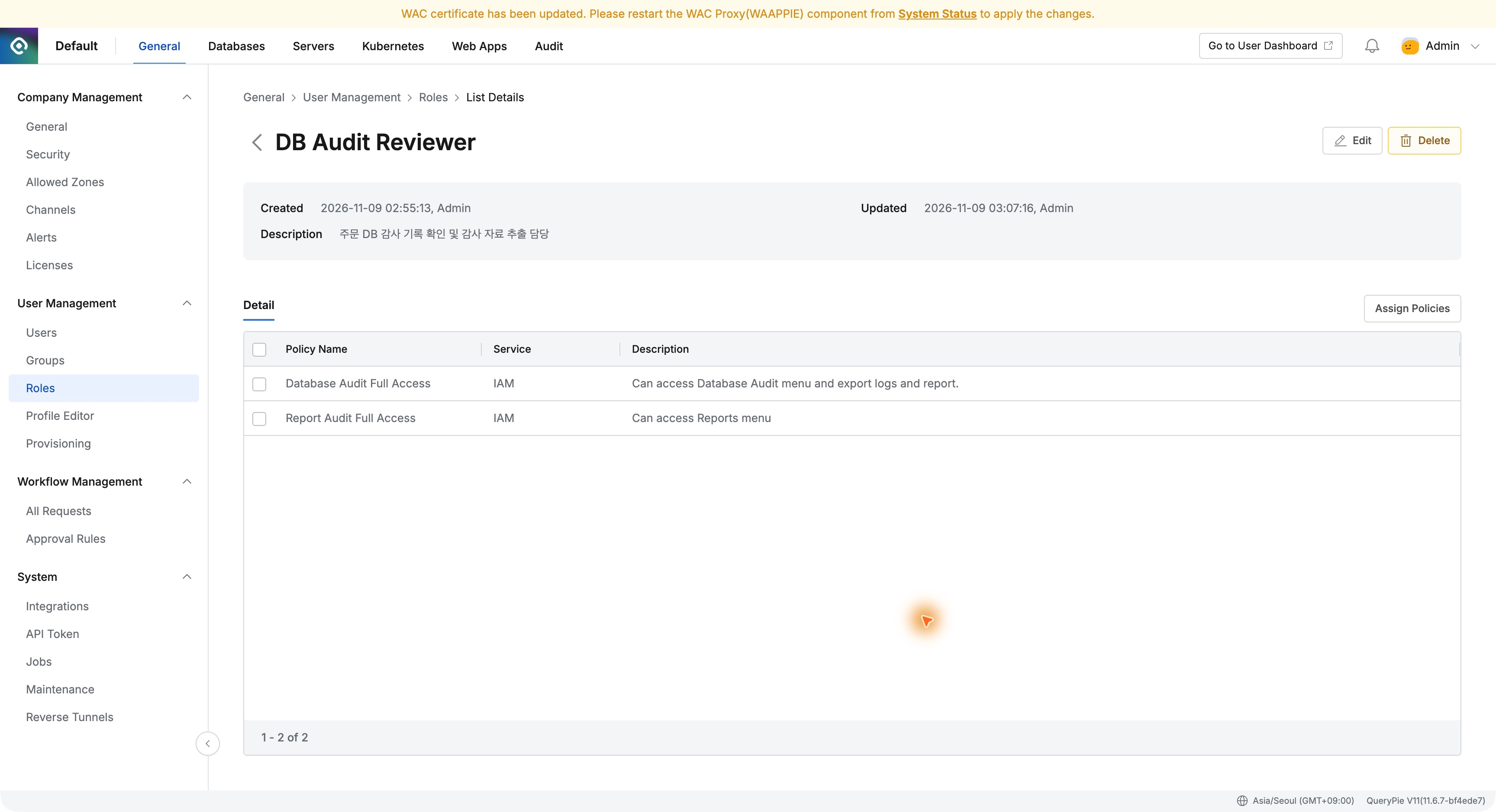
Policy names and descriptions make the assignment clear. This role explicitly includes audit downloads.
Assigning the Role to an Auditor
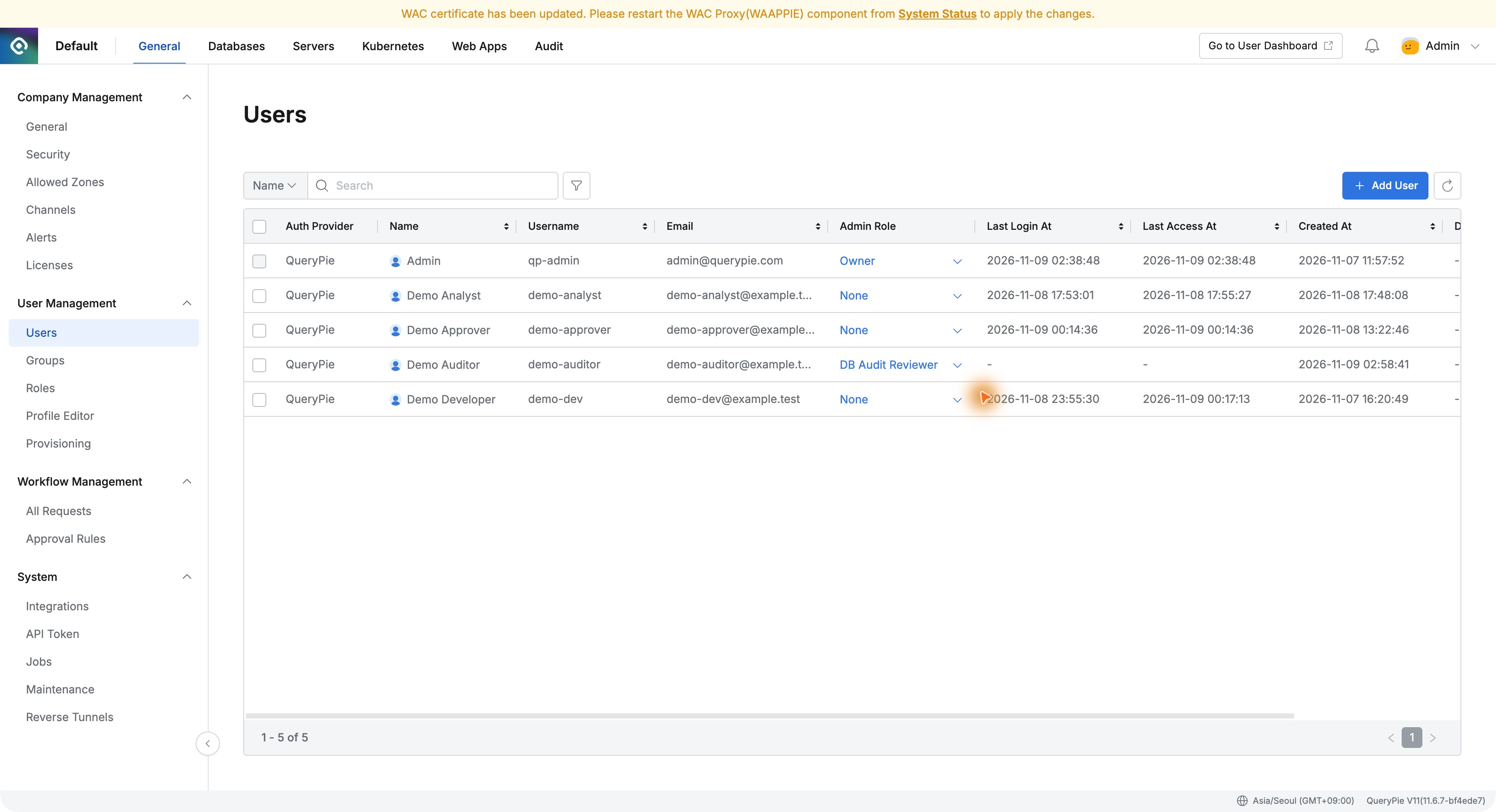
I created Demo Auditor, selected DB Audit Reviewer in Users → Admin Role, and applied it. The existing administrator remained Owner.
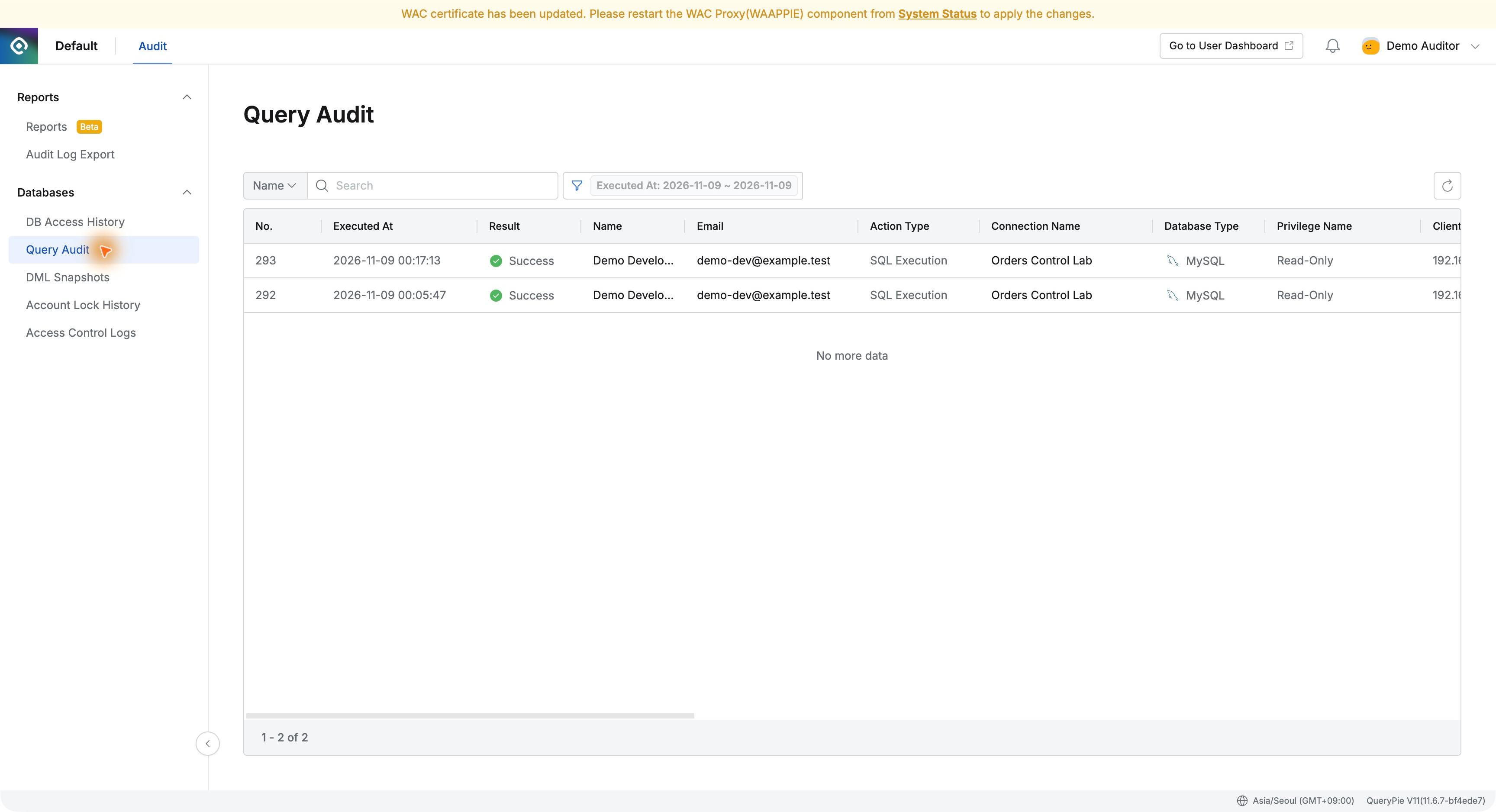
After signing in as the auditor, the administration view showed Audit, Reports, and database audits, but no General or database configuration menus visible to Owner.
Opening the Developer’s Order Change
In Query Audit I found Part 19’s No.293: Demo Developer, Success, Orders Control Lab, execution time, 69 ms, and SQL Request.
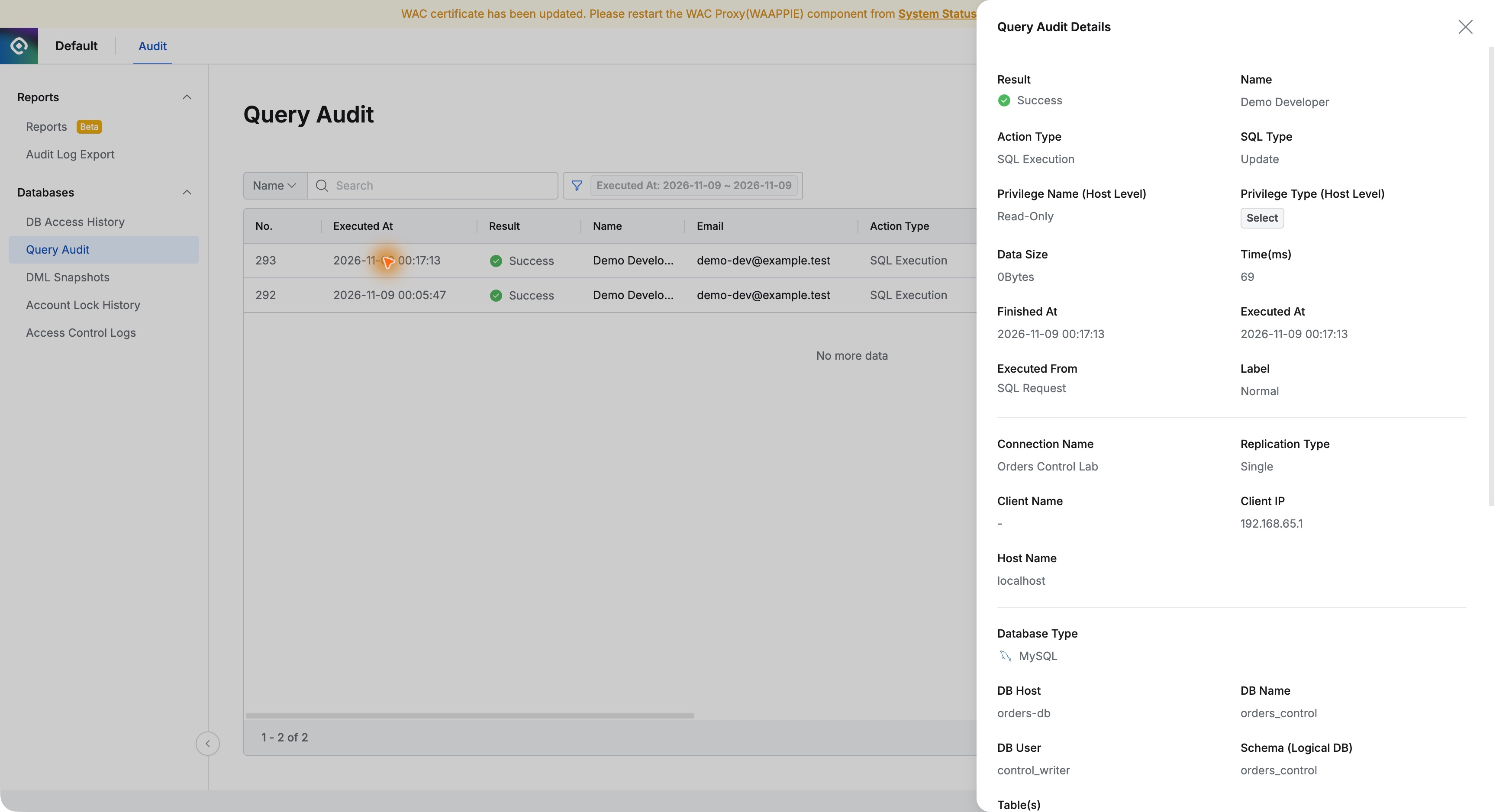
The auditor used a personal account rather than borrowing an operator’s or administrator’s. User and execution route were directly inspectable.
The Auditor Checks Before and After Values Too
The same UPDATE in DML Snapshots showed order 4003 status PENDING before and DELIVERED after, matching the earlier administrator review.
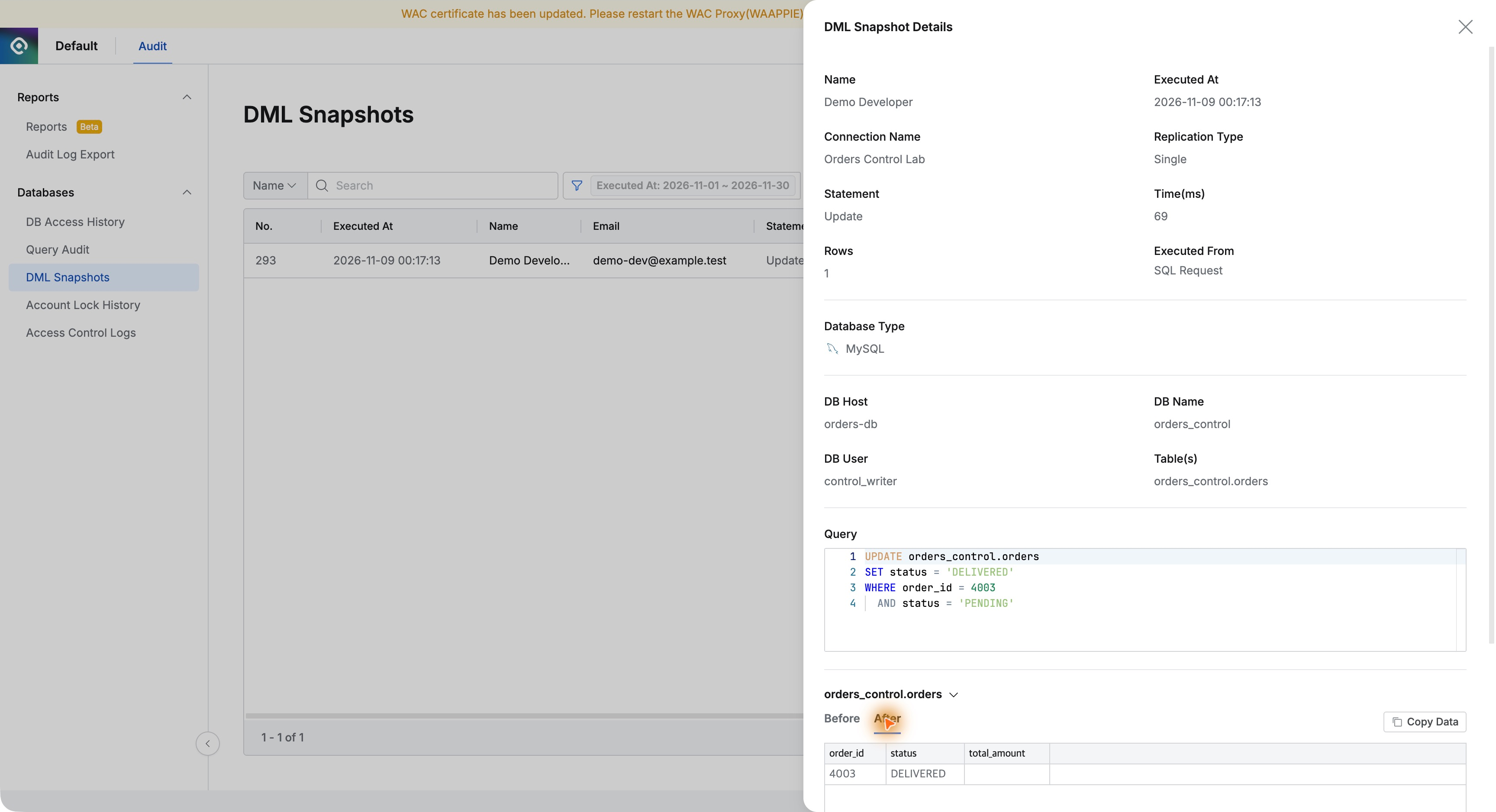
Beyond SQL success, the auditor could inspect actual changed values, reducing requests for screenshots from operational administrators.
Database Configuration Is Not Accessible
I directly opened a database configuration URL with the same account. It showed No Permission and denied access.
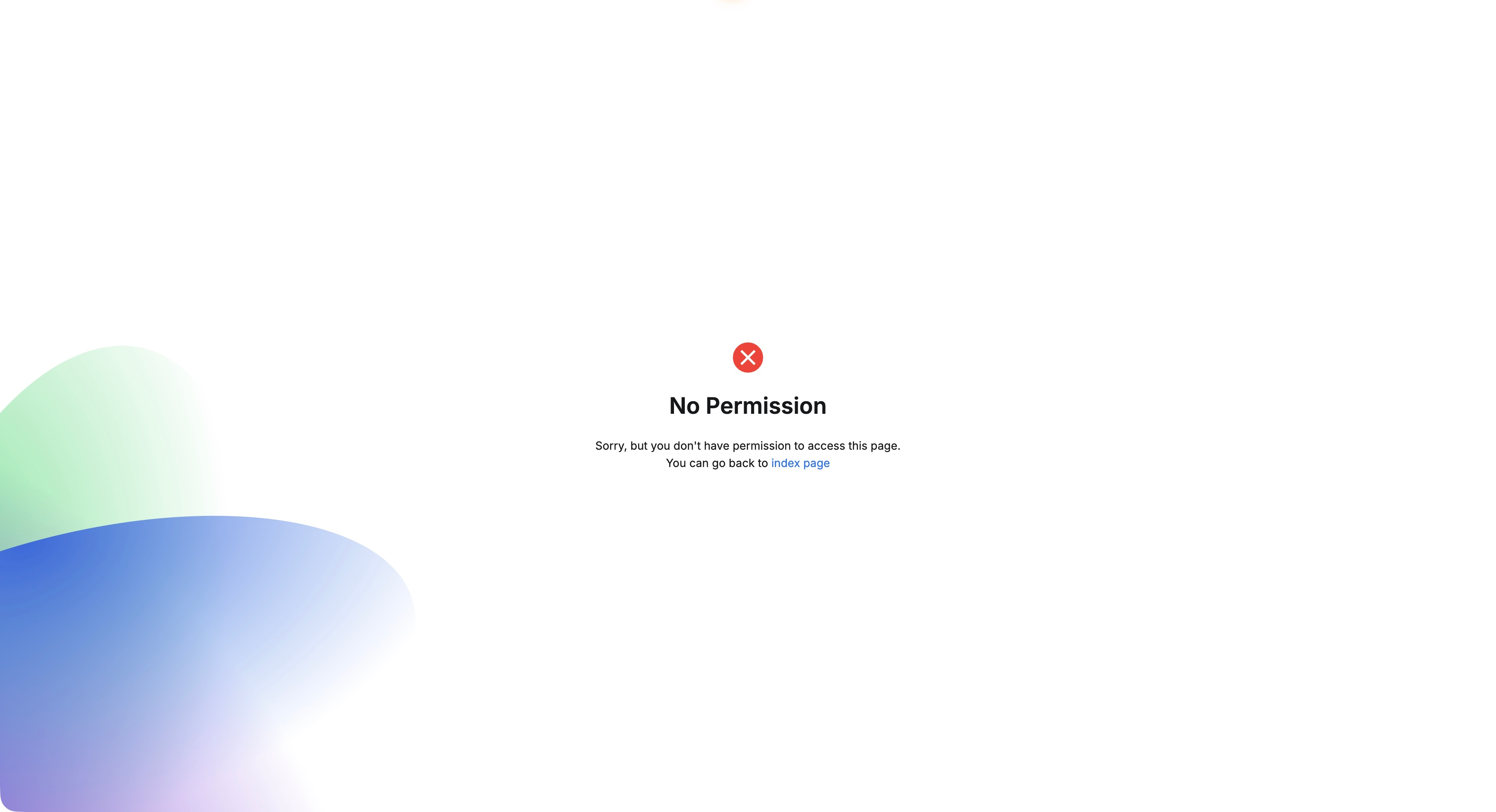
The auditor reviews evidence while operational administrators retain configuration duties. This was enforced on direct URLs too, not just by hiding menus.
Downloading Evidence with the Same Account
Audit Log Export showed Part 20’s task as Completed. Demo Auditor clicked Download.
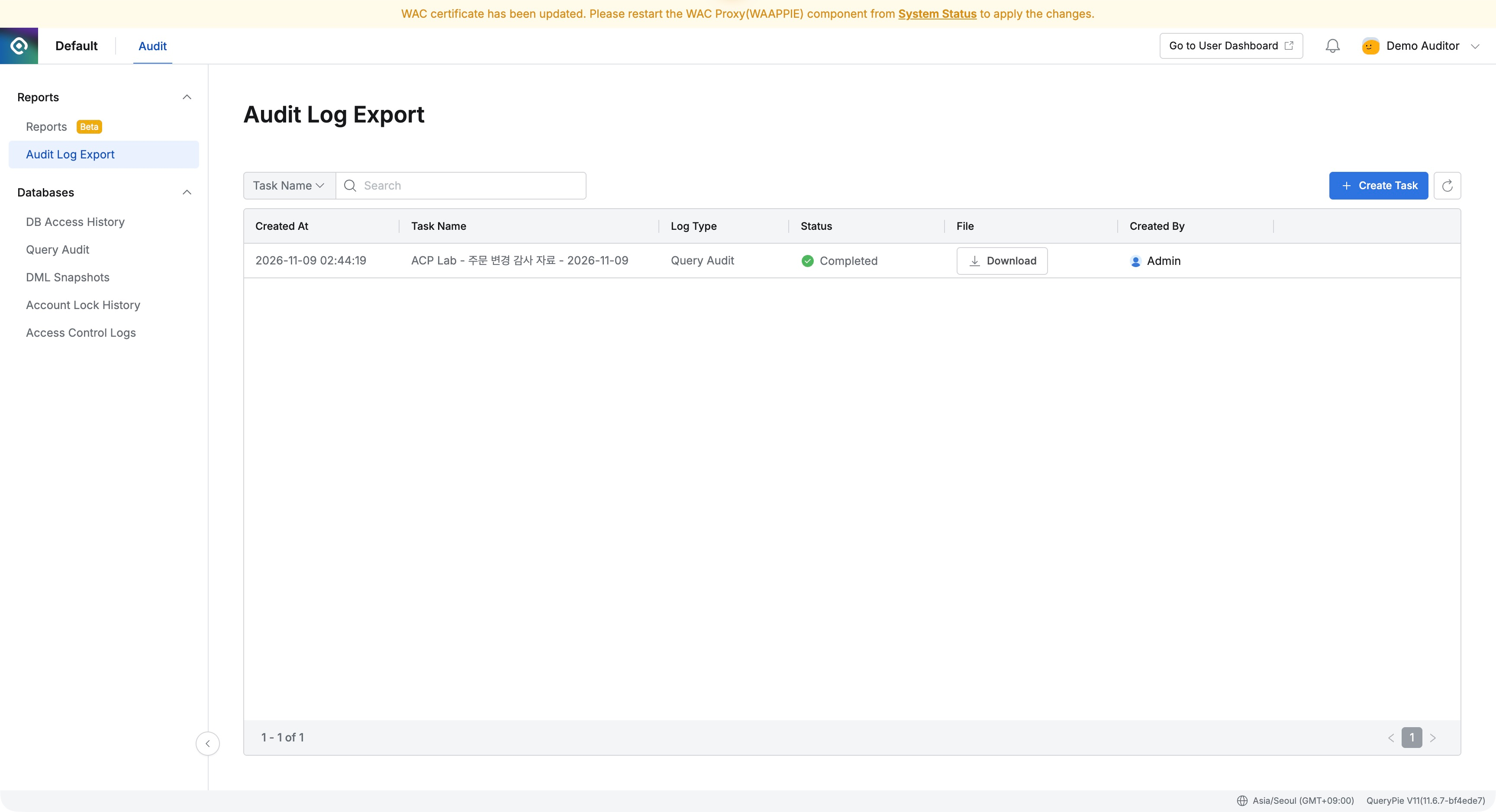
The extracted CSV matched the administrator’s copy: one SELECT and one approved UPDATE. The auditor could review and obtain evidence independently.
Separate roles avoid repeatedly asking administrators for evidence. Auditors can inspect history, changed values, and files using their own accounts, while configuration privileges remain separate. QueryPie’s administrative access can follow organizational responsibilities.
This lab used fictional users and order-database audit records in QueryPie Community 11.6.7.
Reference: QueryPie official Roles documentation · Assigning administrator roles to users