[Part 23] Allowing Server Access but Blocking Deletion — QueryPie Command Control
November 9, 2026
Previously, the developer connected to a web terminal without receiving the server password. Now I restricted the commands available after connection.
The task was simple: allow account and file inspection but prevent deletion with rm. I prepared one lab file and applied QueryPie Command Templates.
Adding the Restricted Command to a Template
In Servers → Server Access Control → Command Templates, I created Lab - Block Delete.
Base Type Deny restricts listed entries and allows the rest. I entered rm in Commands (SSH) → Keyword and pressed Enter.
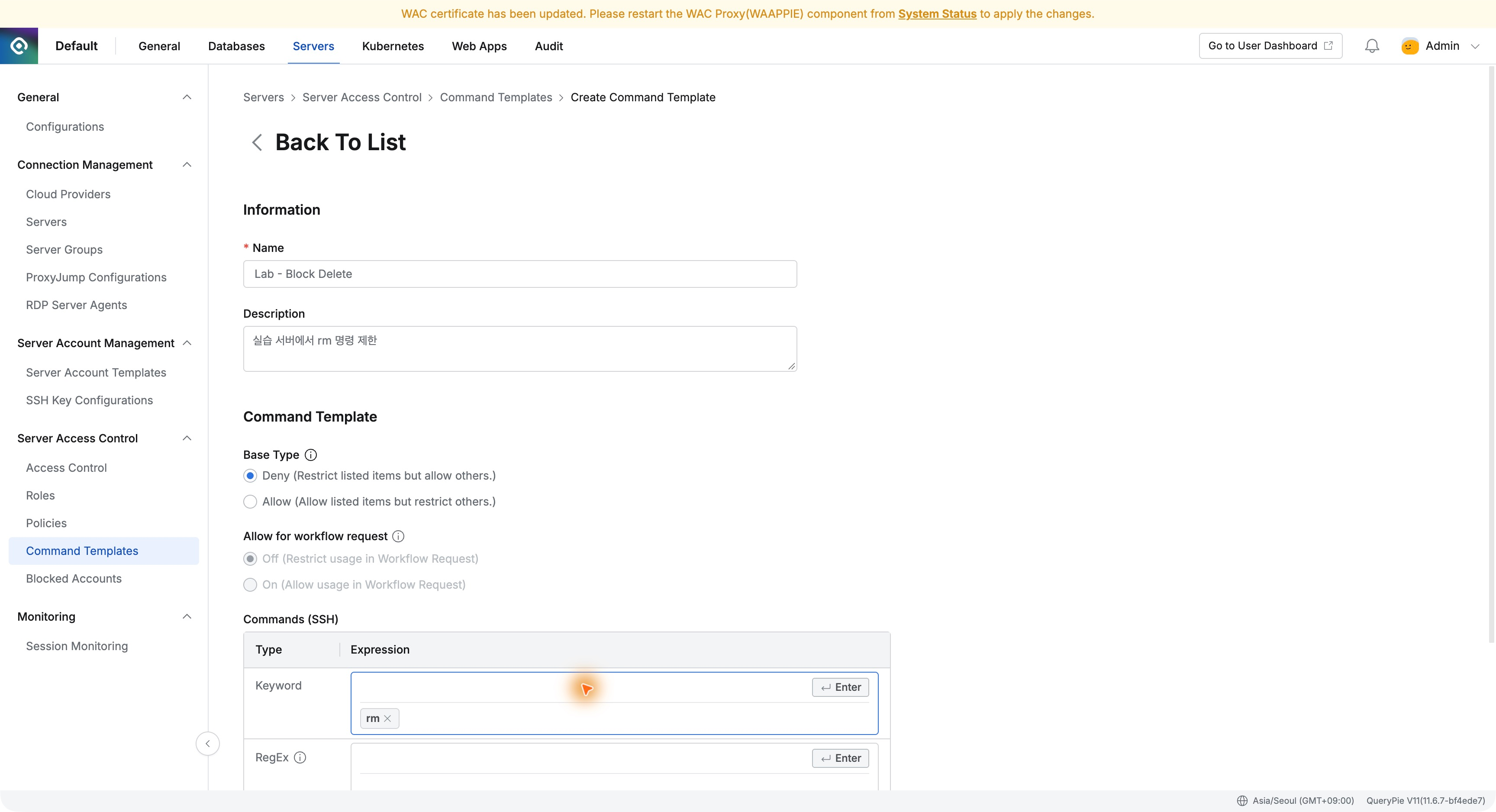
The template makes the intended restriction explicit, while commands needed for server inspection can remain available.
Linking the Restriction to the Existing SSH Role
In Operations Lab SSH Policy from Part 22, I retained server group, labops, and SSH, then set actions → commandsRef to Lab - Block Delete.
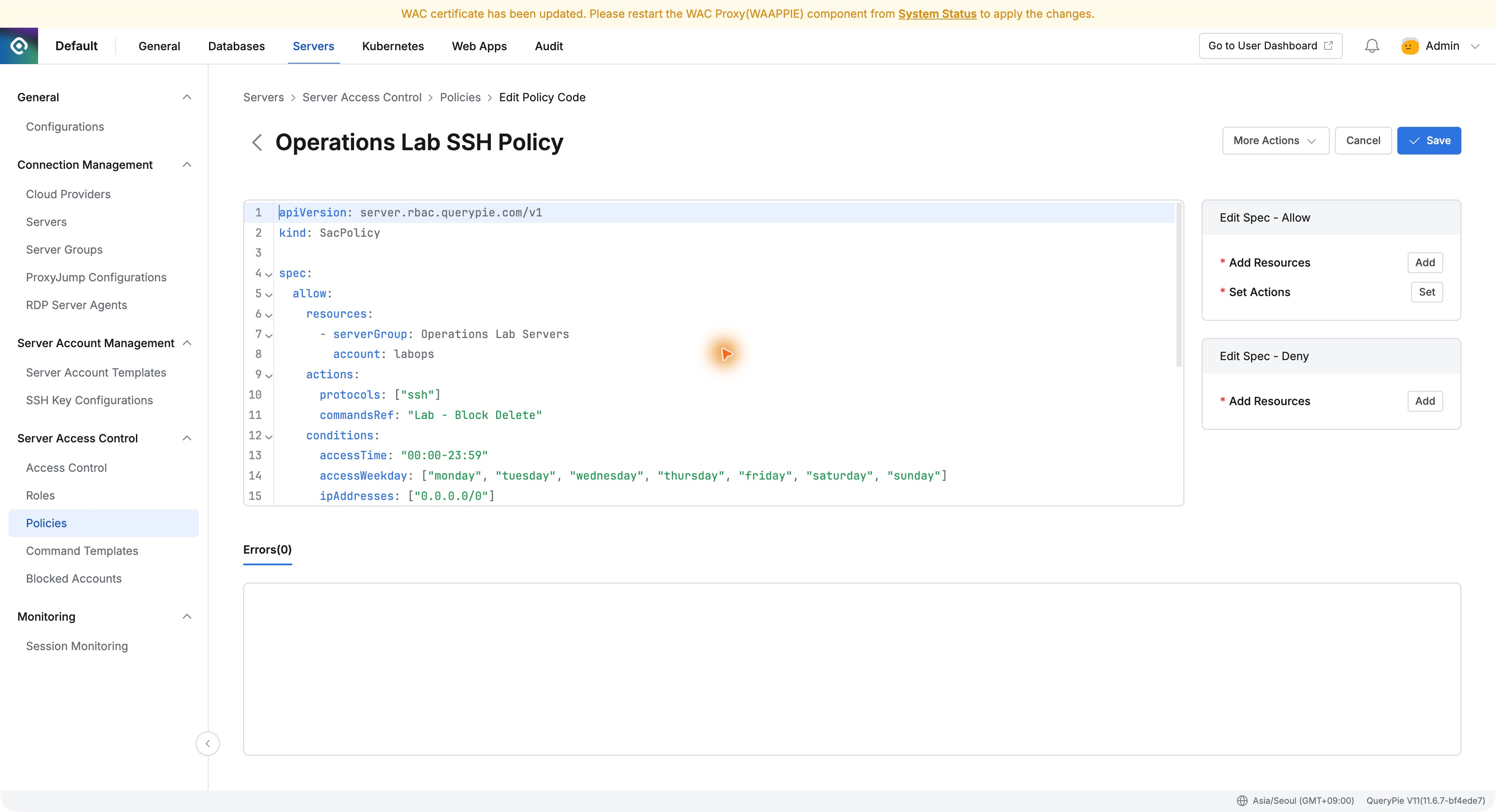
The policy belongs to Demo Developer’s Operations Lab Operator role. I added a command rule without recreating users or changing server accounts, entered a change reason, and saved.
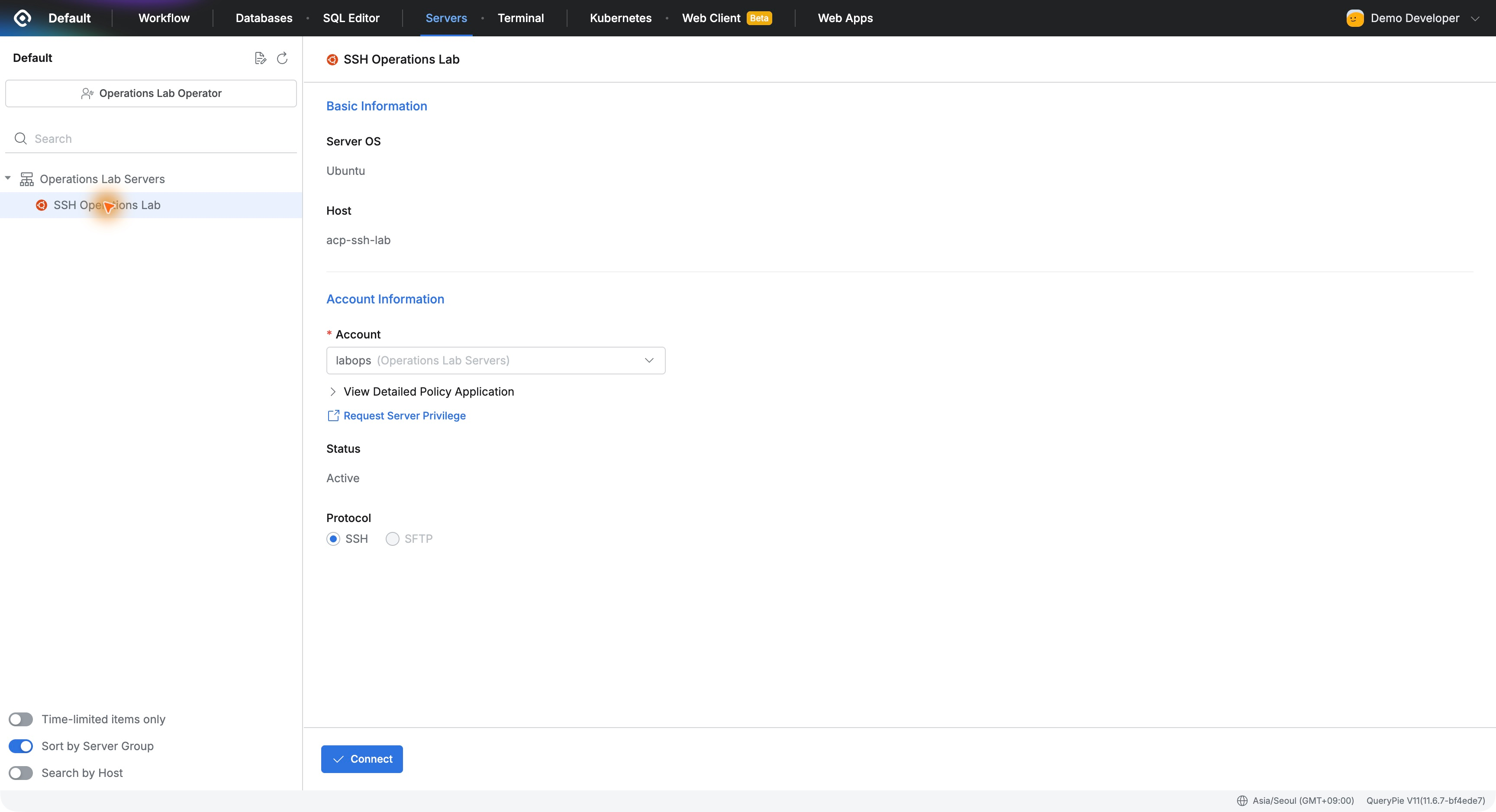
Inspection Commands Still Work on a New Connection
Demo Developer reconnected to SSH Operations Lab via Operations Lab Operator, opening the same labops web terminal.
whoami returned labops and pwd /home/labops. ls -l /home/labops/delete-demo.txt showed the test file at 131 bytes.
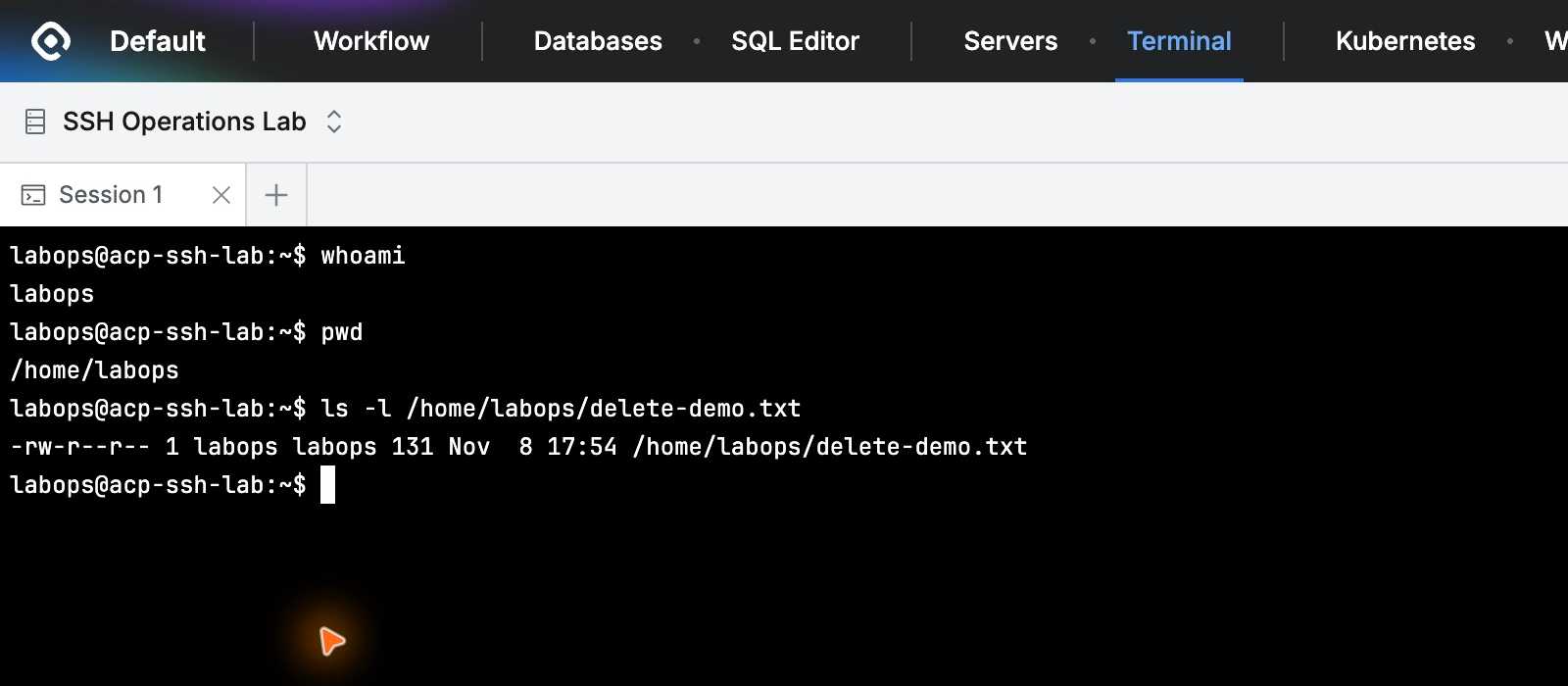
Inspection work continued under the restriction. Next, I attempted deletion of that same file.
Deletion Is Blocked and the File Remains
rm /home/labops/delete-demo.txt returned [QueryPie] Restricted, explaining that security policy did not permit the command.
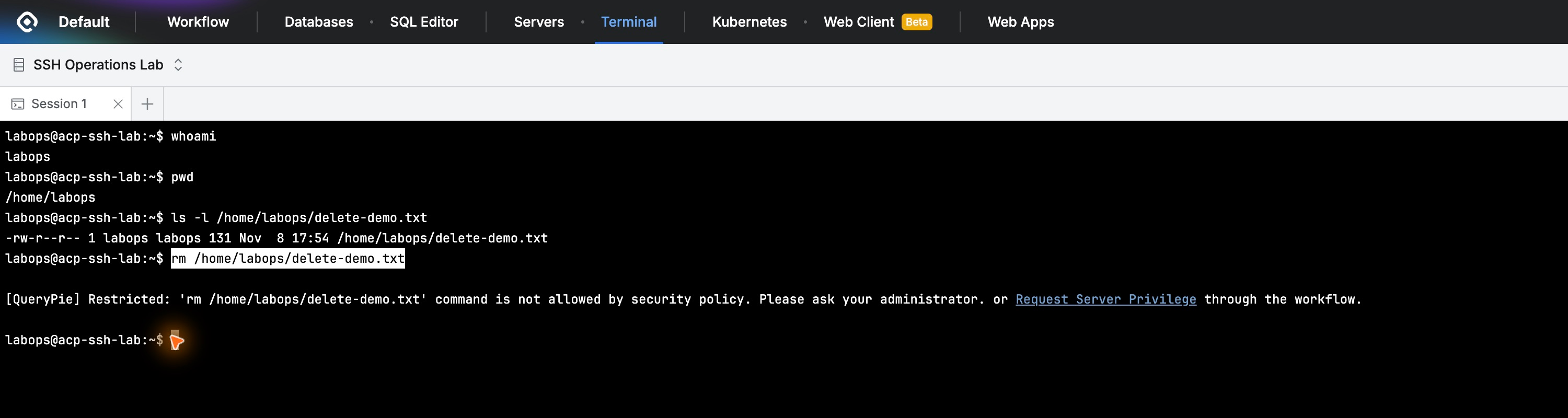
ls -l still showed the file and its 131-byte size. cat printed the original lab text normally.
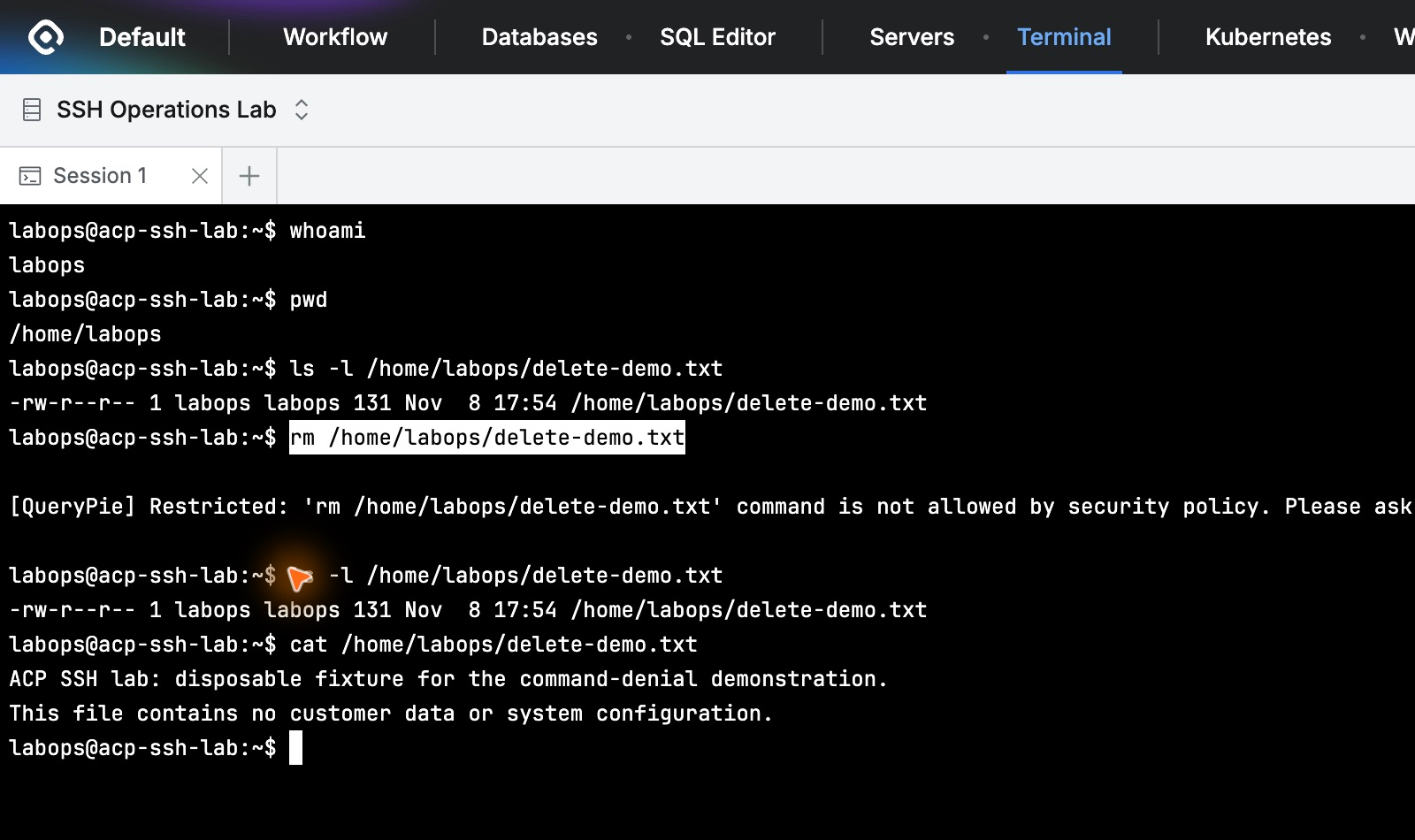
The terminal stayed connected after the restriction. Allowed work and denied commands were distinguished within one connection instead of blocking the whole session.
Audit Records Distinguish the Blocked Command
In Audit → Servers → Command Audit, a search for Demo Developer showed the commands in time order.
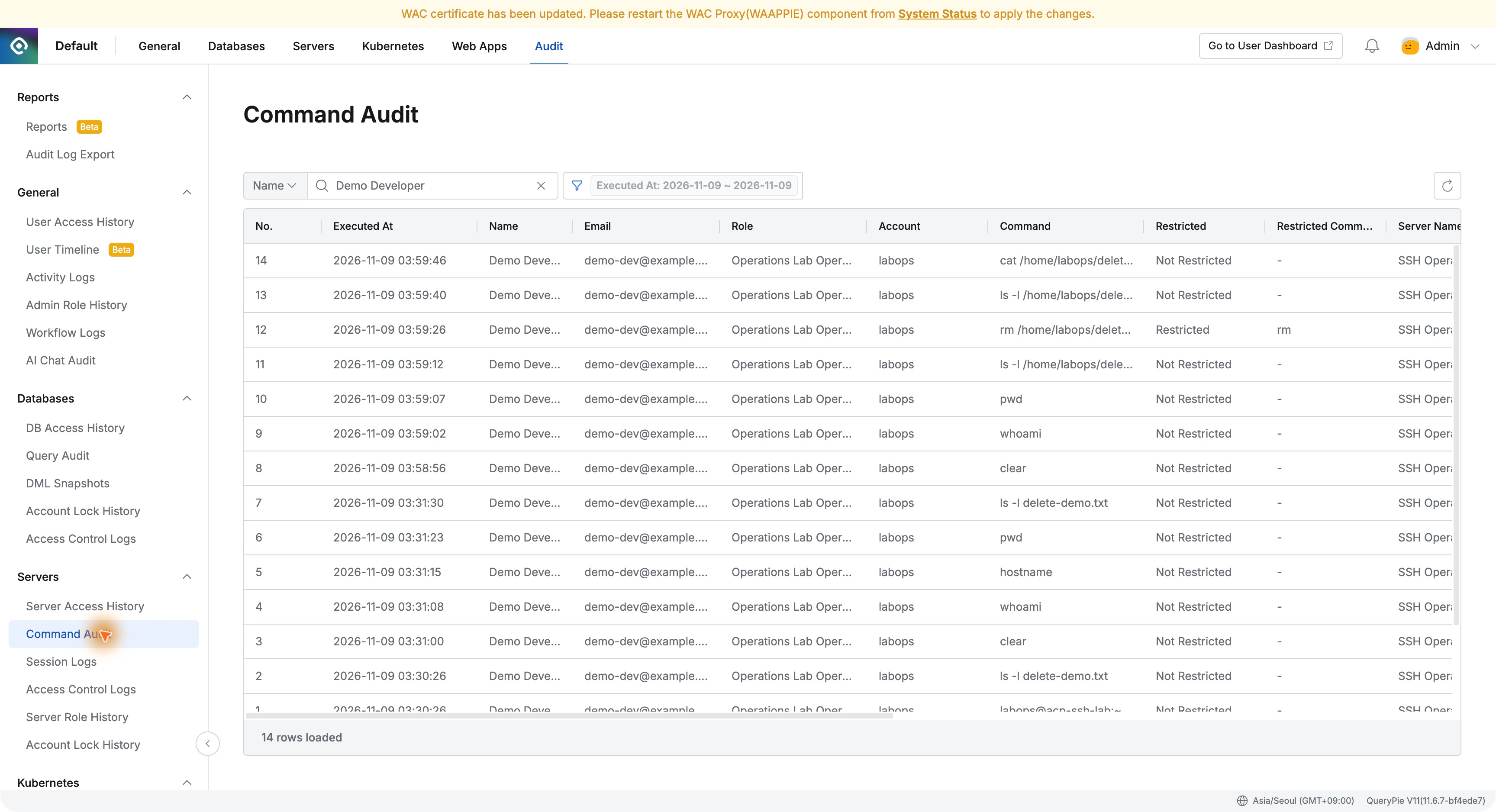
The rm at 03:59:26 was No.12, Restricted: Restricted, Restricted Command: rm. Adjacent ls and cat were Not Restricted.
Administrators can verify both the entered command and policy outcome without depending solely on the operator’s screenshot.
Identifying the User and Role Behind the Attempt
Details of the blocked rm showed Demo Developer, Operations Lab Operator, labops, server, time, and web execution route.
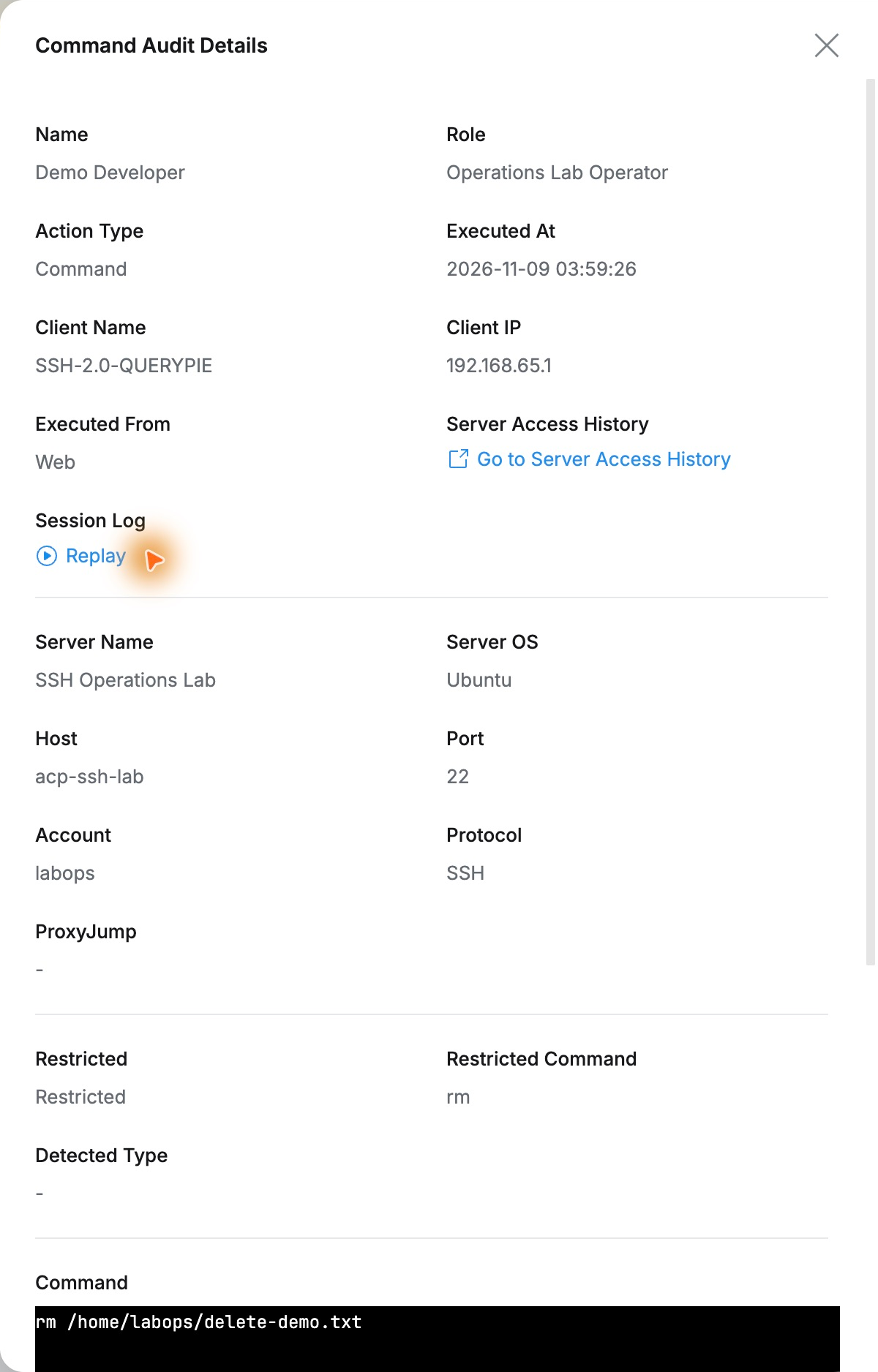
Commands can be defined per role after access is granted. The same labops could read files, but QueryPie blocked the registered rm command. The file remained, and user and outcome were audited.
This seems useful when delegating server checks with specific command restrictions. Operators continue necessary inspection; administrators manage rules and usage evidence together.
Next, I will replay this terminal session to inspect not just commands but the screen as it appeared.
This exercise used QueryPie Community 11.6.7 and a separate Ubuntu server. The deletion target was a lab text file.
Reference: Command Templates · Configuring server access policies · Command Audit