[Part 7] Allowing Database Queries While Hiding Personal Data — QueryPie Data Masking in Practice
November 8, 2026
In Part 6, I changed necessary data through approved SQL while retaining read access. This time, I focused on what information appears in query results.
What if opening the database to check shipping status also reveals customers’ phone numbers and emails? Full contact details are not always needed to verify order processing, yet order queries cannot simply be blocked.
I therefore tried QueryPie ACP data masking, aiming to keep order IDs and shipping status visible while masking only phone numbers and emails. I also configured exceptions for staff who need original contact details to reach customers.
Order Queries Also Revealed Contact Details
I added fictional contact details to the three lab orders, using Demo Customer A, B, and C and example.test emails. All names and contacts here are test data.
The environment was unchanged: QueryPie ACP Community 11.6.7 and MySQL on the Mac. The developer connected through QueryPie in DBeaver with read-only access.
I joined orders and customer contacts to query order ID, shipping status, customer name, phone, and email together. Before masking, all contact details appeared in full.
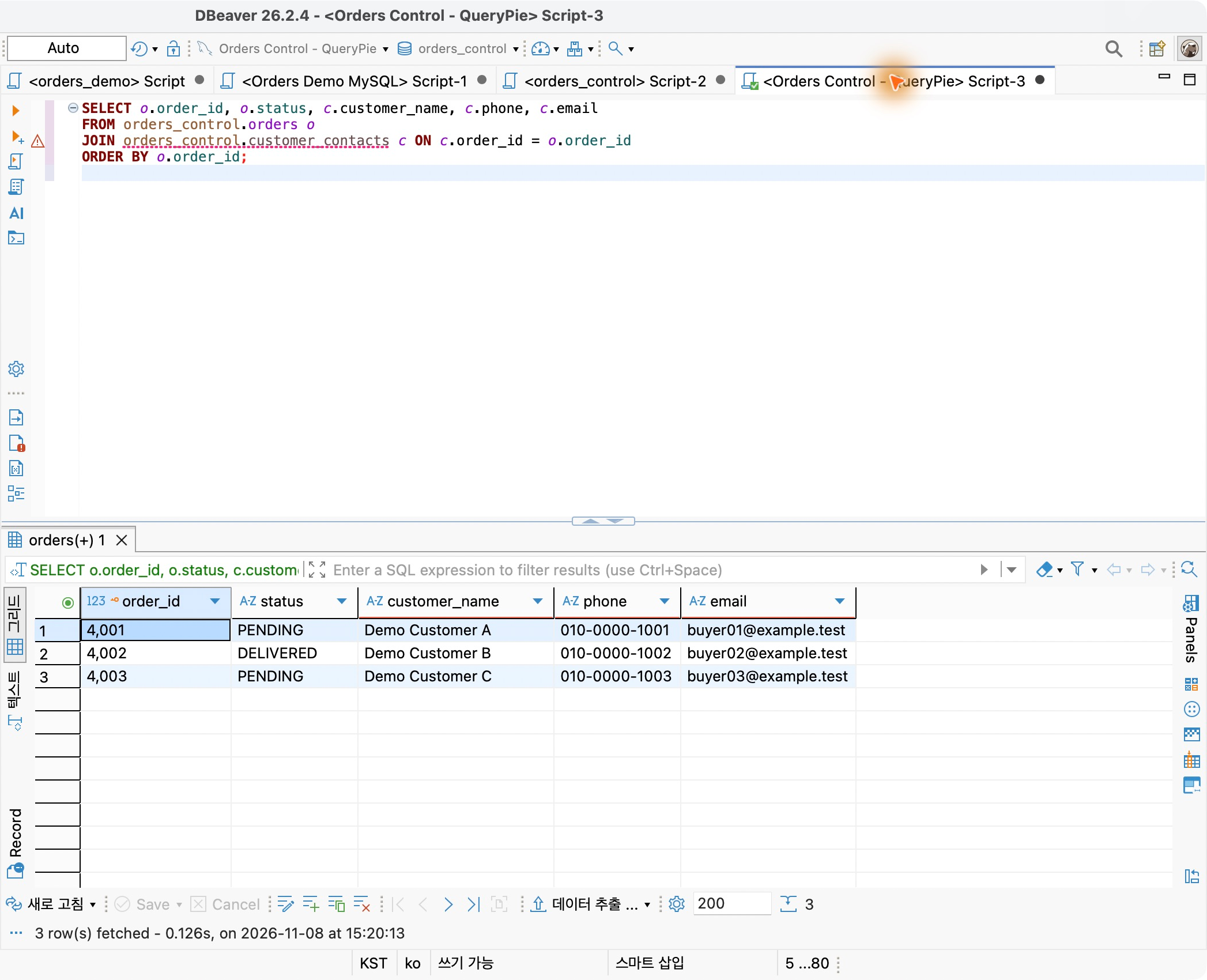
Read-only access prevents changes, but which information appears in results needs separate controls. I would configure that with a masking policy.
Masking Only Phone Numbers and Emails
Under Databases → Policies → Data Masking, I created Orders Lab - Contact Masking for Orders Control Lab.
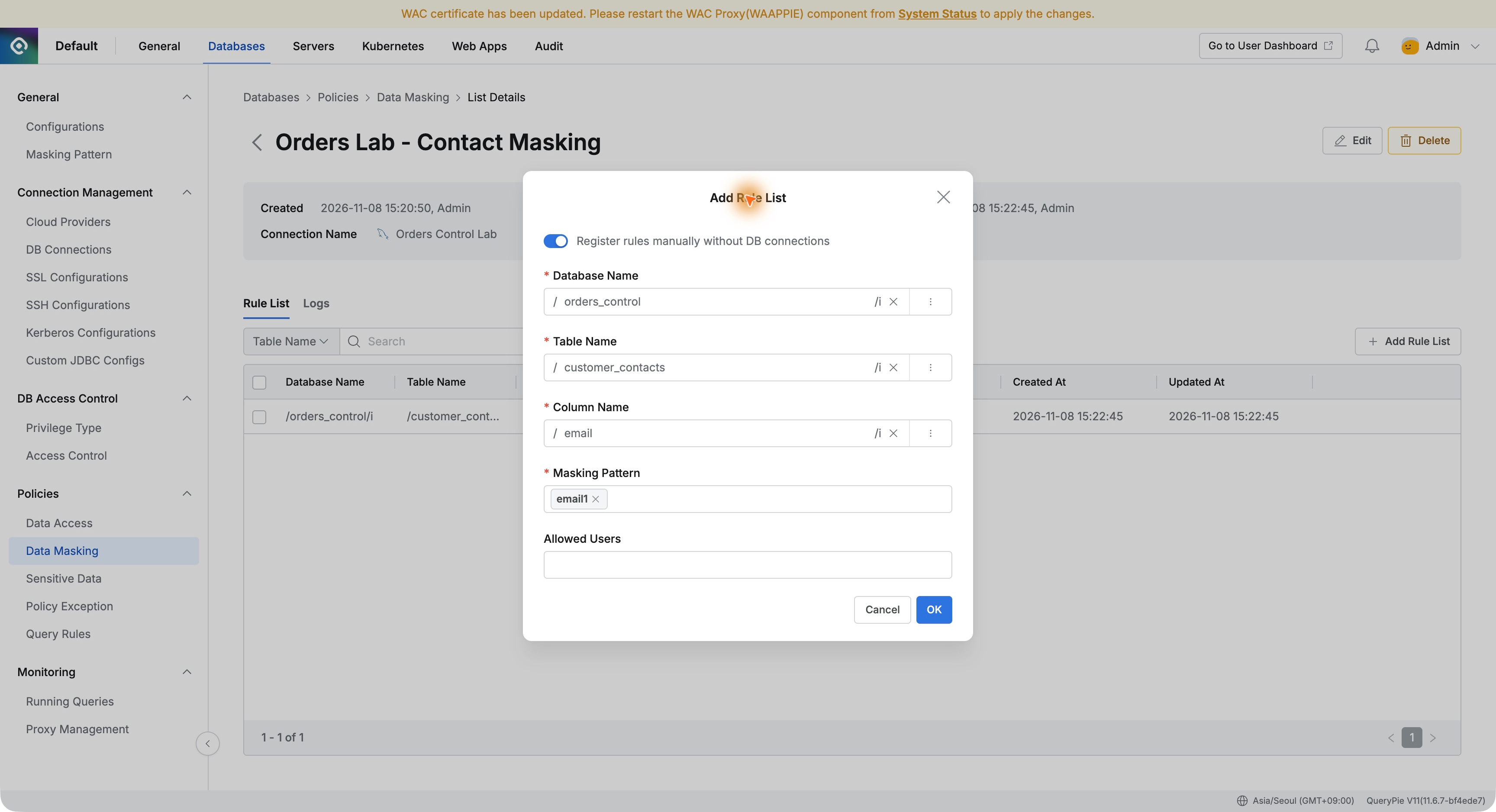
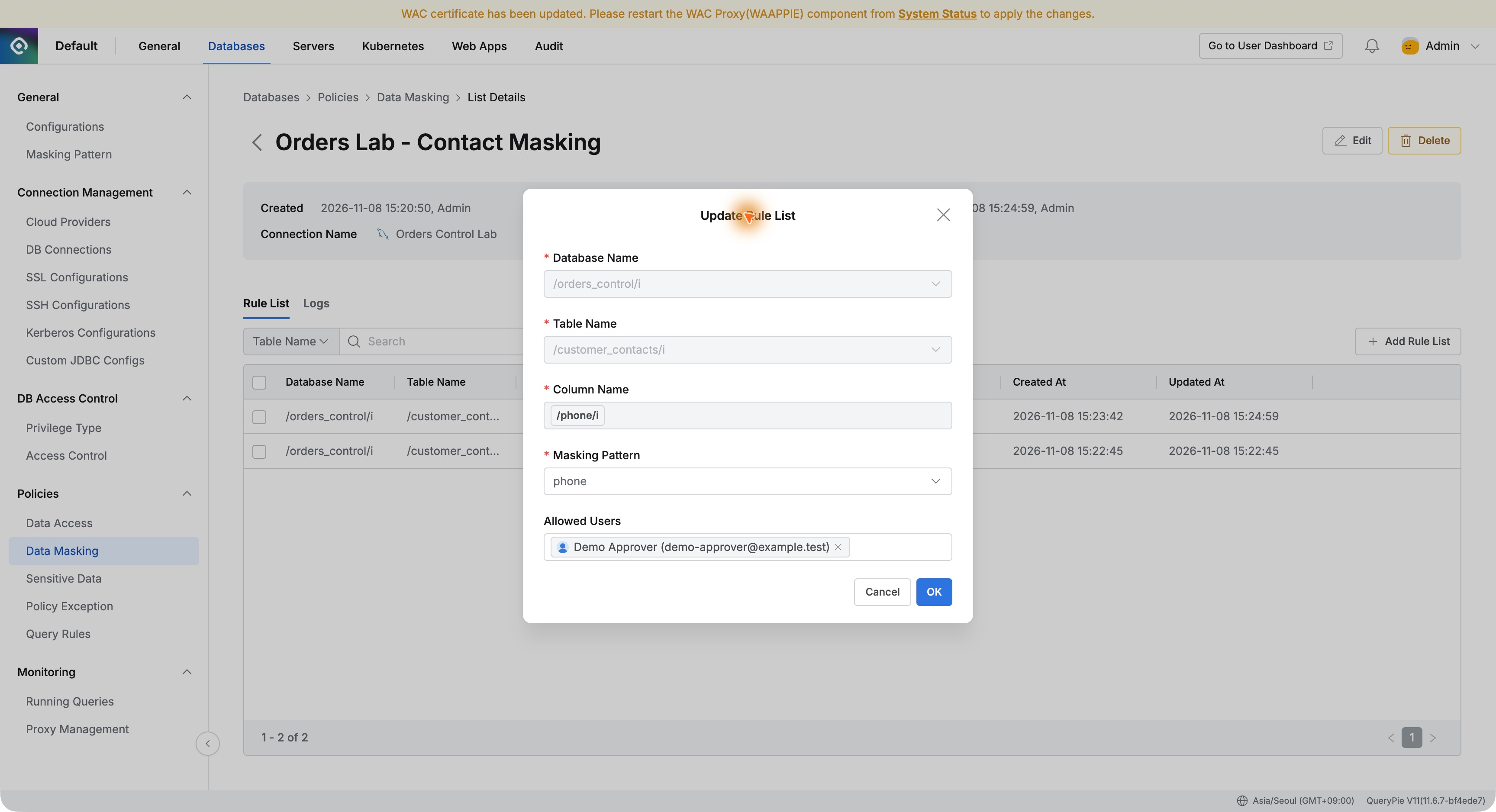
In Add Rule List, I selected customer_contacts in orders_control. The first rule targeted phone using the built-in phone masking pattern.
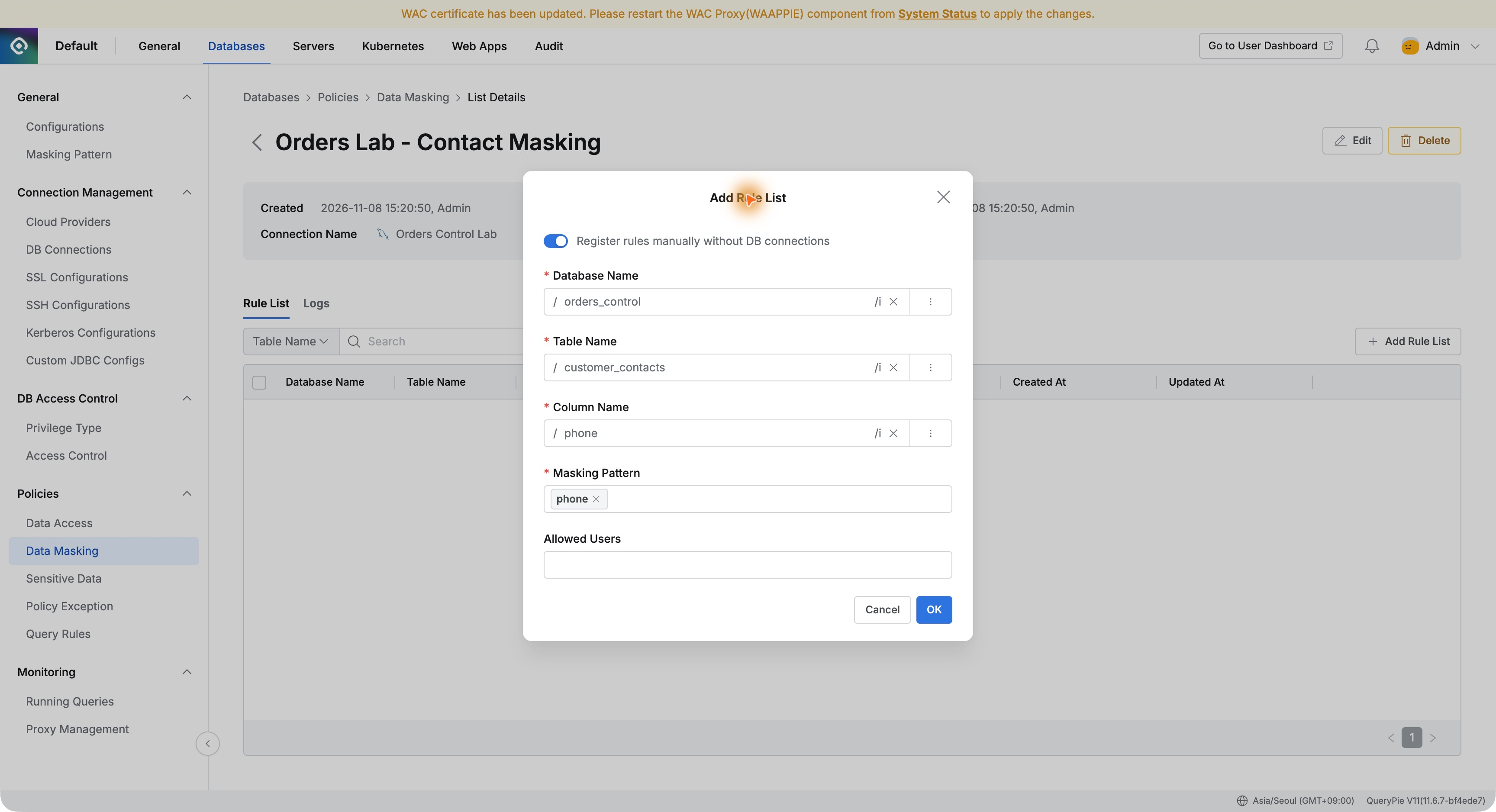
I added email similarly with pattern email1. Initially, Allowed Users was empty so I could first verify masking on both columns.
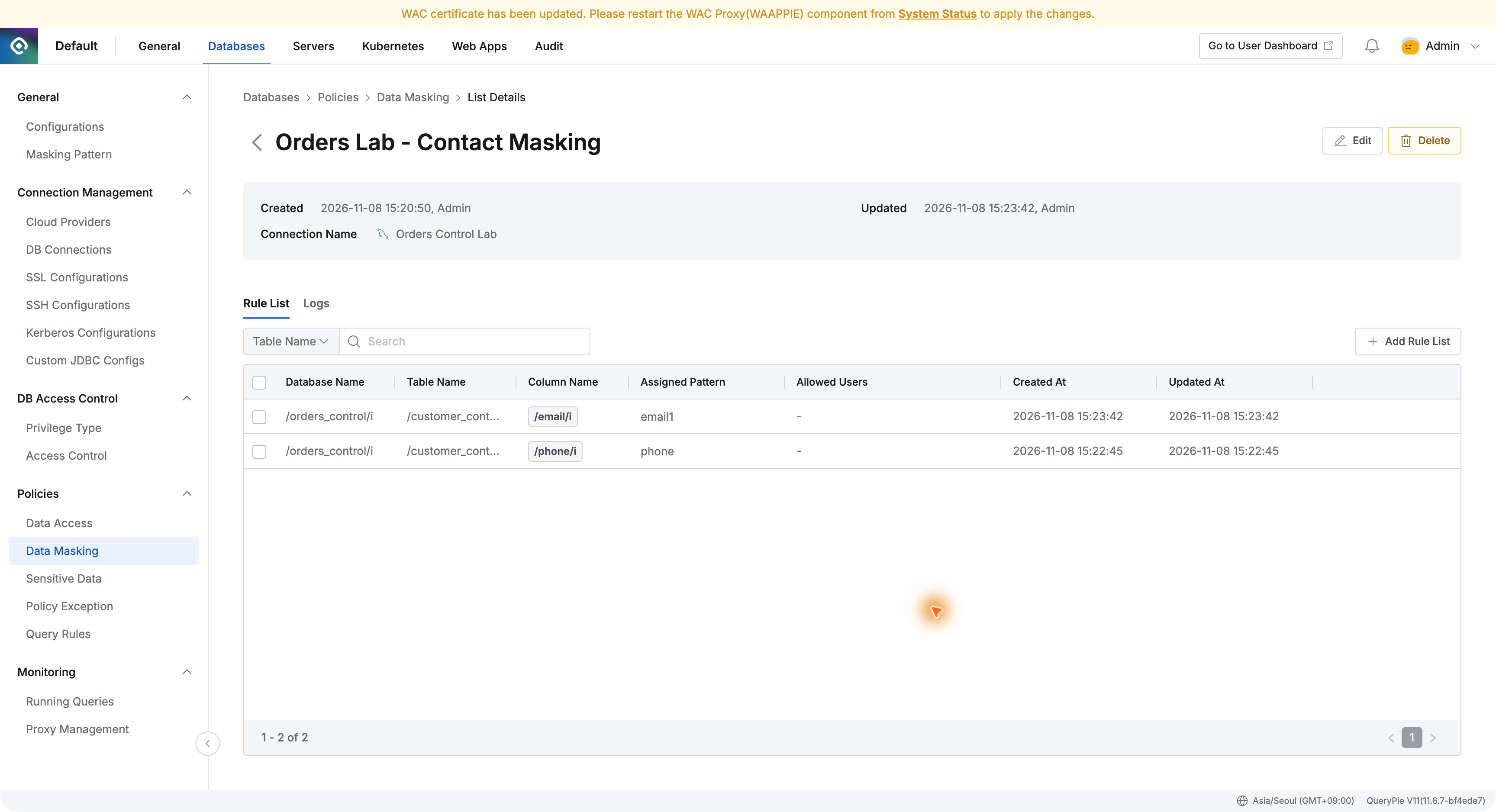
After saving, the two rules appeared side by side in one policy. Database, column, and pattern were visible together. With clear requirements like these, I could target only phone and email.
Running the Same SQL Again in DBeaver
I returned to DBeaver and reran the same query without changing the connection or SQL.
Phone numbers now appeared as 010-****-1001. Emails were partly replaced with asterisks too. Order IDs, shipping status, and customer names were unchanged, and the same three orders were returned.
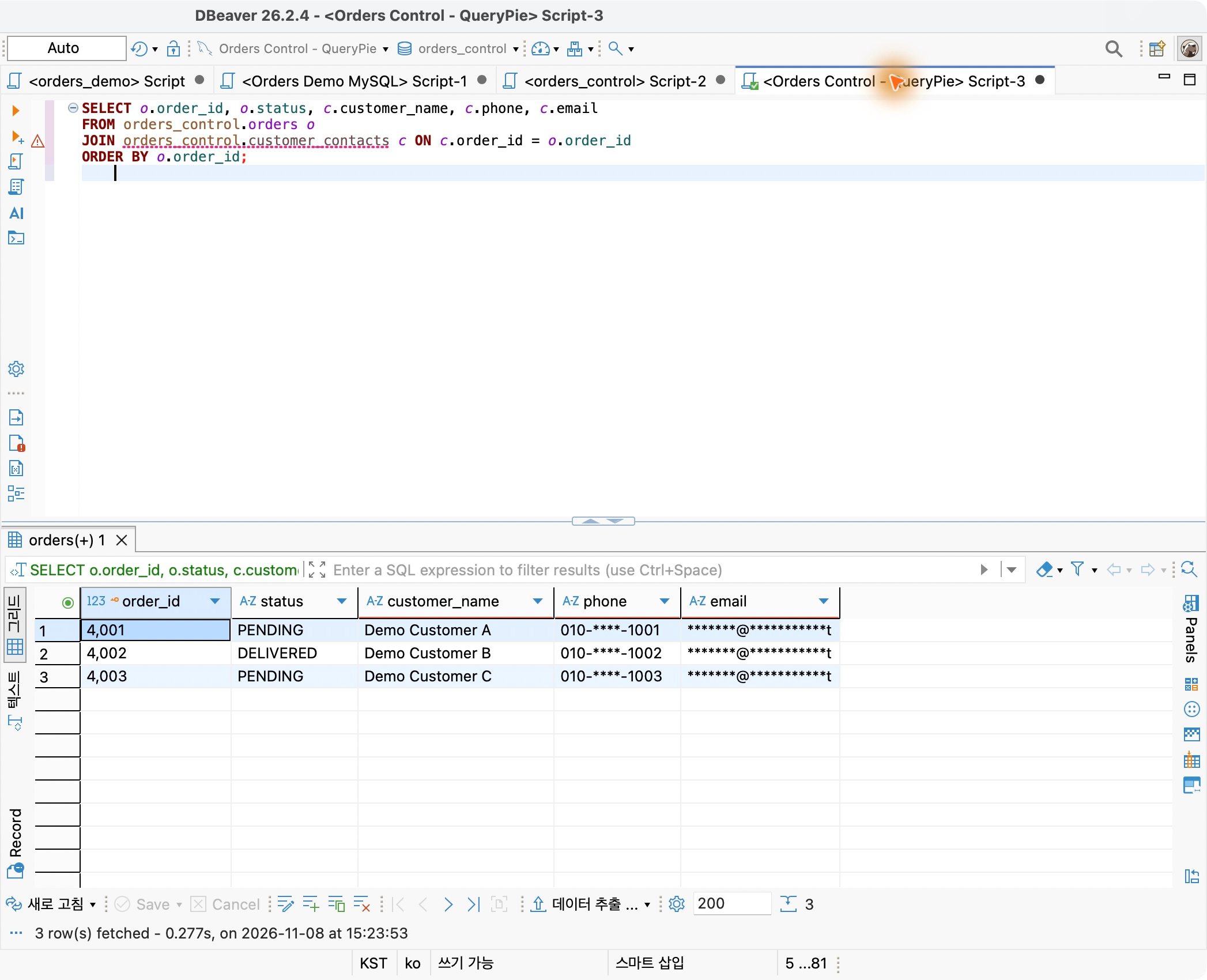
This was particularly convenient: the developer kept using DBeaver to check order progress. No masking functions were added to SQL. The administrator’s QueryPie policy changed the returned results.
Necessary order information remained available while unnecessary exposure of full contact details was reduced. For adoption evaluation, applying personal-data protection while retaining existing database tools stood out.
A Record of Whose Query Was Masked
I opened the administrator’s Logs tab after checking the result. The recent query was recorded as Data Masked.
The log showed Demo Developer, Orders Control Lab, customer_contacts, and phone and email. It recorded three processed rows per column and the execution time.
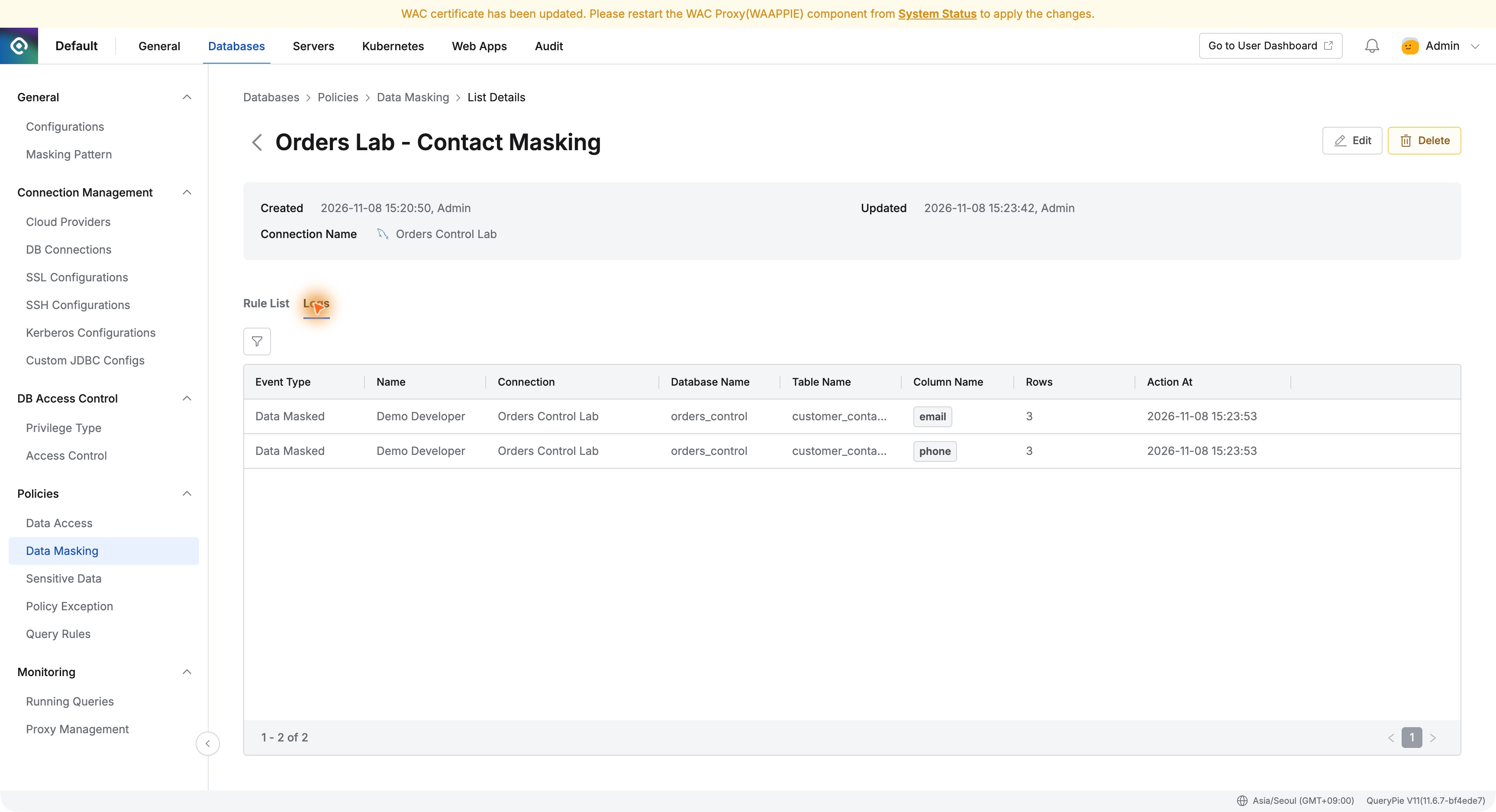
Beyond configuring a policy, I could verify it had applied to a real user query. This seems useful for reviewing deployment status and finding relevant history.
Allowing Original Values for Staff Who Contact Customers
Not every task can use masked contacts. Staff handling delivery issues need the full phone number and email.
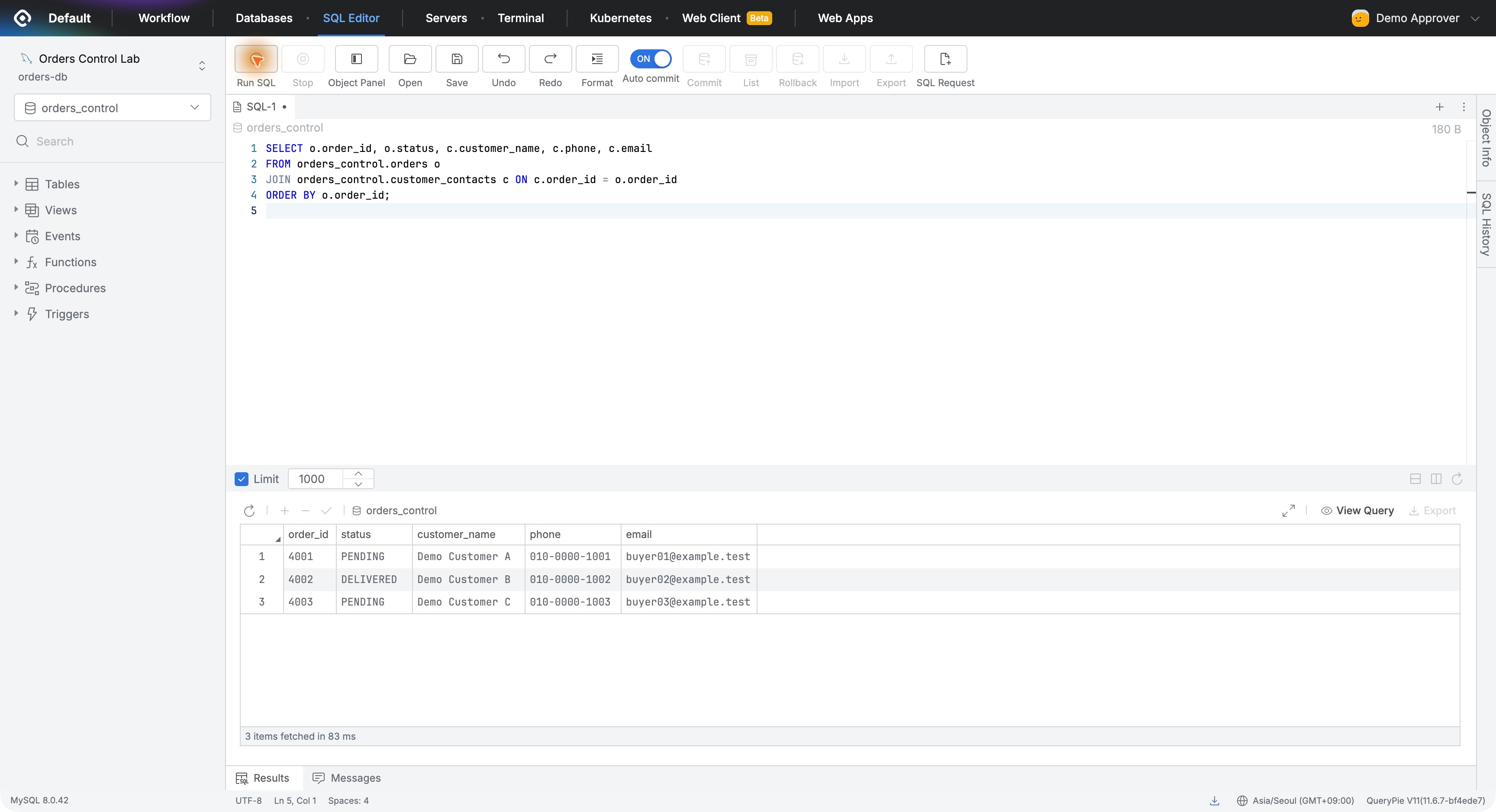
I used Demo Approver as the contact-handling staff account, granted it read-only access to Orders Control Lab, and added it to Allowed Users in both rules.
I signed in with that account and ran the same SQL in the web SQL Editor. Phone and email appeared in full, without granting database-administrator or modification privileges.
After adding the exception, I queried again as the developer in DBeaver. Contacts were still masked. Allowing one user did not remove masking for everyone else.
I separately checked the source database: phone and email values remained as inserted. Masking affected the user-facing results without replacing stored contacts with asterisks.
What Stood Out When Evaluating Adoption
The exercise made access more granular. A developer checking shipping status and staff contacting customers need different information from the same orders.
Column masking plus user exceptions made that distinction straightforward to express as policy. The developer kept querying in DBeaver; contact-handling staff saw allowed original values. Administrators could manage rules and history in one place.
After exploring access permissions, blocked SQL, and approvals, I have now examined the information actually visible after connecting. Allowing database use while limiting information exposure to what the task needs was the most memorable part of this masking exercise.
Reference: QueryPie documentation — Data Masking