[Part 8] Who Queried Customer Information? — Tracing Database Activity with QueryPie Audit Logs
November 8, 2026
In Part 7, I masked customer phone numbers and emails. Developers saw masked contacts, while only staff needing original values received an exception.
Next, I imagined a follow-up question after a delivery inquiry: ‘Who queried order 4002?’ Where should an administrator look, and what should they search for?
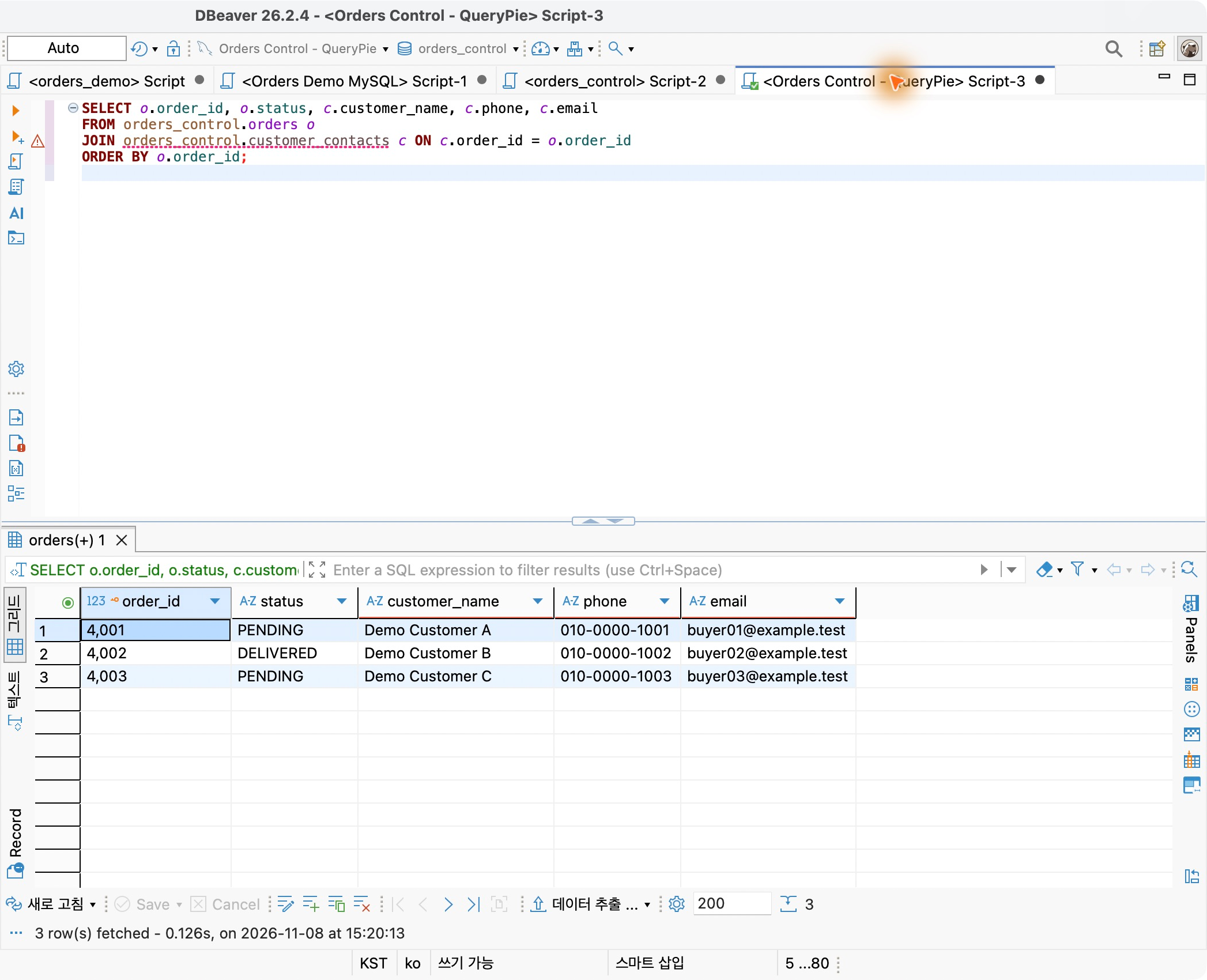
I checked QueryPie ACP audit logs. The developer used DBeaver to list pending orders, while customer-facing staff used the web SQL Editor for a specific order’s contacts. I examined how work performed in different tools appears in the administrator view in practice.
Starting with Everyday Order Queries
I reused Orders Control Lab and fictional orders and contacts. Both users had read-only access in QueryPie ACP Community 11.6.7.
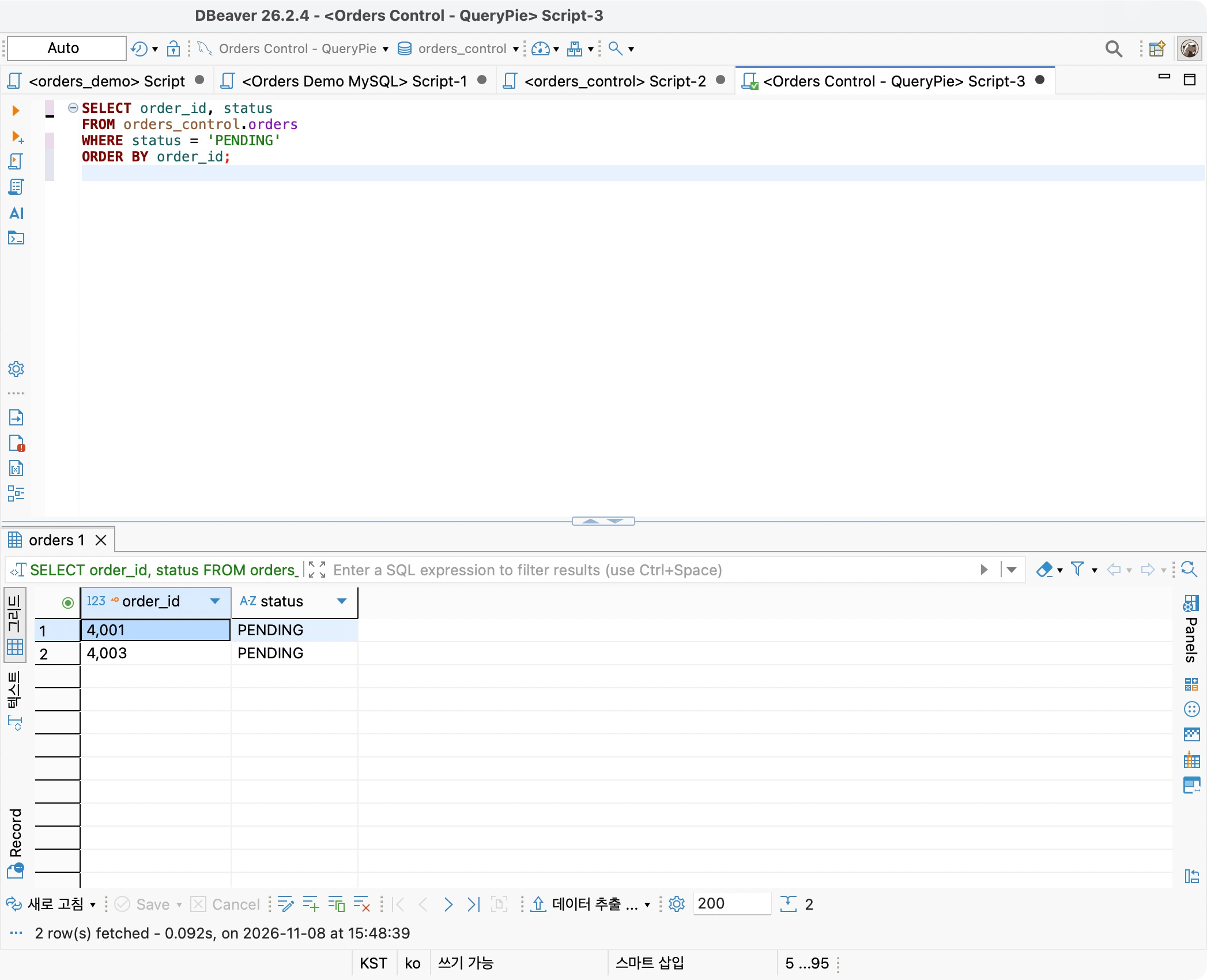
As the developer, I queried order IDs and statuses in DBeaver with status = 'PENDING'. Orders 4001 and 4003 were returned.
Demo Approver, acting as customer-facing staff, used the web SQL Editor. A JOIN between orders and contacts with WHERE o.order_id = 4002 returned one order. This account has the original-contact exception from Part 7.
The developer also queried order 4002’s contacts, which remained masked. This created three records: pending-orders lookup, staff contact lookup, and the developer’s masked contact lookup.
Finding Records by Date and Database Connection
In Audit → Databases → Query Audit, I selected the day’s records and filtered Connection Name to Orders Control Lab.
The recent operations appeared with execution time, outcome, user name and email, connection, and privileges. Both users’ records were in one list, avoiding switching between their screens.
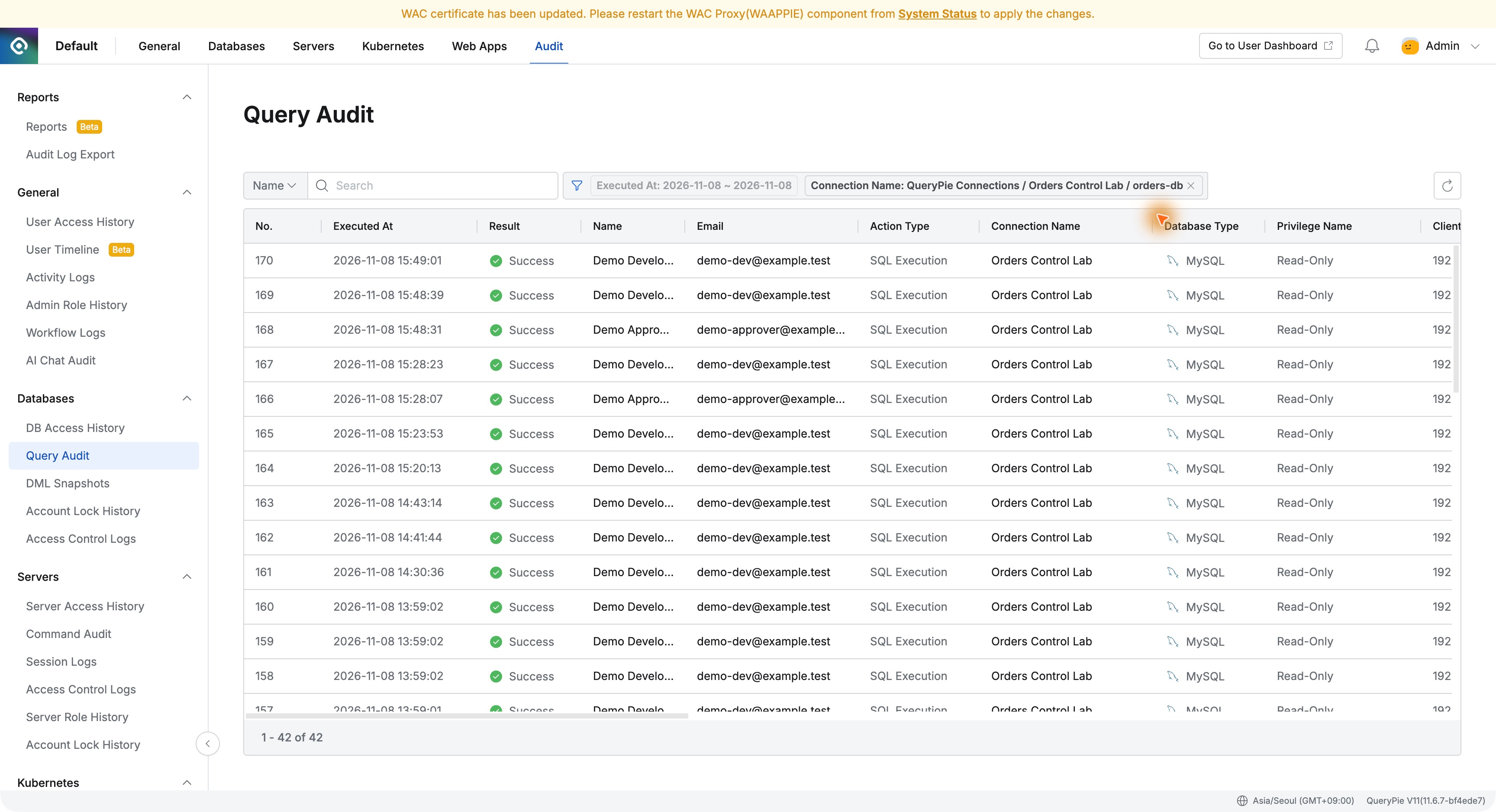
I then searched Name for Demo Developer. Matching the DBeaver execution time located the pending-orders query among the developer’s records.
Reviewing DBeaver SQL in the Administrator View
I opened the 15:48:39 record. It showed Demo Developer, Success, Read-Only, and Executed From: Agentless Proxy.
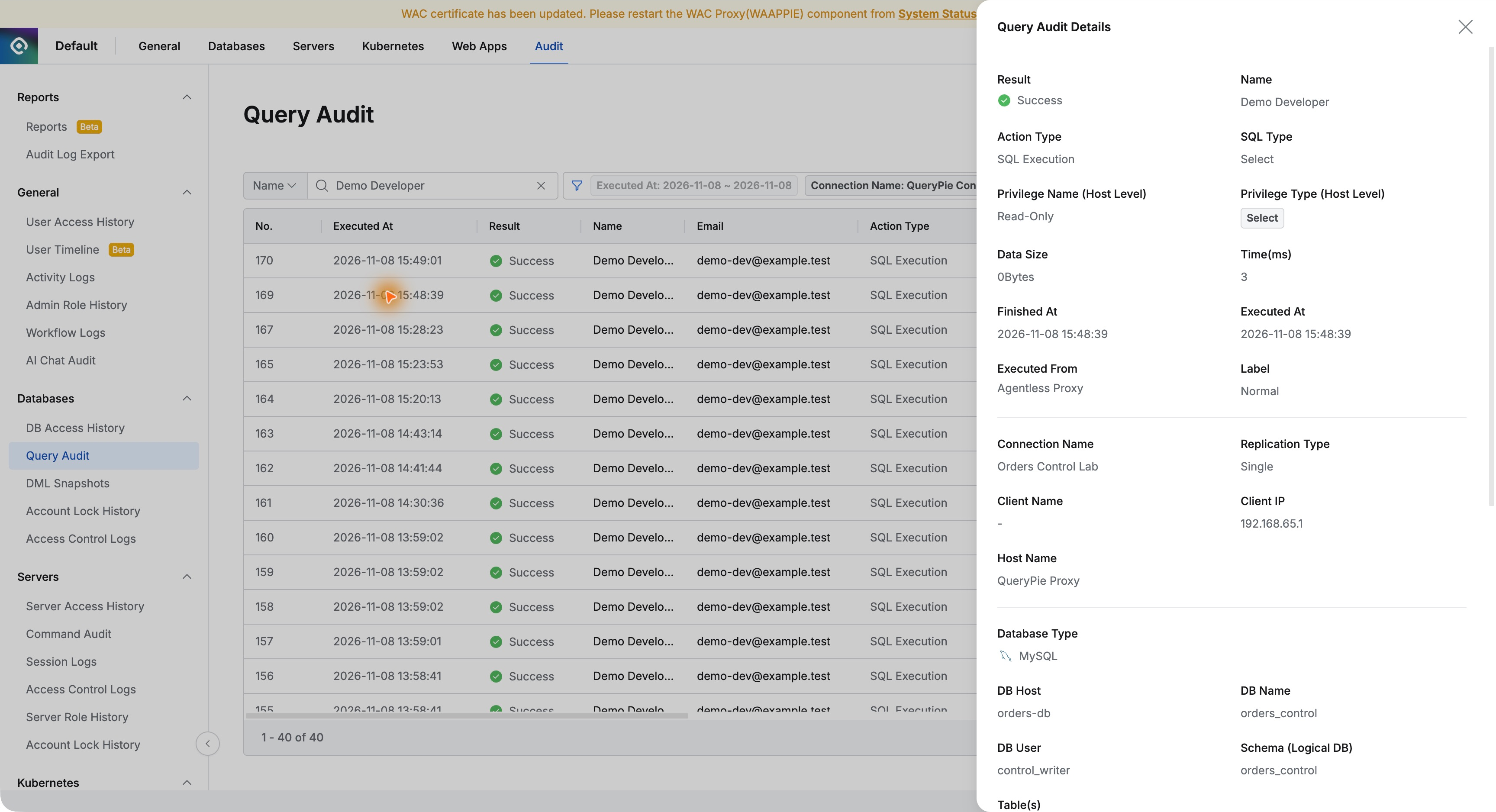
Further down was the executed SQL against orders_control.orders, including WHERE status = 'PENDING' and DBeaver’s ApplicationName comment.
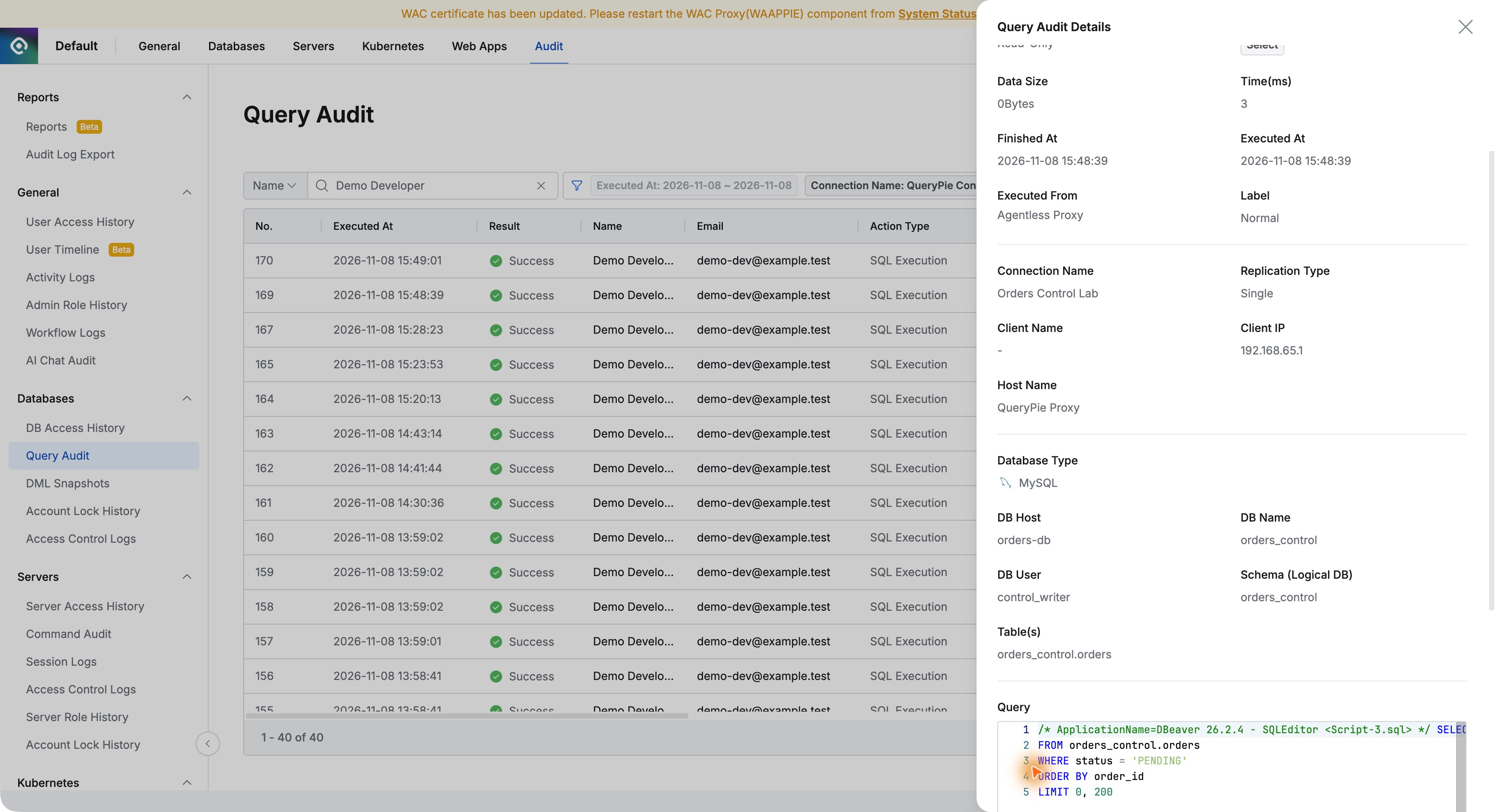
This went beyond simply knowing who connected. The executed SQL explains which table was queried and under what conditions. The developer worked in familiar DBeaver; the administrator found the record in QueryPie.
Finding the Staff Member Who Checked Order 4002
I changed the name filter to Demo Approver and opened the 15:48:31 record. It showed the staff account, Success, and Web Editor.
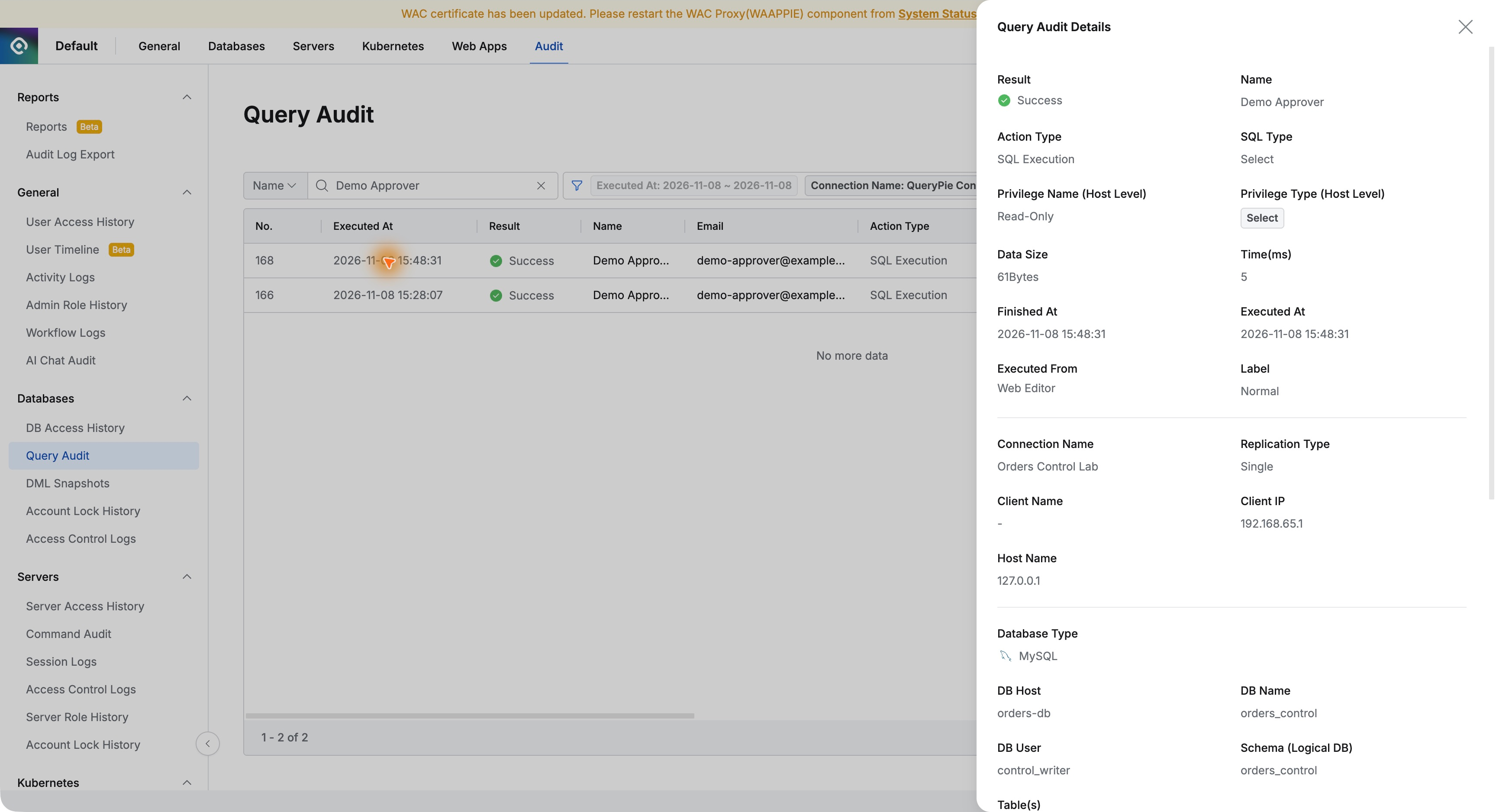
The SQL included the JOIN of orders and customer_contacts, selected phone and email columns, and WHERE o.order_id = 4002. This confirmed it was the query for the order in question.
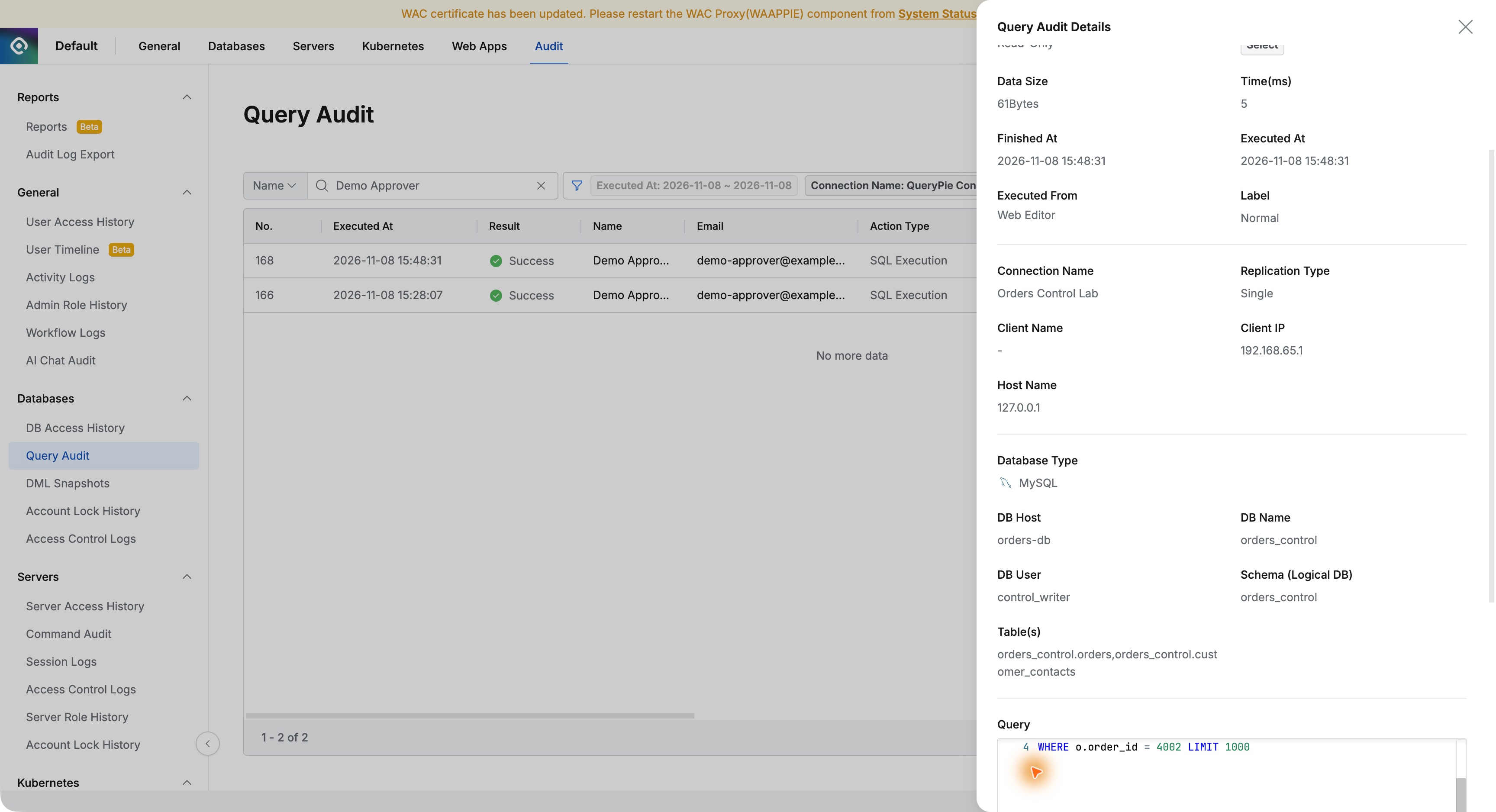
User attribution stood out. Both connections used DB User control_writer, but QueryPie recorded Demo Developer and Demo Approver separately. That makes the actual operator clearer than the database account alone.
I could now answer precisely: the staff member checked order 4002’s contacts in the web editor; the developer listed pending orders in DBeaver and then checked that order’s contacts too. The records provided each time and SQL statement.
Checking Masking in Its Own Log
Having found the queries, I checked whether the developer’s contact lookup was masked. I opened the existing policy’s Logs tab under Databases → Policies → Data Masking.
The developer’s 15:49:01 query was Data Masked, with one row each for phone and email, matching the time of the masked result in DBeaver.
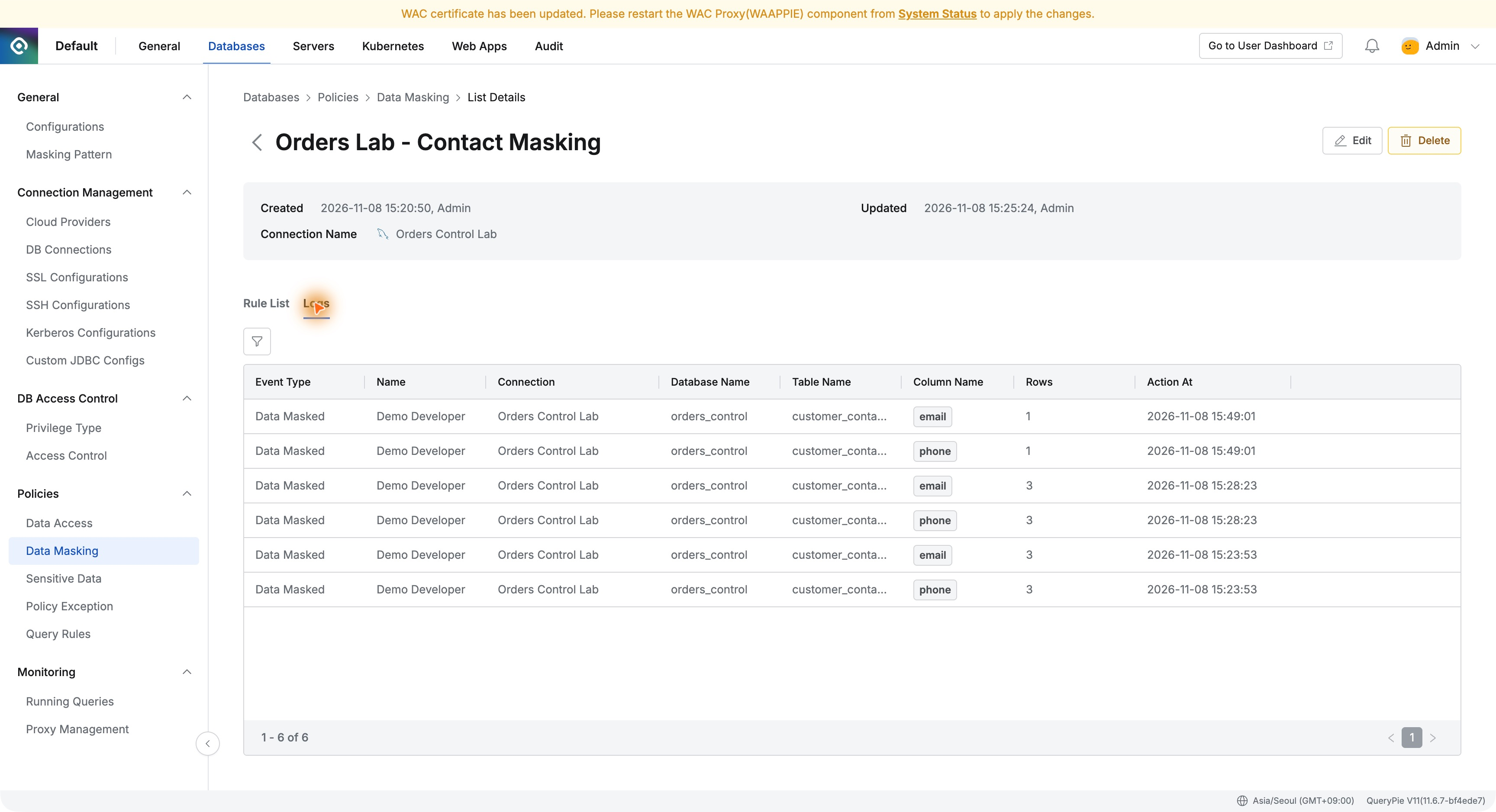
Query Audit establishes who ran which SQL; masking logs confirm protection on the columns. Matching user and time makes it easier to explain both the work and its privacy controls.
Thinking Beyond Adoption to Daily Operations
It is easy to focus first on blocking and approvals when evaluating access control. Hands-on use showed how valuable it is for operators to look up legitimate work afterward too.
I did not need separate work reports to reconcile. I selected date and connection, searched the user, and read the SQL. DBeaver and web-editor activity were visible in the same audit view.
Grant database use to the people who need it, then explain their work with records afterward. That benefit became clear here. Seeing the earlier privileges and masking policies alongside audit evidence made post-adoption operations easier to picture.