[Part 6] Approving SQL and Updating Data in QueryPie ACP — Keeping Read Access, Authorizing Only the Task
November 8, 2026
While querying a production database, sometimes one or two records need correcting: an order may still show an old status after delivery, or an incorrect value needs fixing. Even a simple production change should clearly record who changed it and why.
Part 5 covered requesting and receiving database access. This time I went further and tried submitting the actual SQL, obtaining approval, and updating the data using SQL Request in QueryPie ACP Community Edition.
My main question was whether this could be done without expanding the developer’s everyday privileges. In practice, I could keep the existing read access, execute approved SQL, and check the result.
Changing One Order’s Delivery Status
I reused Orders Control Lab and assumed delivery had completed while the database still showed shipping in progress. This was lab data, not a real customer order.
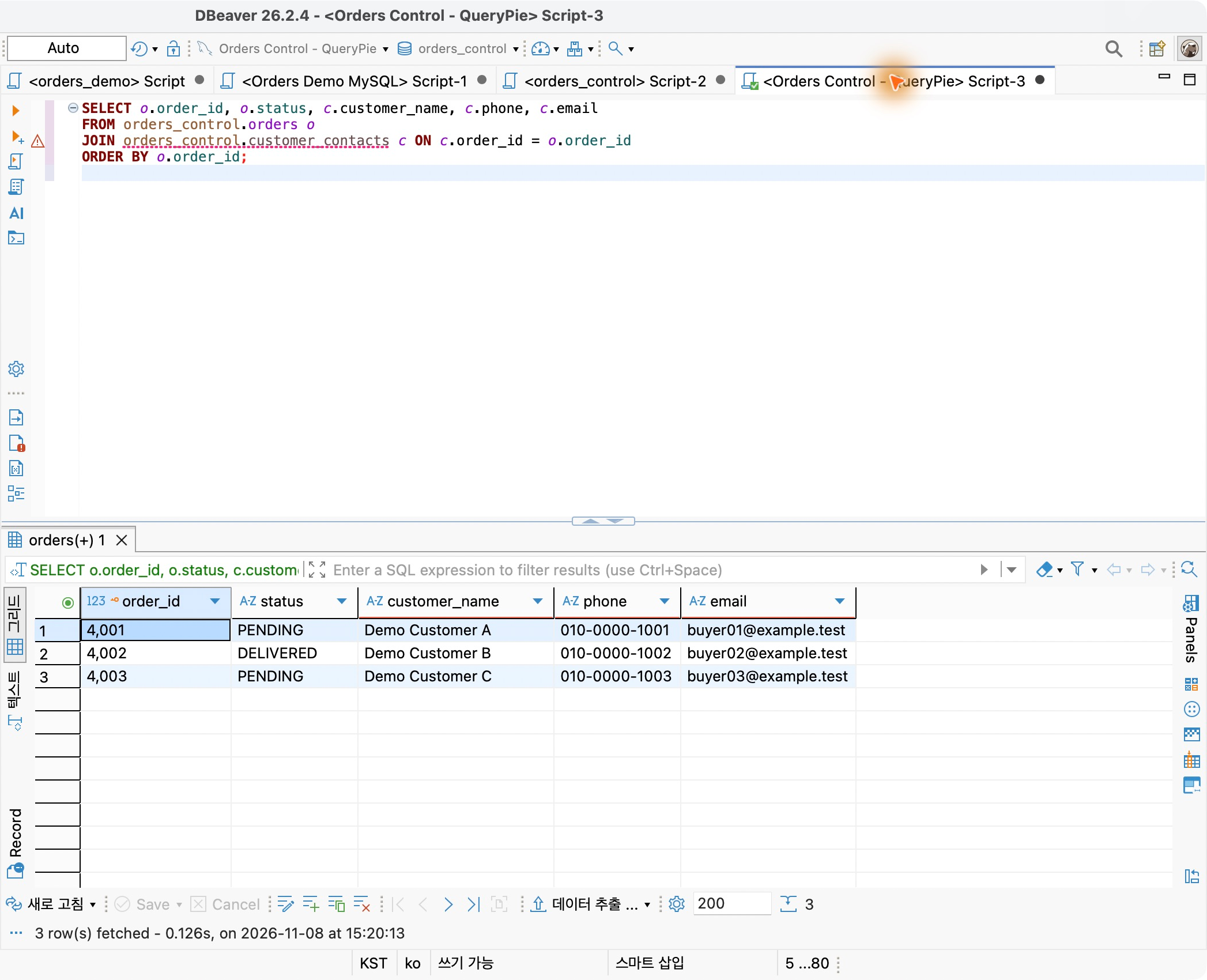
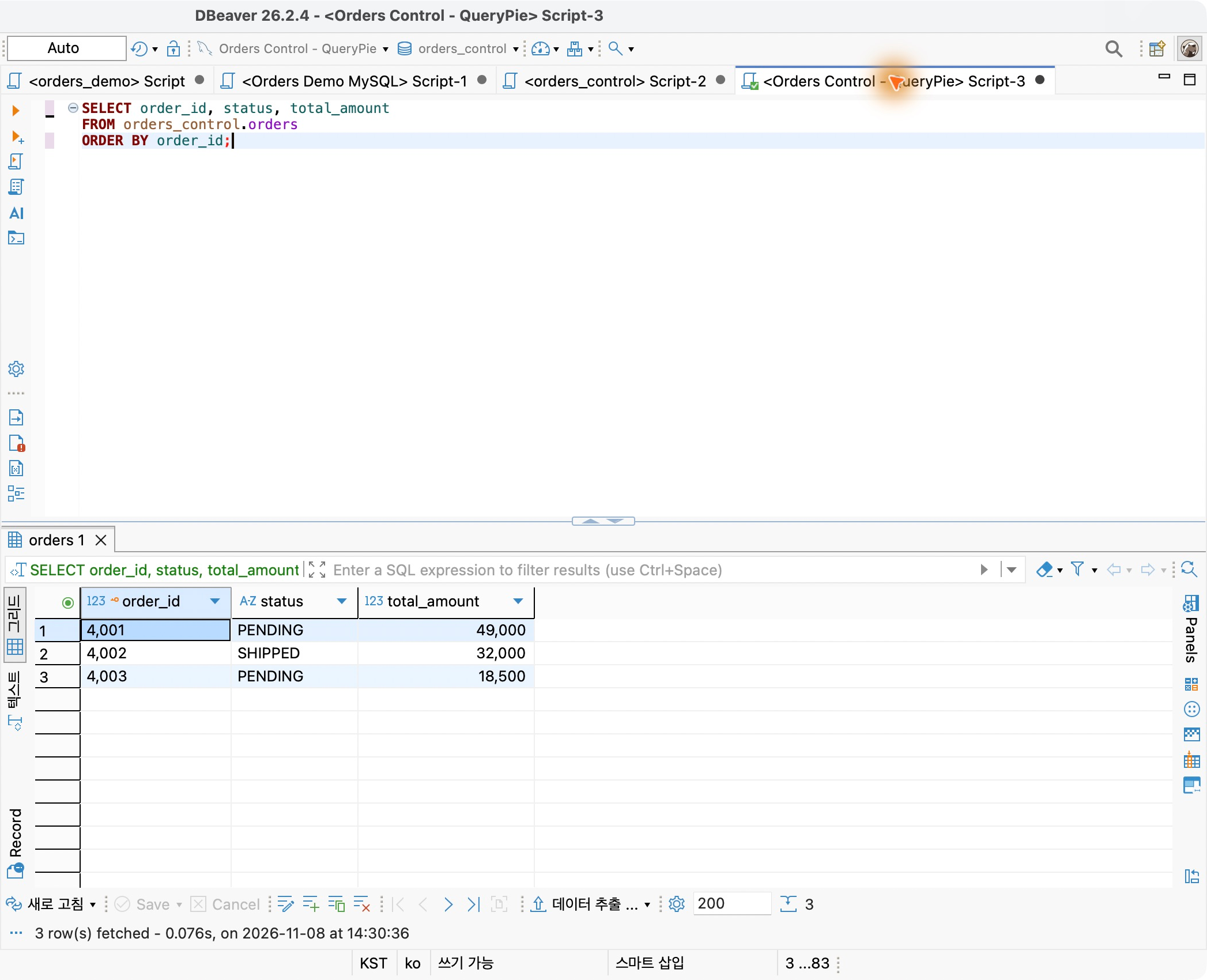
In DBeaver, order 4002 was SHIPPED with an amount of KRW 32,000. I would change only its status, leaving other orders and amounts untouched.
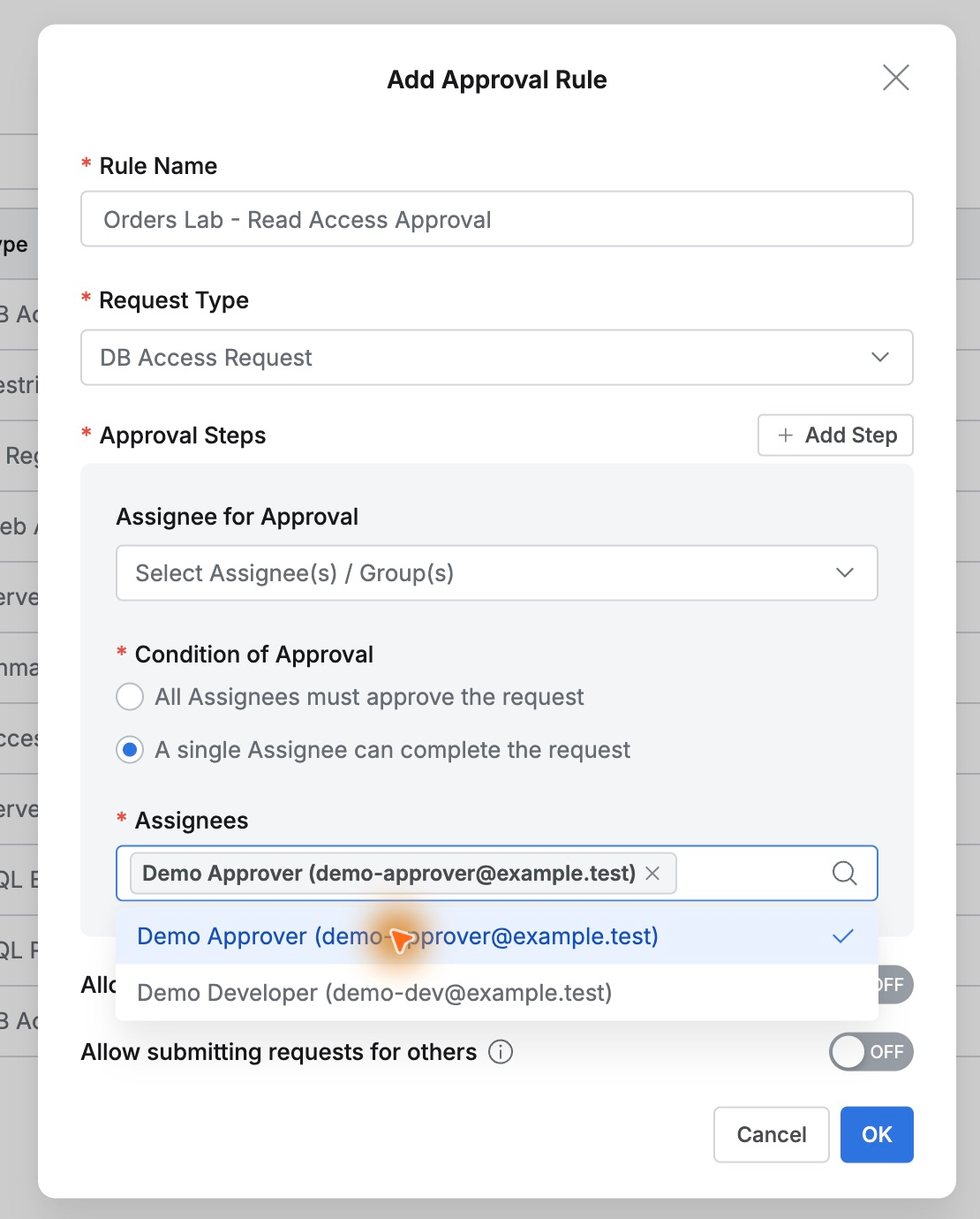
Demo Developer requested the change and Demo Approver approved it. I created a separate SQL approval rule: the approver reviews, then the developer executes. Self-approval was not enabled.
Putting the Change and Its Reason in the SQL Request
As the developer, I opened Workflow → SQL Request, selected Orders Control Lab and orders_control, and titled it ‘Correct order 4002 to delivered.’ I entered the SQL below.
UPDATE orders_control.ordersSET status = 'DELIVERED'WHERE order_id = 4002 AND status = 'SHIPPED';
The WHERE clause includes both the order ID and current status, so only order 4002 still marked SHIPPED can change. The reason states delivery completion and one expected affected row.
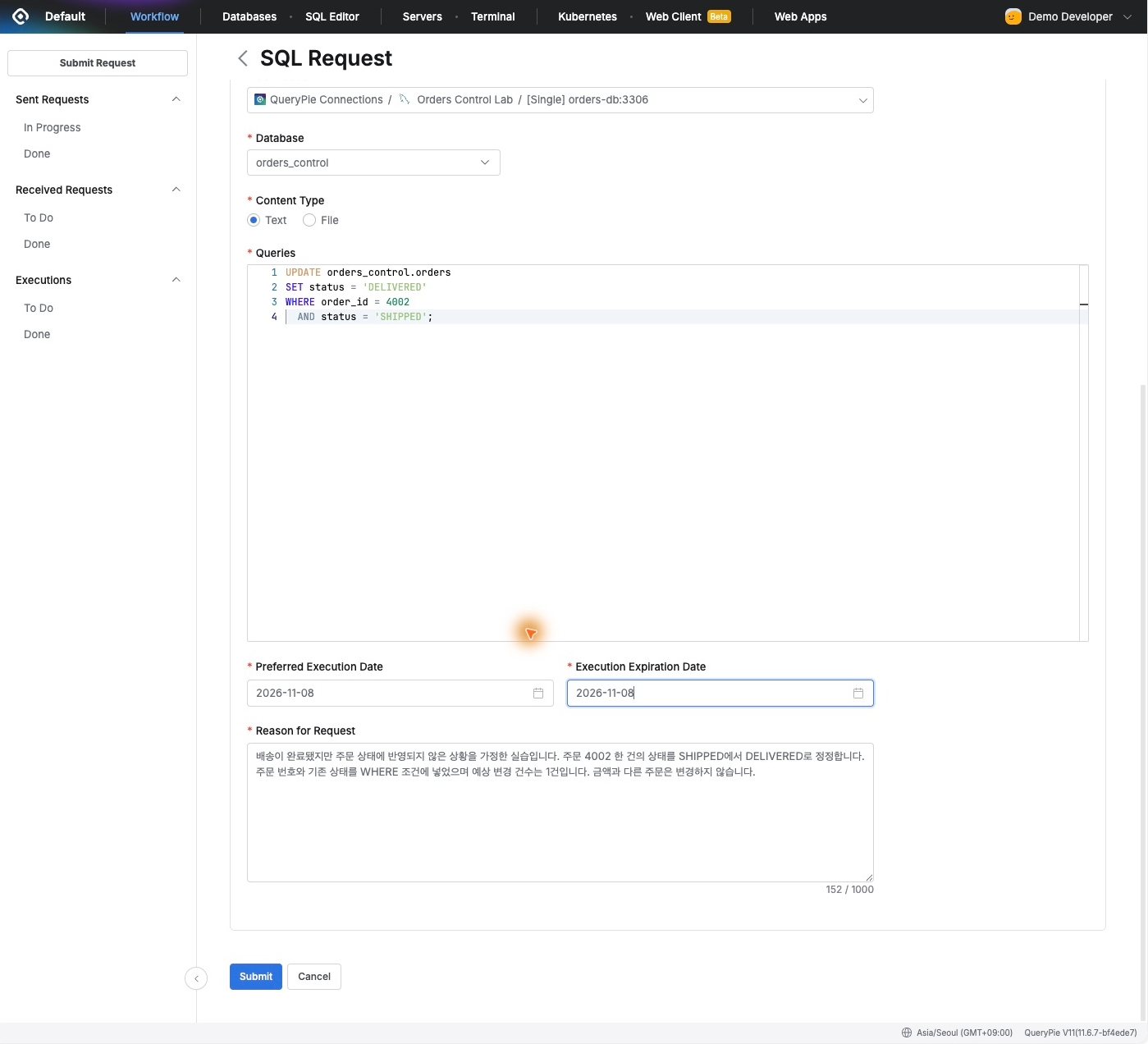
The form naturally organized what the approver needed: where, what, why, and how many rows. I set both the desired execution date and expiration to the day of the task.
After submission, requester, approver, and executor were shown in sequence, making the next responsible person clear.
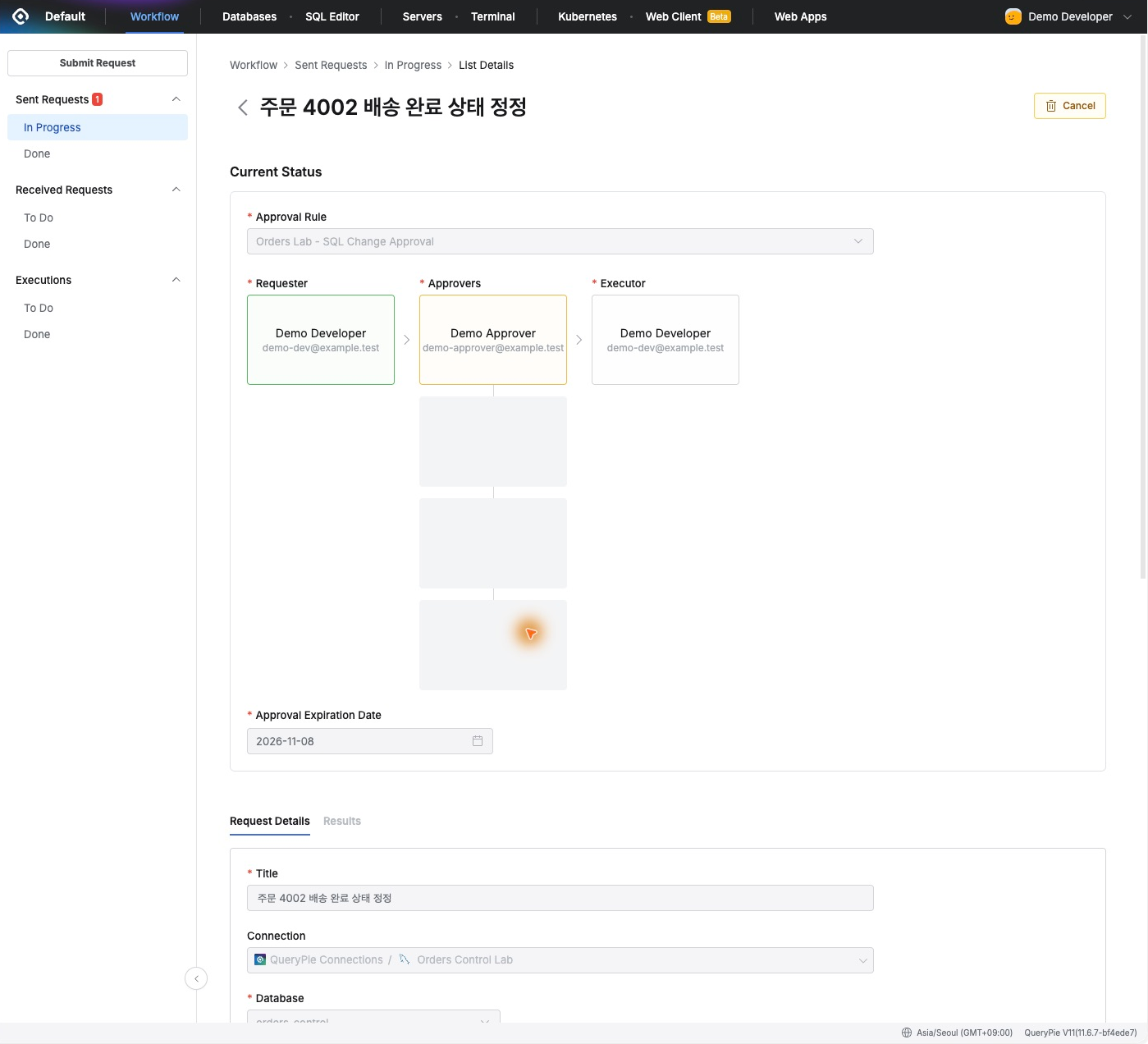
The Approver Reviews the Actual SQL
I signed in as Demo Approver and found the request under Received Requests → To Do.
The request contained the SQL and reason as written. I checked order ID 4002 and the current-status condition, comparing the SQL with the expected one-row change.
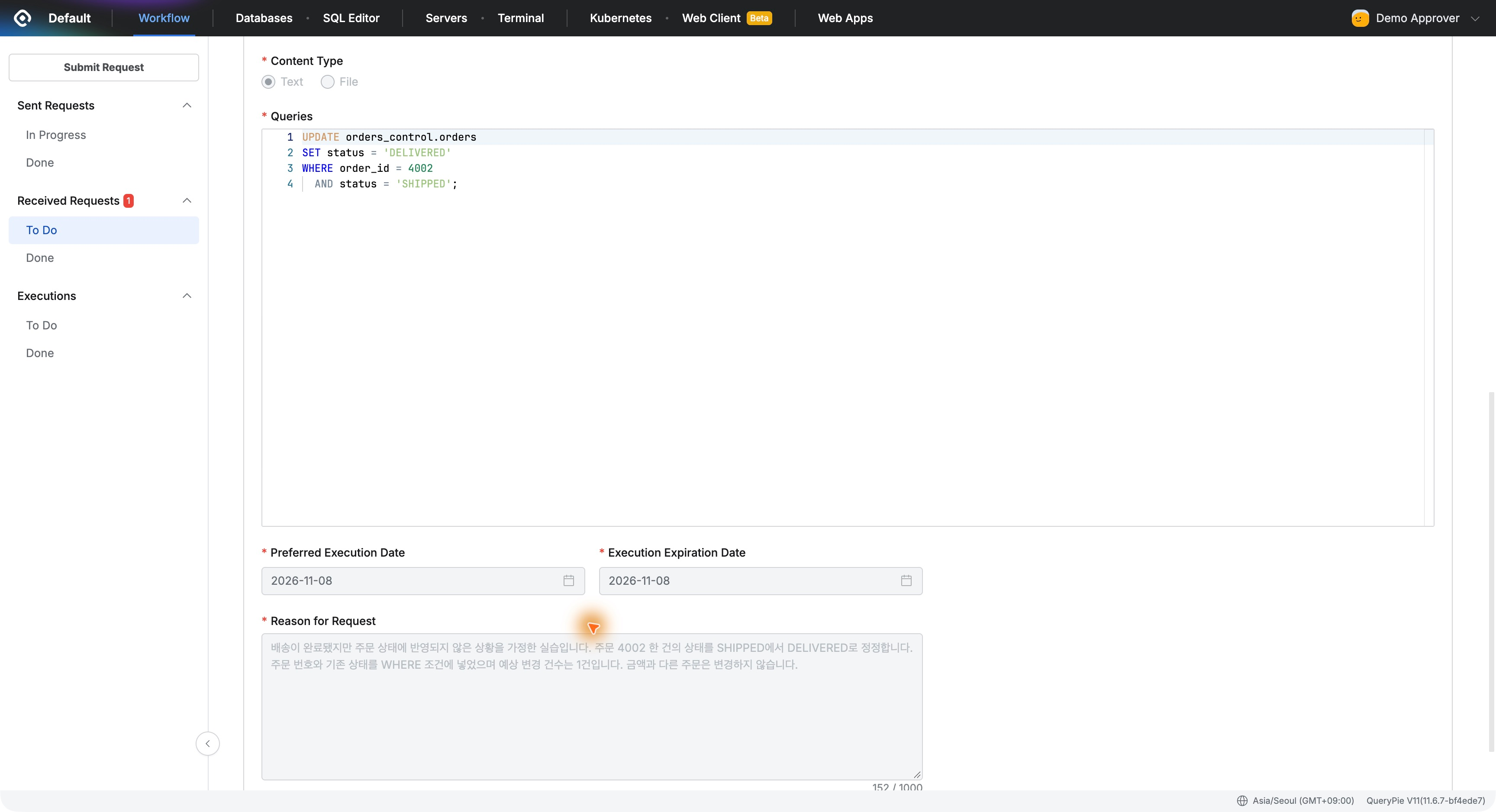
I liked having the information needed for a decision together in the approval screen. It reduces requests to resend SQL and supports a review procedure inside the product before data changes.
I clicked Approve and noted that I had checked the order ID and current-status condition and approved one delivery-status correction.
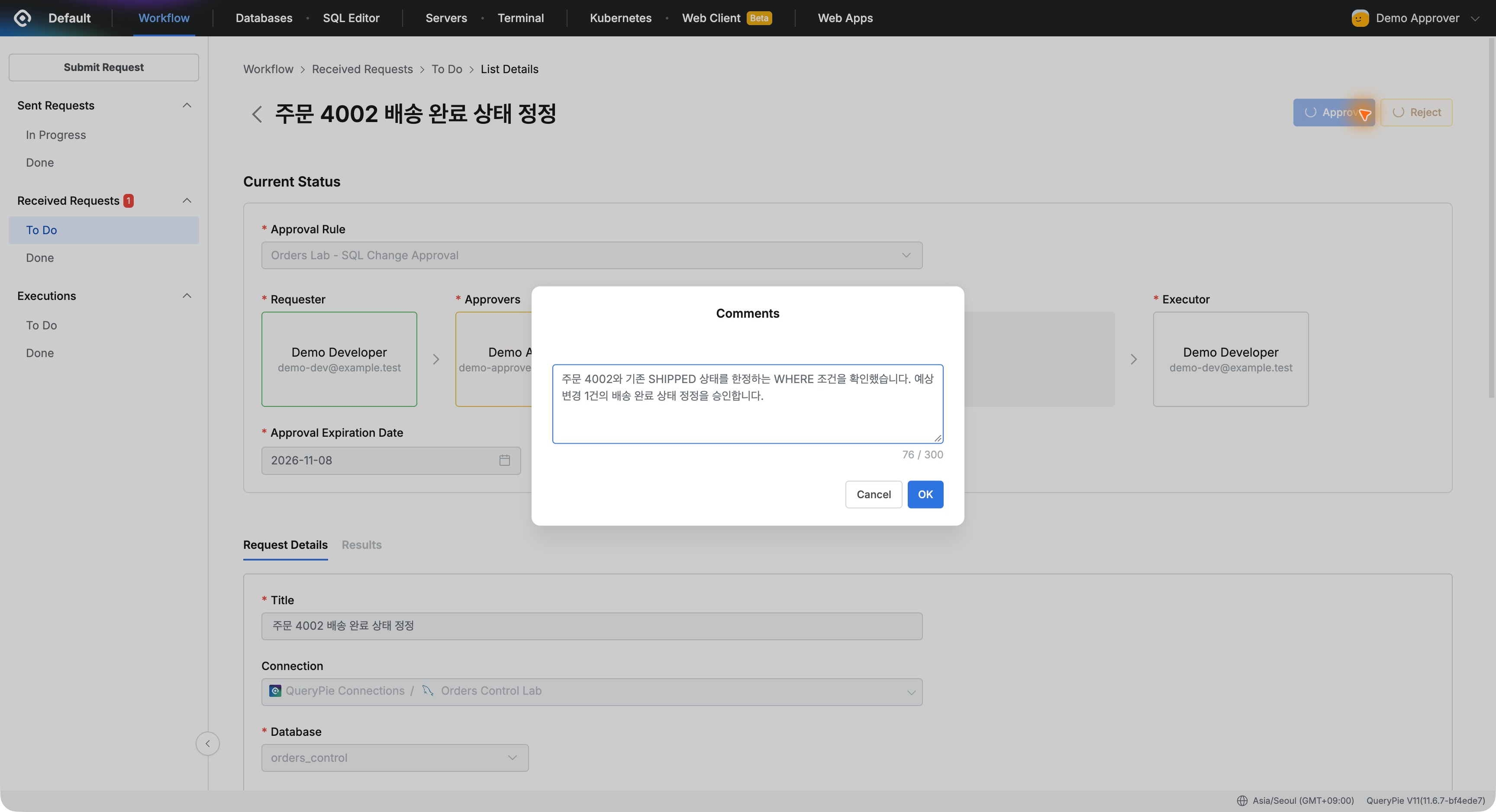
The Developer Executes the Approved Task
Back as the developer, the request appeared in Executions → To Do with an Execute button. Approval was complete; execution was next.
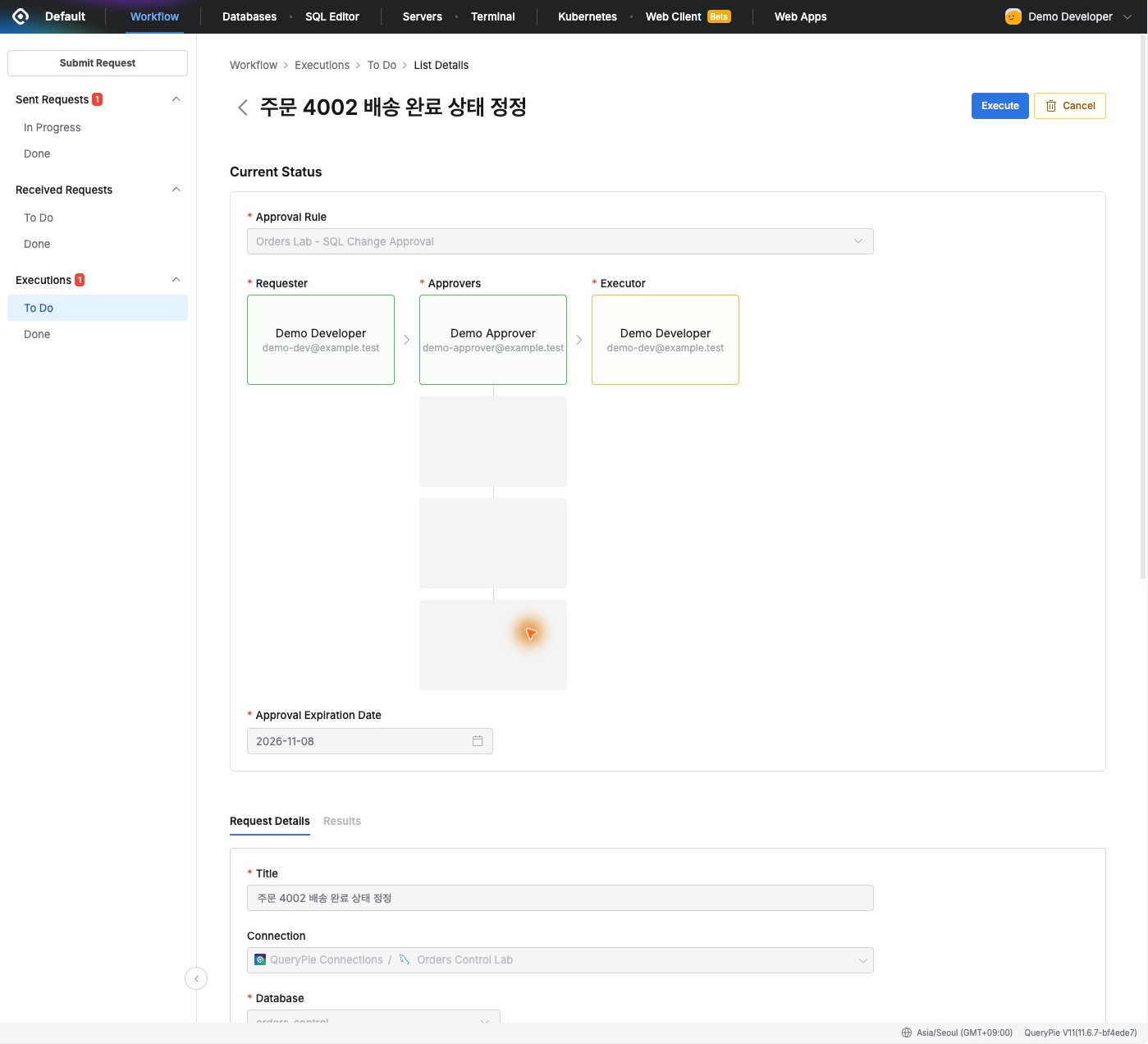
Separating approval from execution was useful. A designated executor can proceed after review. Here, I designated the requesting developer.
I clicked Execute, acknowledged the autocommit notice, and ran it. After completion, Results showed the UPDATE together with ‘1 Rows updated.’—matching the expected affected-row count in the request.
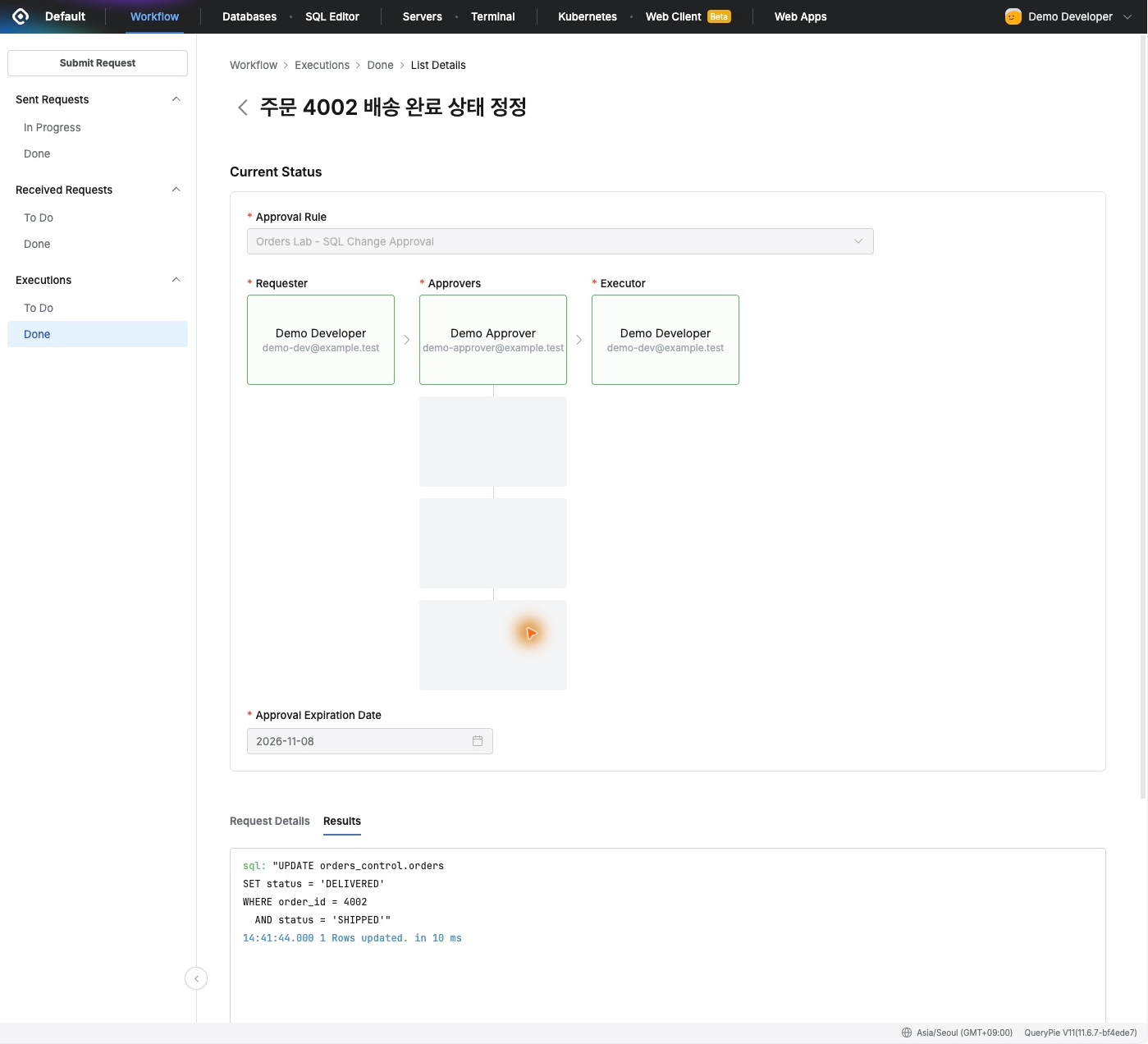
Submission, approval, and execution results remained one continuous task. Later, the reason, SQL, people involved, and outcome can be reviewed together to explain the change.
Verifying the Changed Value in DBeaver
I reran the original SELECT in DBeaver. Order 4002 was now DELIVERED, its amount remained KRW 32,000, and orders 4001 and 4003 were unchanged.
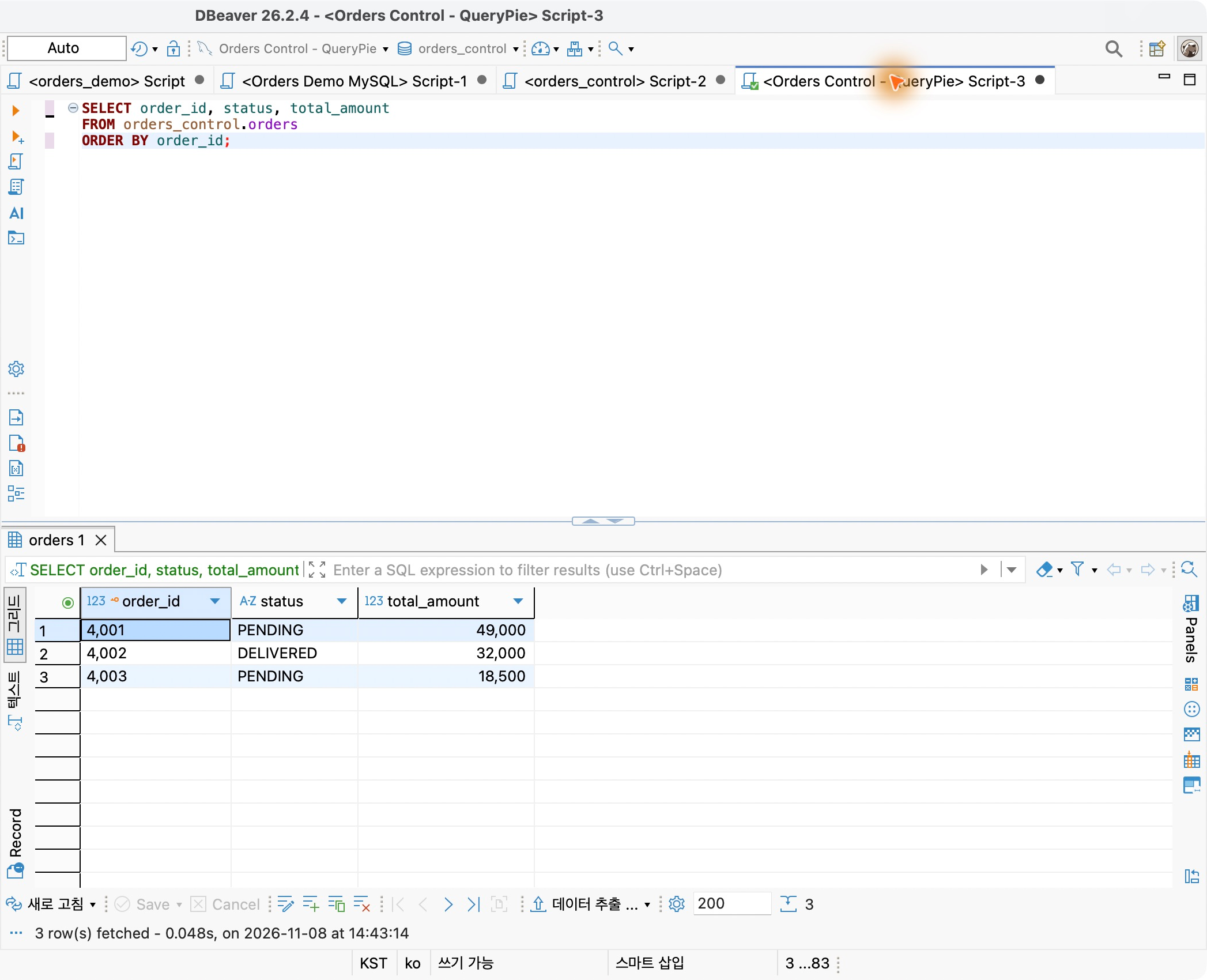
The UPDATE ran through QueryPie’s approved request; DBeaver was used only to inspect before and after. Familiar database tools for inspection and a defined approval process for changes worked well together.
After the task, I reopened the developer’s database access settings. Read-Only (User), Select was still displayed. I had not upgraded everyday access to write privileges for this change.
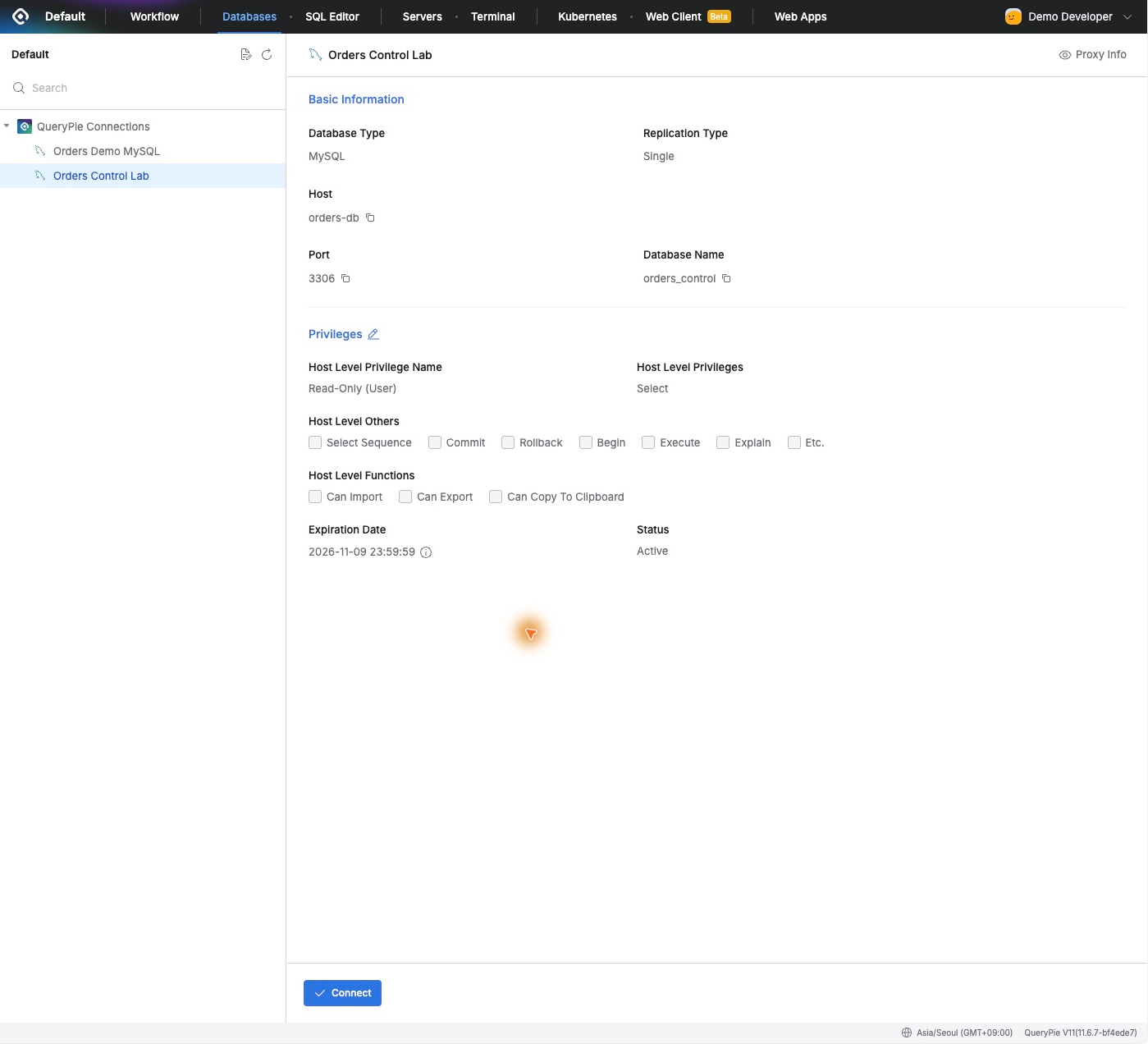
Making Necessary Changes Without Expanding Everyday Access
SQL Request’s benefit was clear. The developer submits the SQL and reason, the approver reviews the actual operation, and the executor runs the approved task. Each role’s responsibility is visible.
A one-off correction did not require broader everyday access. I corrected one order while retaining read privileges, with no need to revoke temporary write access afterward.
For operators, evidence matters as much as speed. The same request showed what was intended, who approved and executed it, and how many rows actually changed.
A small status correction made least-privilege work concrete. SQL Request seems useful for teams that want a consistent procedure for production database changes.
Lab environment: QueryPie ACP Community 11.6.7 / MySQL 8.0.42 / DBeaver 26.2.4