[Part 42] Adding Two-Step Approval to Database Work
November 13, 2026
Database approval may need a development review of SQL and conditions followed by operational review of target and purpose.
I implemented that sequence in QueryPie: two SQL Request approval steps, reviewed sequentially by different people, followed by execution. The test SQL read one order’s status and amount.
Separating Development Review and Operations Approval
In the administrator’s General → Workflow Management → Approval Rules, I created EP42 - Two-Step SQL Approval for SQL Request.
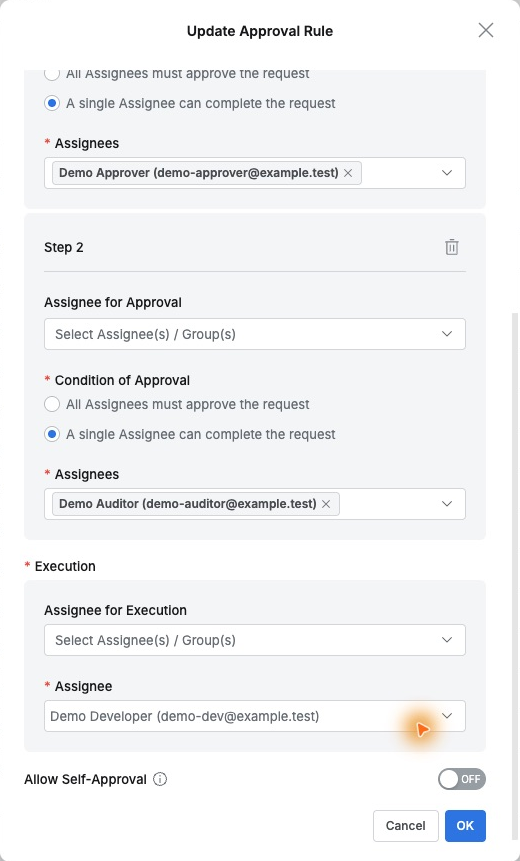
The first approver was Demo Approver for development review. Add Step added a second stage for the operations reviewer Demo Auditor.
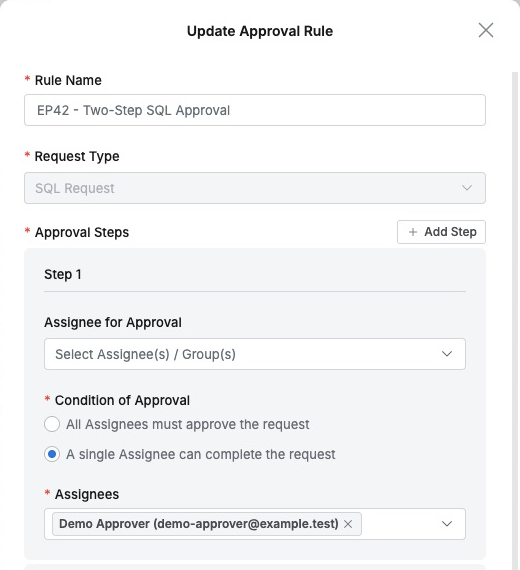
Both used administrator-defined Select Assignee(s) / Group(s). Demo Developer was executor and Allow Self-Approval Off. Requests follow predefined reviewers rather than requester-chosen names.
The Review Order Is Visible Before Submission
Selecting the rule in the developer’s request showed Demo Approver, Demo Auditor, and Demo Developer in order, making review and execution responsibility visible upfront.
The connection was Two-Step Approval Lab, with SELECT for order 41001. The reason specified development review then operations approval for a single-order read.
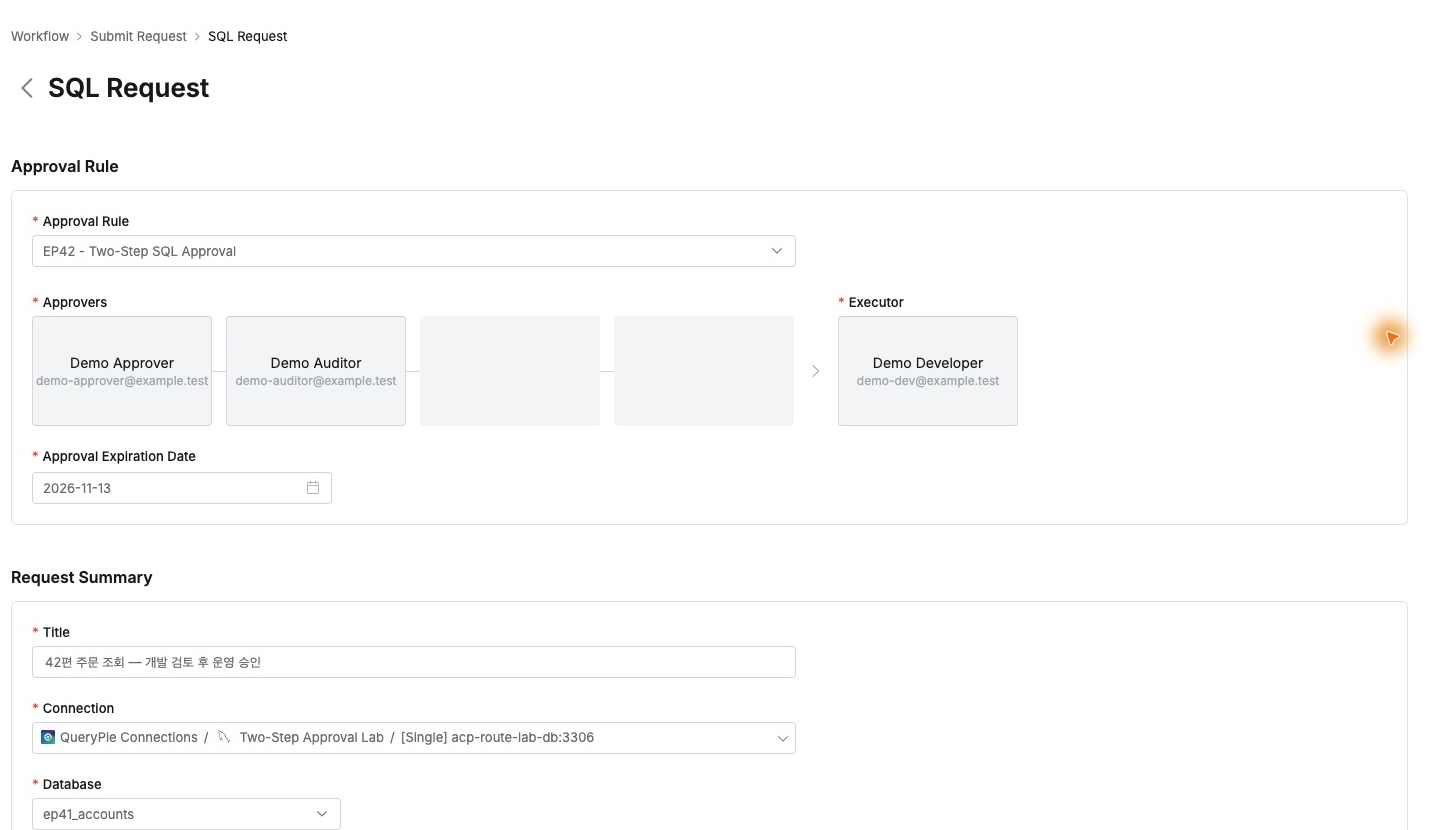
SQL, database, and reason stayed in one request, reducing separate explanations. The title was ‘Part 42 order lookup — development review, then operations approval’.
First Approval Does Not Enable Execution
Demo Approver checked the order condition and table, left a review comment, and approved.
The requester saw the first approver green, the second yellow as next, and the executor still waiting.
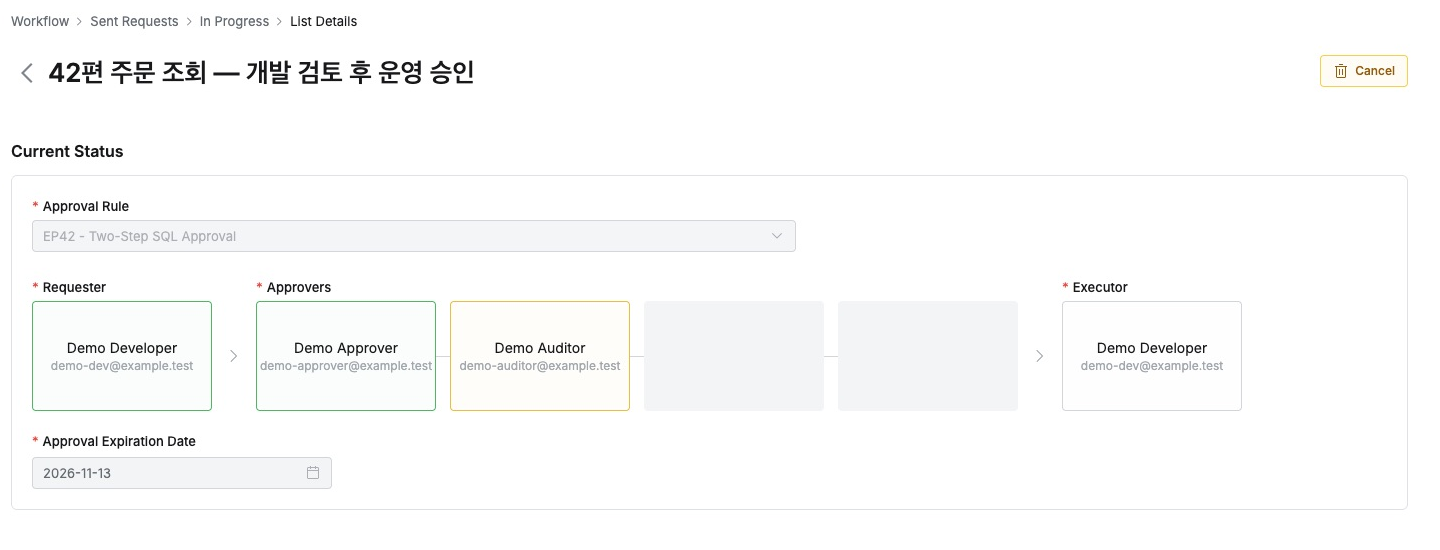
The list made this explicit: Approval Status In Progress; Execution Status Pending. The request was not yet in Executions → To Do.

Two names are not merely listed: the next approval is required before proceeding to execution.
Second Approval Releases the Task for Execution
Demo Auditor reviewed connection, scope, and purpose and left final approval. Each reviewed the same request from a different responsibility.

After final approval, the developer’s Executions → To Do listed the request. Both approvers were green, executor yellow, and the Execute button became available.
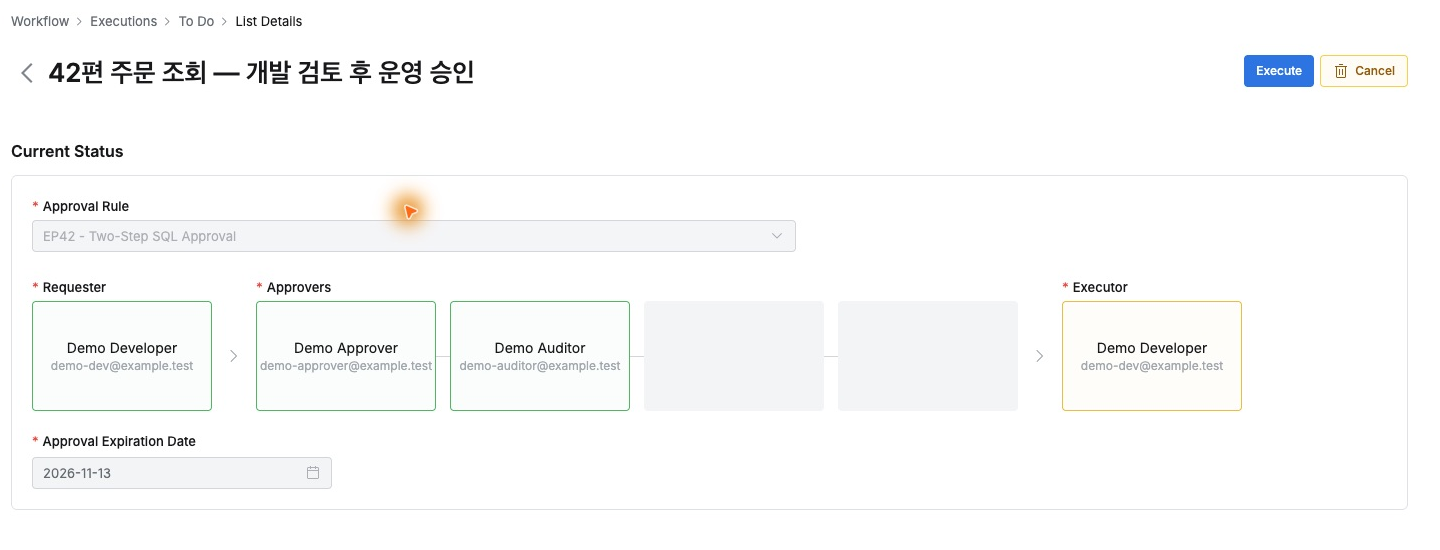
I executed the approved SQL. Results showed 1 Rows selected., and the request moved to Done. One workflow made the current responsibility easy to follow.
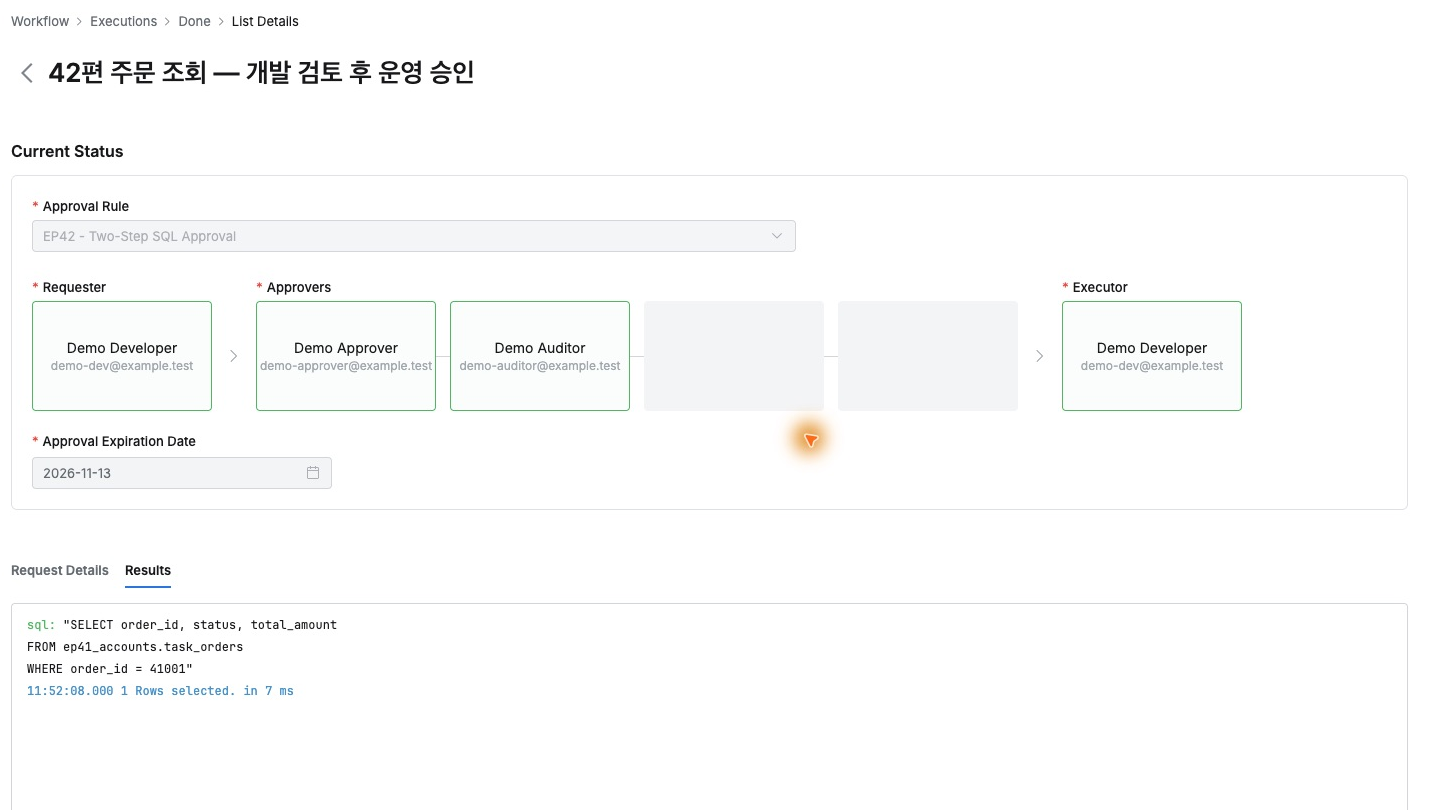
Two Approvals and Execution Have Separate Records
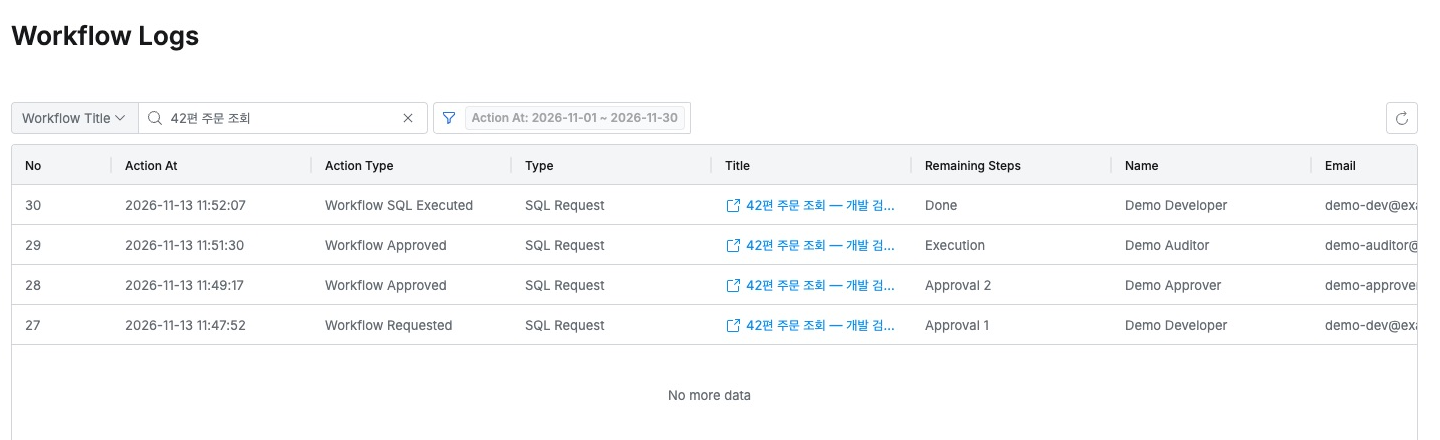
Finally, in the administrator’s Workflow Logs, searching the title returned submission, first approval, second approval, and execution: four records.
Remaining Steps progressed from Approval 1 after submission to Approval 2 after first approval, then Execution after final approval, and Done after execution, with each person and timestamp retained.
Query Audit also showed Demo Developer’s successful SQL Request execution, connecting approval history to the real database action.
The benefit was turning company review order into the actual work procedure. Development and operations approve in sequence before handoff to execution, with progress and evidence for shared database responsibility.
This lab used QueryPie Community 11.6.7 and MySQL 8.0.42 with test staff and orders.
Reference: Approval Rules · Submitting SQL Requests · Workflow Logs