[Part 9] Allowing Order Queries While Protecting Settlements — QueryPie Table Access Restrictions
November 8, 2026
Database access does not mean access to every piece of data is needed. A developer checking order status does not necessarily need settlement amounts or internal notes.
I tested that separation in QueryPie ACP: orders and settlements in the same database, with the developer allowed to keep querying orders but denied access to settlements.
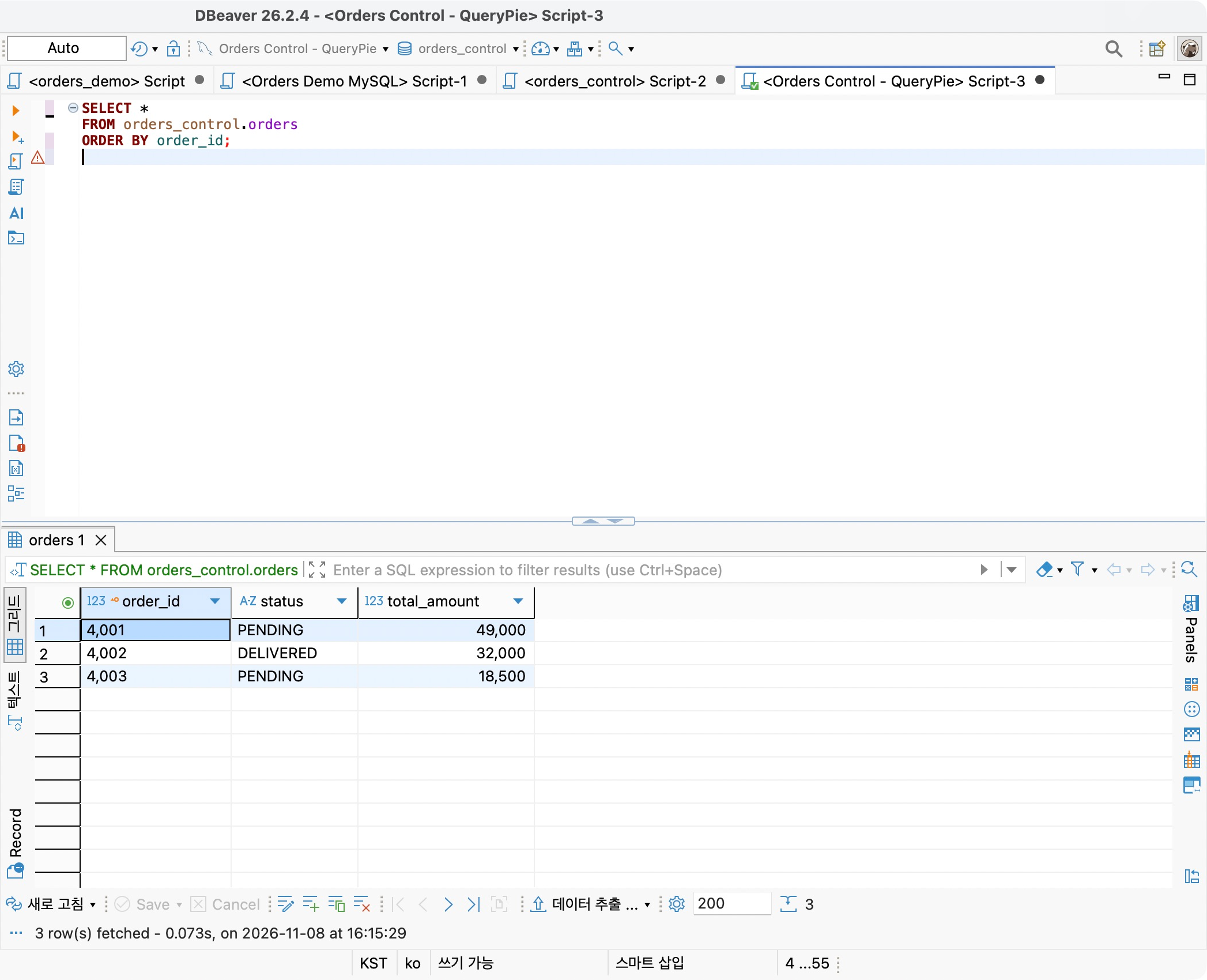
Can normal queries continue while only protected tables are restricted? I ran the same SQL in DBeaver before and after applying the policy.
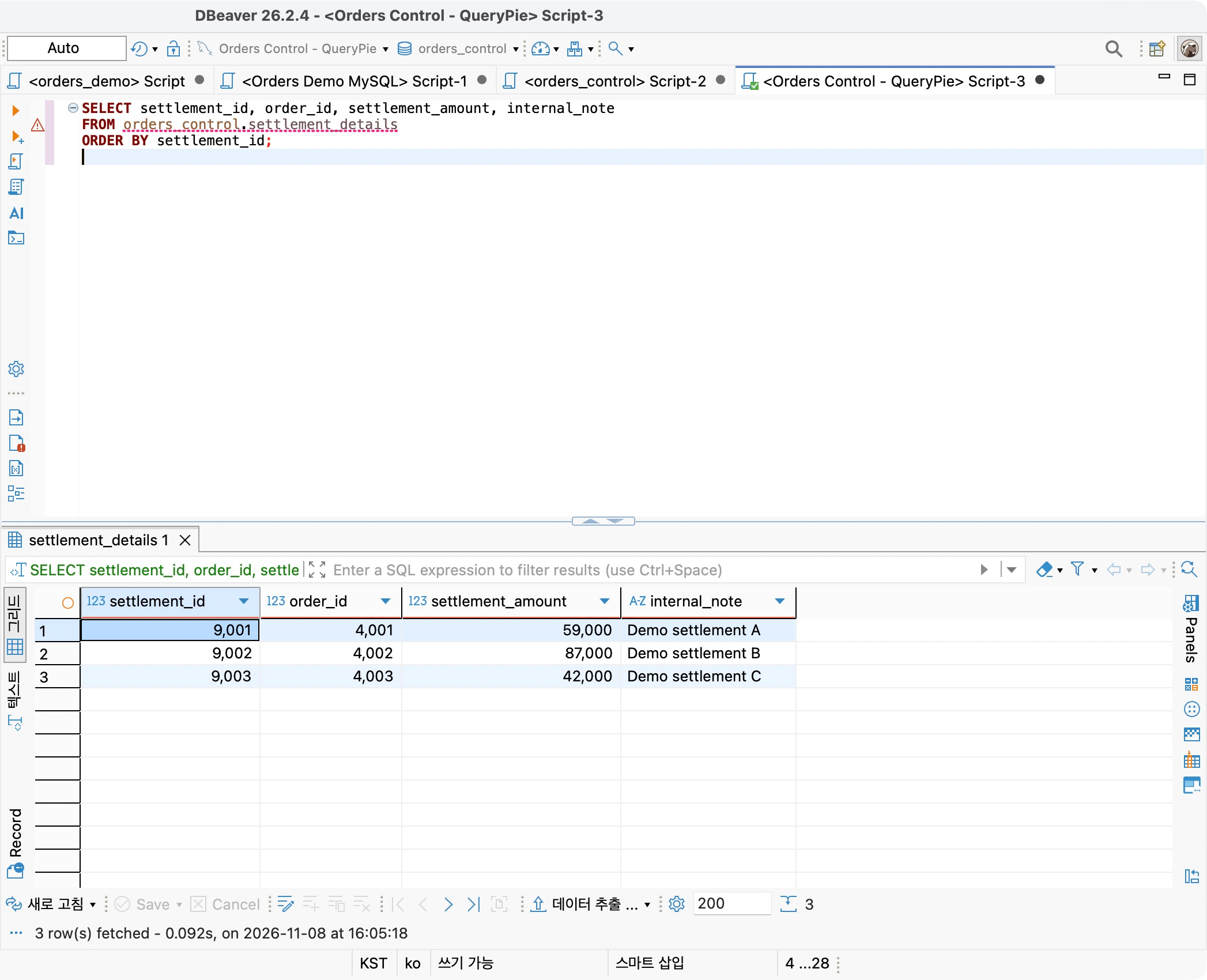
Confirming Settlements Are Initially Readable
Using Orders Control Lab in QueryPie ACP Community 11.6.7, I added settlement_details beside orders and inserted three fictional settlement IDs, order IDs, amounts, and internal notes. No actual customer or company settlement data was used.
Demo Developer connected through QueryPie using DBeaver. The registered database account could read both tables.
Before creating the policy, the settlement query returned records 9001–9003 with amounts and notes. This became the baseline for comparison.
Creating a Policy to Protect the Settlement Table
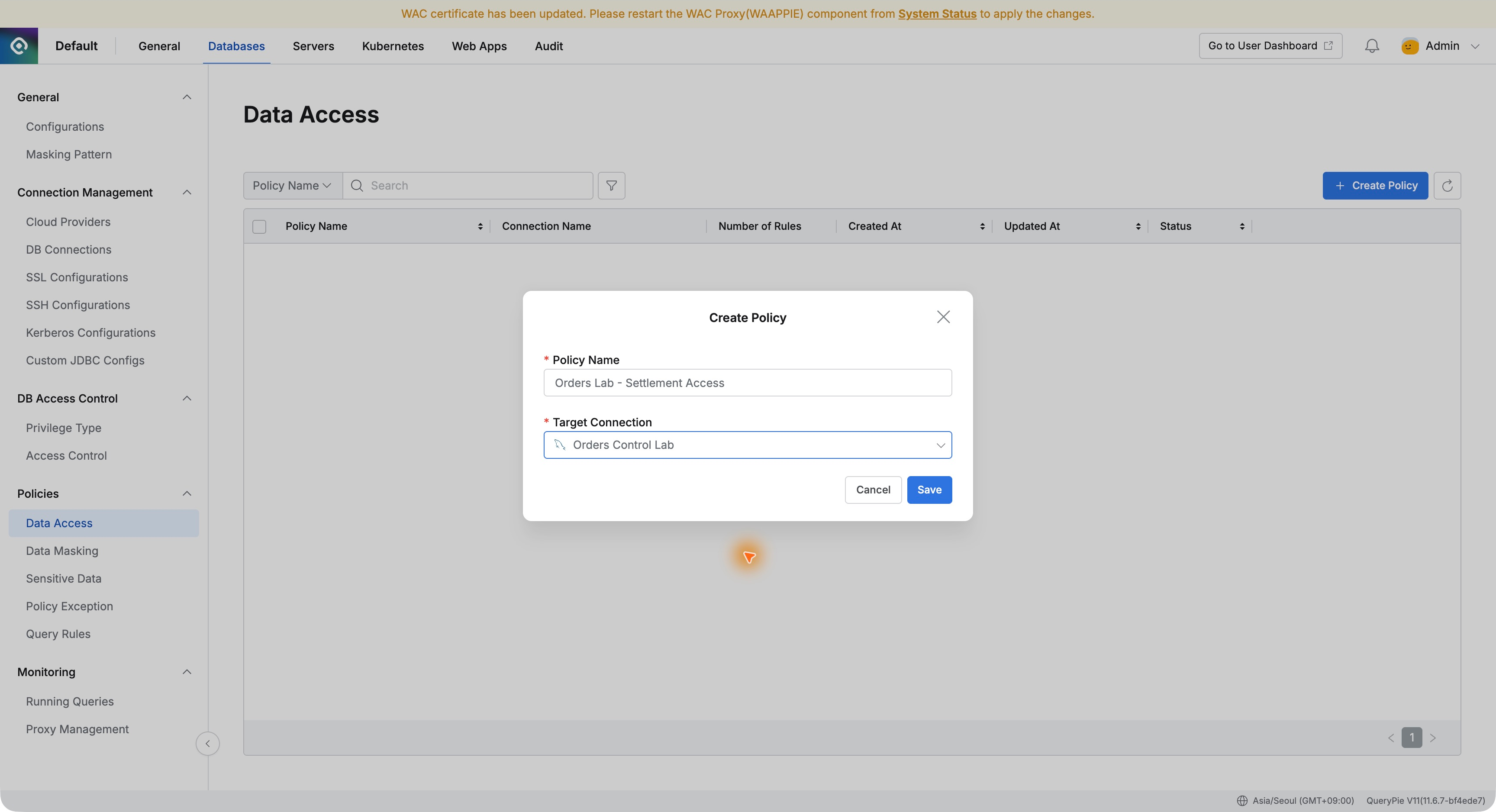
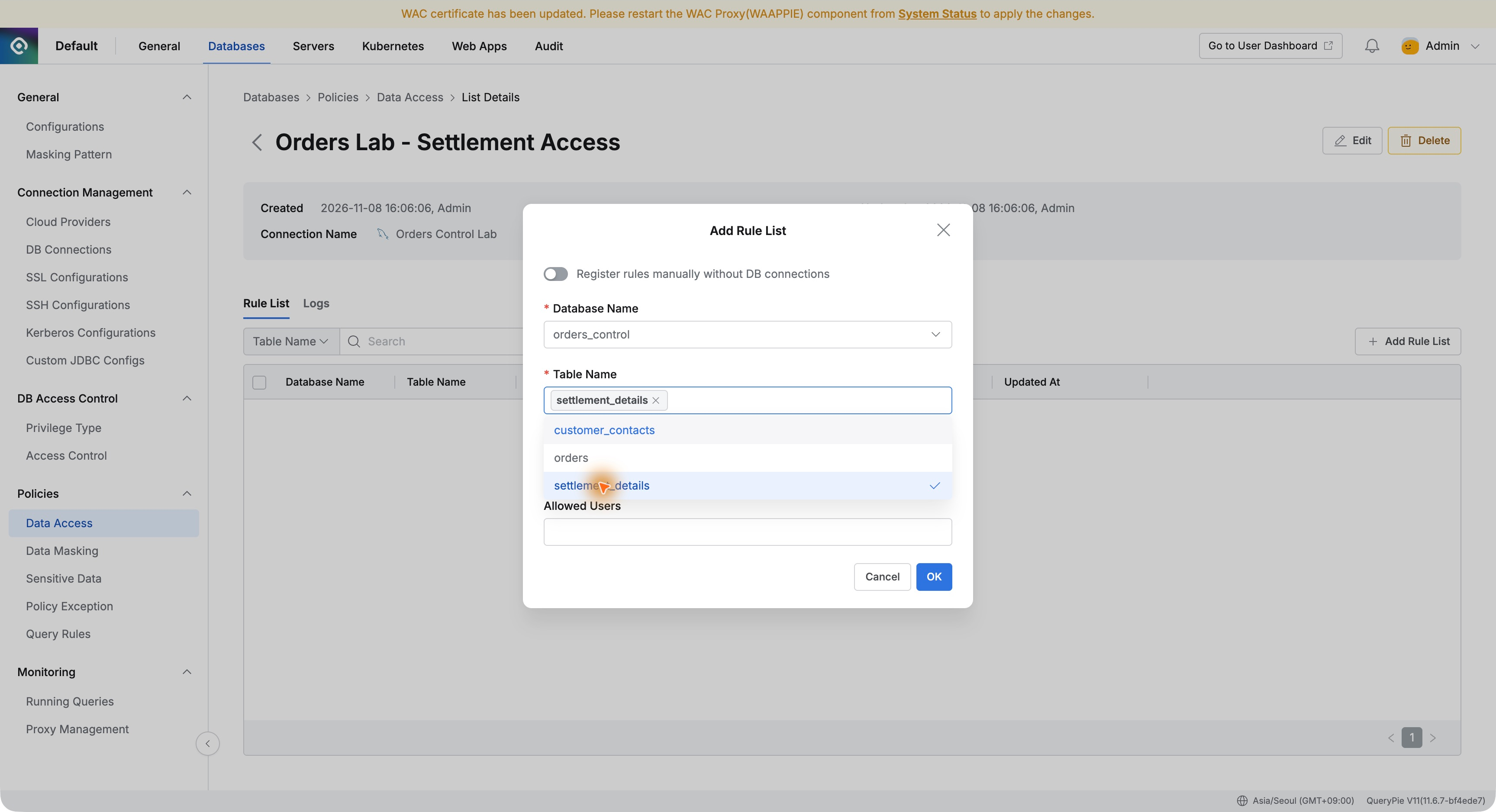
Under Databases → Policies → Data Access, I clicked Create Policy and created Orders Lab - Settlement Access for Orders Control Lab.
In Add Rule List, I selected orders_control and settlement_details. To protect the whole table, I left Column Name unspecified and added no exceptions under Allowed Users.
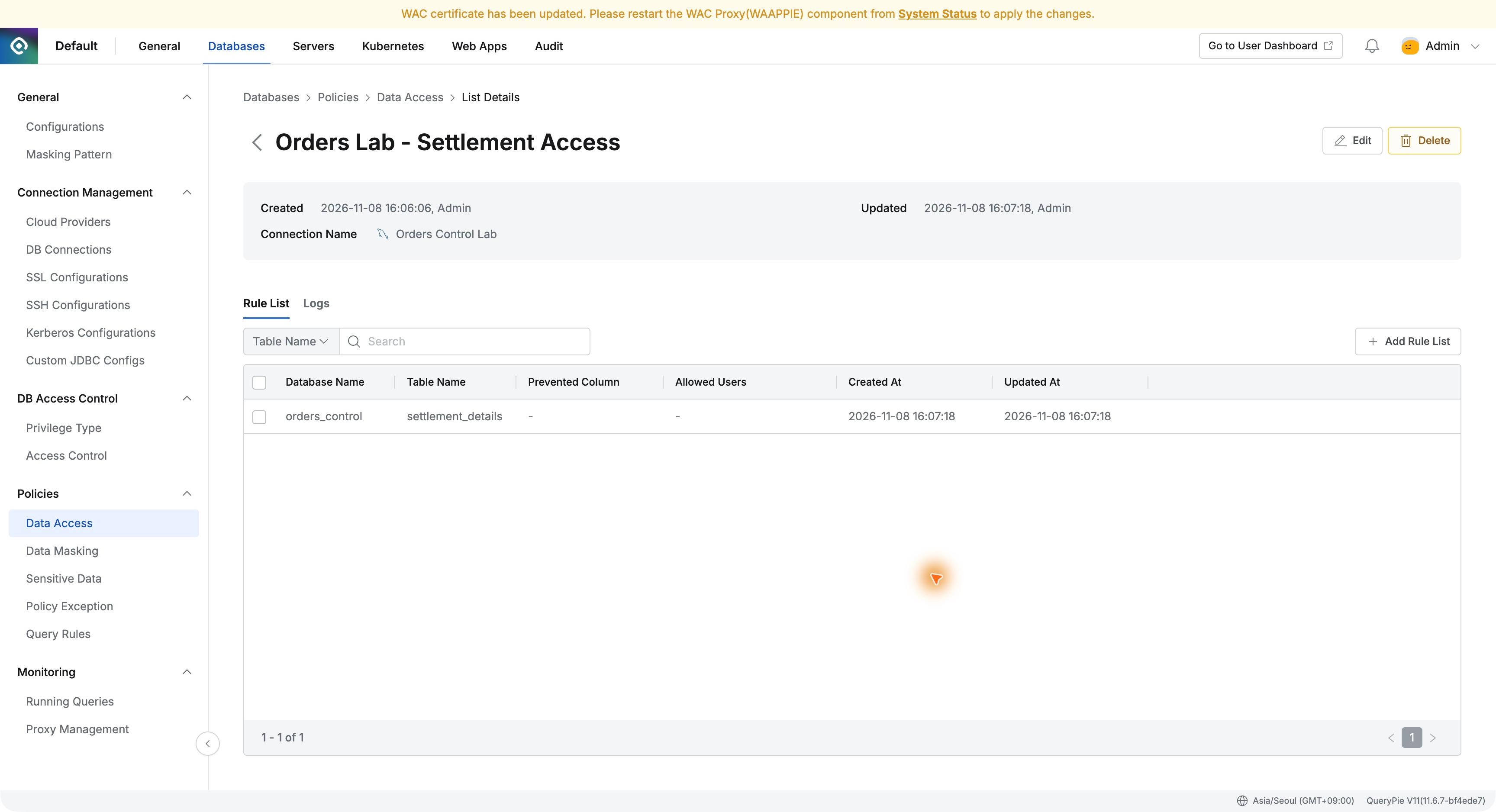
The saved rule listed the database and table. Orders was not included. The list made it easy to verify exactly which data was restricted.
The Same SQL Now Blocks Settlement Access
Back in DBeaver, I ran the identical settlement query. Instead of data, it returned a message asking me to check access permissions.
It named the table: ‘You don't have permission to access the table 'orders_control.settlement_details'.’ Settlement data visible before the policy was no longer returned.
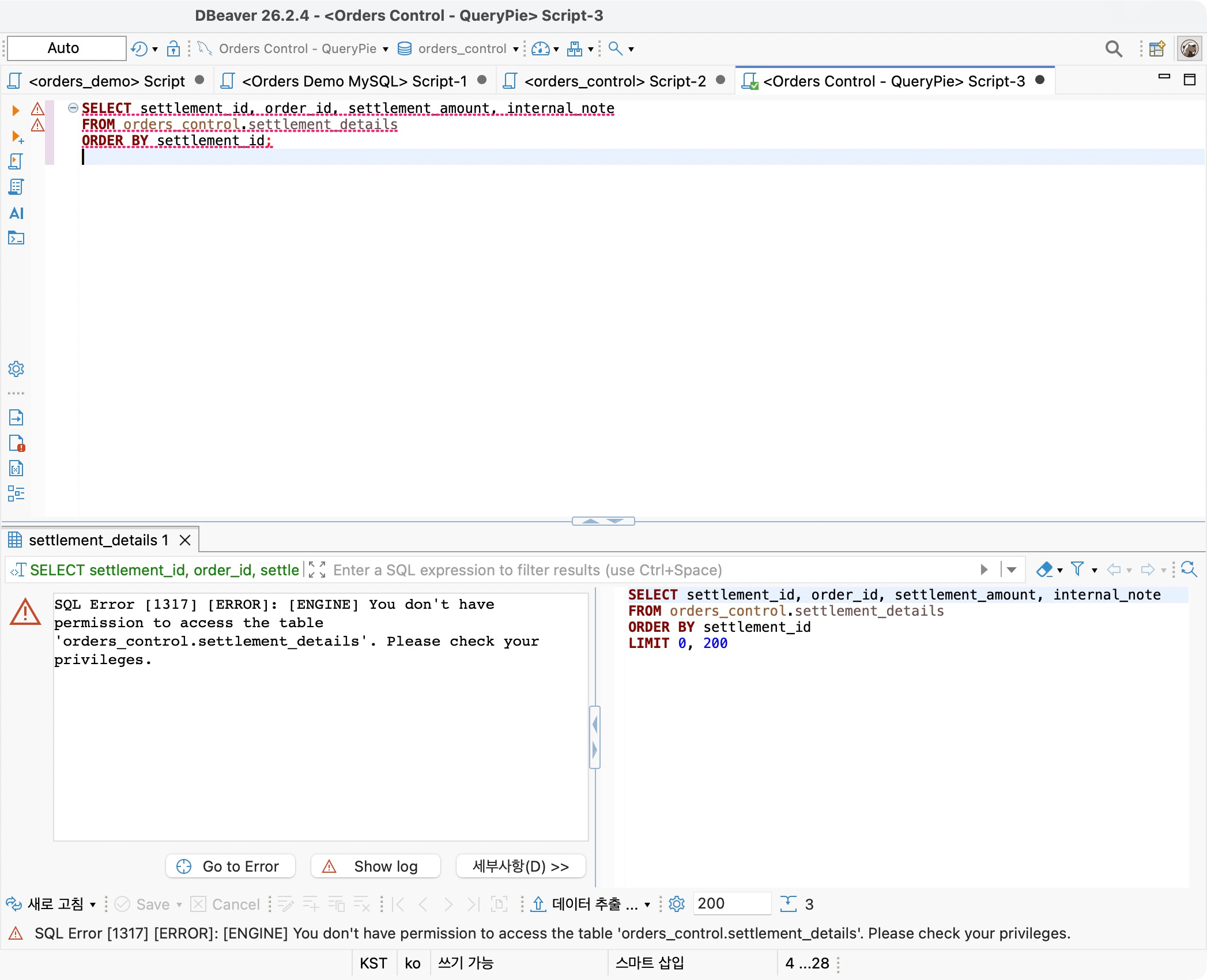
I changed neither DBeaver’s connection settings nor the database account’s SELECT privilege. QueryPie’s newly added Data Access rule governed the proxied query.
Even users allowed to connect can be limited to tables needed for their work. This made post-connection privilege design concrete from an adoption perspective.
Order Queries Continue as Usual
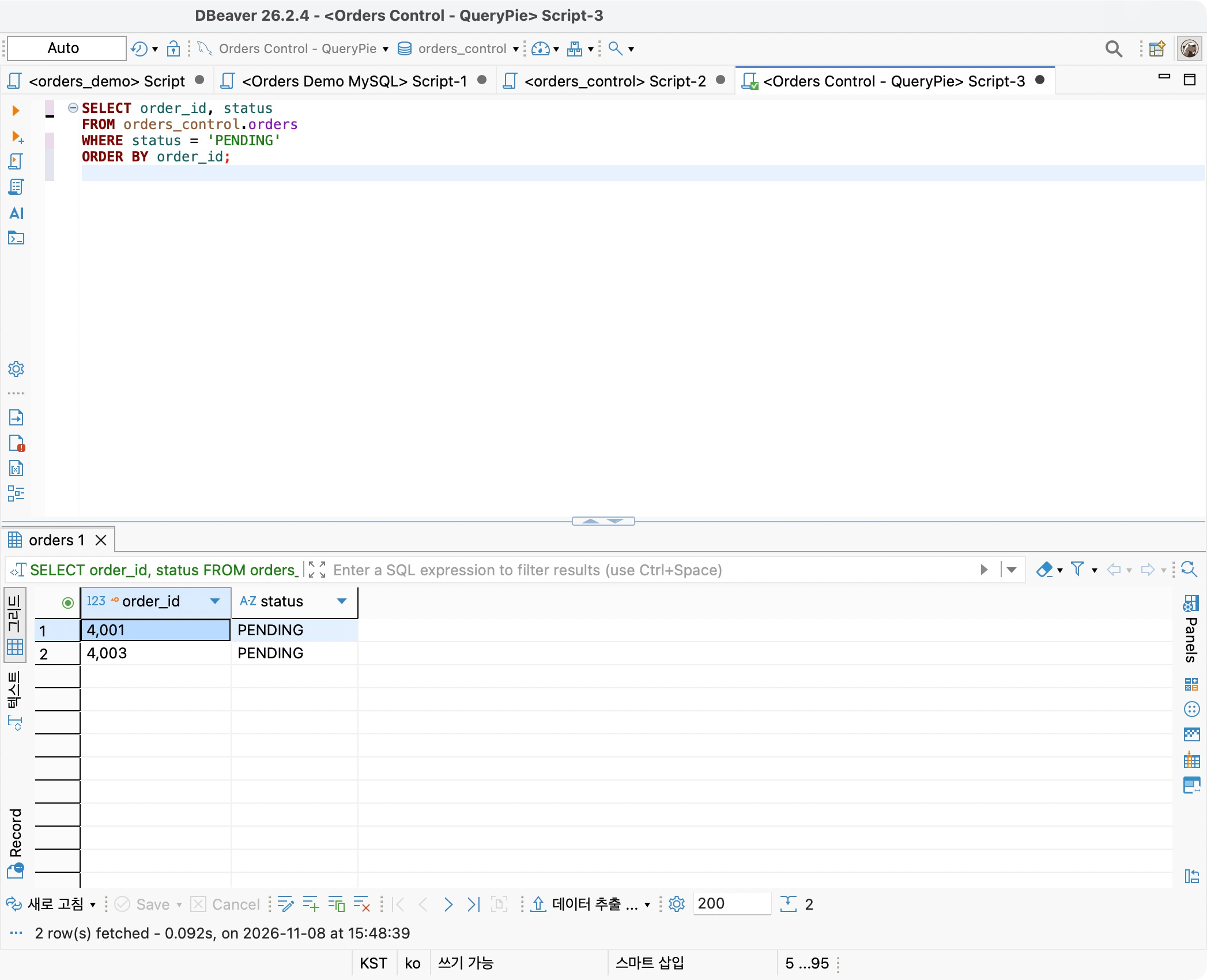
After the block, I queried IDs and statuses from orders over the same DBeaver connection. Orders 4001 and 4003 were PENDING; 4002 was DELIVERED, as expected.
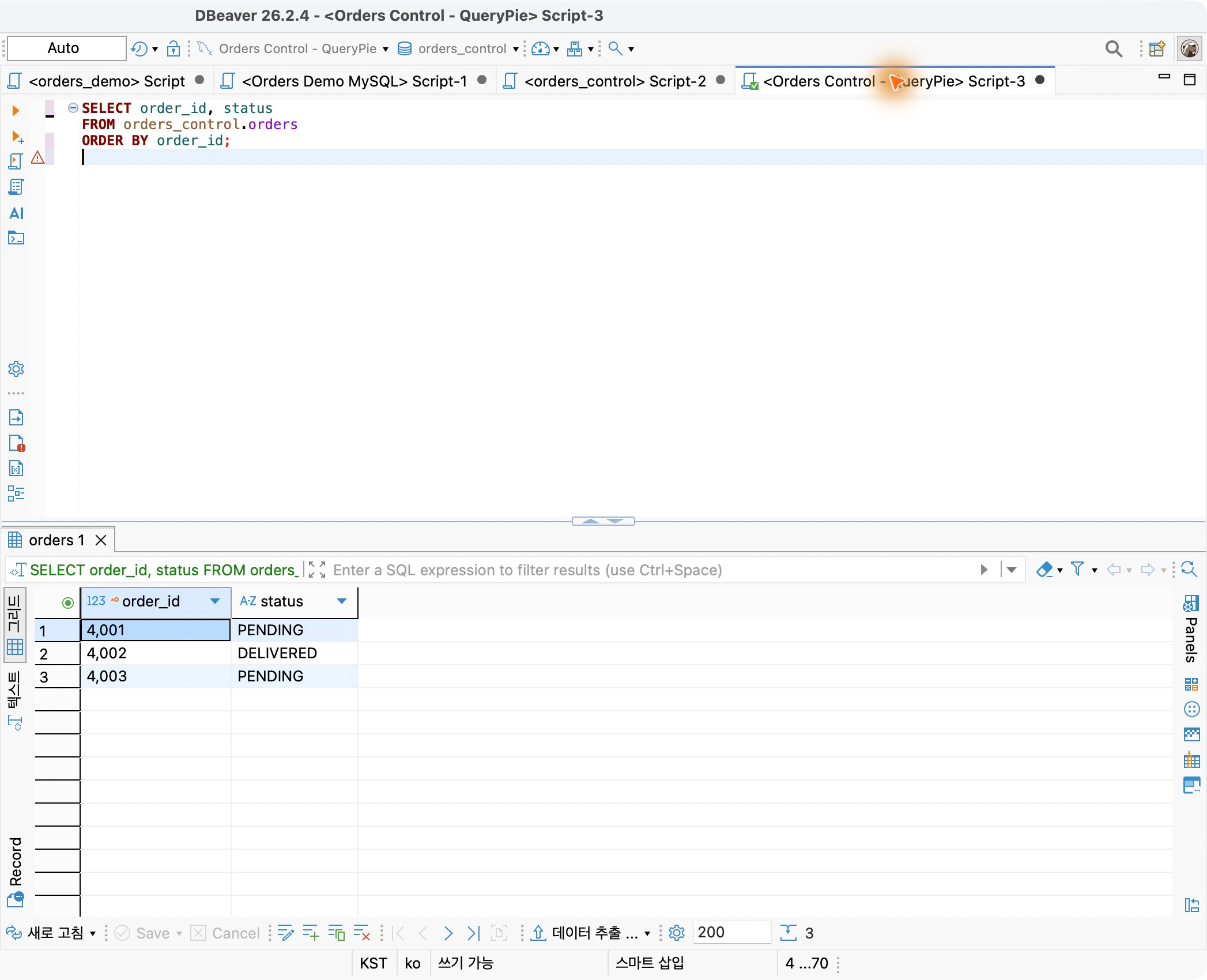
This was my favorite part of the exercise. Developers could continue checking order status while settlement data was protected separately. They kept DBeaver; administrators selected the protected table in QueryPie.
This brought shared databases across departments to mind. Defining which tables can be read, in addition to whether a connection is allowed, enables finer task-based data boundaries.
Blocked Queries Are Recorded Too
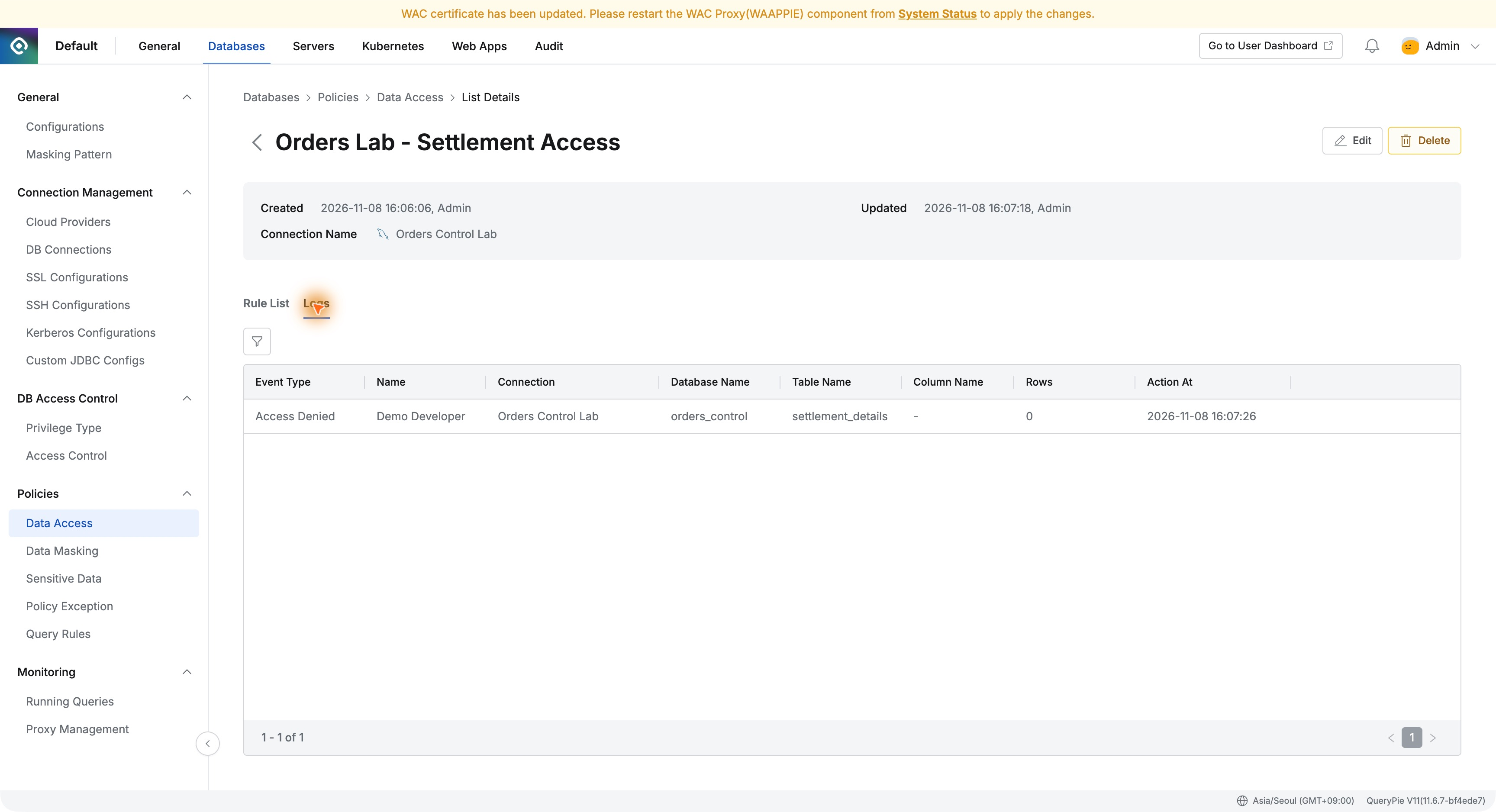
In the policy’s Logs tab, the recent query appeared as Access Denied, attributed to Demo Developer and settlement_details with its execution time.
Opening Query Details showed connection, table, user, and the settlement SQL from DBeaver. Rows was 0.
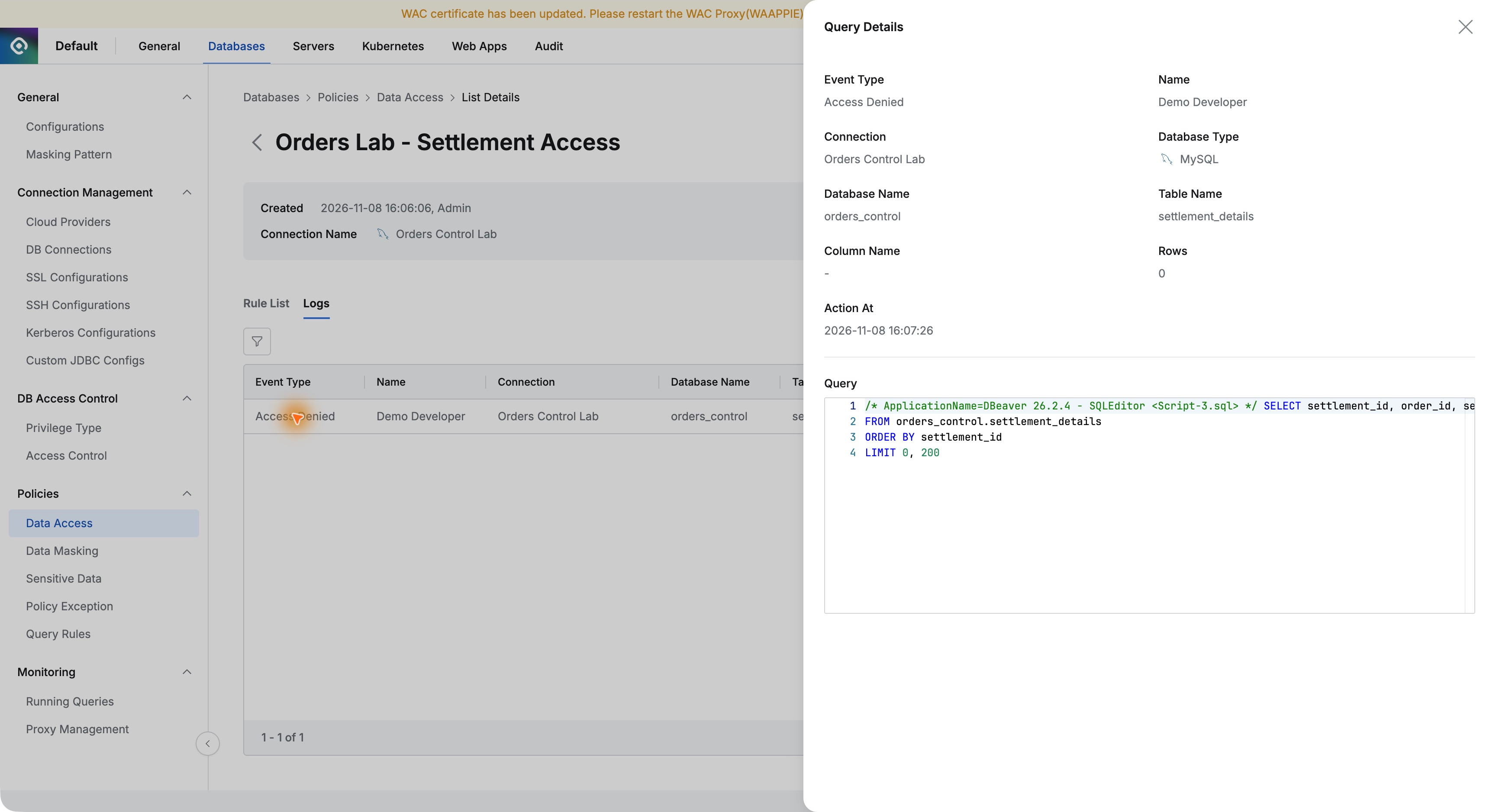
If someone asks why a query failed, these records provide an explanation: identify the user and time, inspect the targeted table in SQL, and explain the policy outcome.
Defining Data Boundaries After Granting a Connection
One small rule made the difference clear. Before it, both orders and settlements were readable. Afterward, settlements were blocked while orders remained available.
Part 7 masked parts of contacts; here I restricted a whole table. Different protection methods can fit different data and tasks.
Keep necessary work moving while protecting data people do not need to see. With Data Access, I configured that distinction in the administrator view, verified it in the user’s tool, and reviewed its logs. It is a feature I would show someone designing task-specific database privileges.