[Part 19] Finding the Previous Value After an Order Update — QueryPie DML Snapshot
November 9, 2026
Part 6 ran only approved SQL without leaving write access open. This time, I examined the records afterward, including how data changed as well as who ran which SQL.
I changed one fictional order from PENDING to DELIVERED and opened DML Snapshot. Seeing the recorded status transition made the task easier to explain.
Enabling DML Snapshot on the Lab Connection
In Databases → DB Connections → Orders Control Lab, DML Snapshot was initially Off under additional settings. I switched it On and saved.
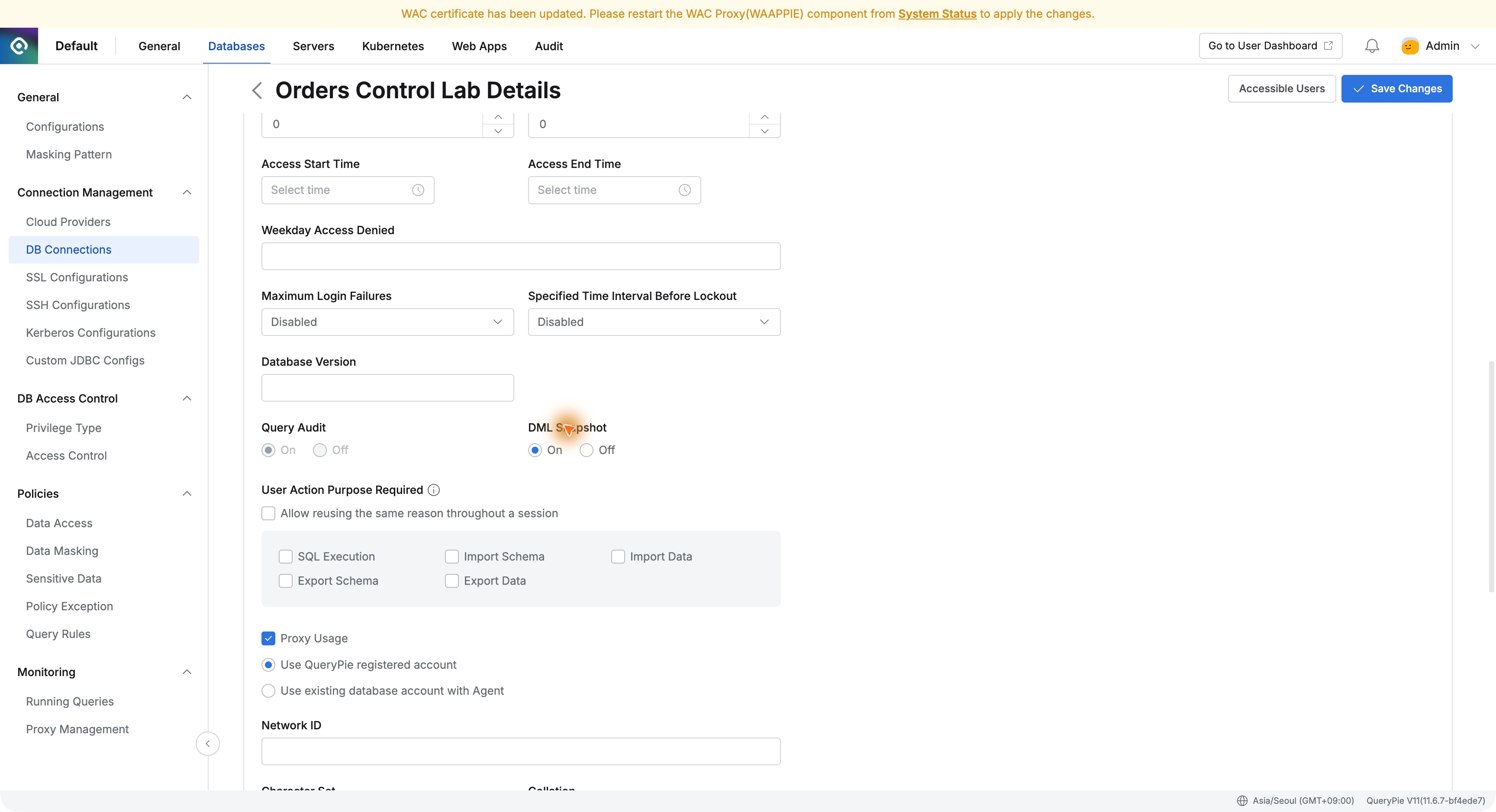
DML Snapshot is enabled per connection. Official documentation says it records before/after data for INSERT, UPDATE, and DELETE completed through QueryPie. I tested one UPDATE in the existing MySQL lab.
Order 4003 Was Still PENDING
The developer queried order 4003 in the web SQL editor: PENDING, amount KRW 18,500.
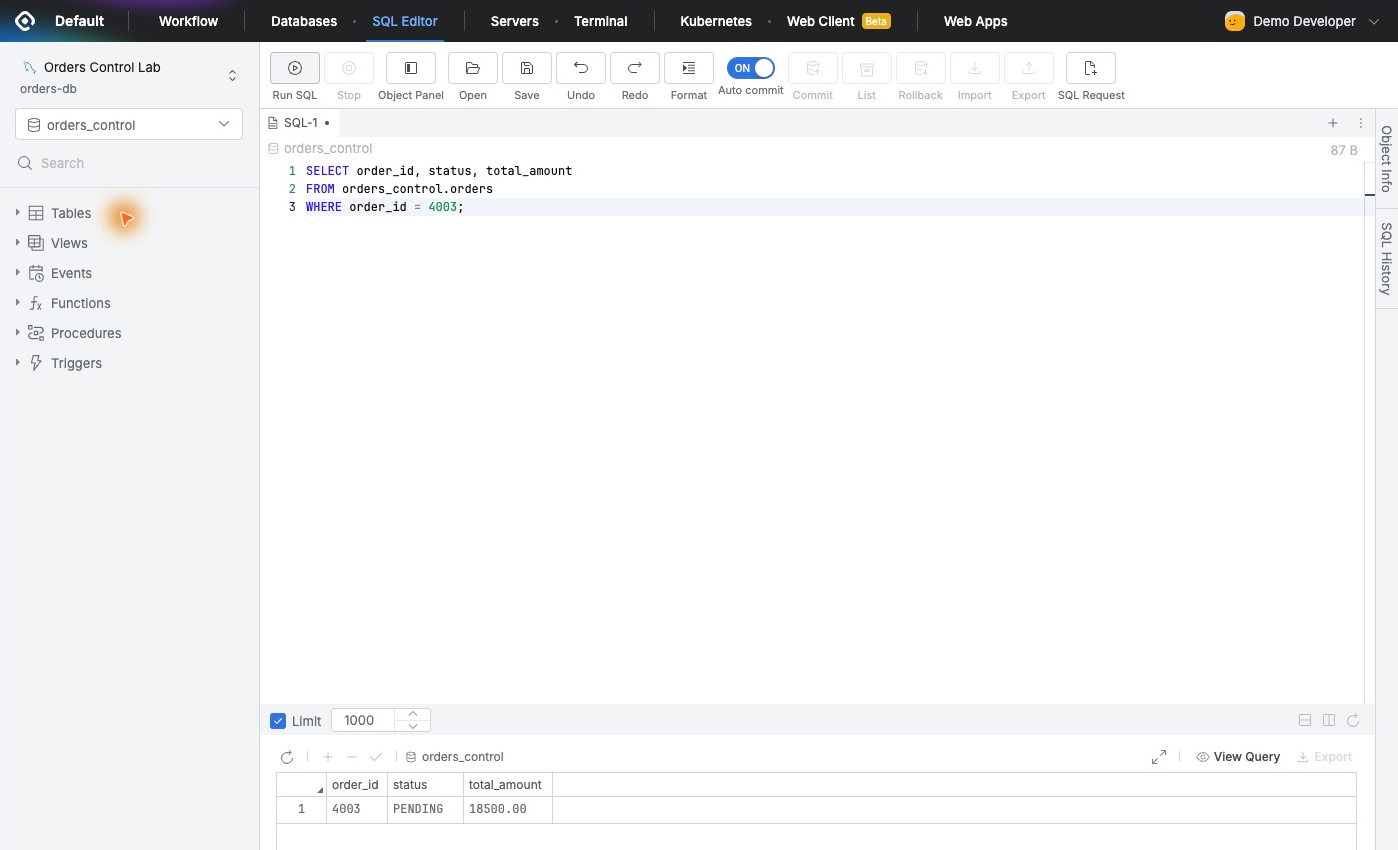
Only that status would change. The SQL identifies the order and requires its current state to be PENDING before setting DELIVERED. Normal access remained Read-Only.
Using the Existing SQL Approval Workflow
I created a SQL Request titled ‘Mark order 4003 delivered — verify DML Snapshot’ with connection, database, SQL, and reason.
The existing rule assigned Demo Approver; Demo Developer requested and executed. The SQL was as follows.
UPDATE orders_control.ordersSET status = 'DELIVERED'WHERE order_id = 4003 AND status = 'PENDING';
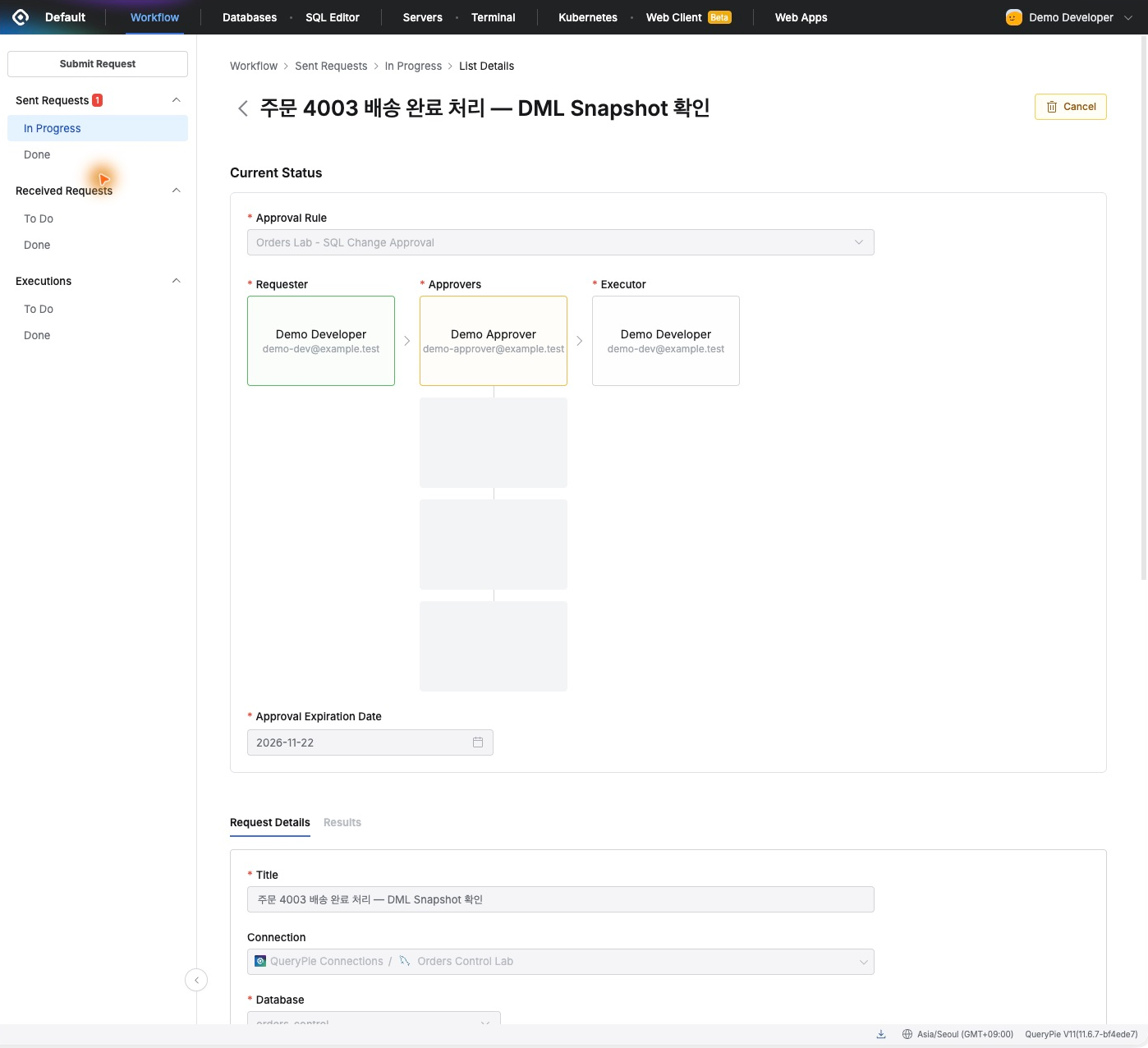
The approver verified the one-order condition and approved. Back as the developer, execution returned ‘1 Rows updated.’
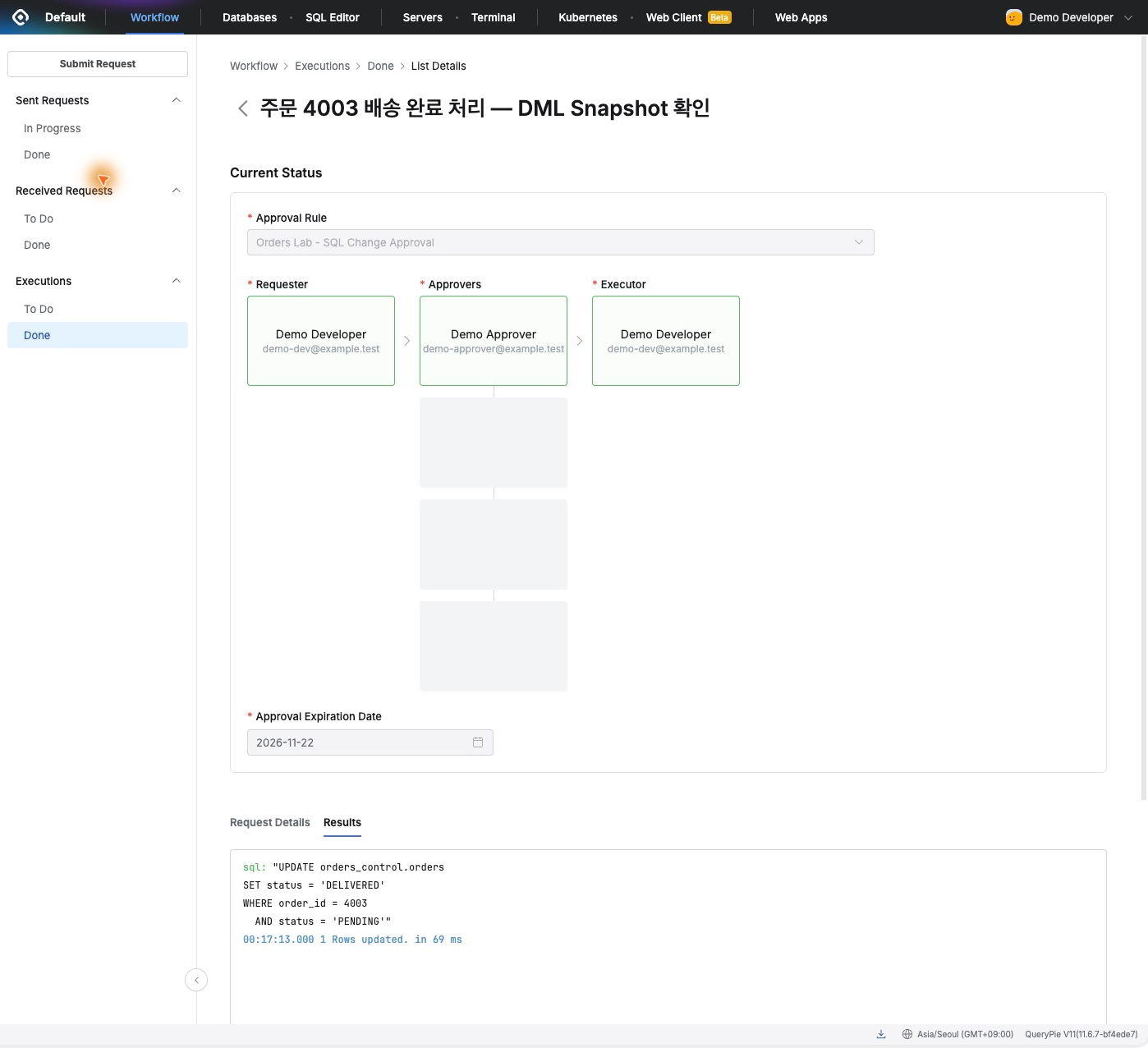
I kept everyday read access and used approved SQL for the change. The same workflow now also produced before/after evidence.
The UPDATE Appears in DML Snapshots
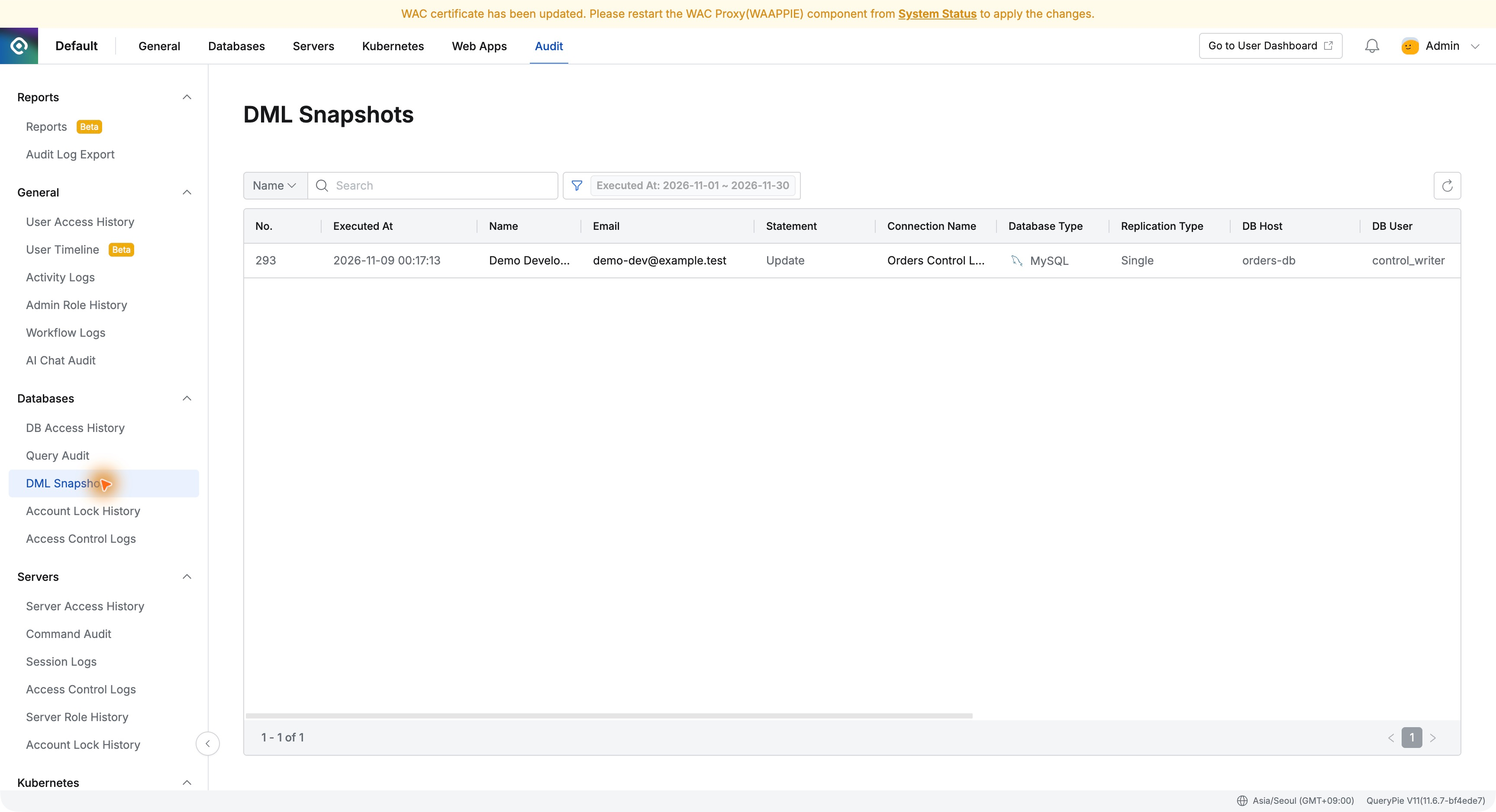
Audit → Databases → DML Snapshots listed the UPDATE by Demo Developer at 00:17:13 on November 9, 2026.
Details included Orders Control Lab, the table, SQL, Rows: 1, and Executed From: SQL Request, confirming the approved execution route too.
Checking Before and After Values
For orders_control.orders, Before showed order 4003 status PENDING, matching my earlier query.
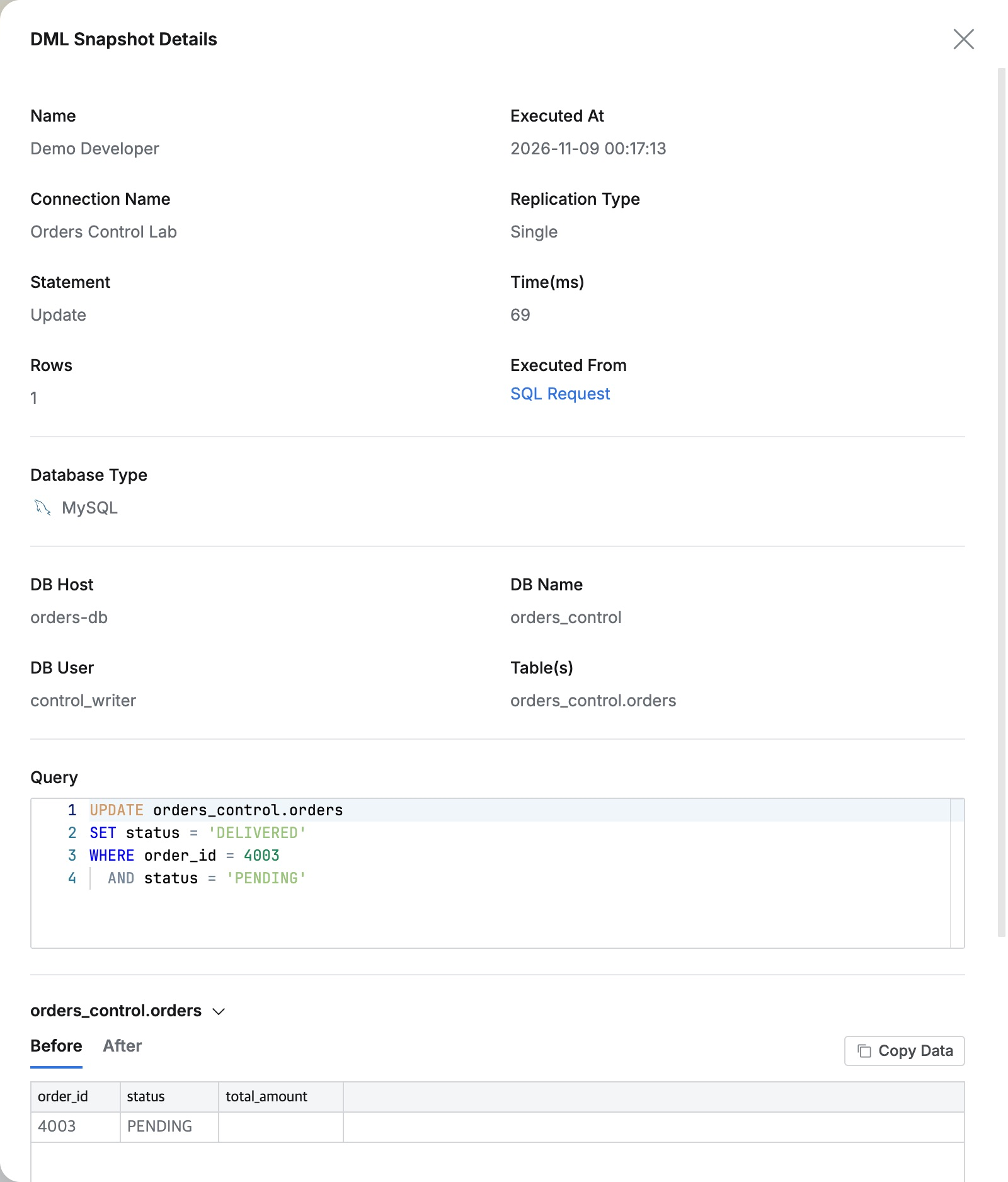
After showed DELIVERED for the same order. Reviewing SQL and actual changes together made the result straightforward to understand.
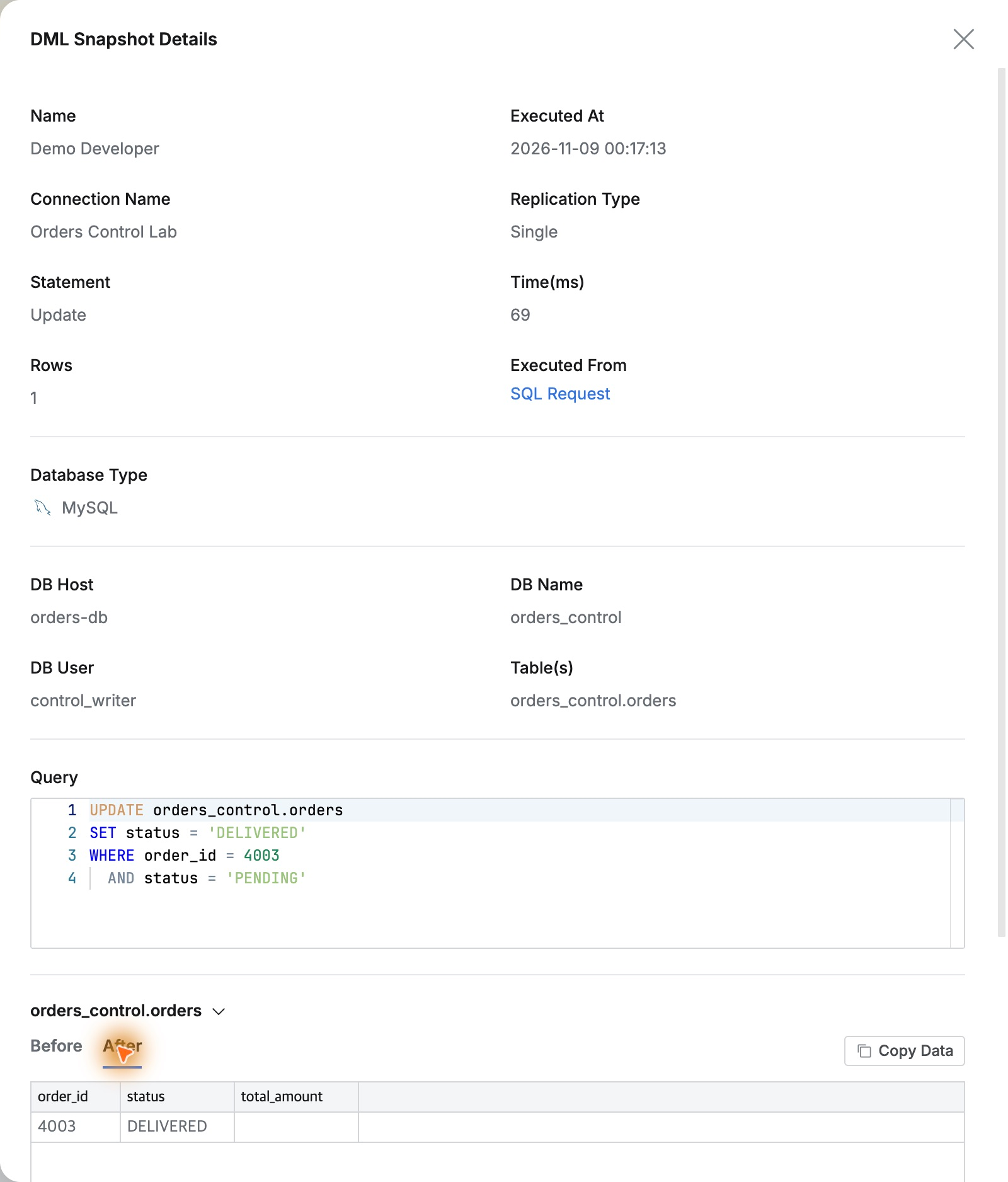
If asked what the state was before processing, this record provides the answer without finding a separate operator note.
Reviewing Execution and Data Changes Together
Query Audit at the same time showed Demo Developer’s UPDATE as Success. It explains execution and outcome; DML Snapshot explains before/after values.
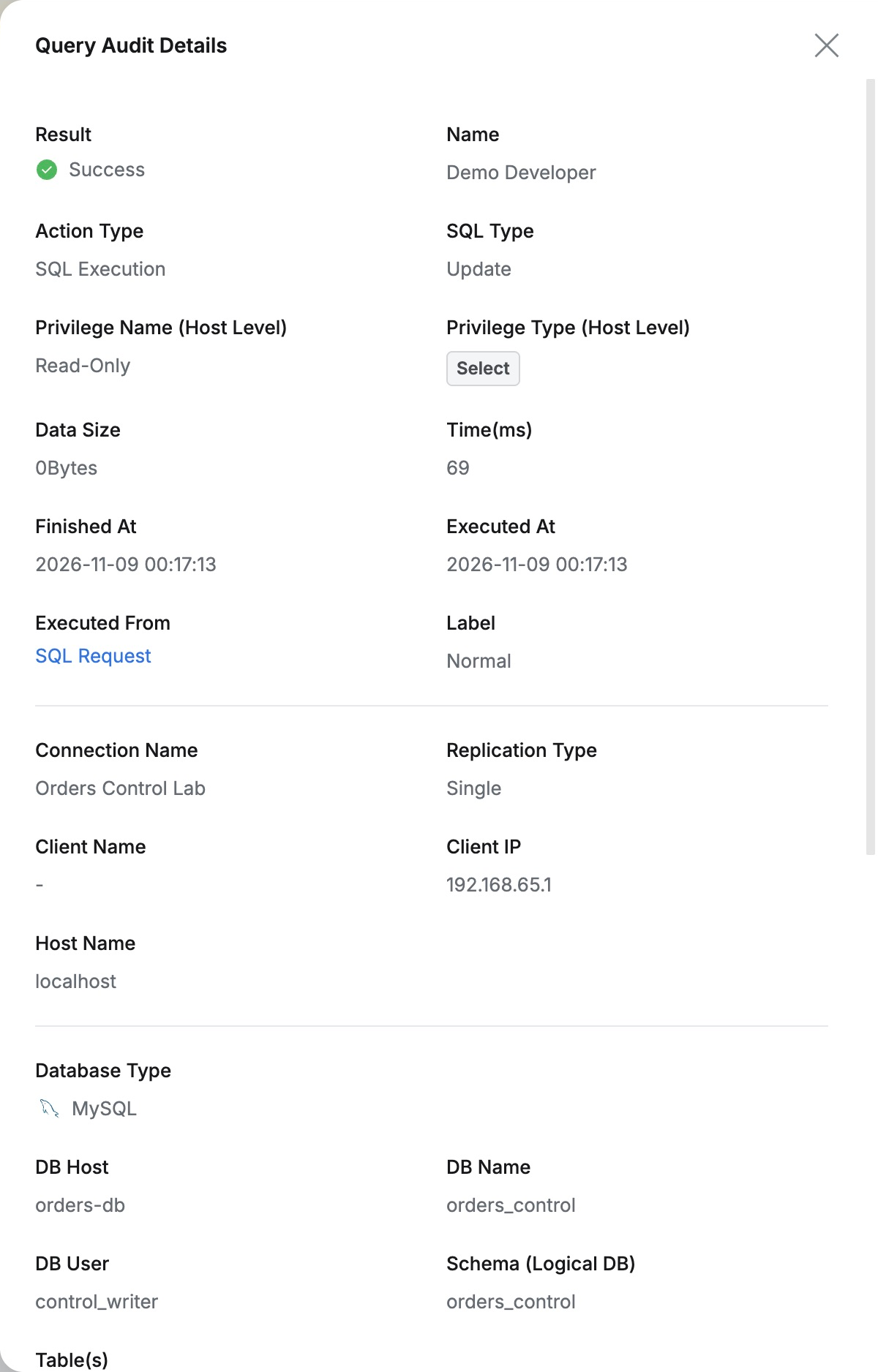
I could confirm not just execution but the actual status transition. Everyday reads remained unchanged, the correction was approved, and the result had before/after evidence.
This should help explain production changes and prepare audits: follow requester and approver, SQL, and changed values in QueryPie instead of relying on someone’s memory.
This exercise used fictional orders on QueryPie Community 11.6.7 and MySQL 8.0.42.
Reference: QueryPie official DML Snapshots documentation