[Part 18] Temporary Access Needs an End Time Too — QueryPie Policy Exceptions
November 9, 2026
‘I just need a quick look at settlement amounts.’
After granting such a request, we also need to manage when access ends, avoiding exceptions that remain after the task is over.
Part 13 requested settlement-table access. Here I checked screens and query results after its approved period ended. Managing approved exceptions together was particularly convenient.
A Settlement Table Opened for One Hour
Demo Developer normally could query orders but not settlement_details. A separate request sought access for reconciling order 4002’s settlement.
Alongside table and reason, the request specified a start and duration: one hour from 17:00 on November 8, 2026.
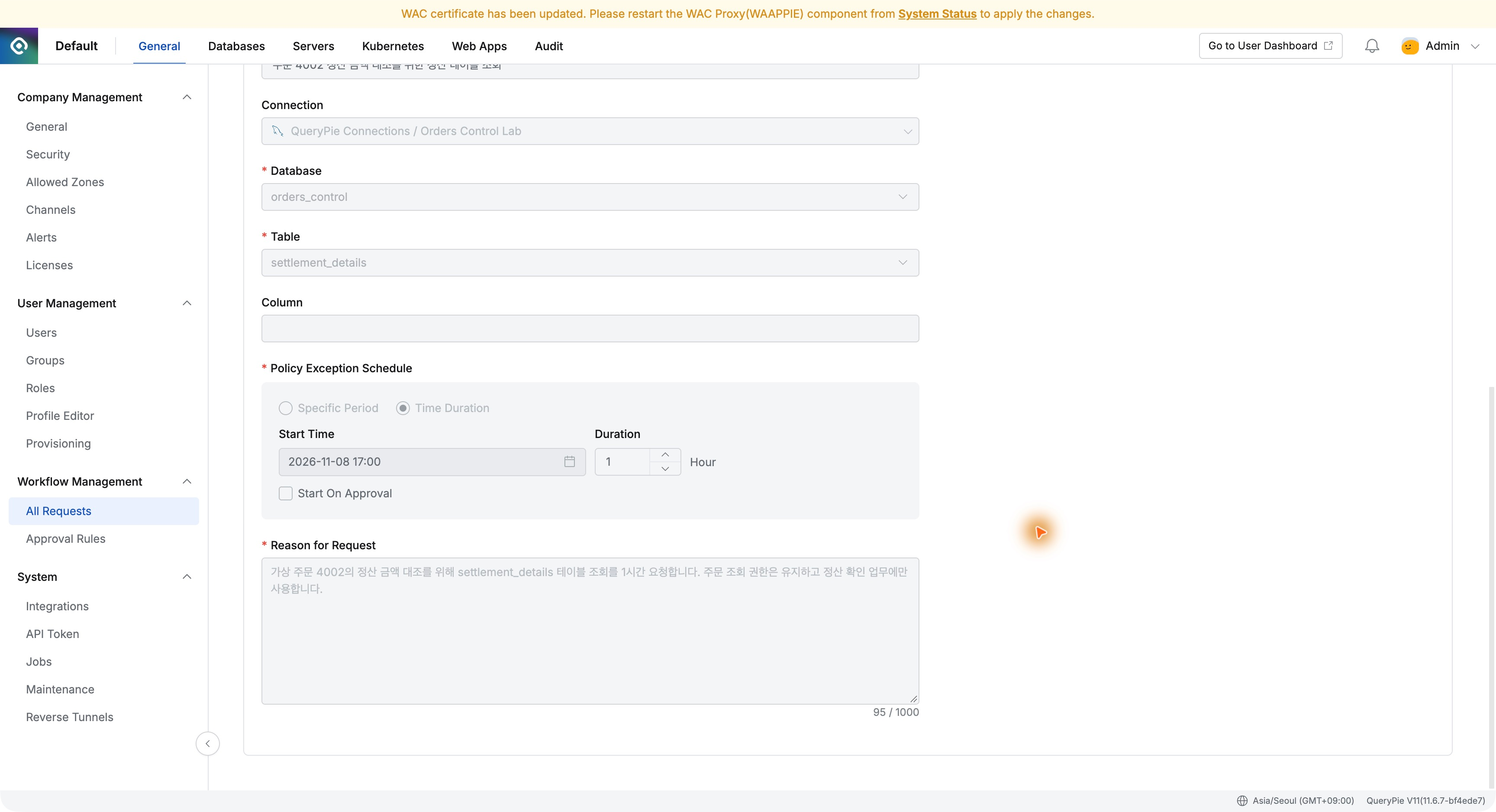
Instead of relying on administrators to remember cleanup, the request defined it up front. Recording task and duration together makes access easier to manage.
Expired Exceptions Are Clearly Marked
Databases → Policies → Policy Exception listed both the settlement approval and the phone-unmasking exception.
The settlement exception ended at 18:00 and was Expired; the phone exception with time remaining was Active. I did not manually revoke the settlement exception or edit the policy during this check.
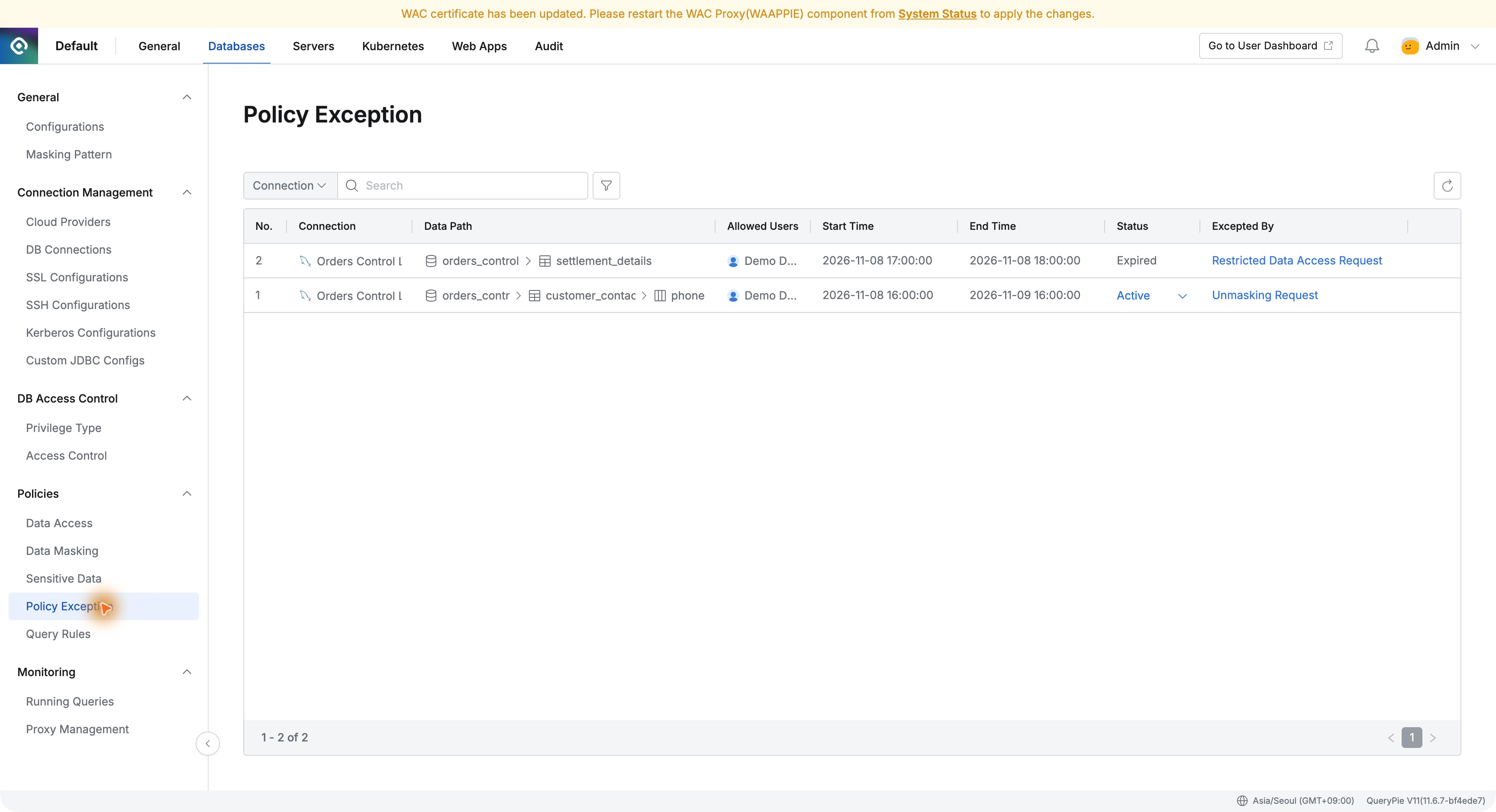
One screen showed who had exceptions for which data, when they ended, and which request authorized them. That should reduce searching through individual approval messages as requests grow.
The Web Editor Blocks Settlement Queries
The developer queried order 4002’s settlement in the web SQL editor. It returned no data, instead reporting no permission for settlement_details.
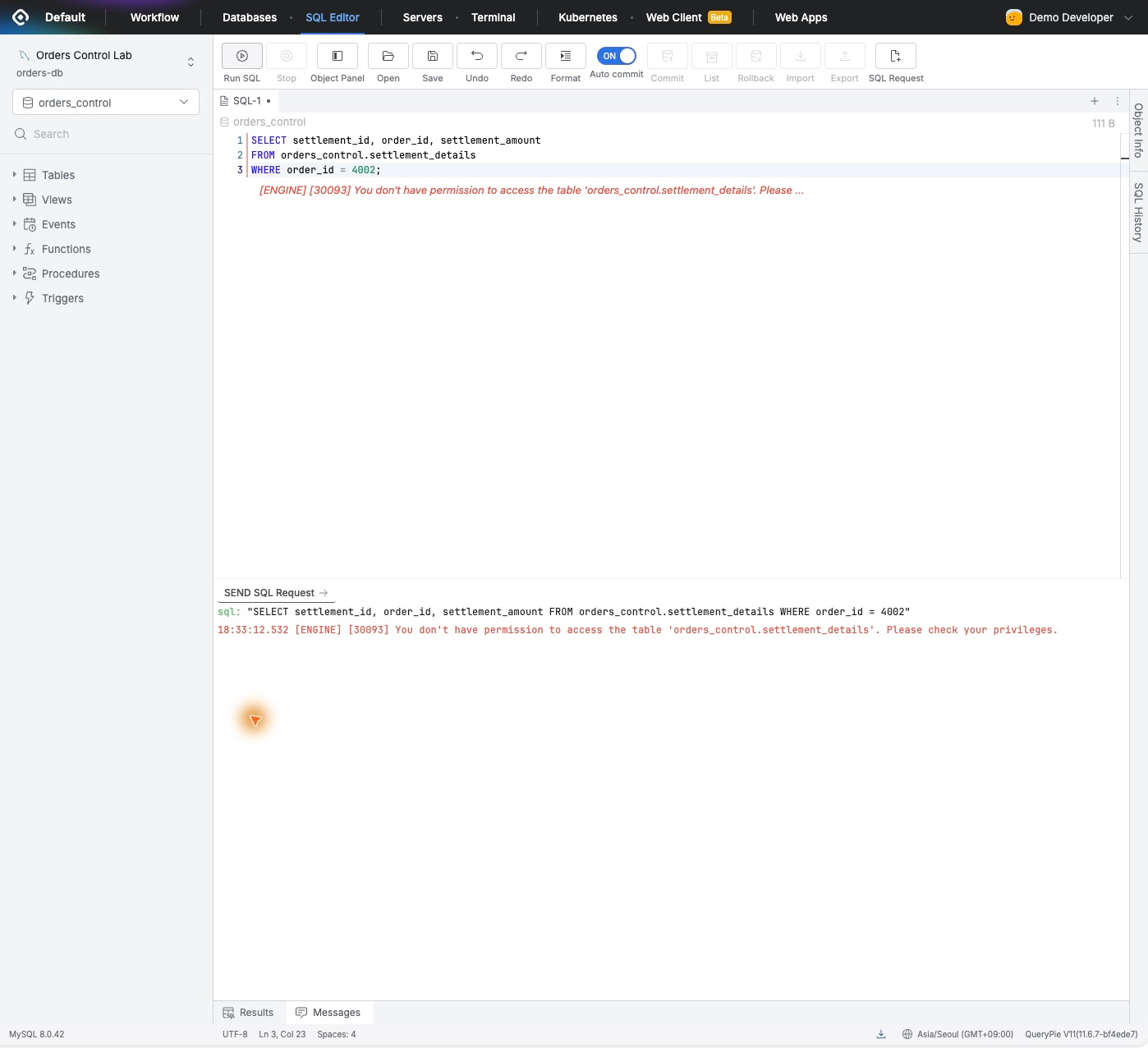
Data available during approval was restricted again. Administrators could manage a timed exception without disabling and restoring the shared table policy.
Checking After Reconnecting DBeaver
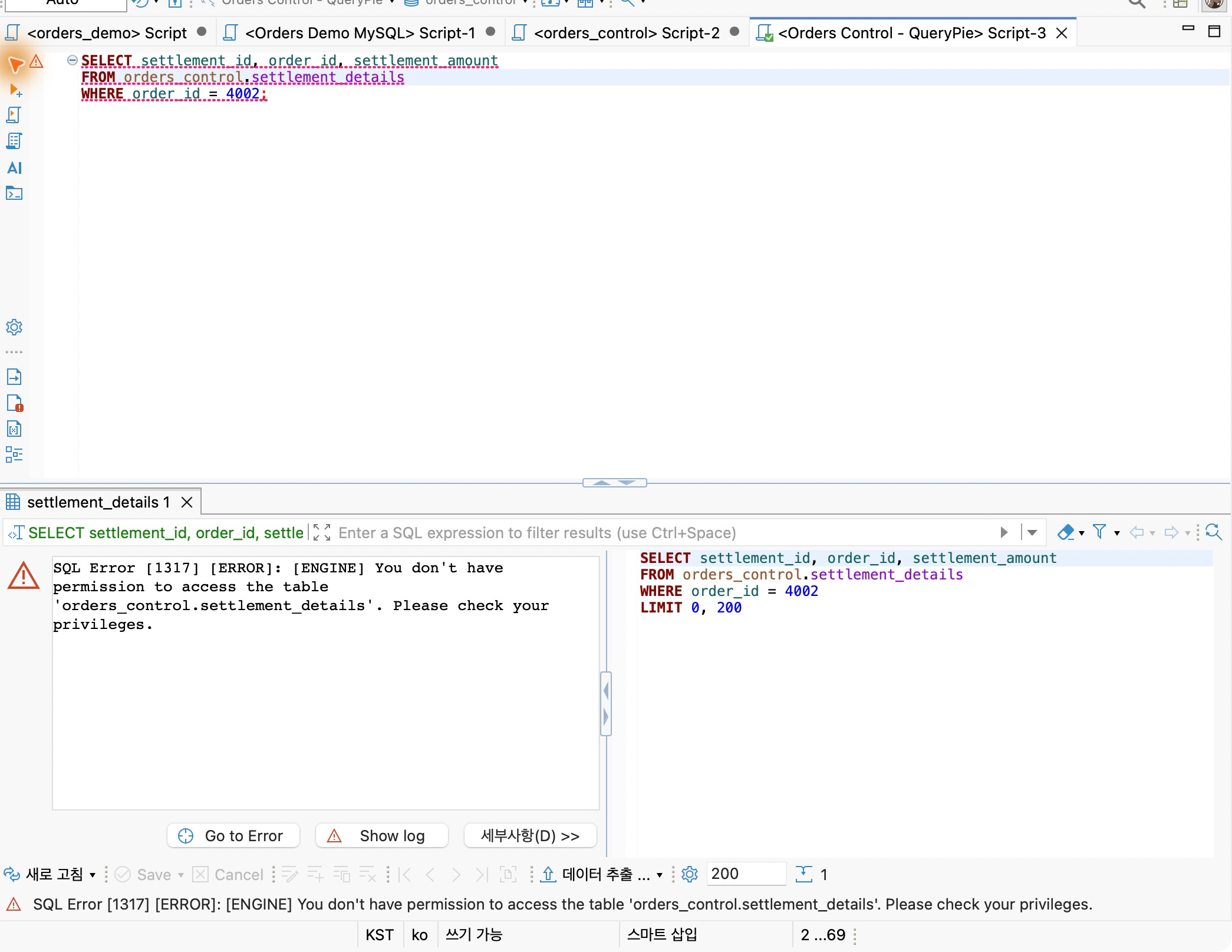
I ran the same SQL through QueryPie in DBeaver. A connection opened before expiration could still read settlements, but disconnecting and reconnecting caused the query to be denied for missing table privileges.
On the same connection, normal order queries still returned order 4002’s status and amount.
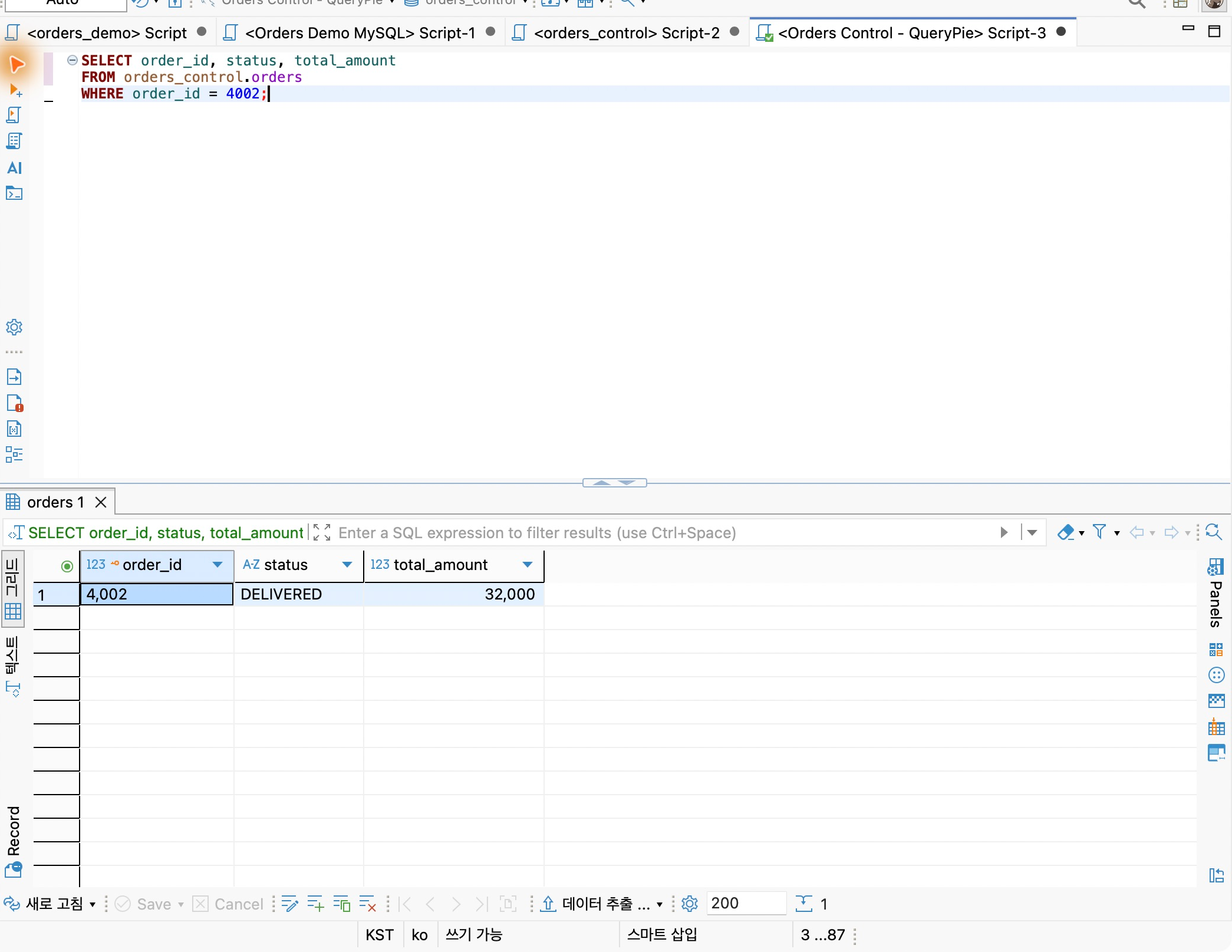
Temporary settlement access and everyday order queries were managed separately. Sensitive-data exceptions could be controlled while normal work continued.
Reviewing Query Attempts in Audit Logs
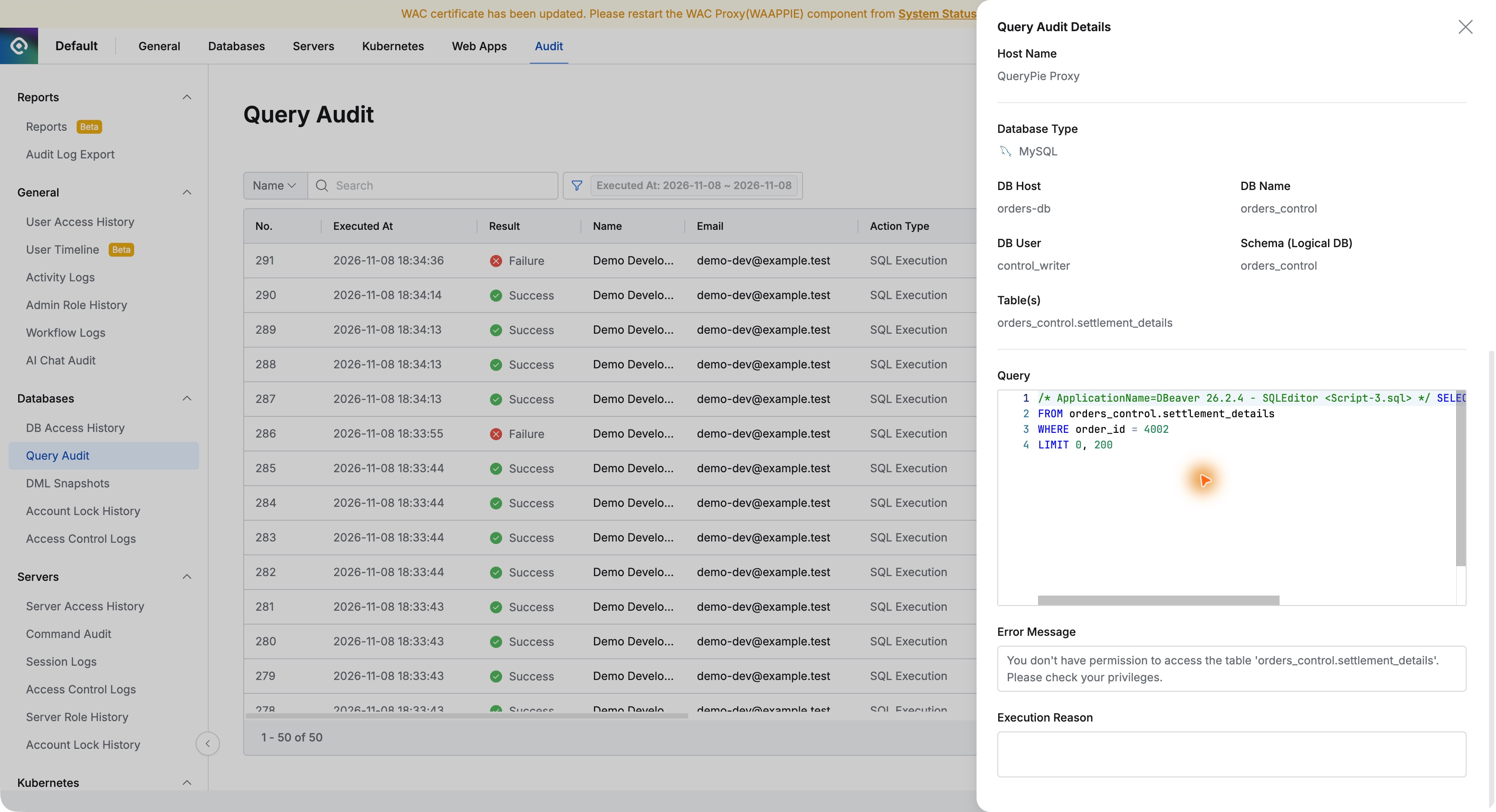
Query Audit recorded the recent SQL with the developer, Orders Control Lab, time, Failure, and Prevented.
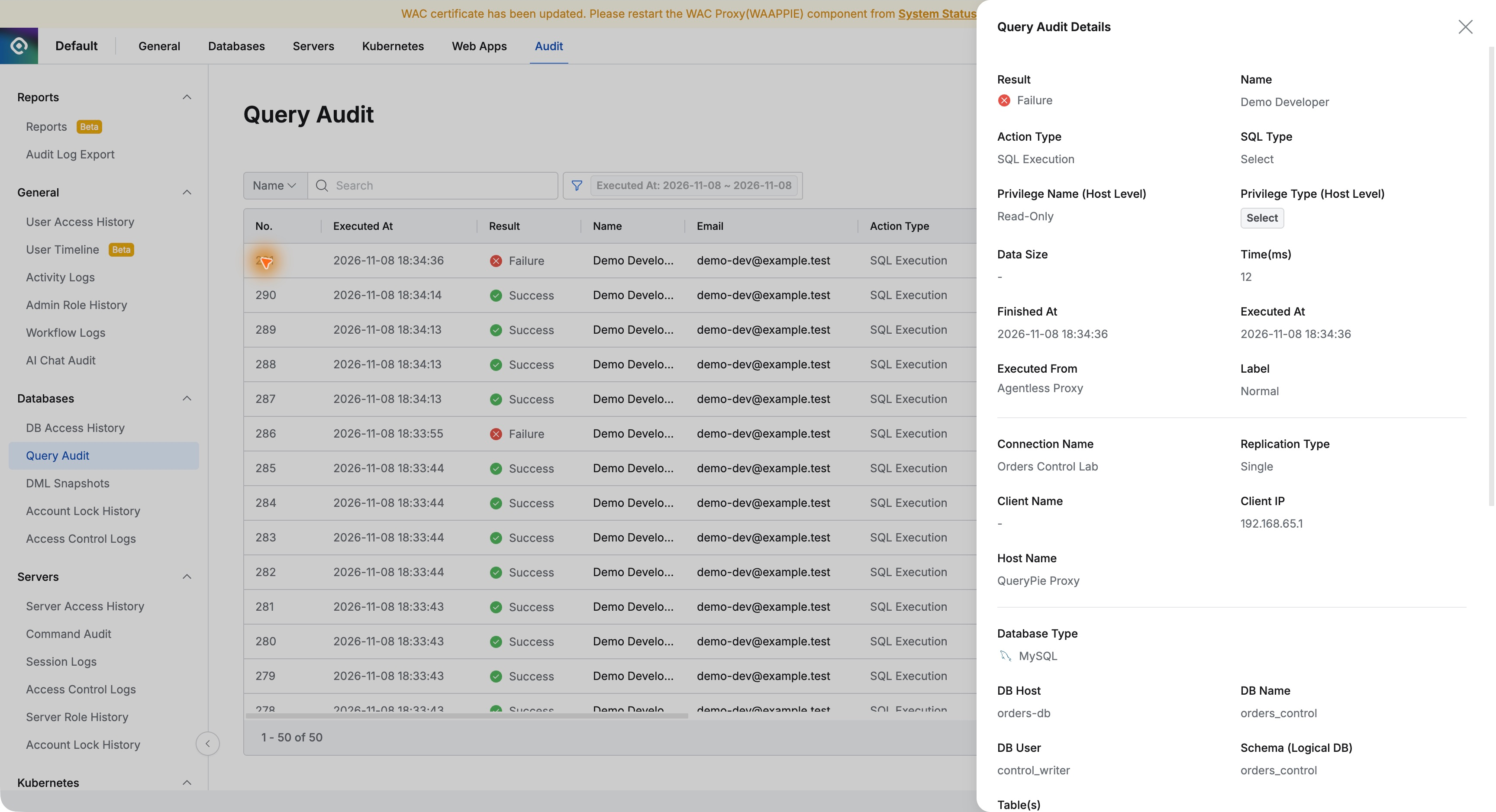
Details included SQL and the no-permission reason. Policy Exception explains the approved window; Query Audit explains actual execution. Together, they support a concrete answer to user questions.
Management Continues After an Exception Is Granted
Policy Exception lets operators keep track of temporary grants. User, scope, start, end, and status appear together, making active exceptions easy to identify.
It helps approve necessary access without indefinitely accumulating exceptions. Reasons, duration, and query evidence can be reviewed in sequence to explain privilege management.
This lab used fictional orders with QueryPie Community 11.6.7, MySQL 8.0.42, and DBeaver 26.2.4.