[Part 14] Stopping a Running SQL Statement — QueryPie Query Monitoring
November 8, 2026
Even with access controls and approvals, operators sometimes need to inspect running SQL. When a query takes longer than usual, the first step is finding who is running what on which database.
I ran a query in the developer’s web SQL editor, found it as an administrator in Running Queries, and stopped it. I also checked that normal order queries still worked afterward in the same editor.
1. Preparing a Long-Running Test Query
I used Orders Control Lab and Demo Developer, opened the web SQL editor, and ran the following SQL.
SELECT SLEEP(300) AS acp_web_monitoring_demo;
This test waits for 300 seconds, giving the administrator time to find it without changing orders. It is not a test intended to cause an outage or overload.

2. Viewing Running SQL in One Place
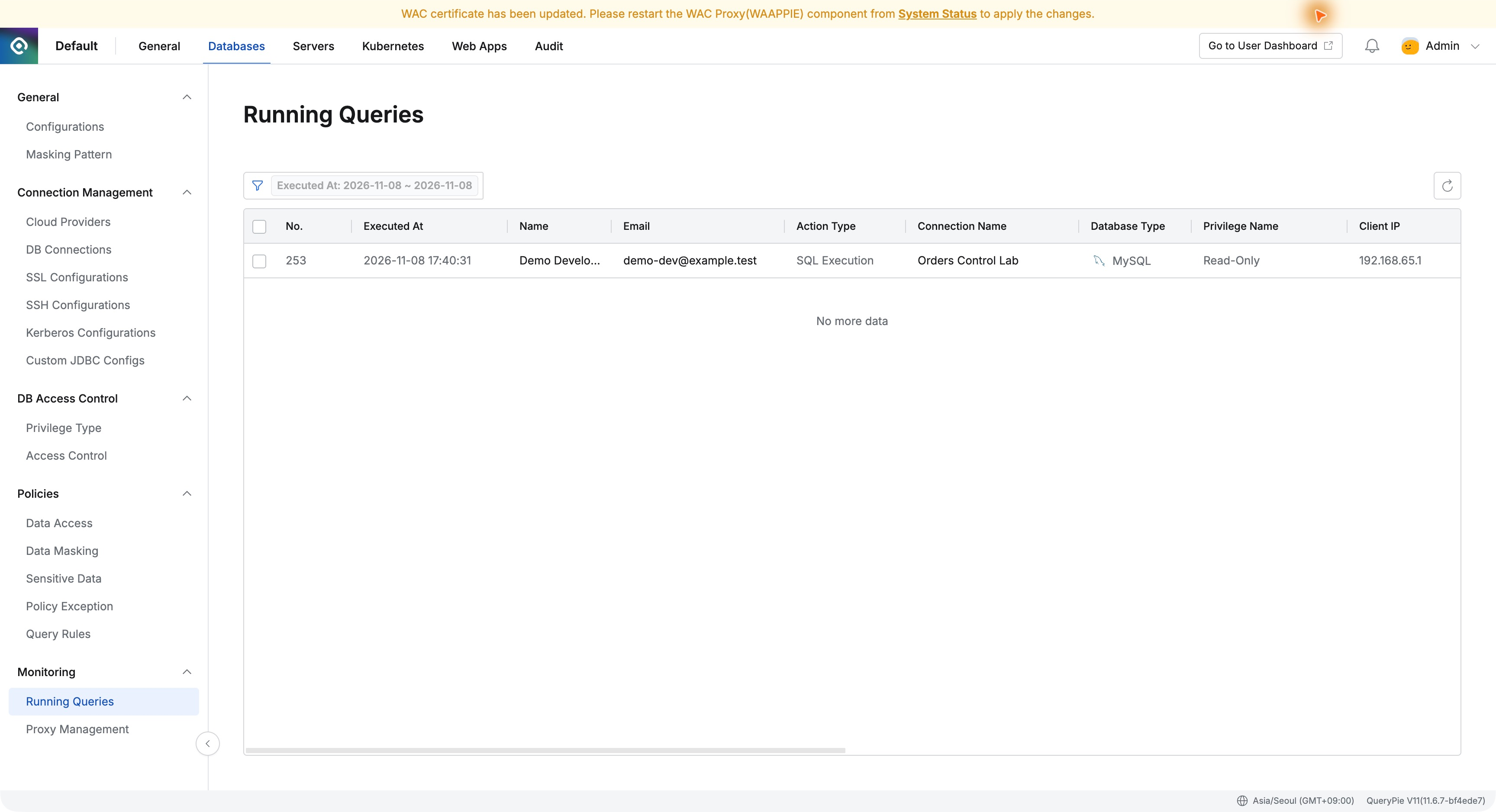
I refreshed Databases → Monitoring → Running Queries. The query appeared with execution time, user, connection, and privileges.
Rather than tracing a database account back to a person, I immediately saw Demo Developer on Orders Control Lab. Centralized context would help when many people share a database.
3. Inspecting the SQL in Detail
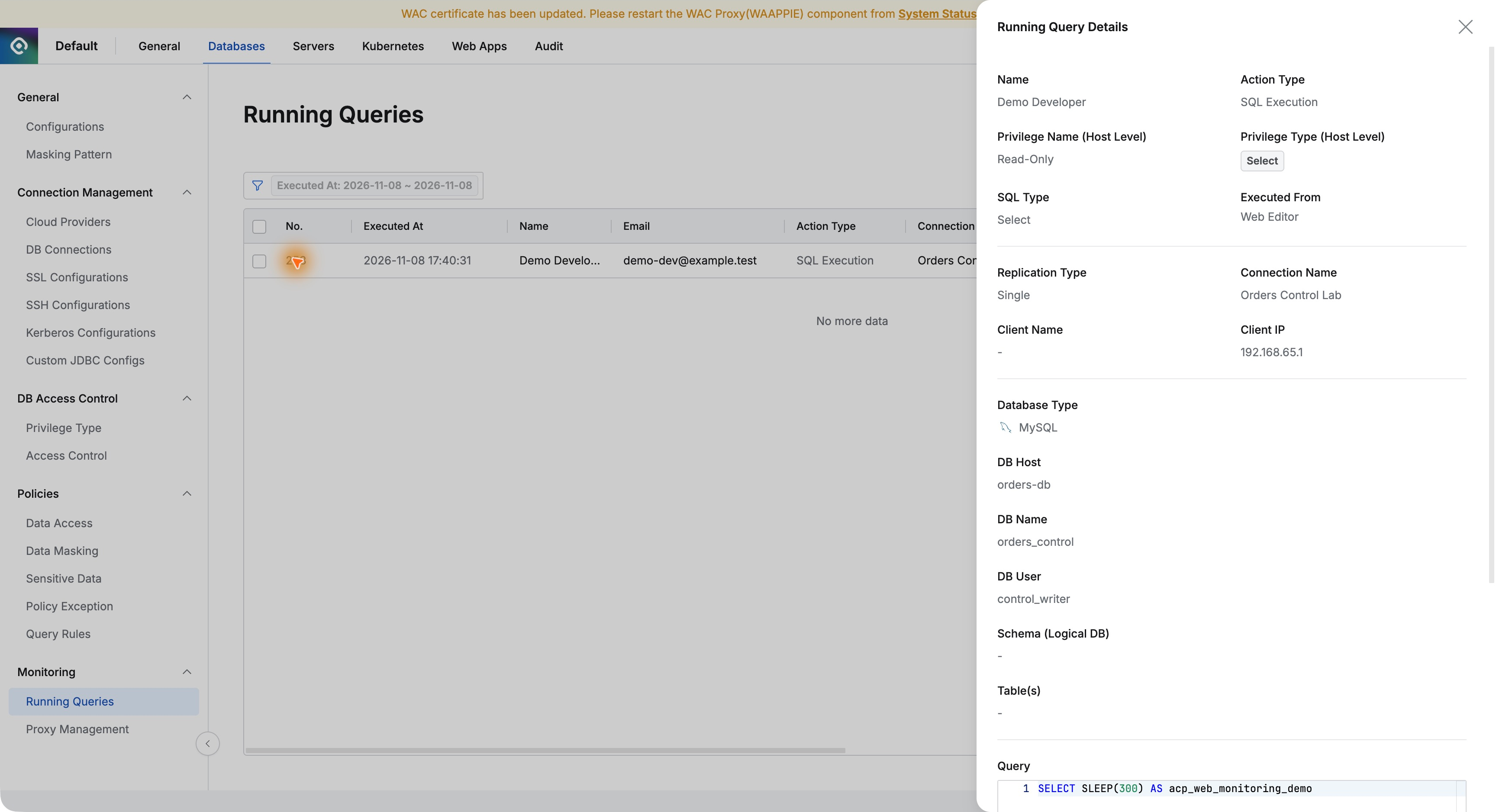
Opening Running Query Details showed user, Read-Only, target database and account, source IP, SQL, and Executed From: Web Editor.
Before stopping it, I verified the SQL alias acp_web_monitoring_demo to ensure it was my test. In operations, the user and SQL together help identify the correct target.
4. Stopping the Selected Query as Administrator
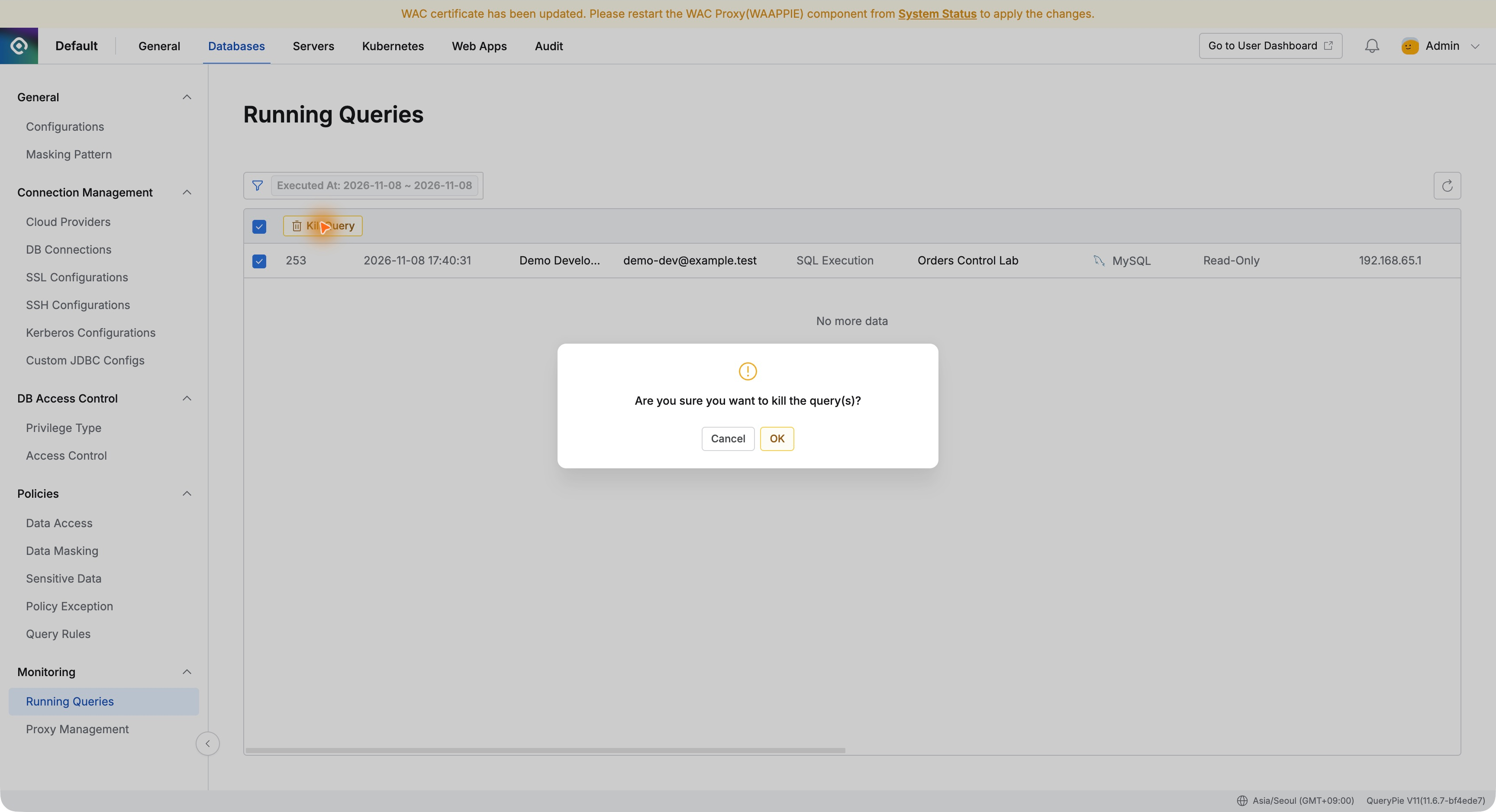
I closed details, selected the entry, clicked Kill Query, and confirmed OK in the additional prompt.
I could act directly from the monitoring view. This web-editor test did not require opening a separate database tool to issue a termination command.
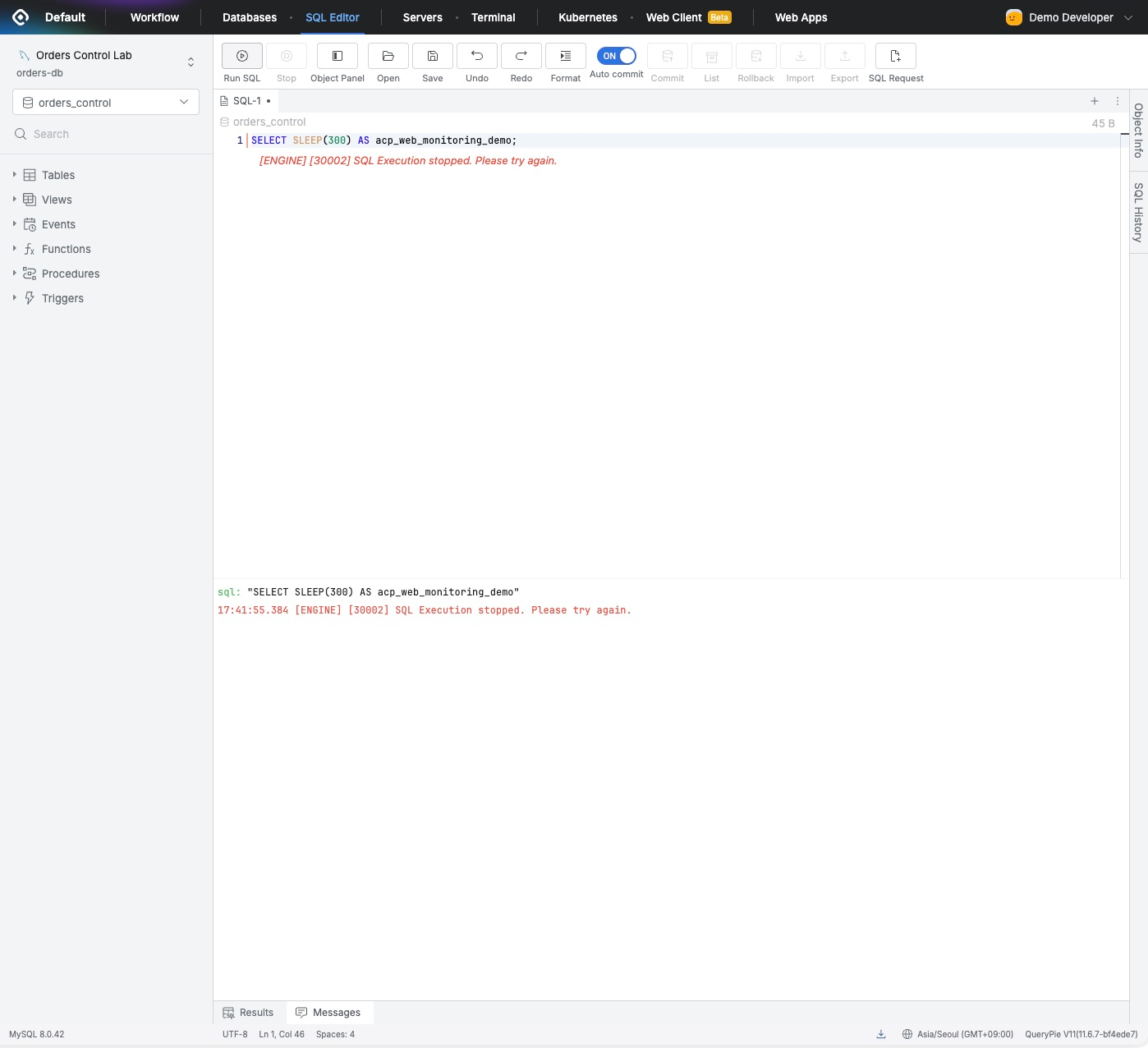
Back in the developer view, the message SQL Execution stopped appeared below the SQL. The administrator had stopped it before 300 seconds elapsed.
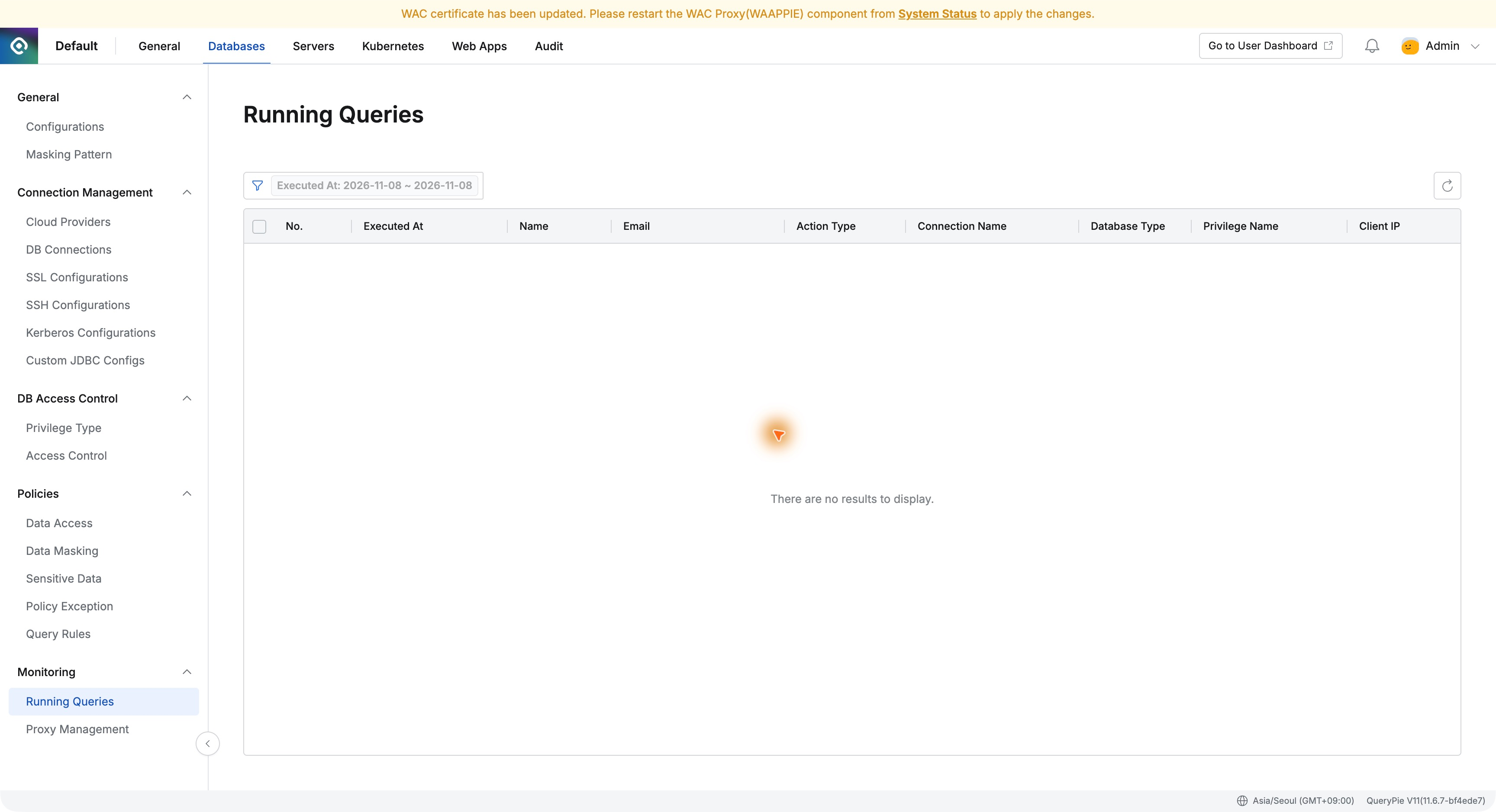
The entry disappeared from Running Queries too. Comparing both views before and after made the interrupted task clear.
5. Necessary Queries Still Work Afterward
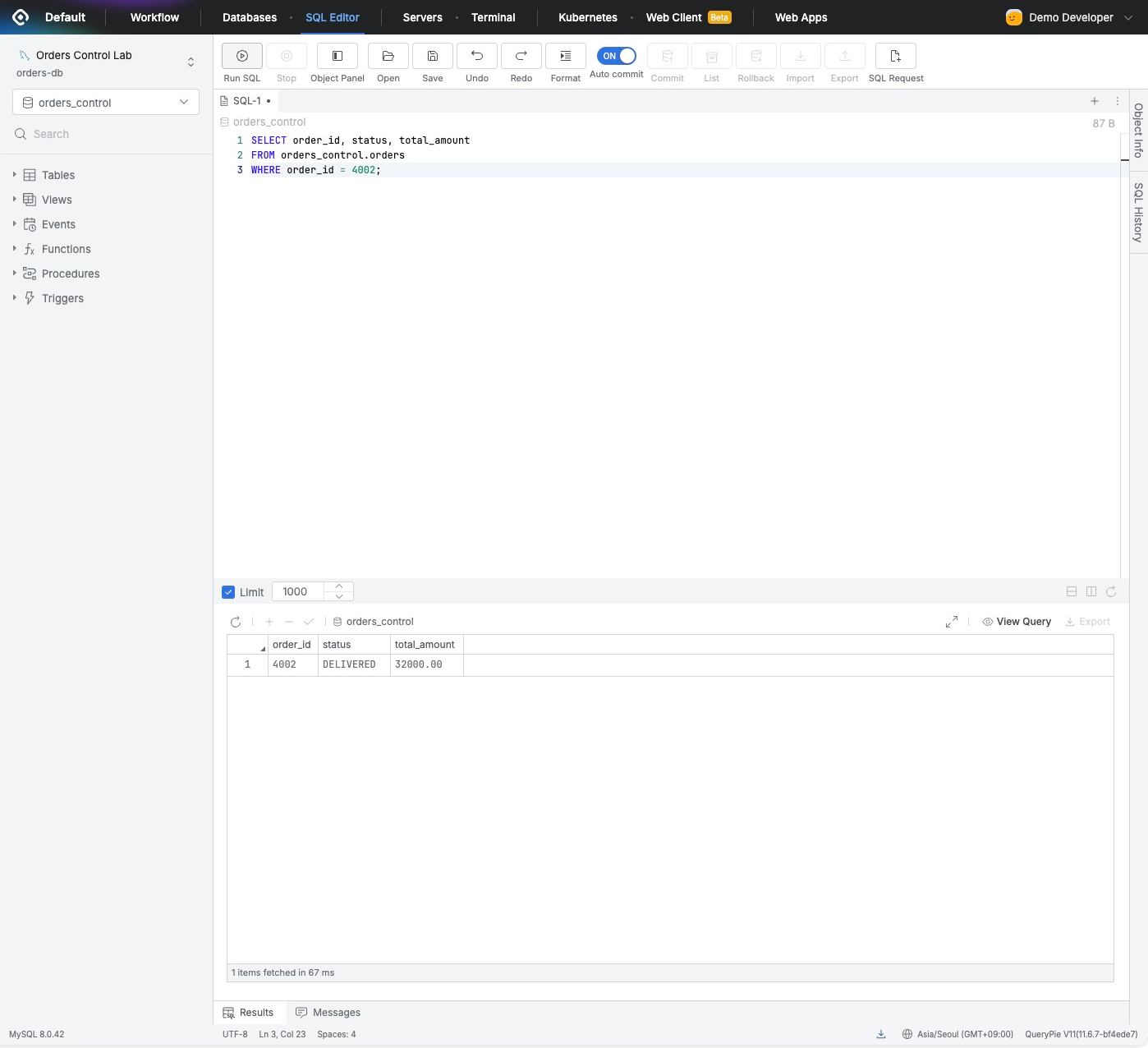
In the same editor, I replaced the test SQL with an order query.
SELECT order_id, status, total_amountFROM orders_control.ordersWHERE order_id = 4002;
Order 4002 returned DELIVERED and 32000.00 normally. I stopped only the running query, not the user’s access privileges, so further reads remained possible.
6. Operational Response Matters in Adoption Evaluation
QueryPie’s role extends beyond deciding who connects. After connection, administrators can see running SQL and stop work when necessary.
I liked reviewing user, database, and SQL together before acting. Context and response controls are close together, which seems helpful when an operational problem occurs.
What this exercise verified was stopping SQL from the web editor using Running Queries → Kill Query. The running test stopped while normal order queries continued. It is useful for evaluating both access control and everyday database operations.