[Part 44] Separating Access Scope While Keeping kubectl
November 13, 2026
Kubernetes teams often use kubectl. I wanted to inspect settings with familiar commands rather than switch to a web screen every time.
I tried connecting to the lab cluster with Multi Agent and kubectl and sent reads and modifications for the same ConfigMap to verify role-based control: reads allowed, changes denied.
Choosing a Read-Only Configuration Role
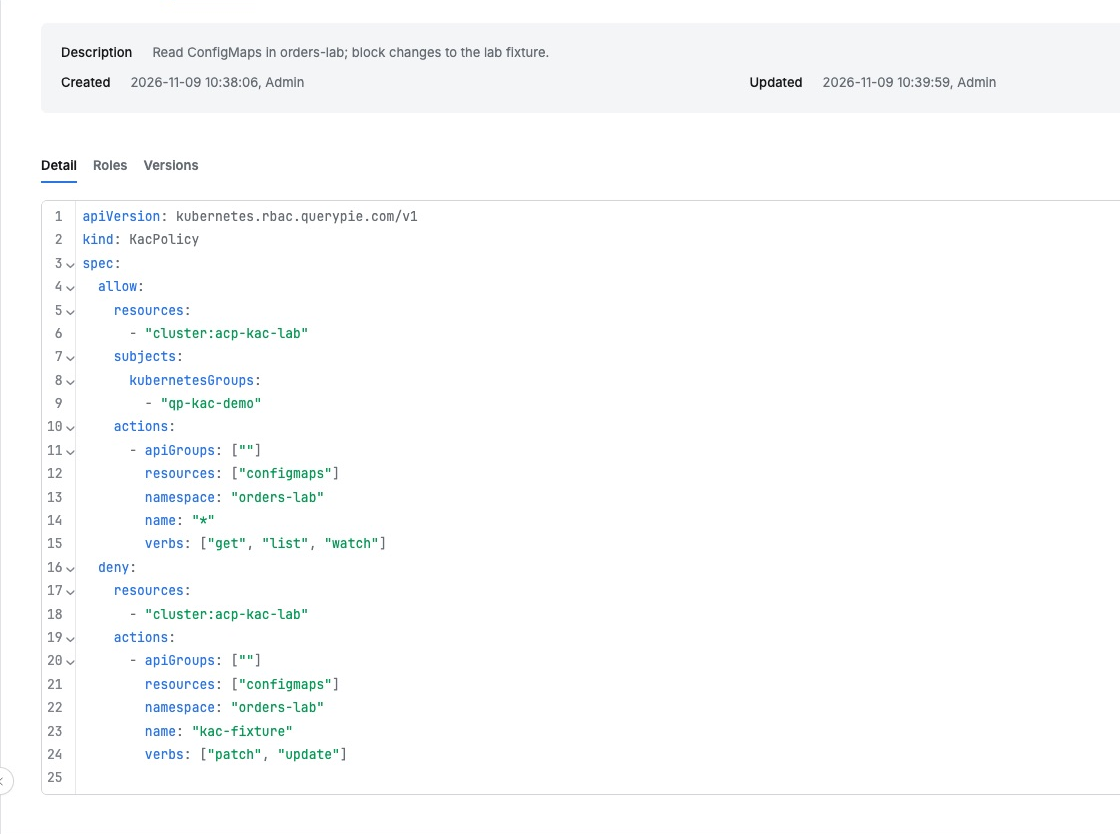
I used the existing Orders Lab Viewer role, whose policy allows ConfigMap reads in acp-kac-lab/orders-lab. For kac-fixture, patch and update are explicitly denied.
Reviewing the policy confirmed separate resources/actions for Allow and Deny, scoped to an operator inspecting settings.
Connecting kubectl with Agent Authentication
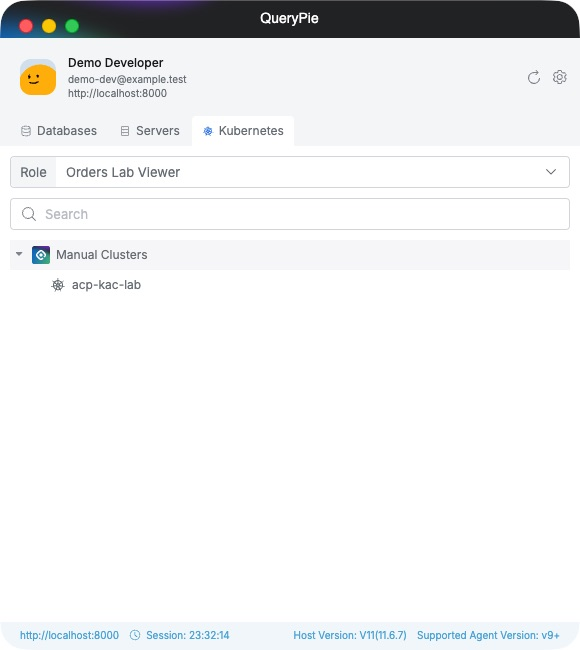
In Mac Multi Agent I opened Kubernetes and chose Orders Lab Viewer. Manual Clusters showed acp-kac-lab, exposing permitted role and target as in the server exercises.
The agent’s Setting → Kubernetes documents kubeconfig paths and setup. kubeconfig tells kubectl its cluster and authentication method.
Using the agent-generated authentication settings, I prepared a separate lab client.kubeconfig with the local QueryPie proxy and qpctl authentication. Each command selected it with --kubeconfig.
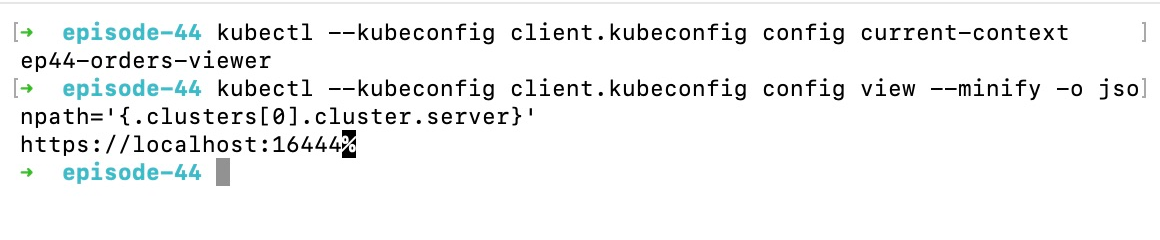
localhost:16444 is this Mac lab’s QueryPie proxy, distinct from the Kubernetes API endpoint. With setup complete, familiar kubectl commands worked.
Reading ConfigMap as Usual
First I ran kubectl get configmap for orders-lab/kac-fixture. Name and data count appeared, and data.status was READY.
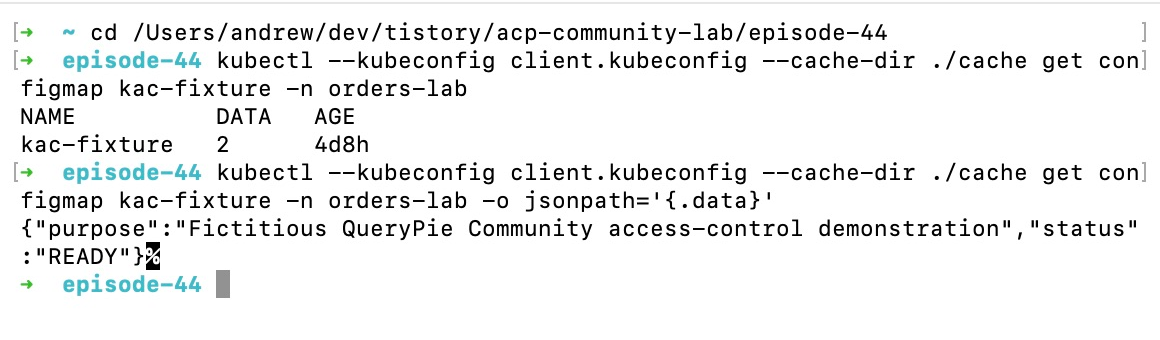
Normal output-format options also worked. No new command system was needed; the existing CLI now used QueryPie authentication and policy.
A Change to the Same Resource Is Denied
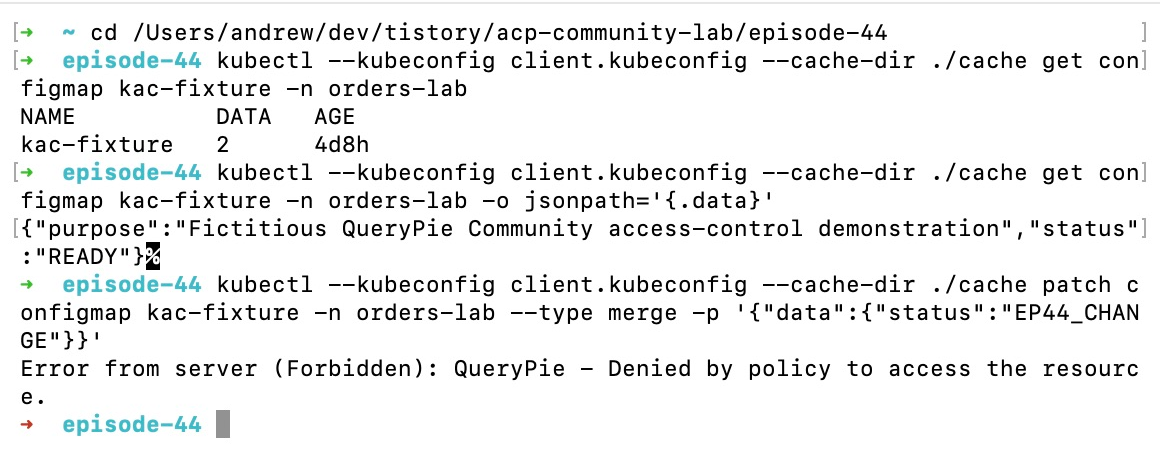
I sent a request to change status to the lab-only EP44_CHANGE using kubectl patch against the same ConfigMap, not production settings.
The terminal returned Forbidden with “QueryPie - Denied by policy to access the resource.”. Read access did not permit the role’s denied modification.
A new get showed status READY and resource version 559, unchanged from before. Necessary reads continued.
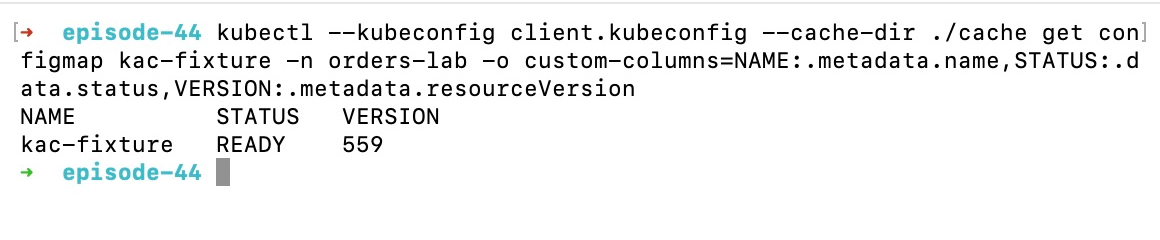
I could delegate inspection while managing changes to the same resource separately through roles.
Auditing Requests Sent from kubectl
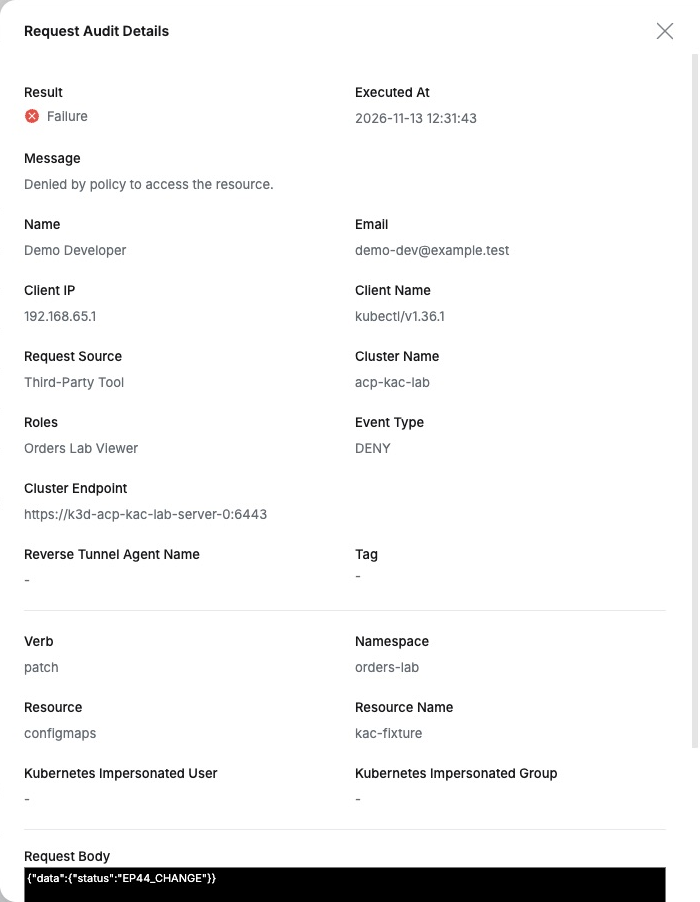
Finally, I opened the administrator’s Audit → Request Audit. The recent modification showed Event Type DENY and Verb patch, alongside user, role, cluster, namespace, and ConfigMap.
Client Name was kubectl/v1.36.1, Request Source Third-Party Tool. Request Body retained EP44_CHANGE.
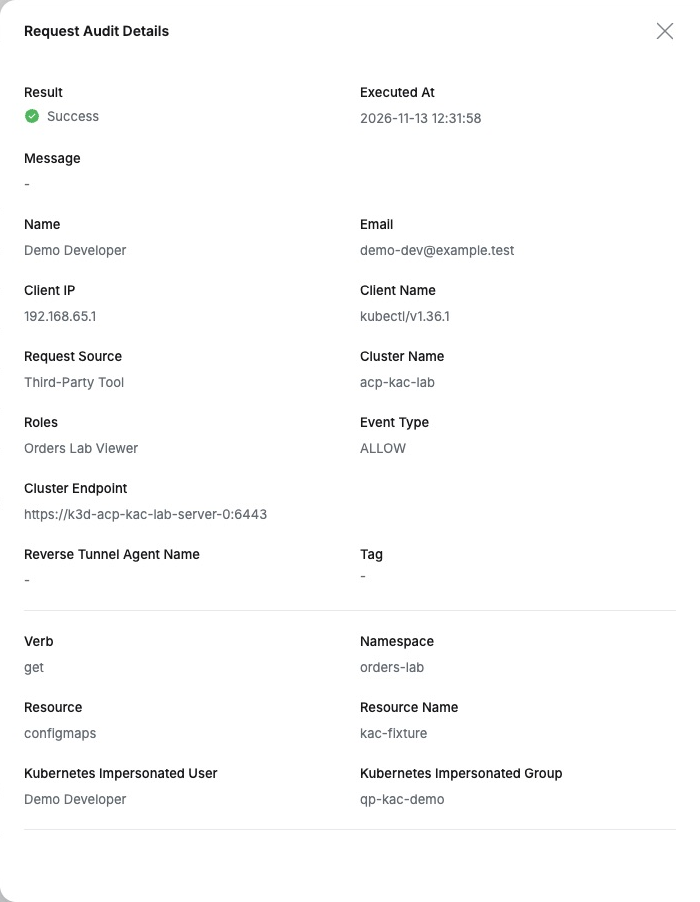
The subsequent read of the same ConfigMap by the same user/role was a successful, ALLOW get request, matching the terminal result.
The convenience was retaining kubectl while separating work scope and keeping history. Operators keep the CLI; administrators trace who read or attempted changes, under which role, in QueryPie.
This lab used QueryPie Community 11.6.7, Multi Agent, kubectl 1.36.1, and K3s 1.36.6 with test users and ConfigMap.
References: QueryPie Multi Agent user guide · Kubernetes policy YAML syntax guide