[Part 43] Connecting to Servers from My Everyday Mac Terminal
November 13, 2026
The terminal is my familiar server tool. I wanted account checks, file inspection, and commands to stay in the tool I use daily.
This time I tried connecting to the lab server from Mac Terminal through Multi Agent. I ran inspection commands and a denied deletion, then reviewed access and command records as administrator.
Preparing a Terminal-Access Role
I created a lab policy targeting SSH Operations Lab with server account labops, allowing SSH and attaching Lab - Block Delete with restricted keyword rm.
For Multi Agent access, I set useProxy to true, also enabling command audits and session recordings. Server, account, and command control stayed in one policy.
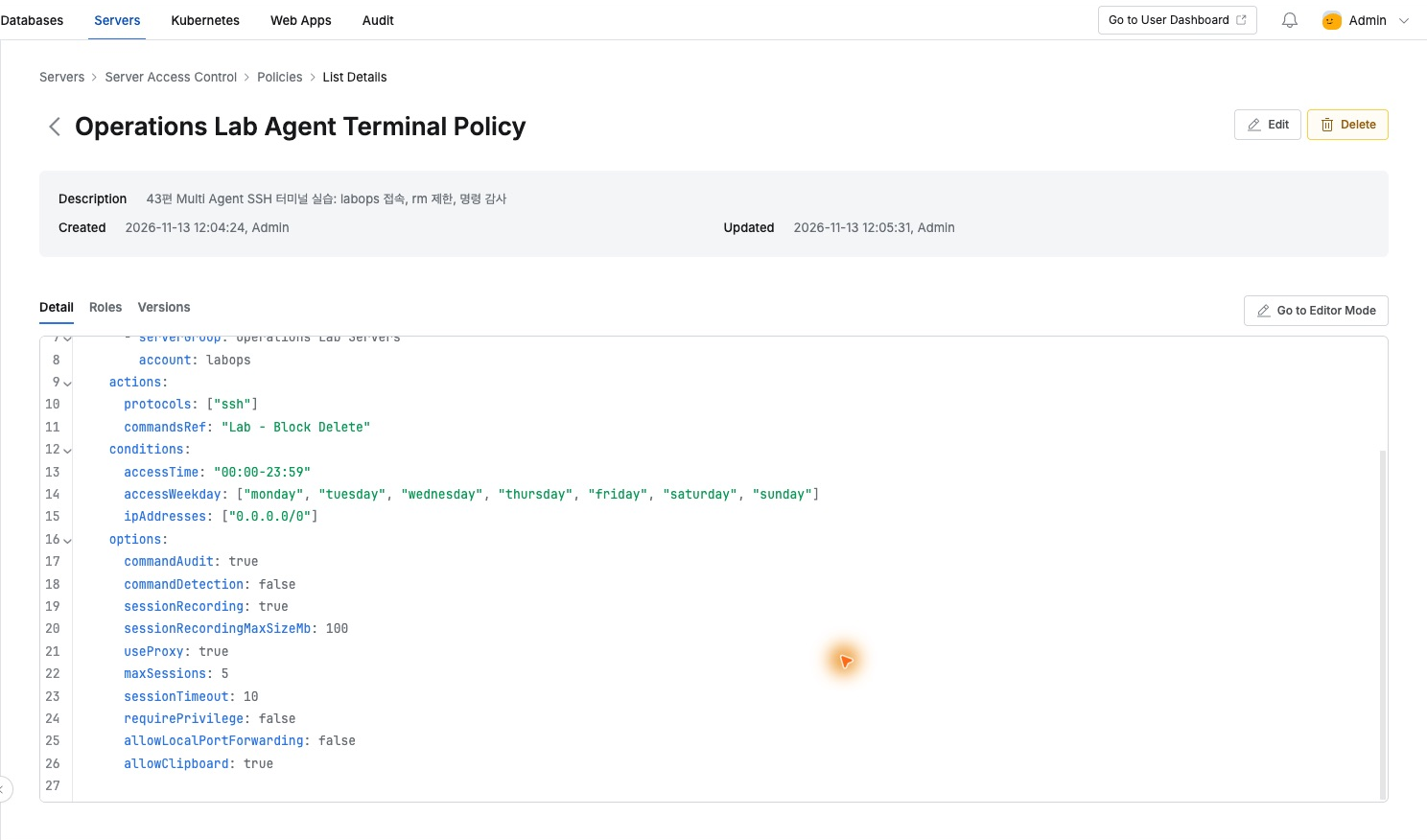
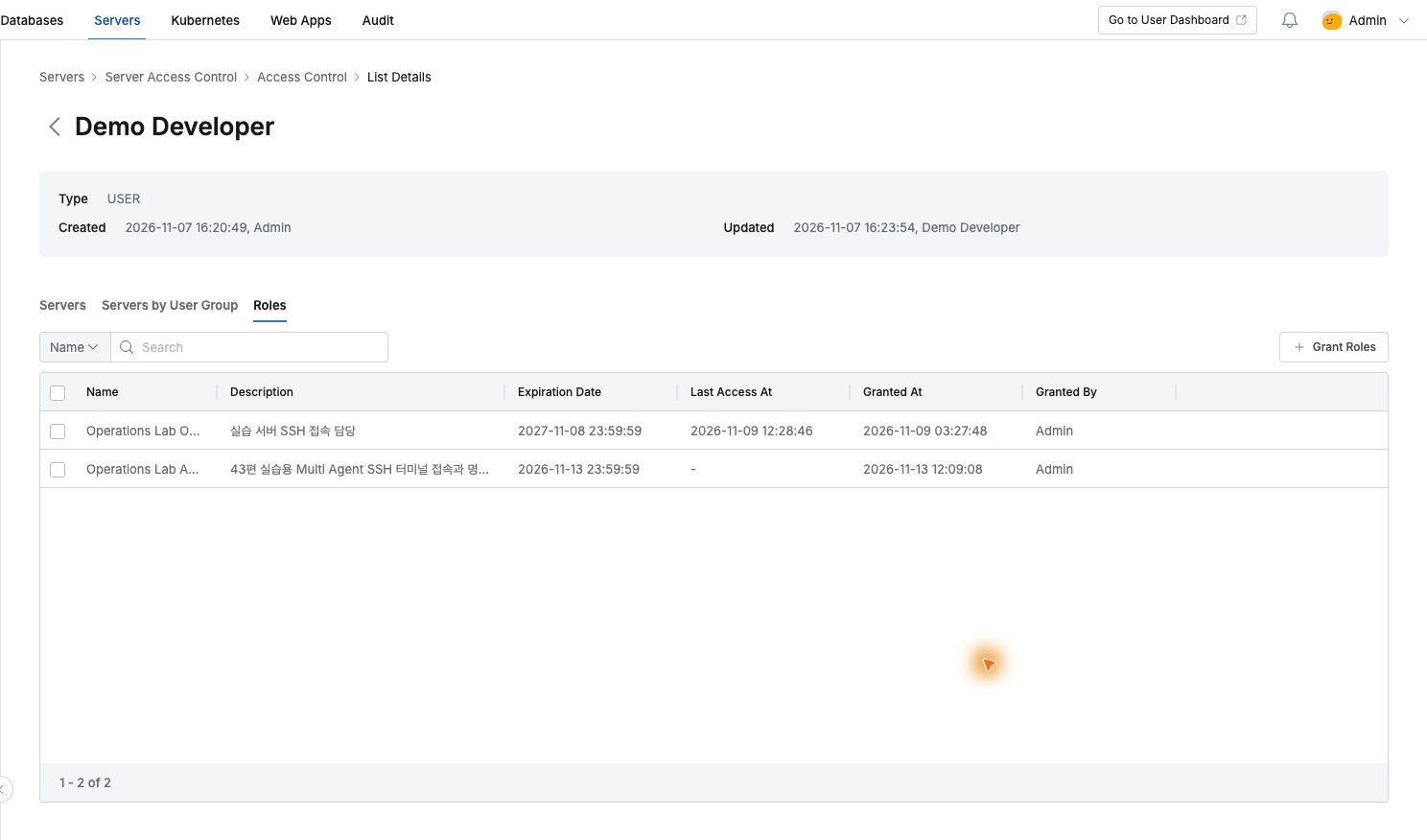
I attached it to Operations Lab Agent Terminal Operator and granted Demo Developer access expiring that day. Administrators define role scope rather than users managing each server separately.
Selecting the Role in Multi Agent
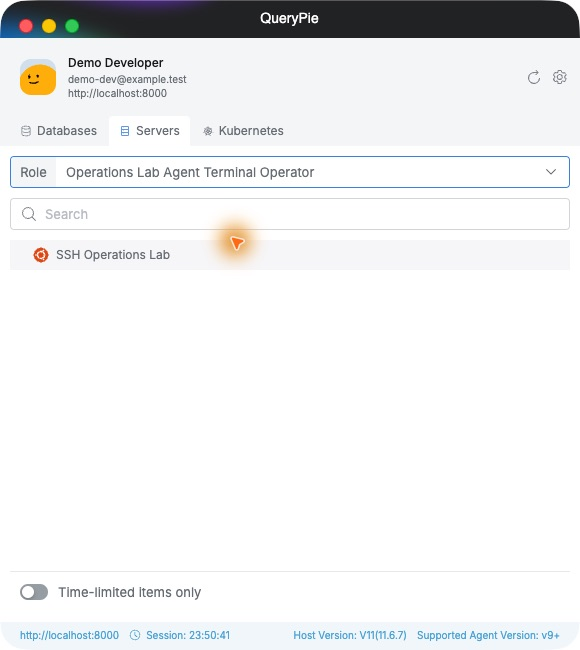
After signing in as Demo Developer on the Mac, I opened Servers and selected the new role. SSH Operations Lab appeared, confirming both role and destination.
The agent’s Setting → Servers also explains SSH configuration. It routes the ordinary ssh command through QueryPie. I passed the shown ProxyCommand as an ssh option.
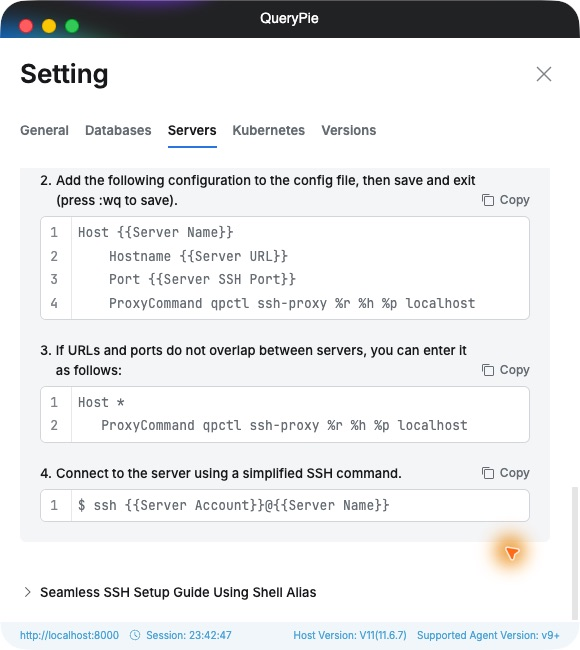
The actual command was ssh -o "ProxyCommand=qpctl ssh-proxy %r %h %p localhost" labops@acp-ssh-lab, using this lab’s QueryPie host and server address. The prompt became labops@acp-ssh-lab.
Familiar Inspection Commands Still Work
First I ran whoami, which returned labops. hostname was acp-ssh-lab and pwd /home/labops. ls showed the lab file’s owner and size.
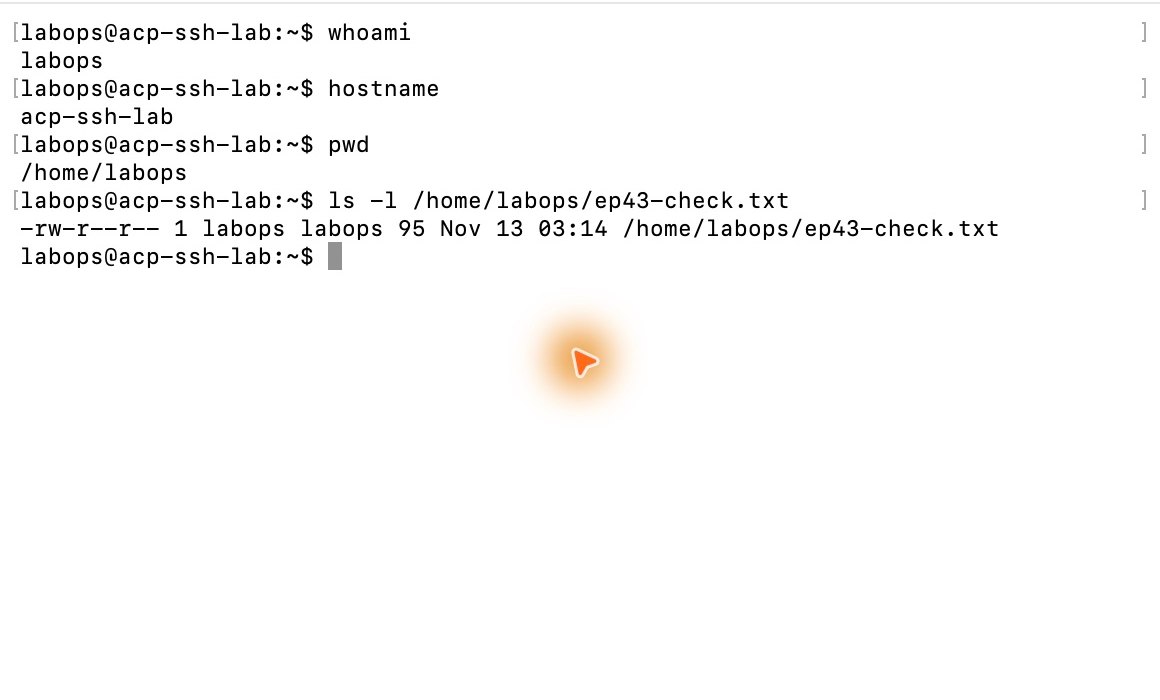
The session felt like normal SSH while using the server and account defined by the QueryPie role.
Deletion Is Restricted Directly in the Terminal
For the lab-created ep43-check.txt file, I entered rm. The terminal showed [QueryPie] Restricted and explained that security policy denied the command.
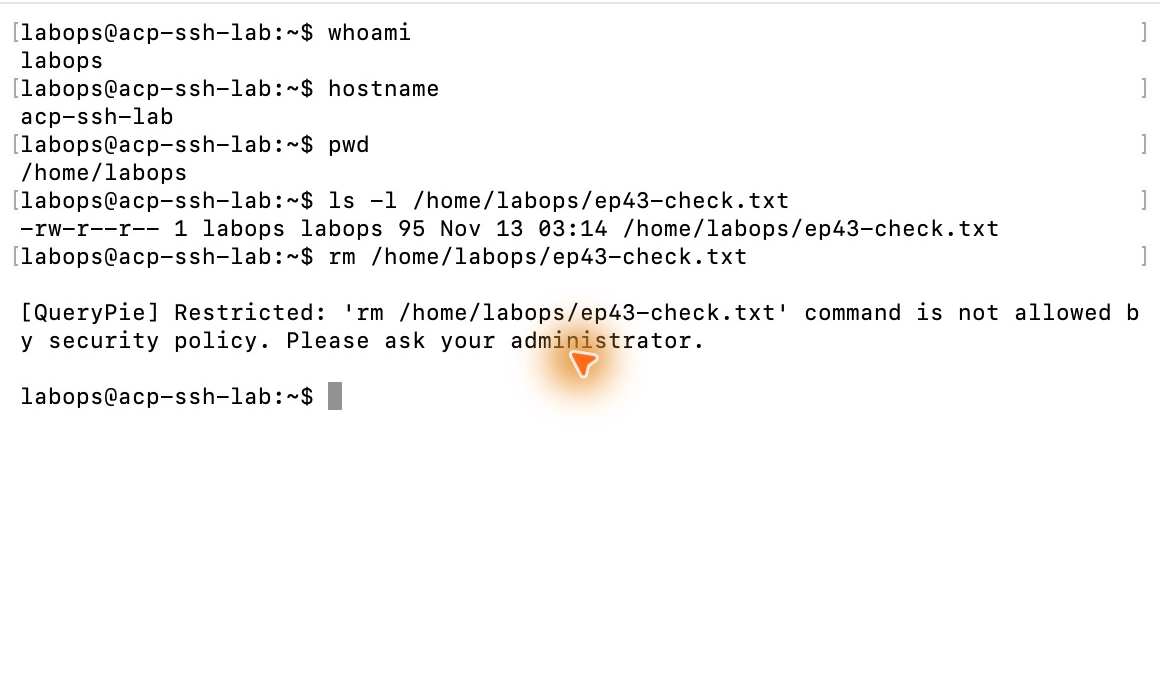
cat immediately read the same two lines. Reads continued and the denied attempt had not removed the file.
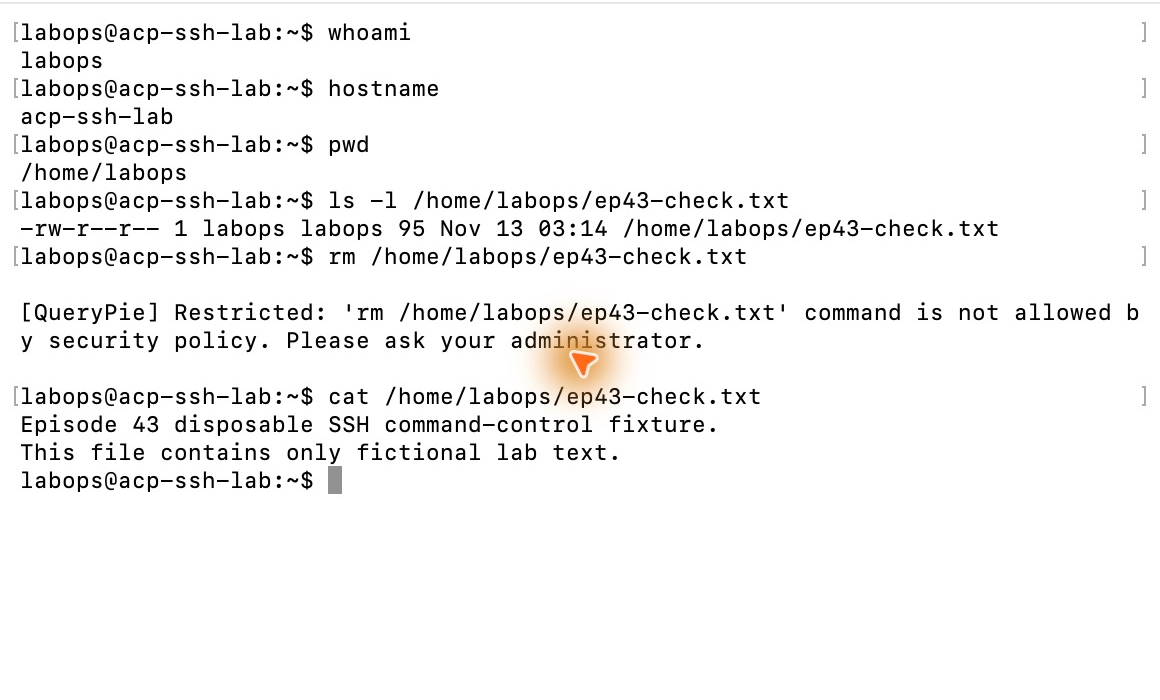
I could govern both entry and available commands: allow inspection access and apply selected restrictions through the role.
Terminal Activity Appears in Administration Records
After exit, I opened the session in Server Access History and saw user, role, and account. Connected From was Proxy, Client Name login/zsh/ssh, and disconnection Success.
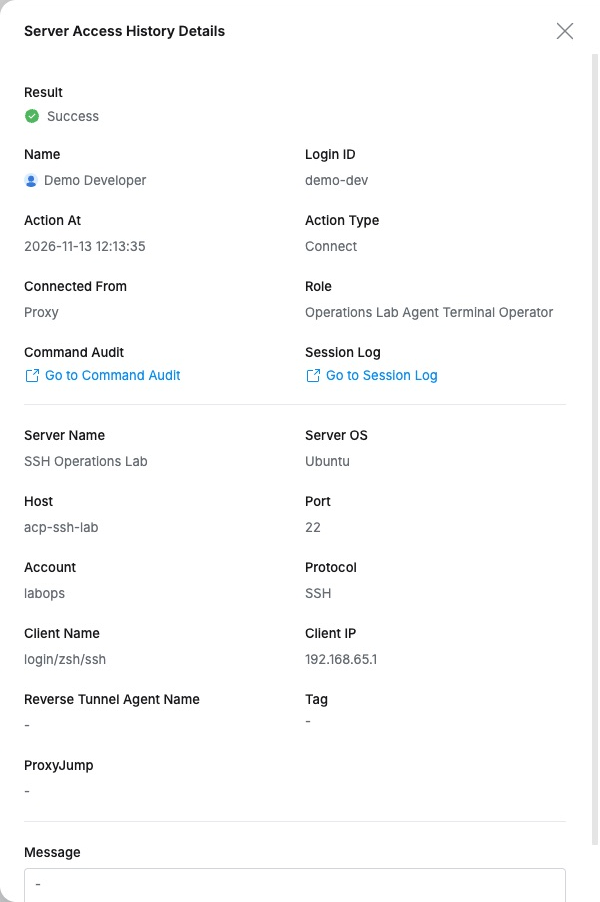
Clicking Go to Command Audit in session details opened commands from the same session. whoami and file reads were Not Restricted; deletion was Restricted, including time and entered file path.
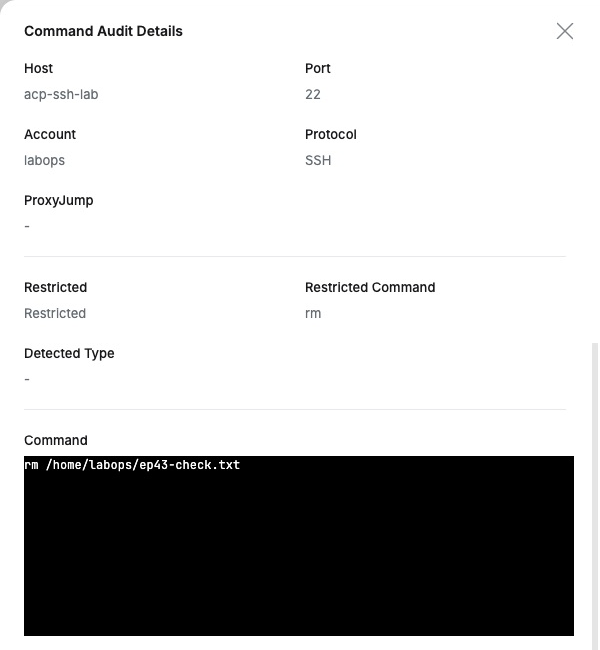
Operators work in Mac Terminal; administrators inspect access and commands in QueryPie. Keeping familiar tools while applying role-based controls and audits was the highlight.
This lab used QueryPie Community 11.6.7, Multi Agent, and Ubuntu 24.04. Users/files were for testing, and I revoked the added role afterward.
Reference: QueryPie Multi Agent user guide