[Part 45] Replaying Work Inside a Container
November 13, 2026
After finding container access records, knowing which files were read and what values appeared makes the work easier to understand.
I inspected a test Pod briefly, then tried replaying it in Pod Session Recordings. Linking connection records to actual terminal screens was the most striking part.
Checking Cluster Recording Settings
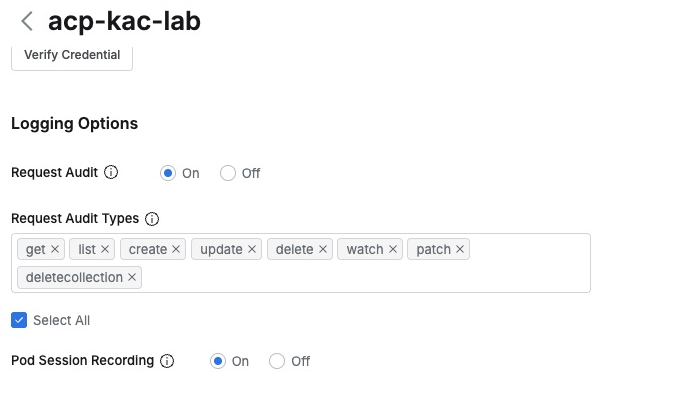
In acp-kac-lab Logging Options, Pod Session Recording was On, and Request Audit was enabled too, allowing shell requests and recordings to be reviewed together.
I prepared a dedicated Pod named ep45-session-demo with a fictional status file containing service, environment, and status, without production data.
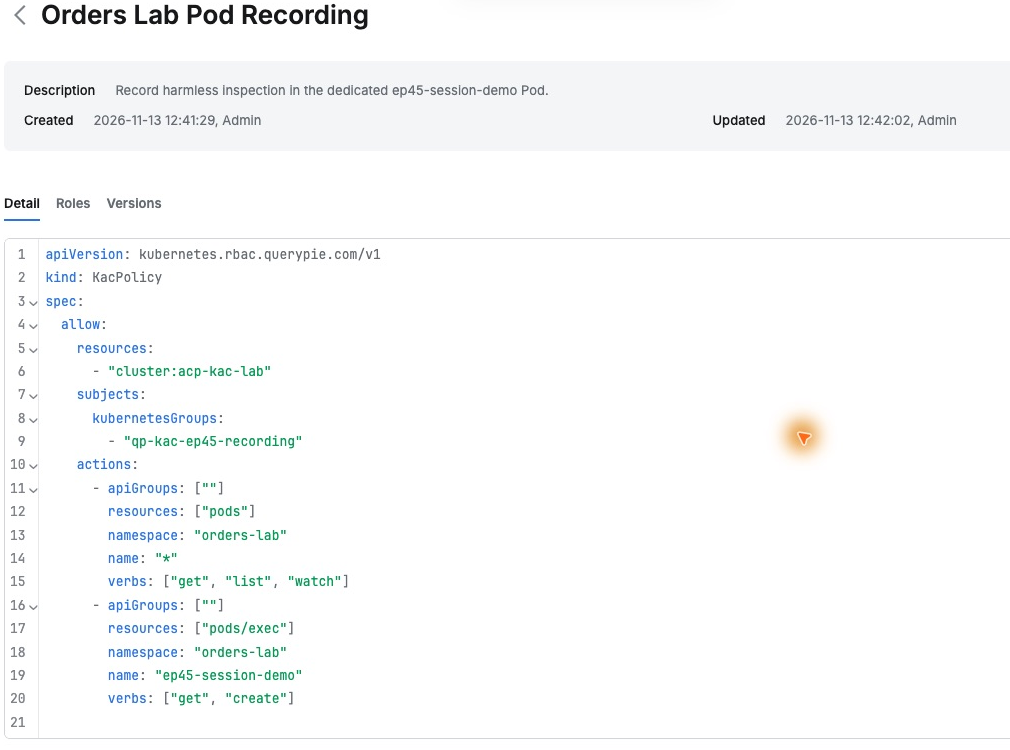
In QueryPie I created Orders Lab Pod Inspector with a policy allowing Pod reads in orders-lab and this test Pod’s pods/exec operations, and assigned it to the inspection test account.
Performing a Familiar Pod Inspection
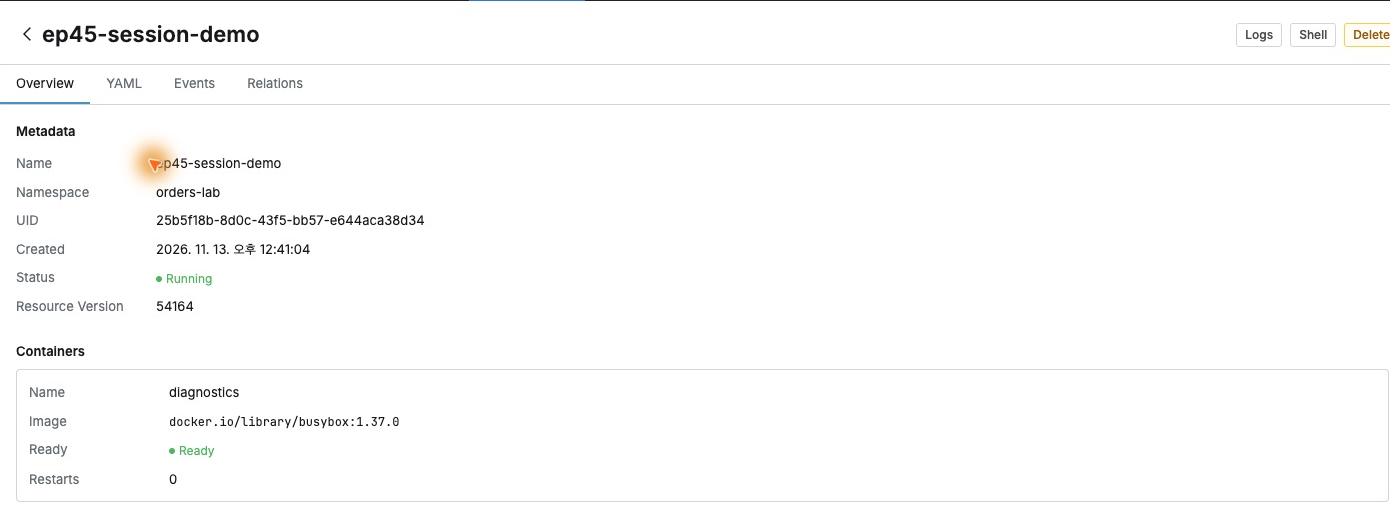
With the test account, I opened QueryPie’s Web Client and selected ep45-session-demo in orders-lab. Pod Running and diagnostics Ready were shown; I clicked Shell to connect.
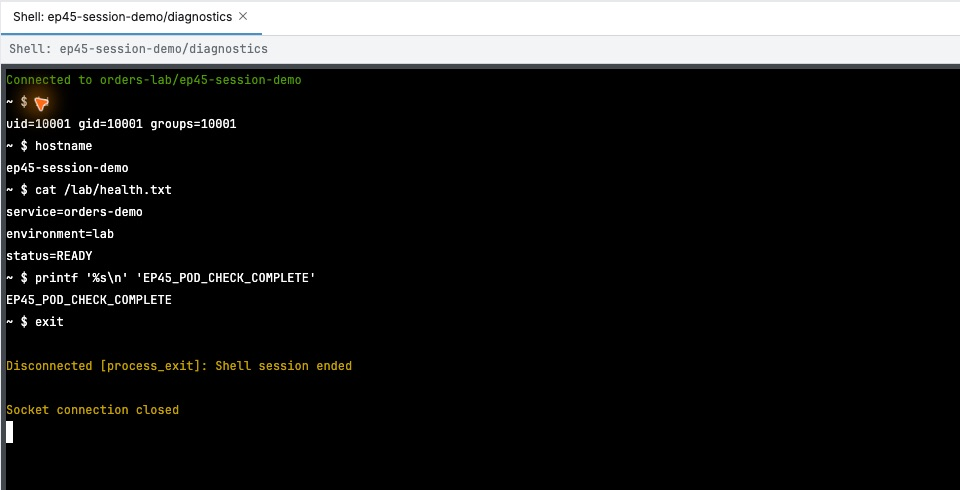
id and hostname returned UID/GID 10001 and ep45-session-demo. Then I ran cat /lab/health.txt to read the file: service orders-demo, environment lab, status READY.
I printed EP45_POD_CHECK_COMPLETE as a recognizable marker for replay, then exited normally.
Opening Recordings After the Work
I opened the administrator’s Audit → Kubernetes → Pod Session Recordings and found Demo Approver’s session on acp-kac-lab with Orders Lab Pod Inspector.
The target was the session starting at 12:54:50. User, role, and start time made it easy to find.

Commands and Their Output Reappear
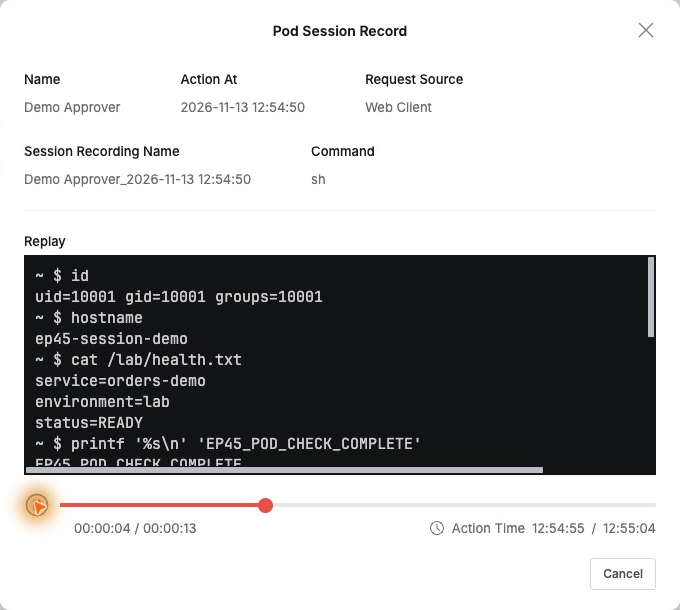
Clicking the timestamp opened Pod Session Record with user, start, source, and command above Replay. The source was Web Client and shell sh.
Play showed the entered commands in order, including id output, Pod name, and READY in the status file, showing both actions and the information used to judge the state.
The end retained the completion marker and exit. Playback lasted about 14 seconds, and seeking could restart from a chosen point.
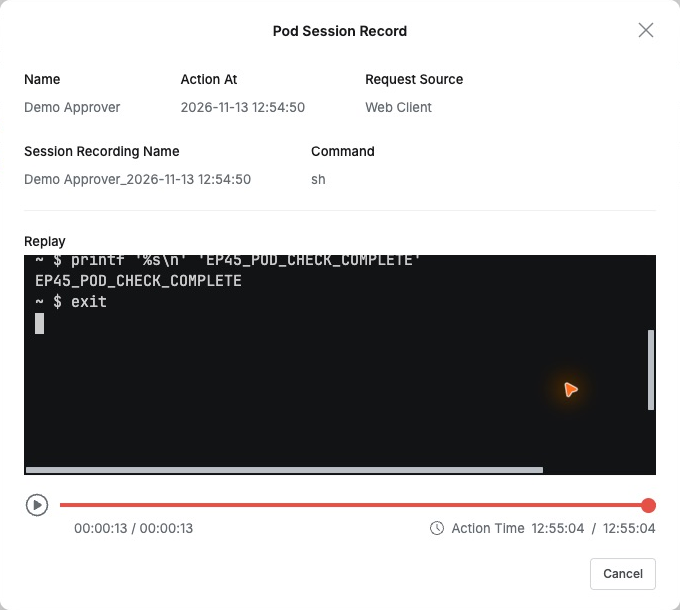
This would help handovers: administrators can see the same sequence and results rather than rely on a verbal account.
Audit Links Directly to the Recording
Request Audit also contained shell start at 12:54:50 and exit at 12:55:04. The exit recorded Success, ALLOW, exit code 0, and duration 13.82 seconds.
Details showed user, role, orders-lab, pods/exec, and ep45-session-demo. The Session Recording link reopened the same recording.
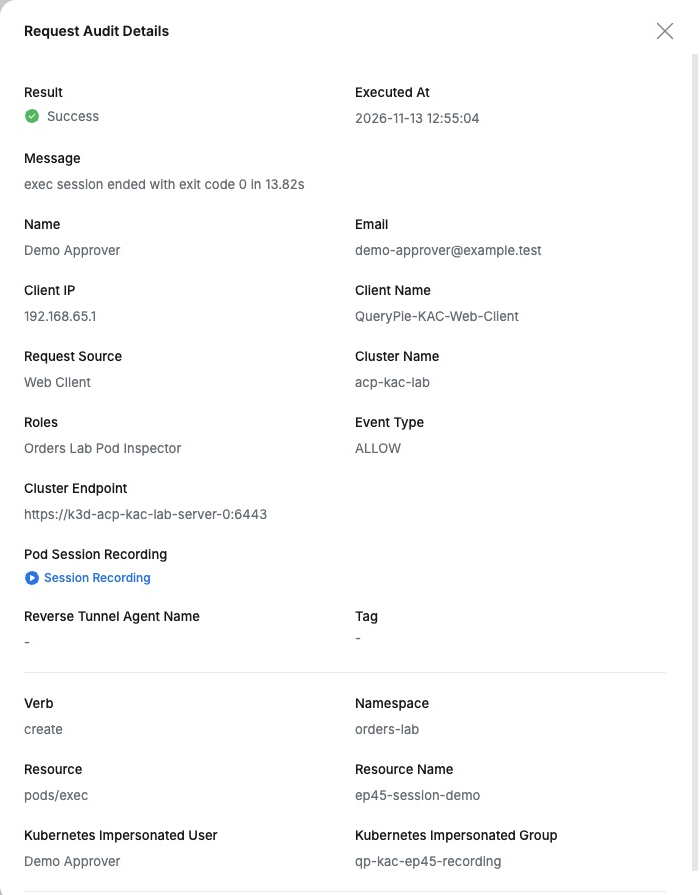
What stood out was the connection between access management and evidence of actual work. After identifying who entered, I could follow what they did and saw.
For adoption evaluation, concrete operational evidence matters: user, role, commands, outputs, and successful exit could be reviewed as one task.
This lab used QueryPie Community 11.6.7 Web Client and K3s 1.36.6. User, Pod, and file were for testing; the temporary inspection role was revoked afterward.
Reference: QueryPie Pod Session Recordings guide