[Part 13] When Settlement Data Is Needed — Approving Restricted Data Access in QueryPie
November 8, 2026
Part 9 allowed order queries while restricting the settlement table. A developer checking only order status did not need settlement details.
But what if a task requires reconciling order amounts and settlements? I tried QueryPie’s Restricted Data Access Request to request the restricted table, specifying duration and reason. After approval, I reran the same query in DBeaver.
The previously blocked settlement query succeeded after approval, and orders remained readable. These are the screens and results from that test, using only fictional data from earlier articles.
1. The Settlement Table Is Still Restricted
As the developer, I queried settlement_details in DBeaver for order 4002’s settlement ID, order ID, and amount.
The result said access to the table was not permitted. The existing Data Access policy remained active.
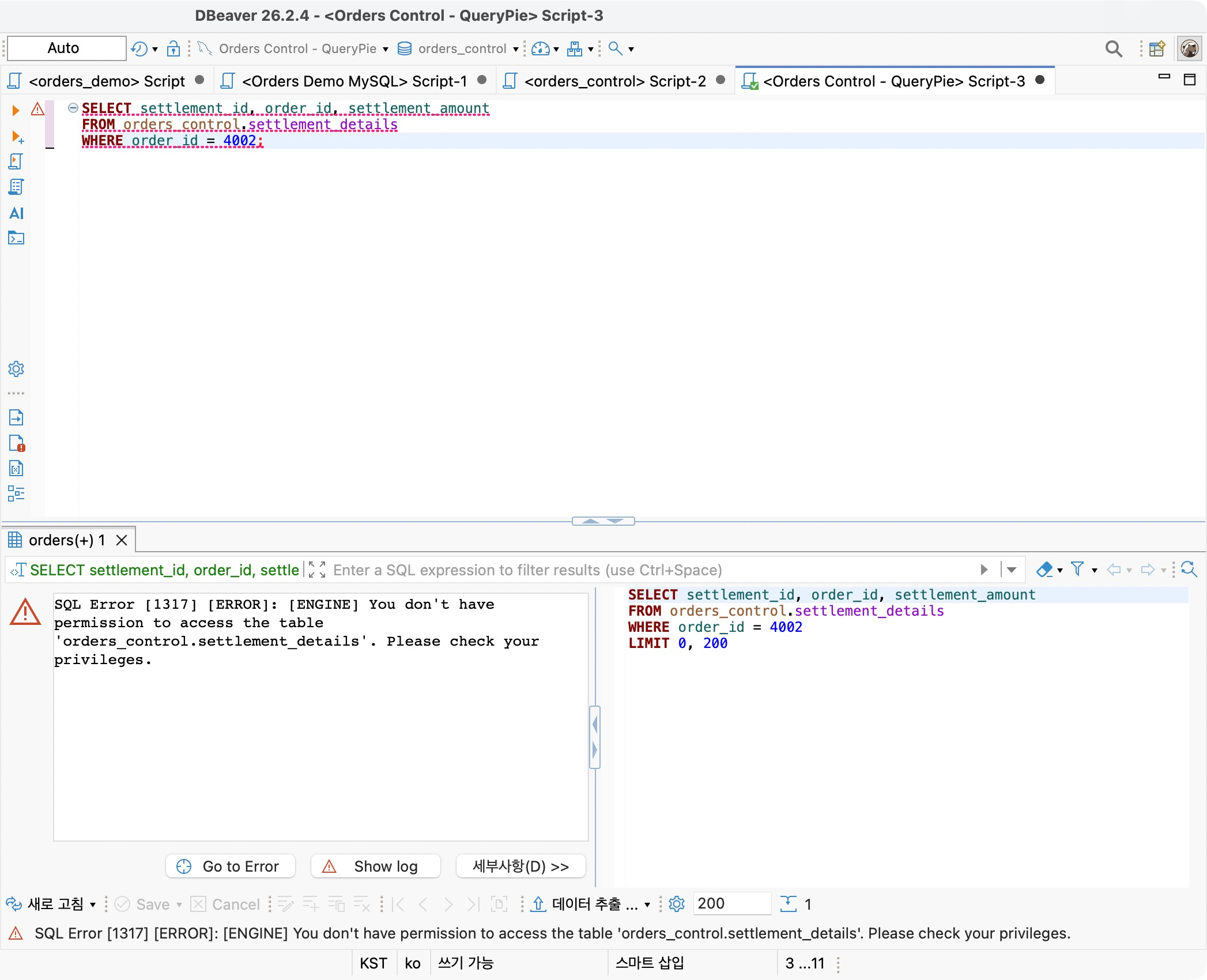
I wanted to keep that policy and obtain an approved exception, rather than modifying the shared policy whenever reconciliation was needed.
2. Defining Who Approves Settlement Access
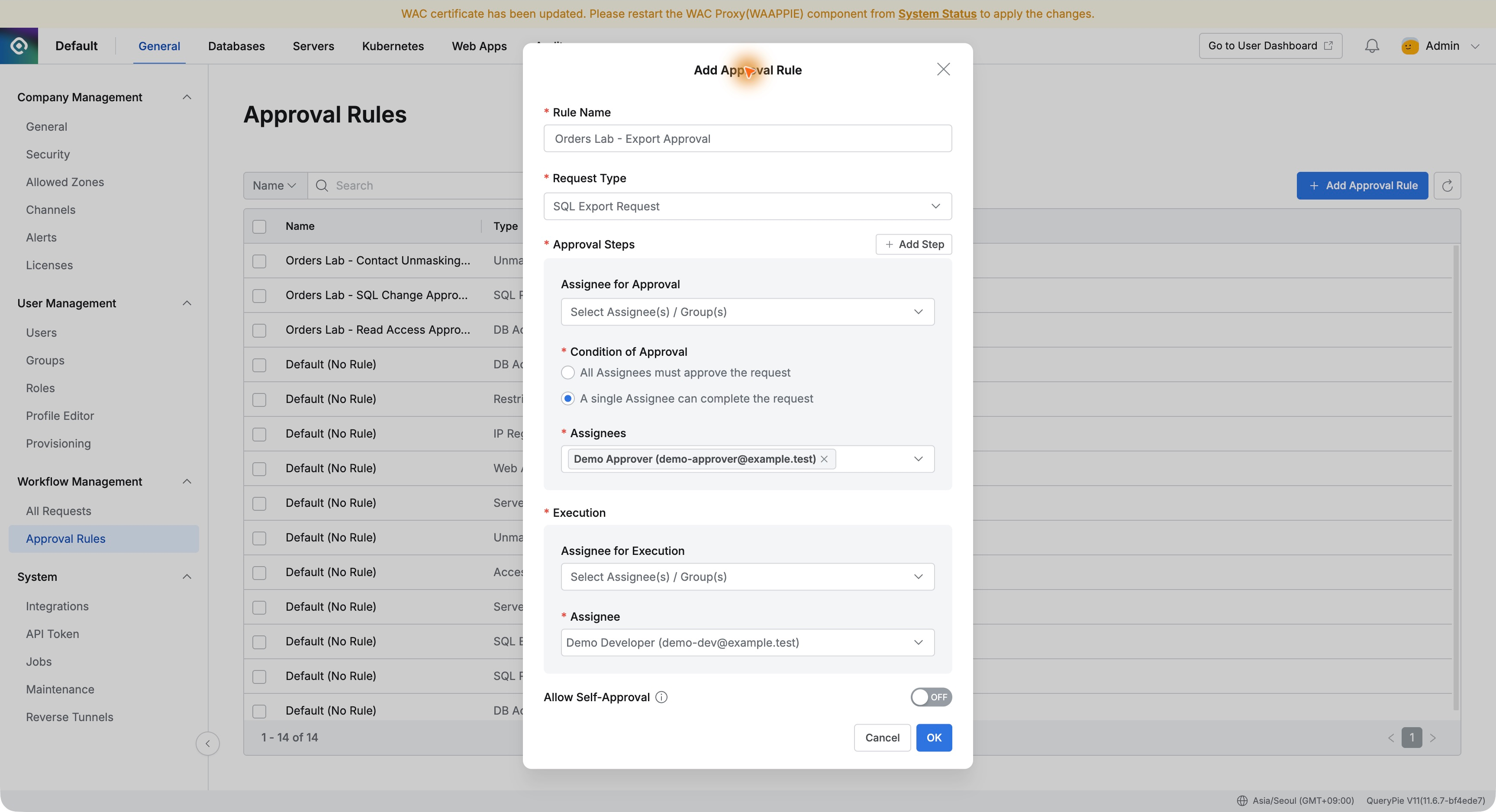
I created Orders Lab - Settlement Review Approval in Approval Rules with type Restricted Data Access Request.
Demo Approver reviews the developer’s request; self-approval was disabled.
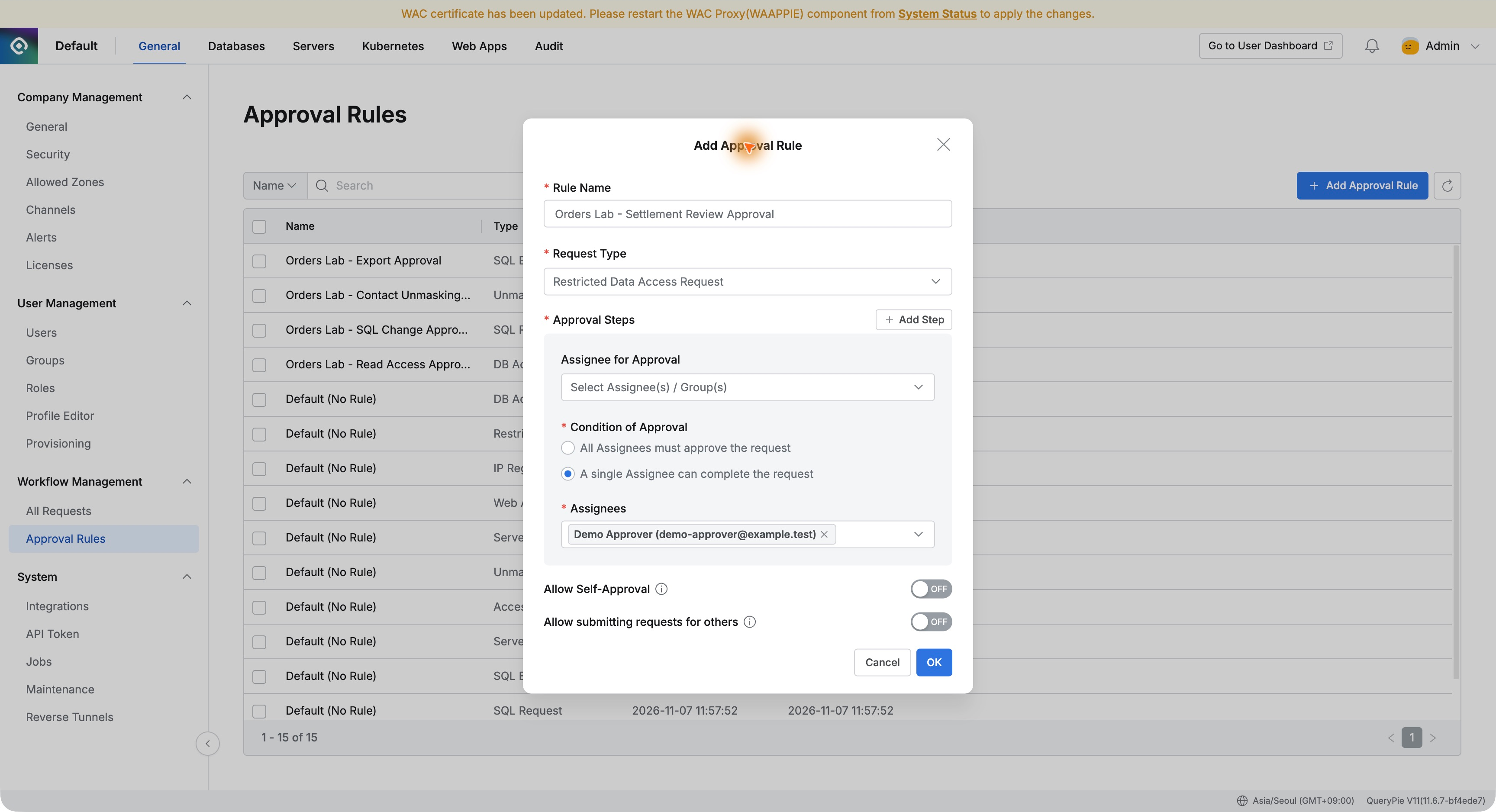
Requesting a database connection differs from requesting restricted data inside an already accessible database. QueryPie lets each have its own request type and approval rule.
3. Requesting a Table and Time Window
The developer opened Restricted Data Access Request and titled it ‘Read settlements to reconcile order 4002.’
I selected settlement_details in orders_control on Orders Control Lab, requested one hour from 17:00 to 18:00 on November 8, and explained the reconciliation purpose.
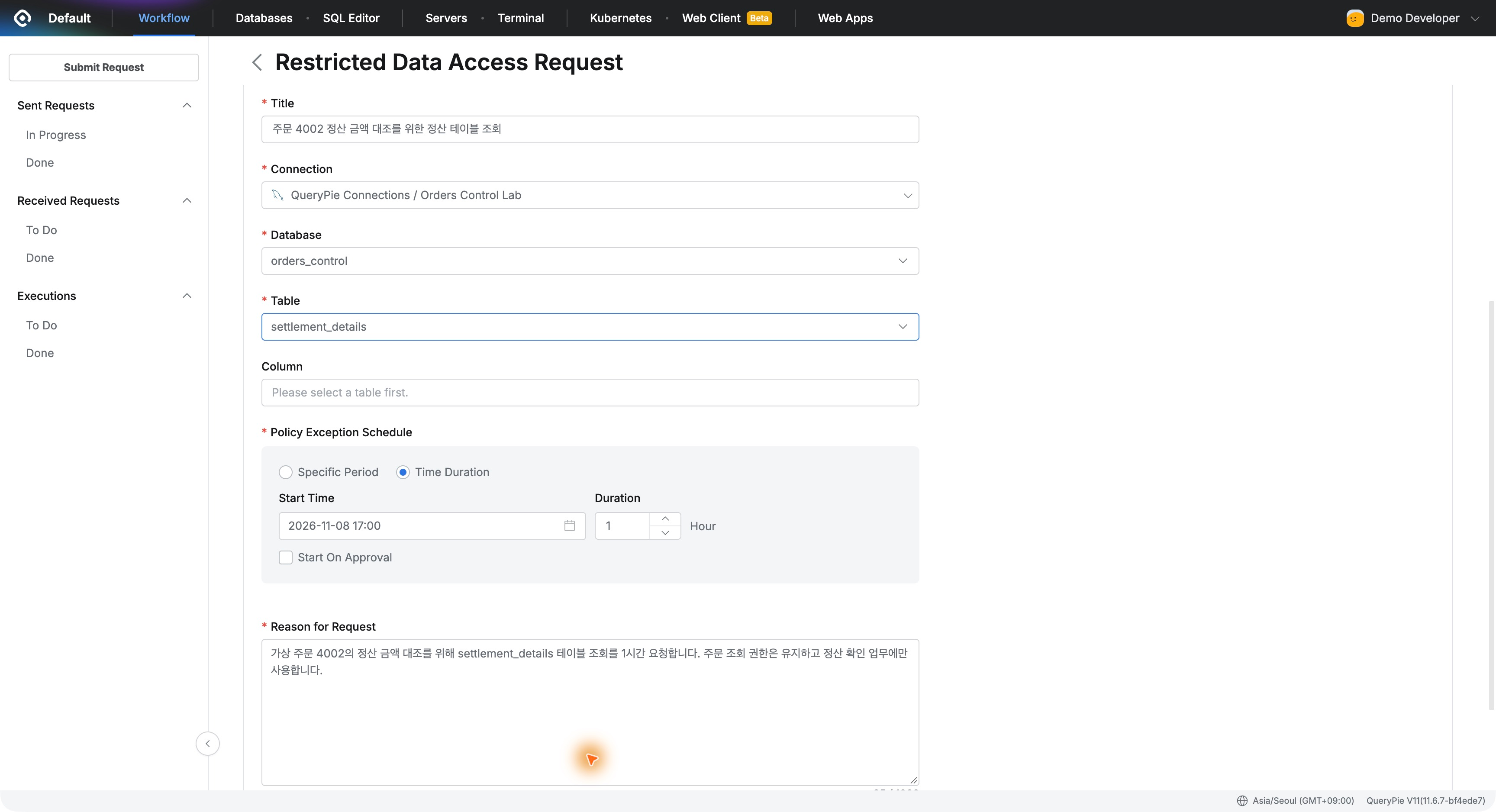
The approval covers settlement_details. Order 4002 is the business target and the WHERE condition used when querying, rather than the scope of the table-level approval.
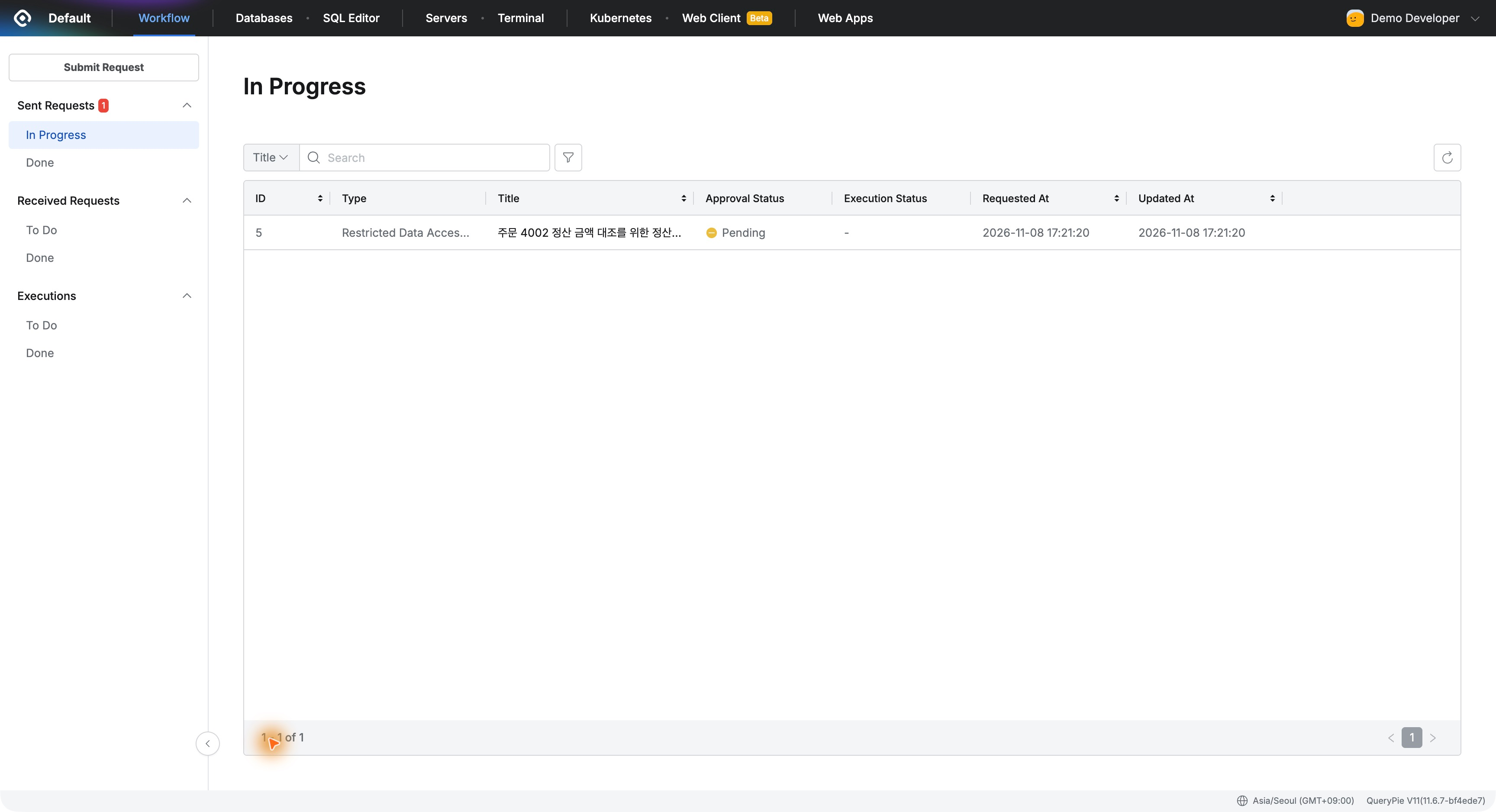
The process clearly captured what was requested. Instead of separately asking an administrator to open access briefly, scope, period, and reason stayed in one request.
4. The Approver Reviews and Approves
Demo Approver opened the request in Received Requests and checked requester, table, time window, and business reason before approval.
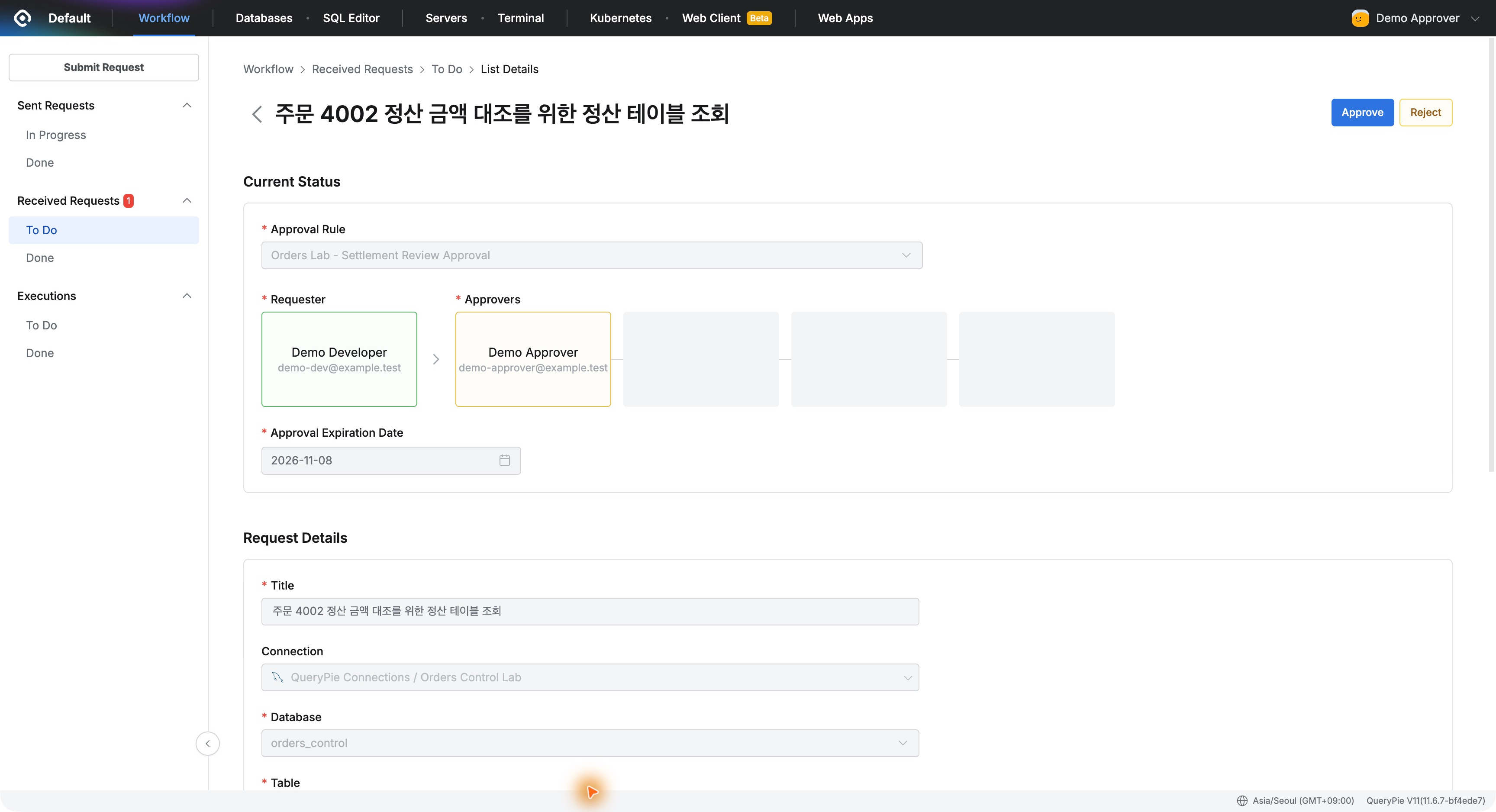
The approval comment permitted reconciliation from 17:00 to 18:00 as requested. The request moved to Done with Approved status.
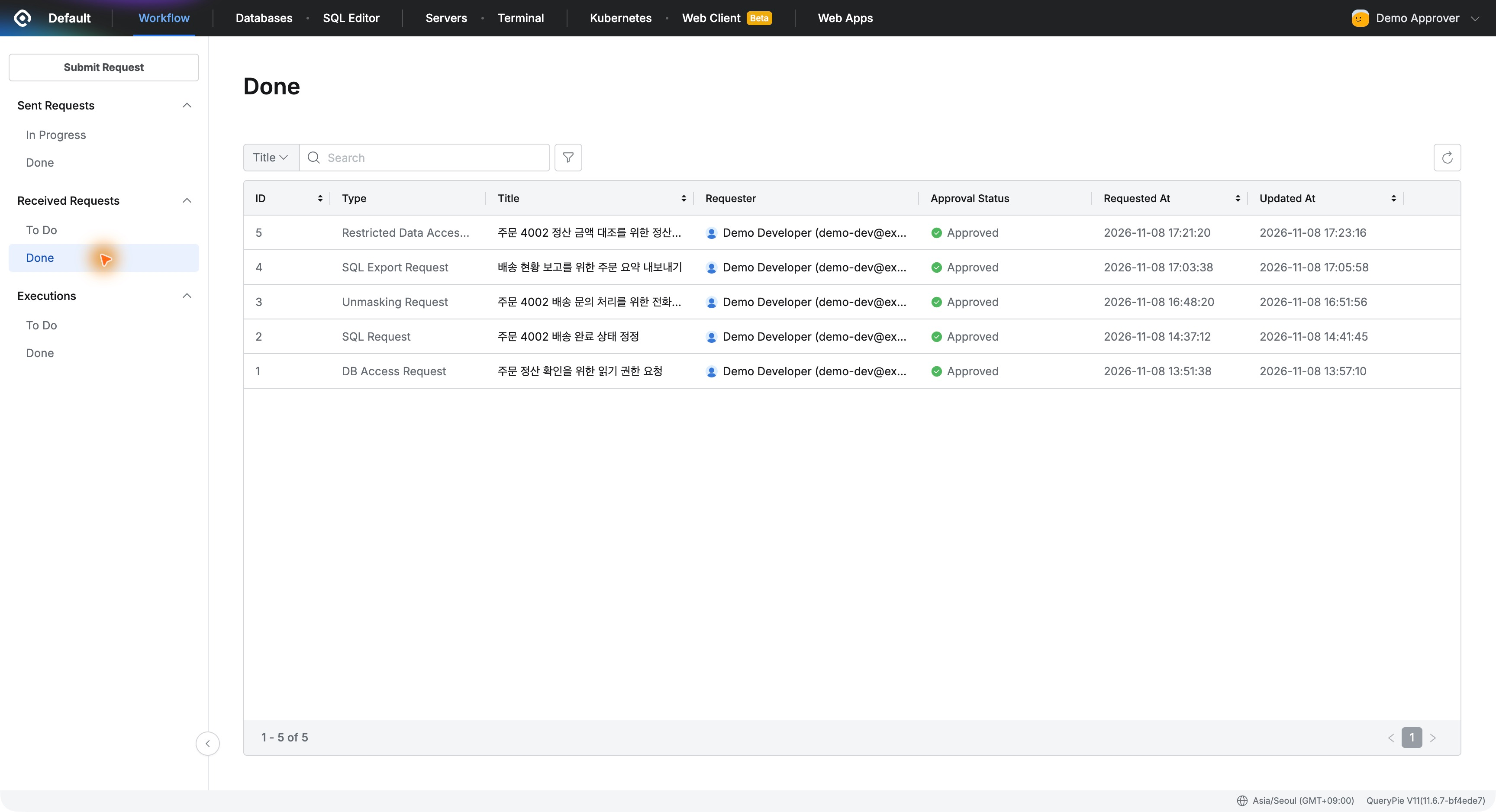
Even exceptional access has a documented basis: who needed settlement information, for what work, and what was approved.
5. The Same DBeaver Query Returns Settlement Data
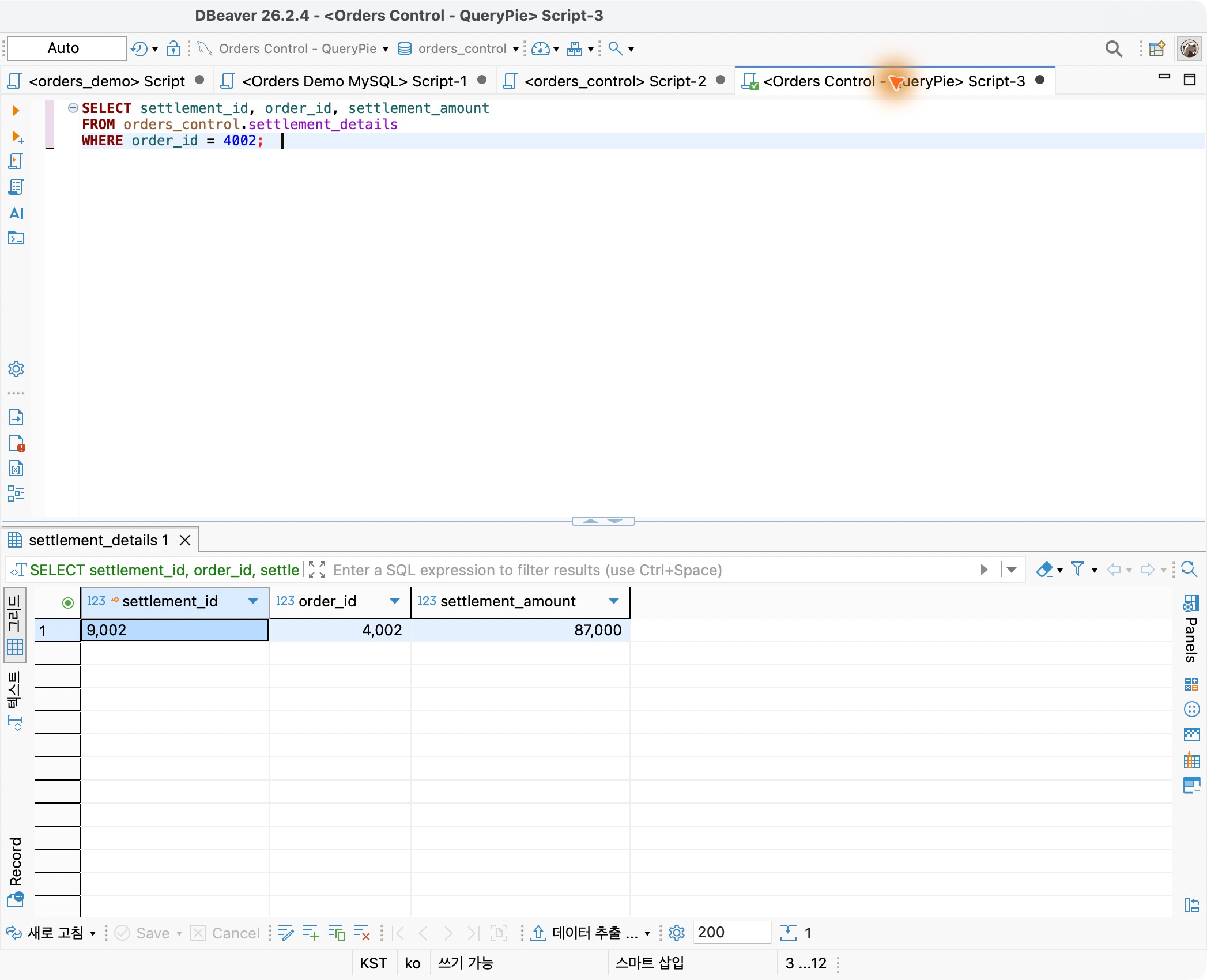
After approval, I returned to the developer’s DBeaver and reran the previously failed query on the same connection.
It returned settlement 9002, order 4002, and fictional amount 87,000. I had neither deleted the shared restriction nor changed the developer’s database connection privilege.
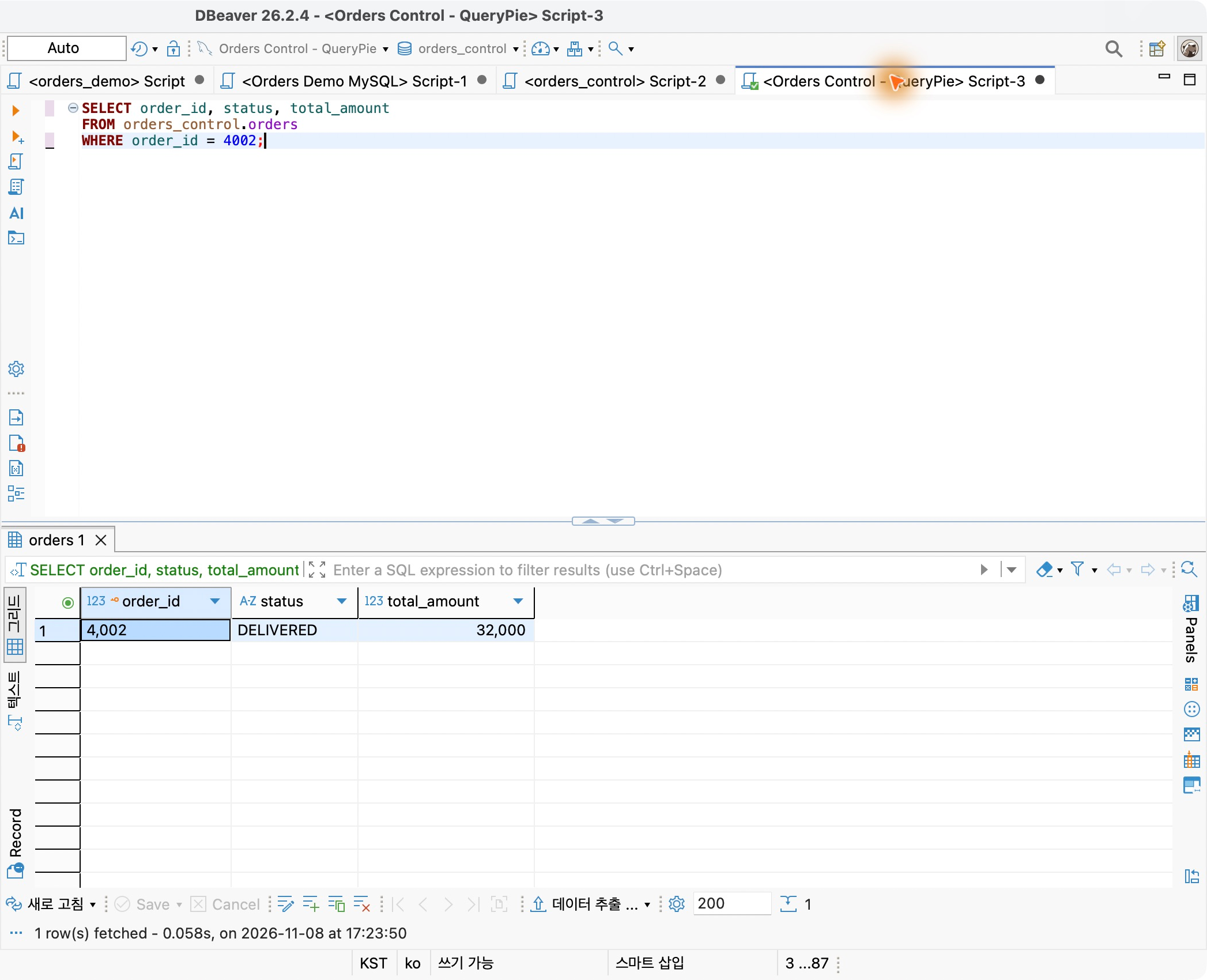
I also queried orders. Order 4002’s status and amount appeared normally, allowing reconciliation and everyday order checks in the same familiar tool.
6. Approving Restricted Data for a Specific Task
This connected Part 9’s restriction to a real workflow: protect settlements normally, then let users request a table and duration when a task requires it.
What I liked most was managing restrictions and approved exceptions together. Users can request needed data, and approvers can verify reason and scope before allowing it.
The approved developer kept working in DBeaver. This makes it easy to demonstrate an operating model that protects data while accommodating necessary access.