[Part 10] ‘Select Only the Columns You Need’ — Enforcing SQL Guidelines with QueryPie Query Rules
November 8, 2026
‘Specify only the columns you need.’ Teams sharing a database may have this guideline. Habitual SELECT * retrieves amounts and other fields even when only order status is needed.
I used Query Rules to restrict SELECT * against the lab orders table and wrote the message users would see when blocked.
I checked the whole sequence: pattern testing, actual DBeaver execution, and audit logs.
A Status Check Was Retrieving Amounts Too
The environment was QueryPie ACP Community 11.6.7 and DBeaver 26.2.4. Demo Developer connected to Orders Control Lab using the same three fictional orders.
SELECT * FROM orders_control.orders returned order_id, status, and total_amount. For an order-status check, the first two are enough.
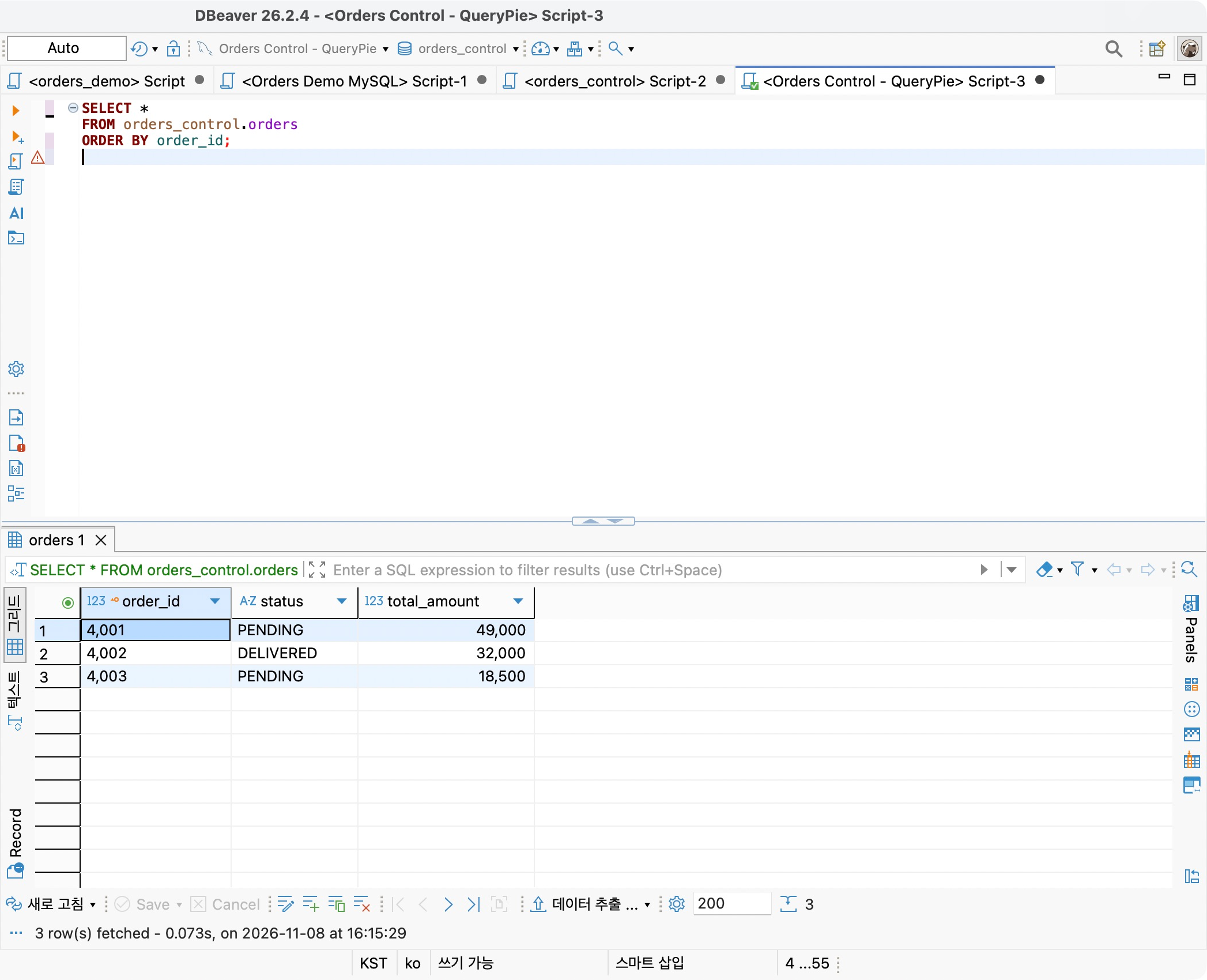
The team rule was simple: explicitly name required columns instead of using an asterisk for this query. This tests SQL-writing guidelines, not a ban on accessing the amount column itself.
Creating a SQL Rule for the Lab Connection
In Databases → Policies → Query Rules, I clicked Create Query Rule, selected Connection, and targeted only Orders Control Lab.
Match Type was RegExp and Action was Deny. The pattern detects SELECT * FROM orders_control.orders. Results here are compared for the exact forms tested in this article.
I set Error Message to ‘Orders Lab policy: SELECT * is restricted. Please specify the required columns.’ It explains both why the query is blocked and how to fix it.
Testing Both Queries Before Saving
Test Pattern was handy: enter SQL and click Test to immediately check whether it matches.
SELECT * FROM orders_control.orders ORDER BY order_id; returned Pattern matched, confirming the intended query was caught.
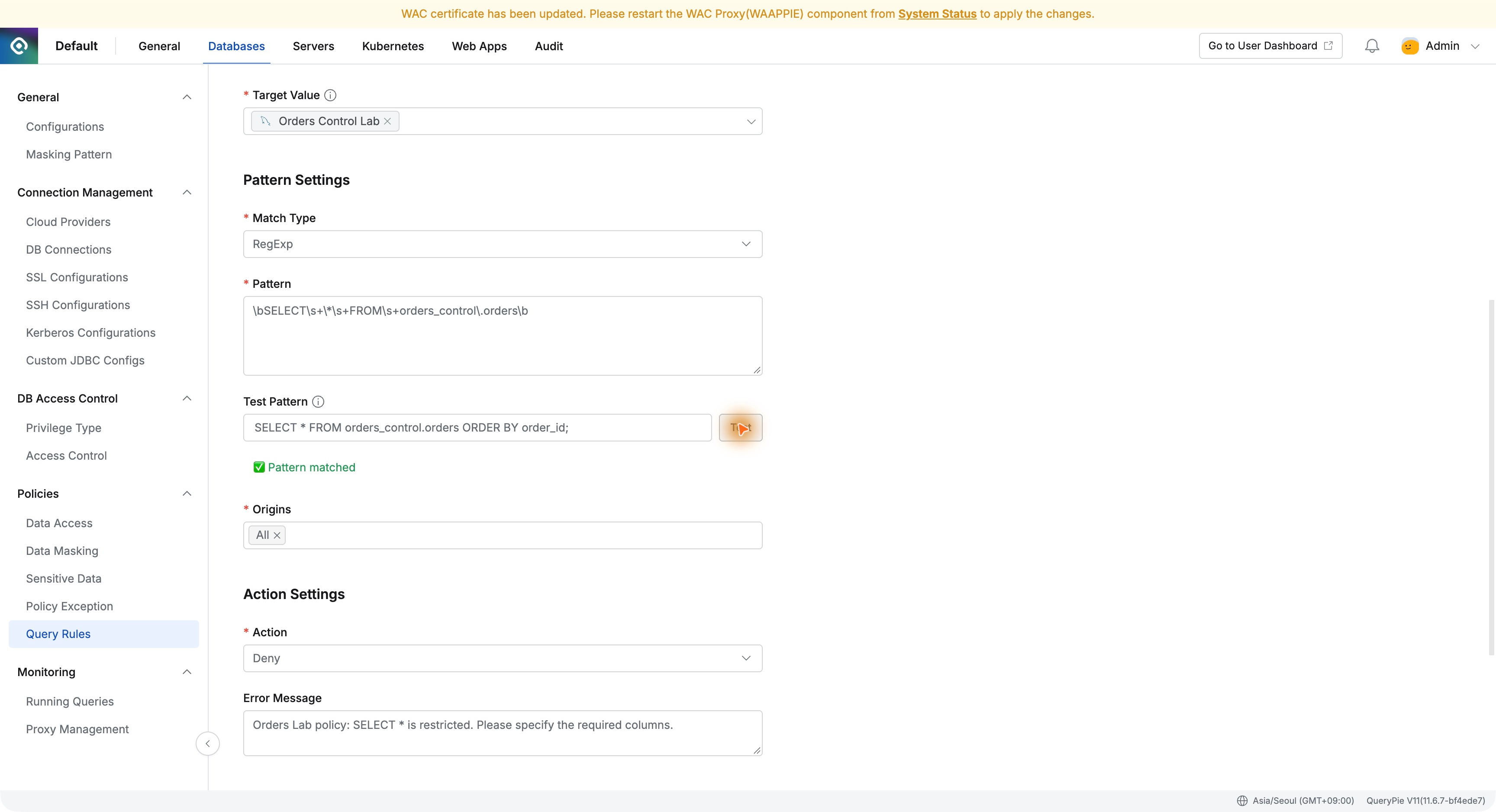
SELECT order_id, status FROM orders_control.orders ORDER BY order_id; returned Pattern not matched. This is not a failed test: it means the query is outside the blocking pattern.
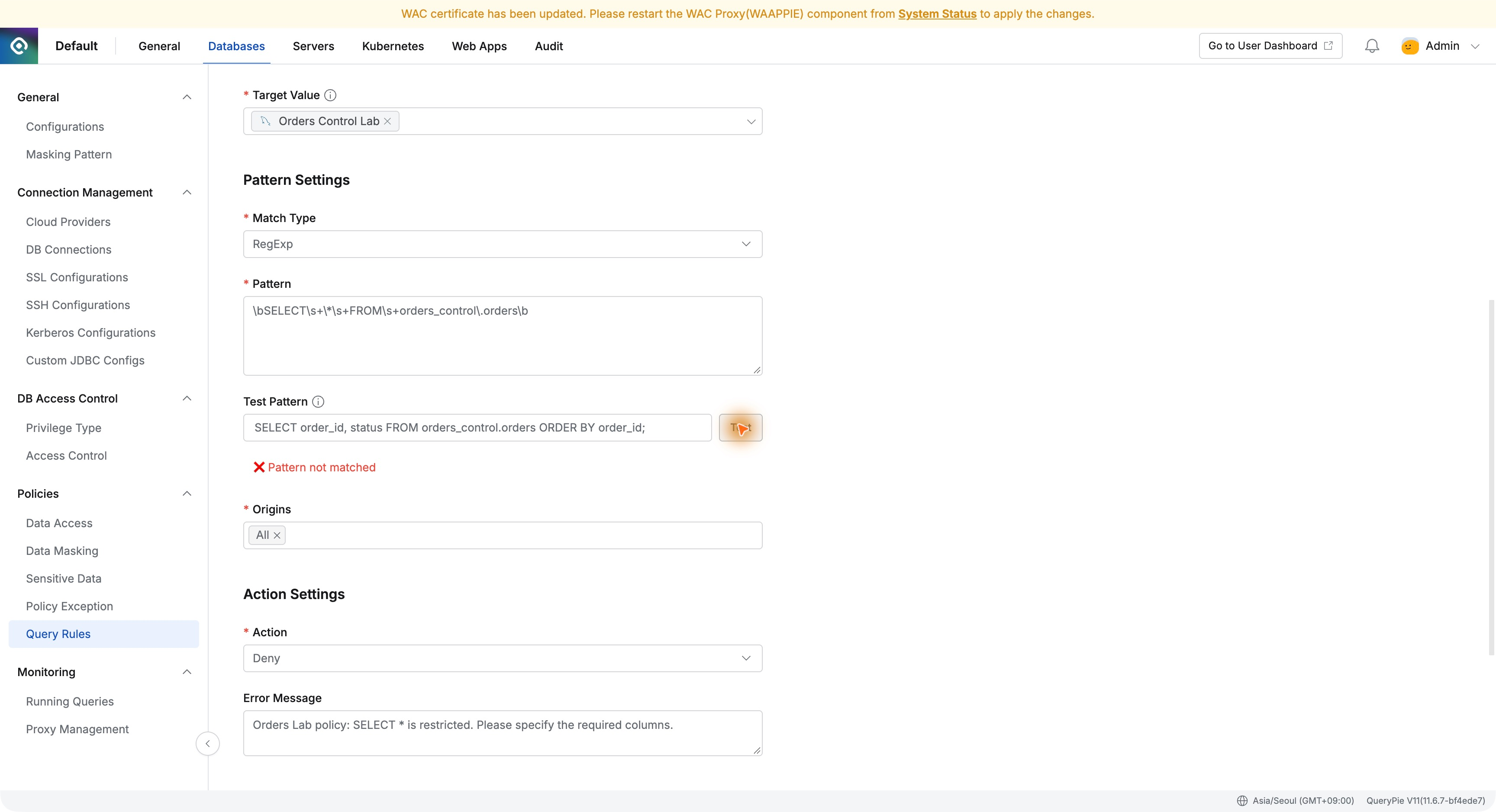
Comparing the blocked and allowed queries in the configuration screen made the intent easy to verify. I then saved.
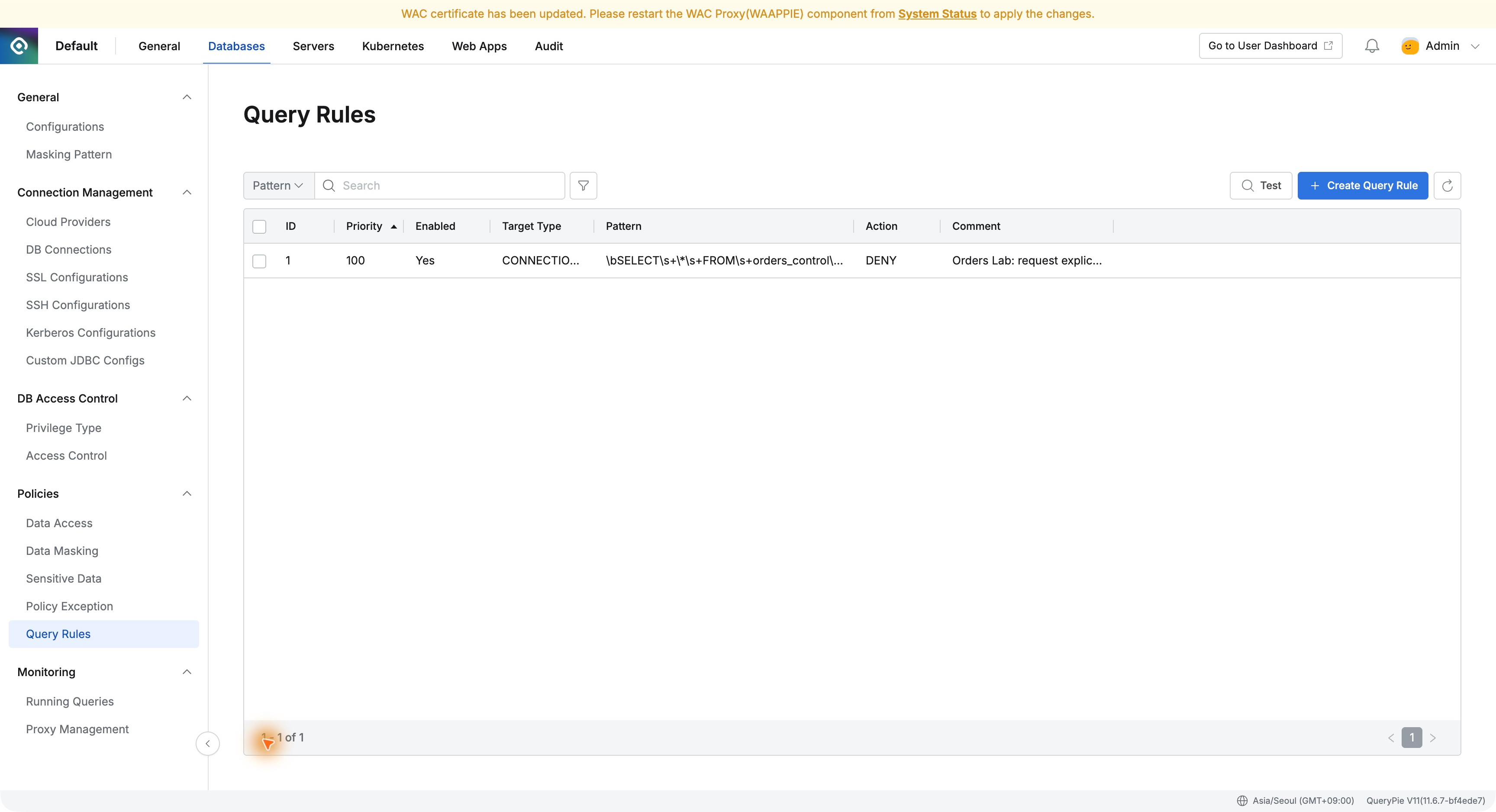
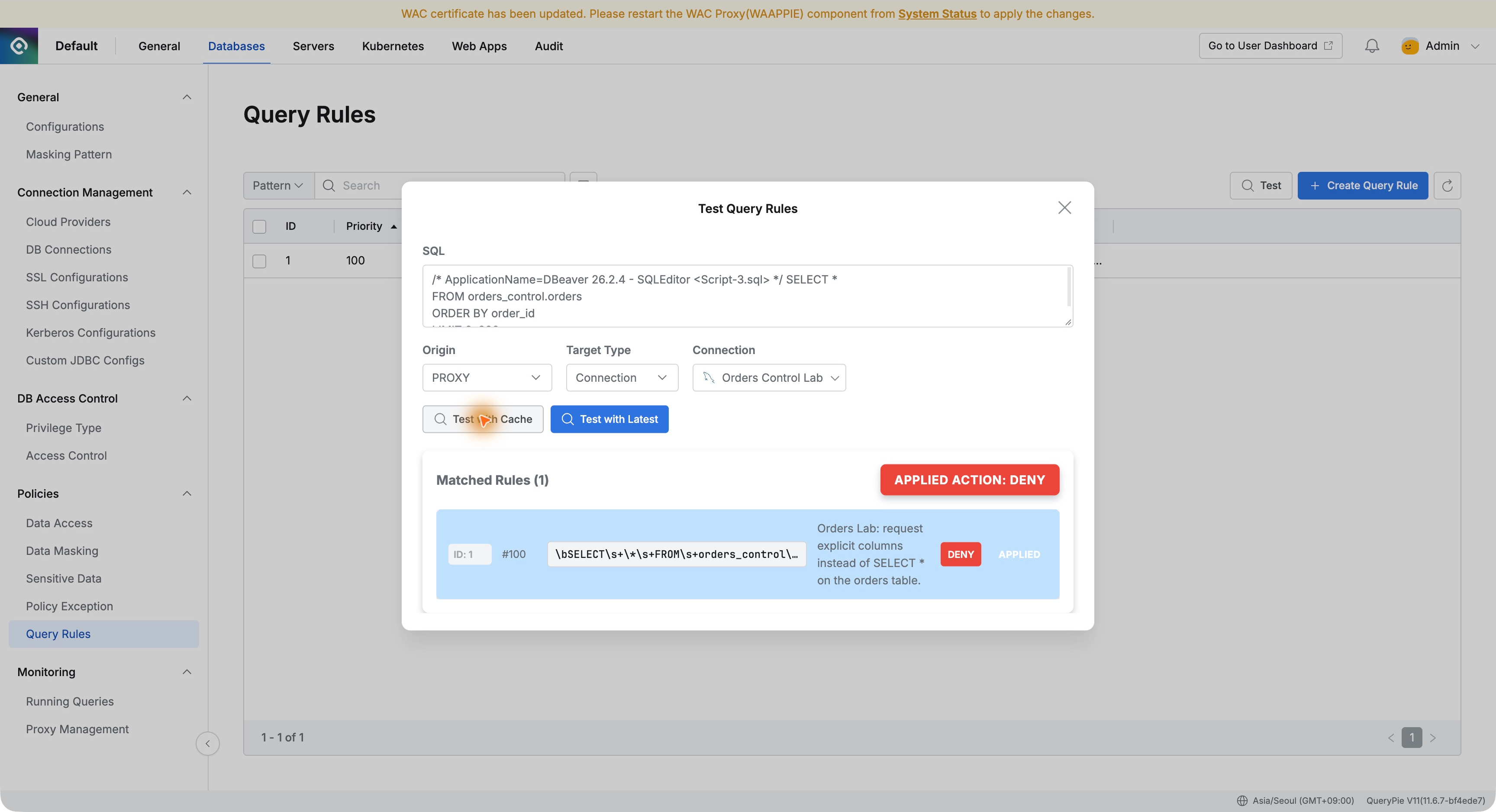
I also used the list’s Test function with route PROXY and Orders Control Lab. SQL including DBeaver’s comments still matched, with APPLIED ACTION: DENY.
The Custom Guidance Appears in DBeaver
After saving, I reopened the DBeaver connection and reran the all-column query. The error area showed my message instead of results.
The text ‘SELECT * is restricted. Please specify the required columns.’ was prefixed by query_rule_id: 1, identifying the blocking rule.
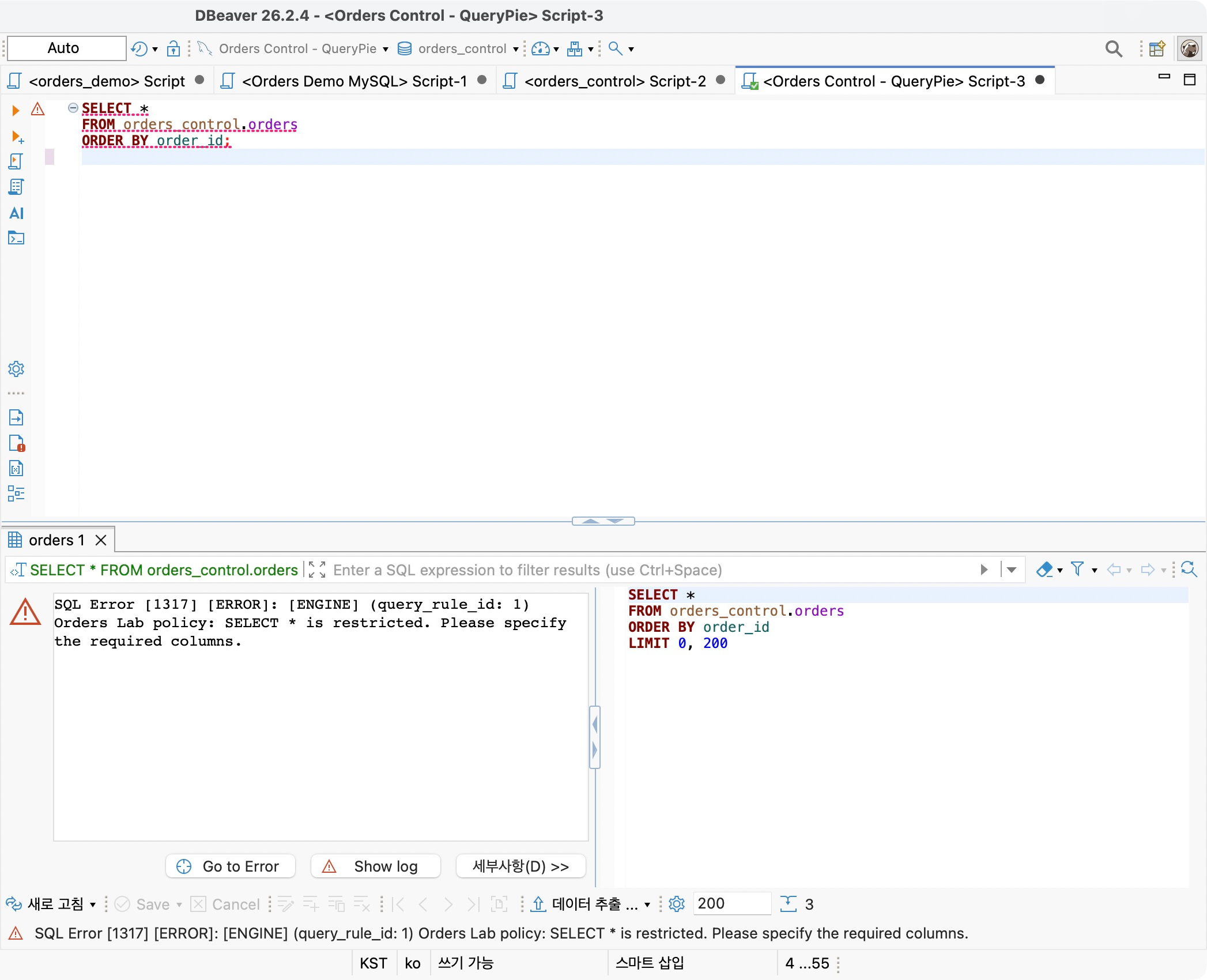
I liked that the blocked result explained the next step. Users are told to specify required columns. Operators can explain issues using the same message and rule ID.
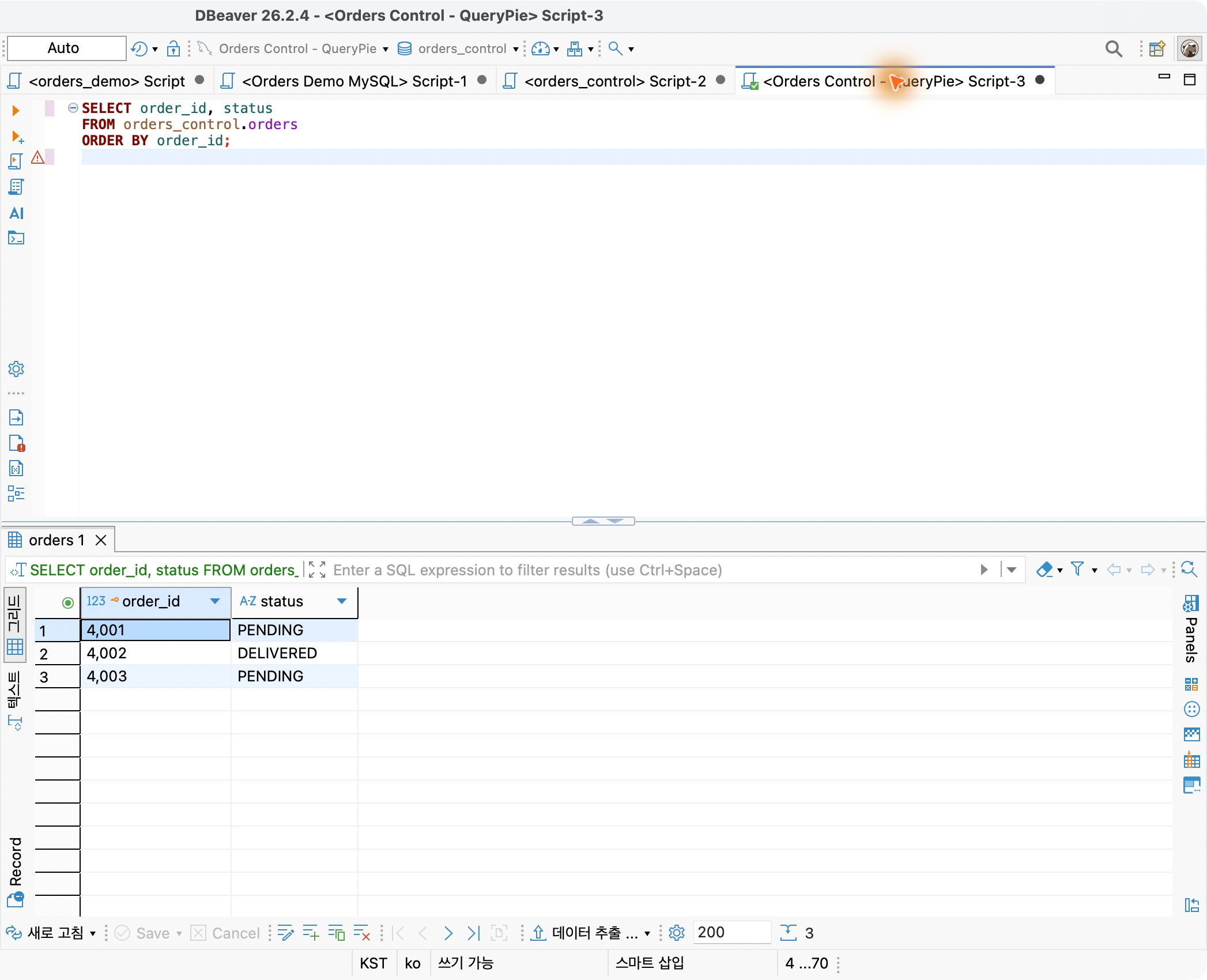
I named order_id and status and reran the query. Three orders returned successfully with just those two columns.
The Audit Also Records the Rule and Reason
In Query Audit, I opened the 16:21:11 record: Demo Developer, Agentless Proxy, Failure, and Prevented.
Details retained the executed SQL and Error Message, including query_rule_id: 1 and the same guidance seen in DBeaver.
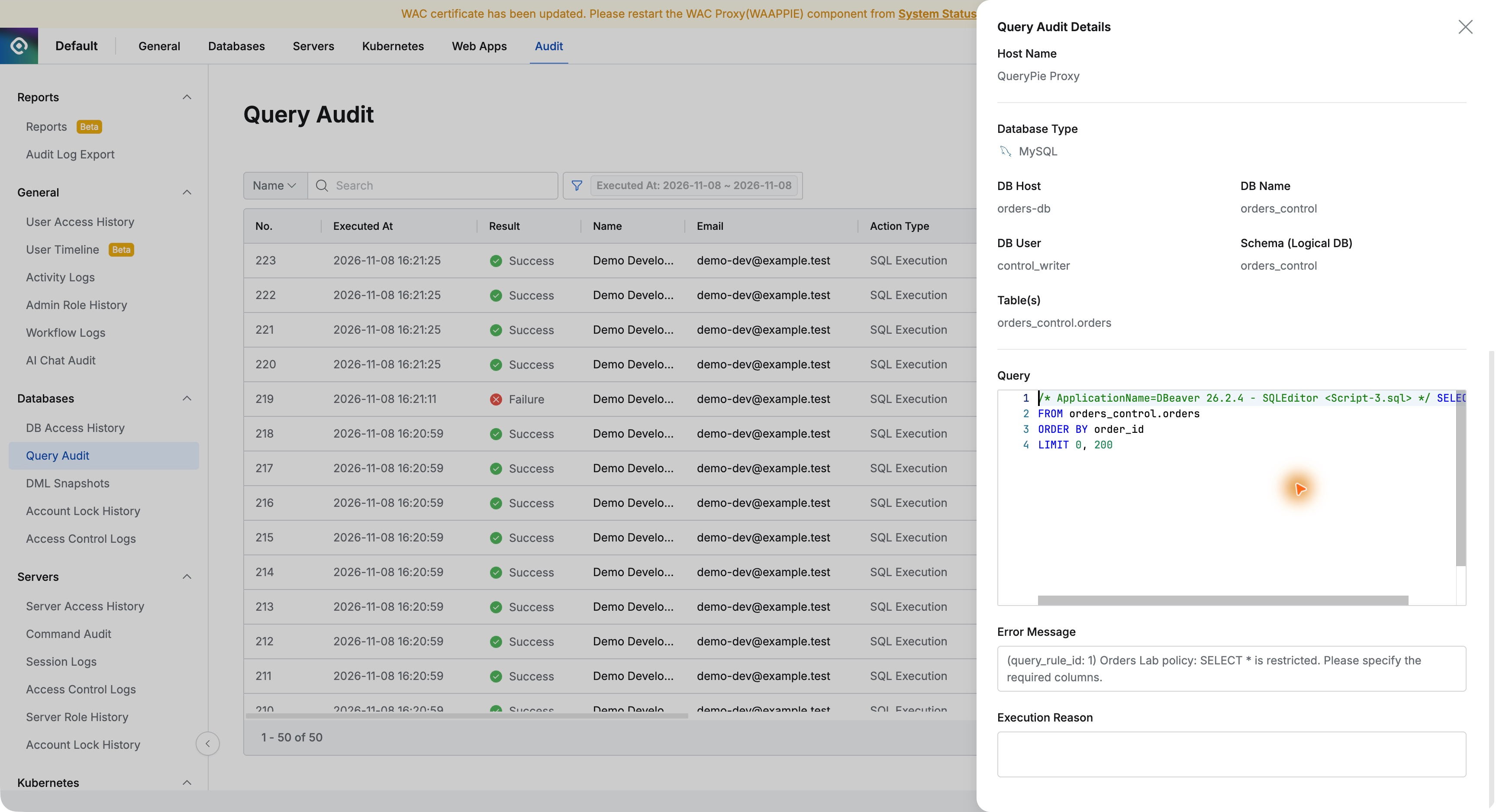
Linking the user-facing message to administrator evidence made this more informative than a generic failure. I could explain which SQL was restricted by which rule.
Enforcing Team Guidelines in Real Database Use
One small query rule connected configuration to real user results. I targeted the lab connection, tested SQL patterns, and checked guidance and audits.
Pattern tests and custom messages stood out. Administrators can check the intended coverage, while users can follow the guidance and continue working with corrected SQL.
Team database guidelines can become part of actual SQL execution. Query Rules helps manage SQL usage alongside access privileges. The simple rule of naming required columns was enforced in DBeaver too.