[Part 11] When a Masked Phone Number Is Needed — QueryPie Unmasking Requests and Approvals
November 8, 2026
Previously, masking kept orders visible while hiding contact details. But staff handling delivery inquiries sometimes need to contact customers. Must they ask an administrator to change the entire policy each time?
This time I tried QueryPie’s Unmasking Request. The developer specified columns, period, and reason; an approver reviewed it; then I queried in DBeaver. The approved phone number became visible, while email stayed masked.
I reused fictional orders and contacts. All names, phone numbers, and emails shown are test data.
1. Requesting Only the Phone Number Needed for a Delivery Inquiry
The developer queried order 4002’s contacts in DBeaver. Order status and customer name were visible, but the phone appeared as 010-****-1002. Email was masked too.
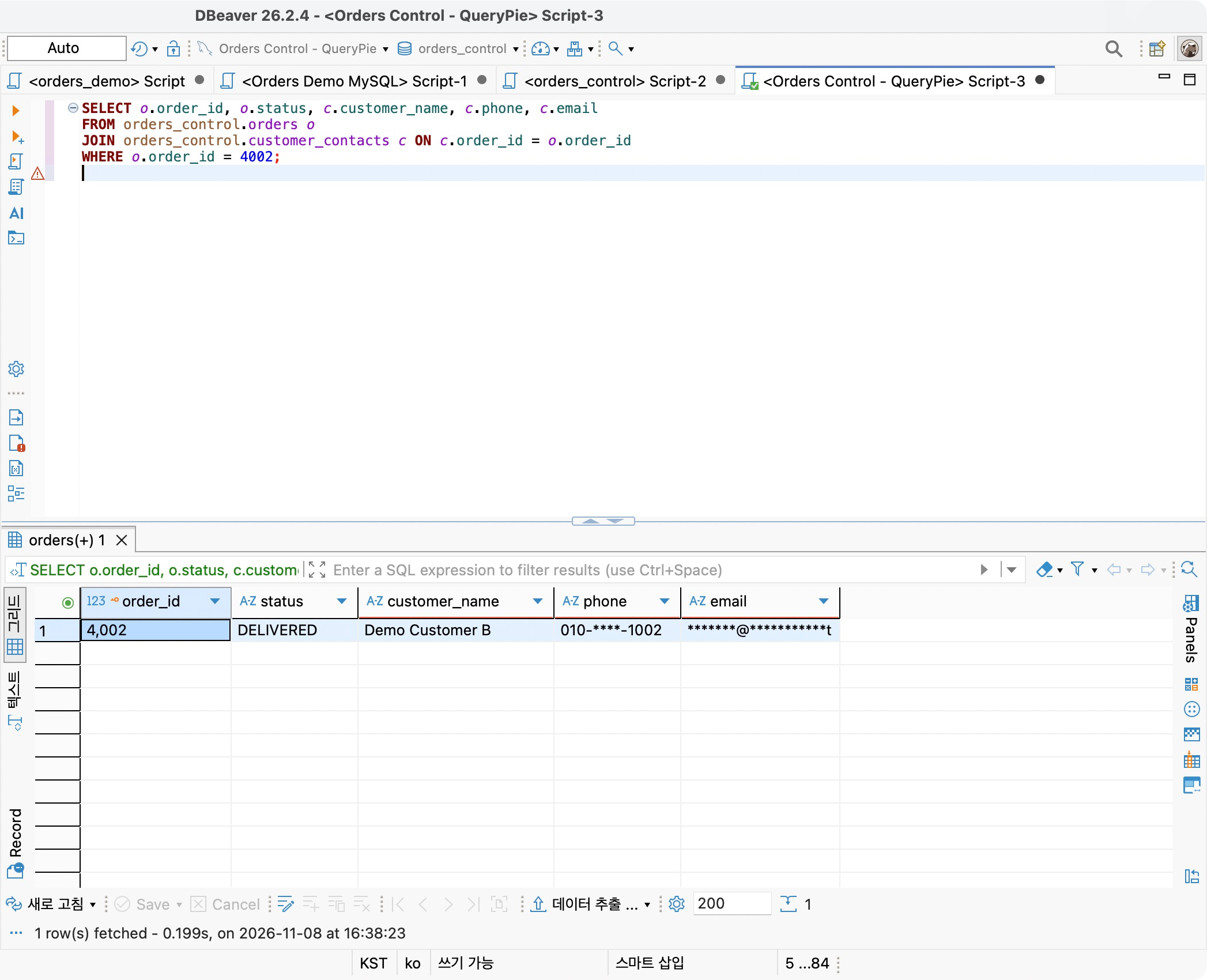
The task required a phone number for a delivery inquiry, so I chose only the phone column in customer_contacts for unmasking. Email was unnecessary.
2. Defining the Approver First
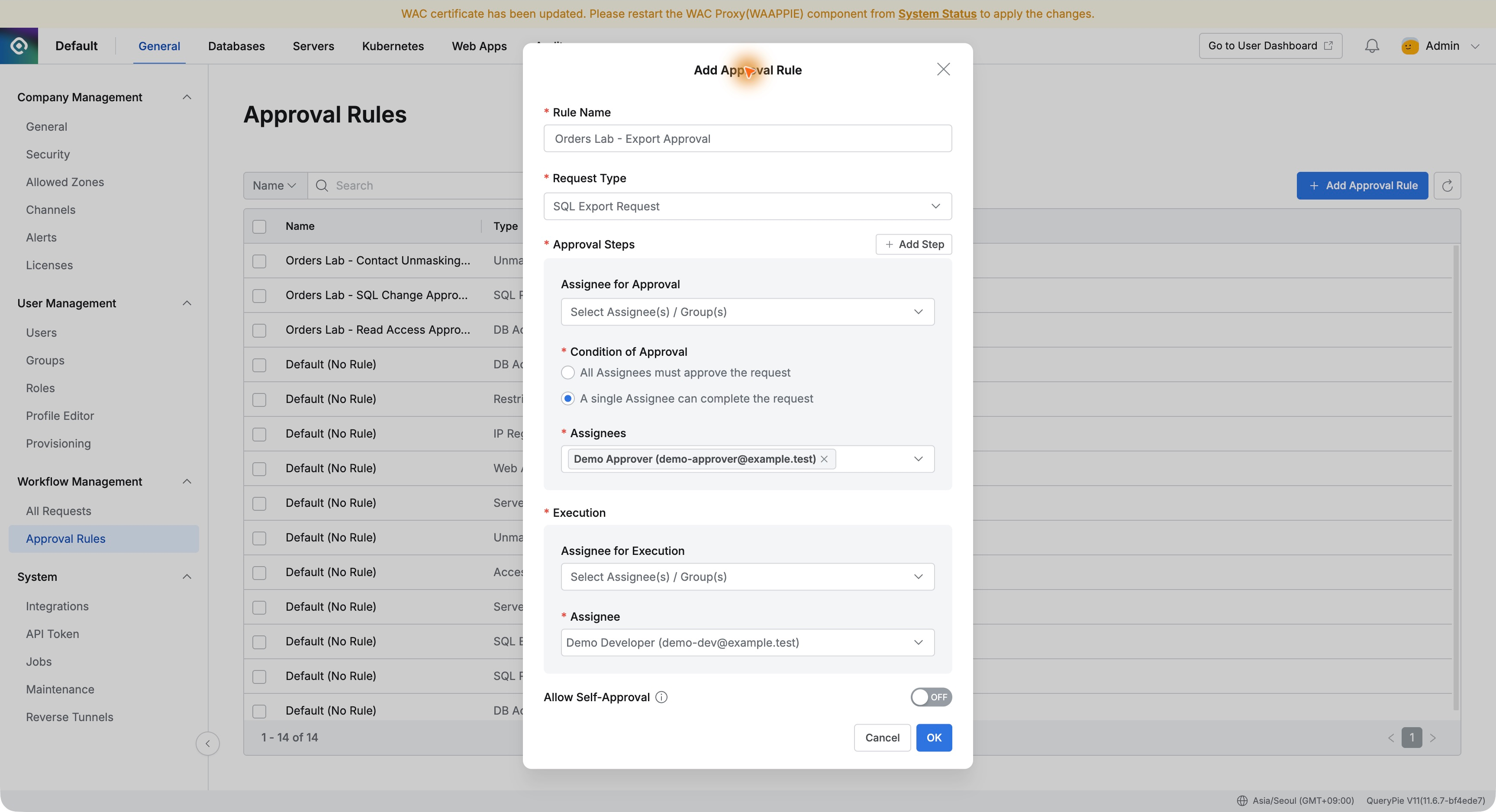
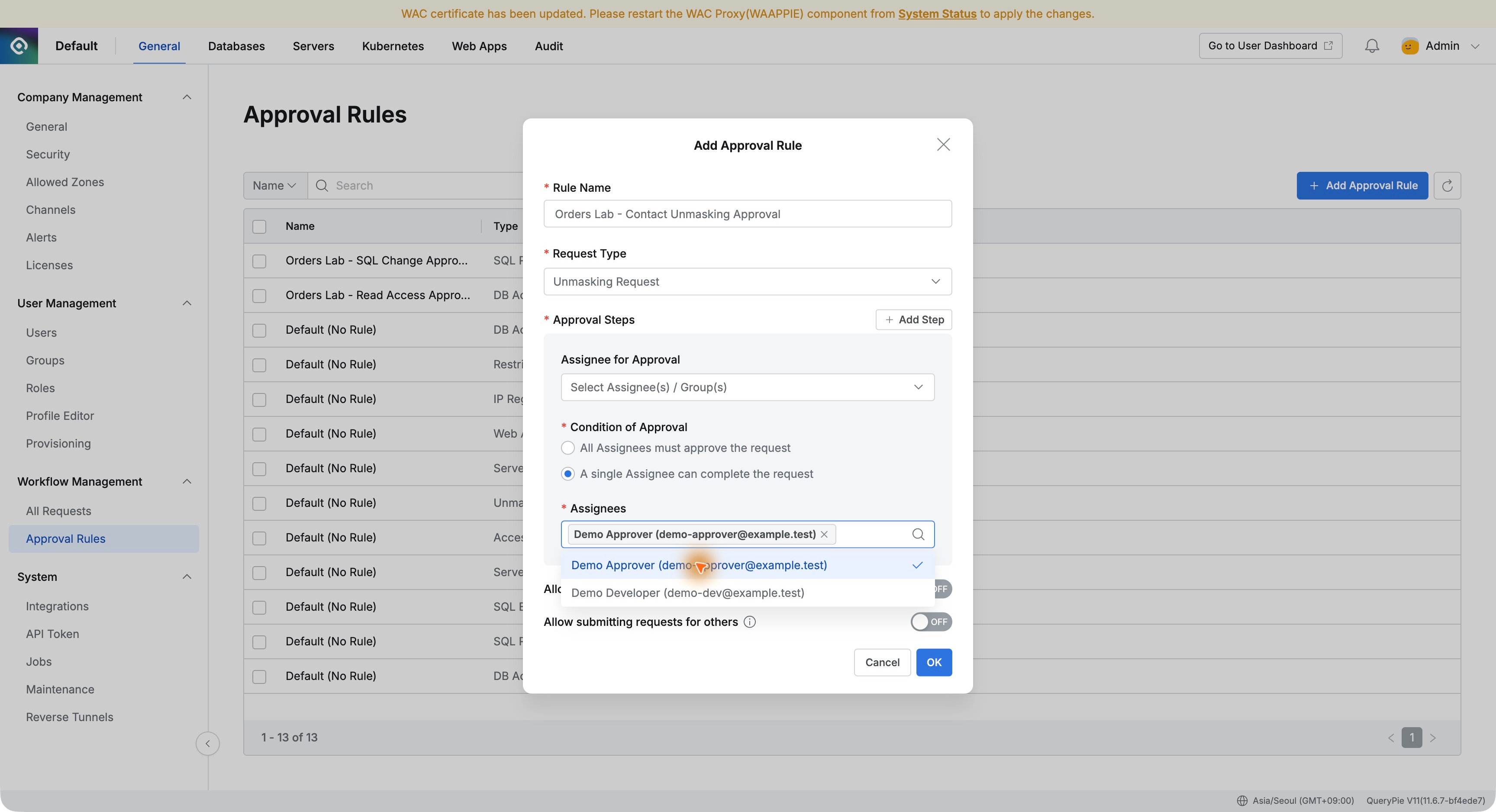
In Approval Rules, I created Orders Lab - Contact Unmasking Approval with request type Unmasking Request.
Demo Approver was designated. Separating requester and approver ensures a staff review rather than users unmasking data solely because they say they need it.
3. Specifying the Column and Duration
In Workflow → Unmasking Request, the developer entered ‘Check phone number for order 4002 delivery inquiry,’ selected Orders Control Lab, orders_control, customer_contacts, and phone.
I requested 24 hours starting at 16:00 on November 8. The reason said the original phone number was needed for the inquiry and email masking should remain.
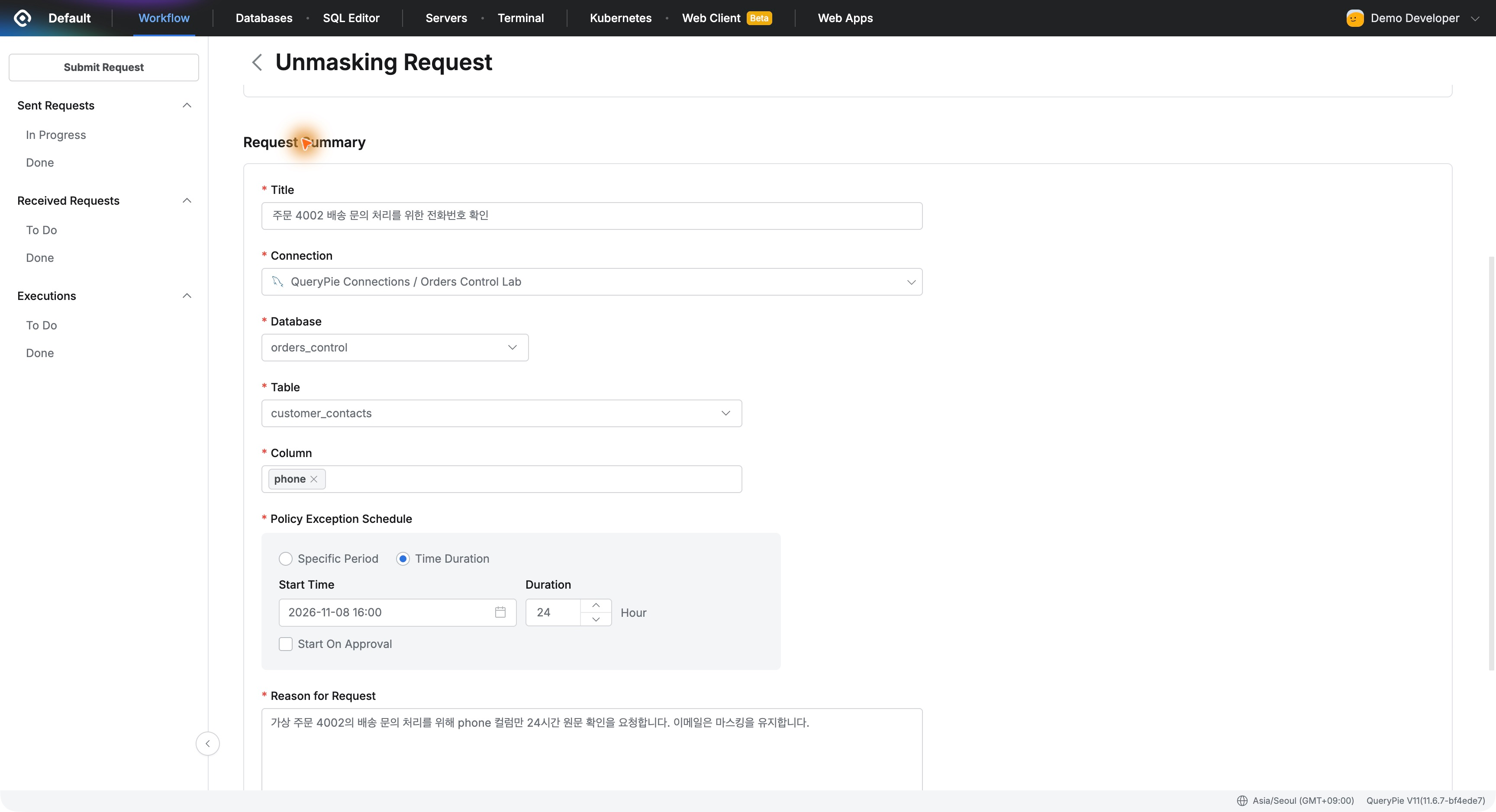
Column-level selection makes the request specific: which information, why, and until when. Approval here covers the phone column; order 4002 is the business reason and query condition, not a row-level approval boundary.
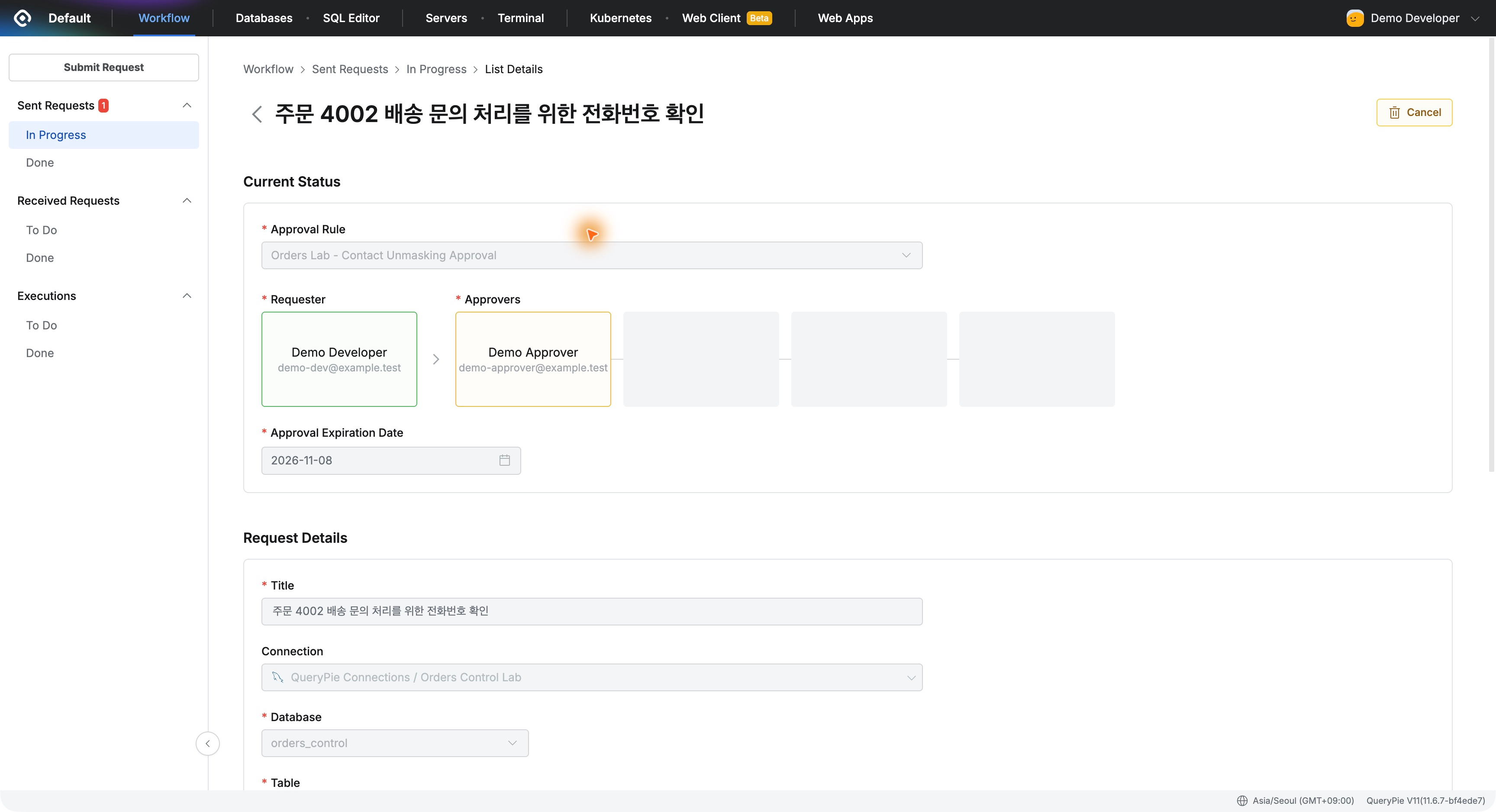
4. Reviewing the Request as the Approver
Demo Approver found it in Received Requests → To Do. Title, requester, column, period, and reason were visible in one request.
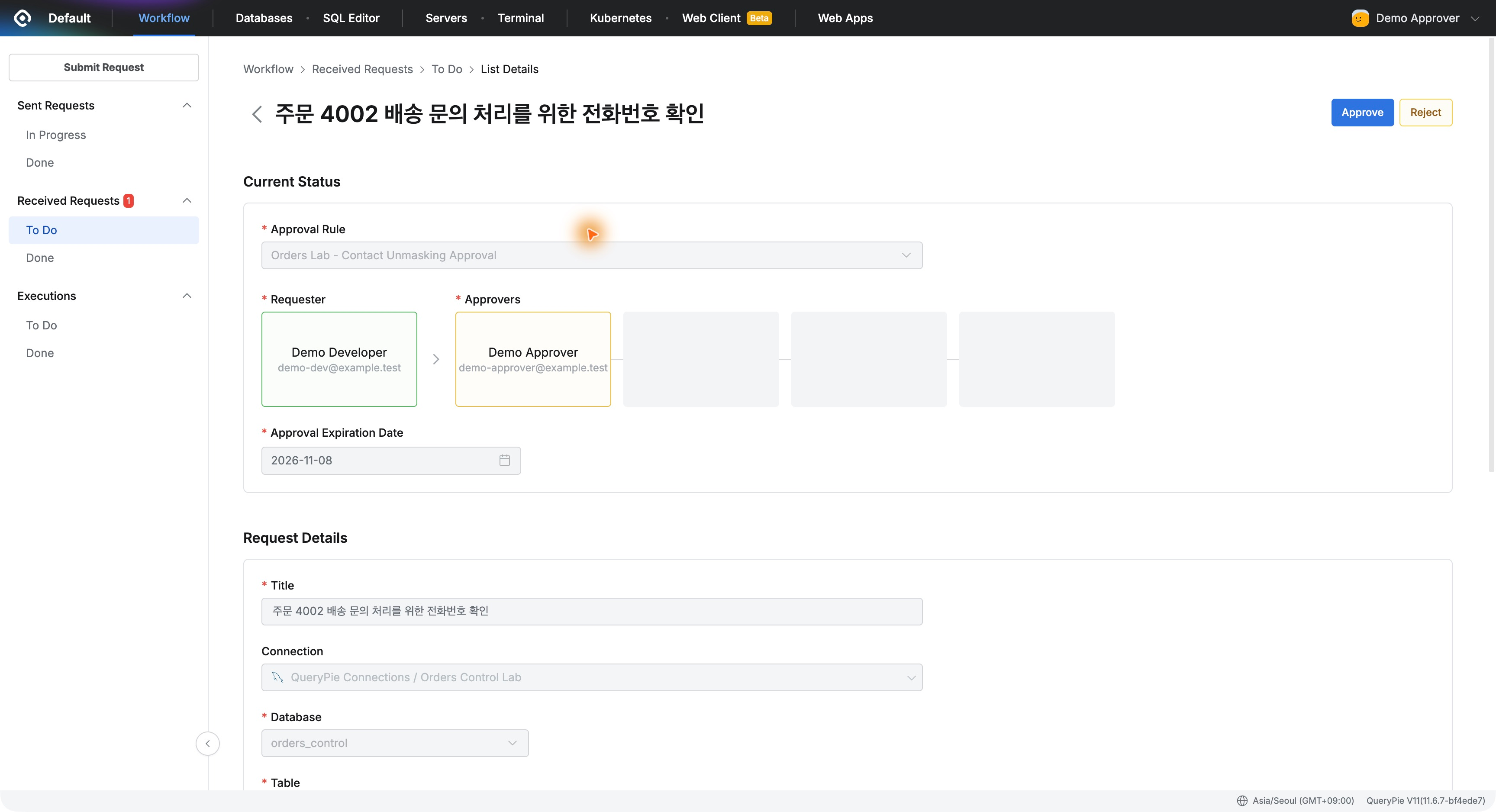
I recorded approval for checking the phone number and the allowed duration. The completed request moved to Done and its status became Approved.
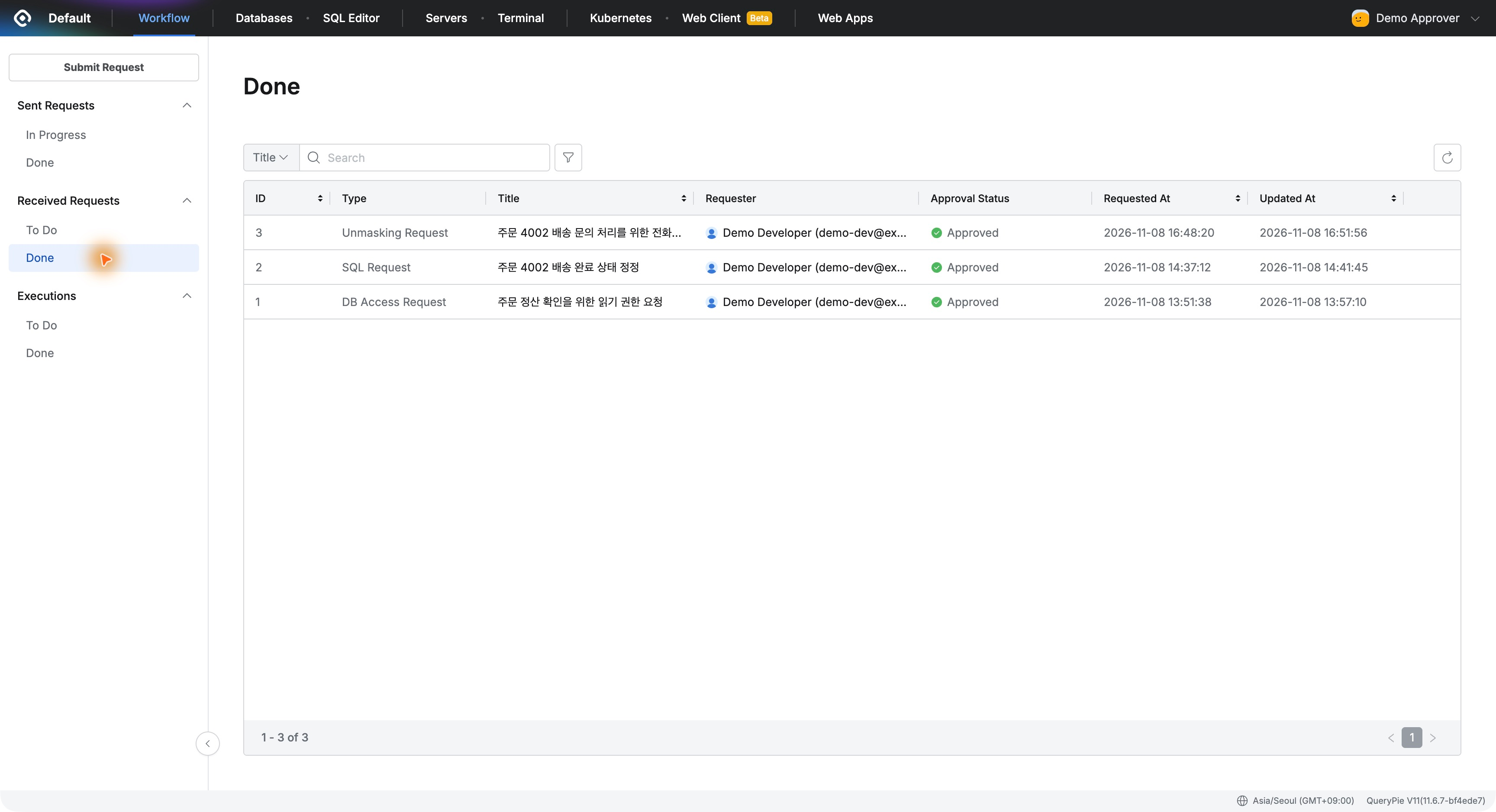
This record helps explain later why someone could view original contacts, without reconstructing a verbal conversation.
5. Only the Phone Number Becomes Visible in DBeaver
After approval, I reran the same query in the developer’s DBeaver. The phone now appeared as 010-0000-1002. Email remained masked.
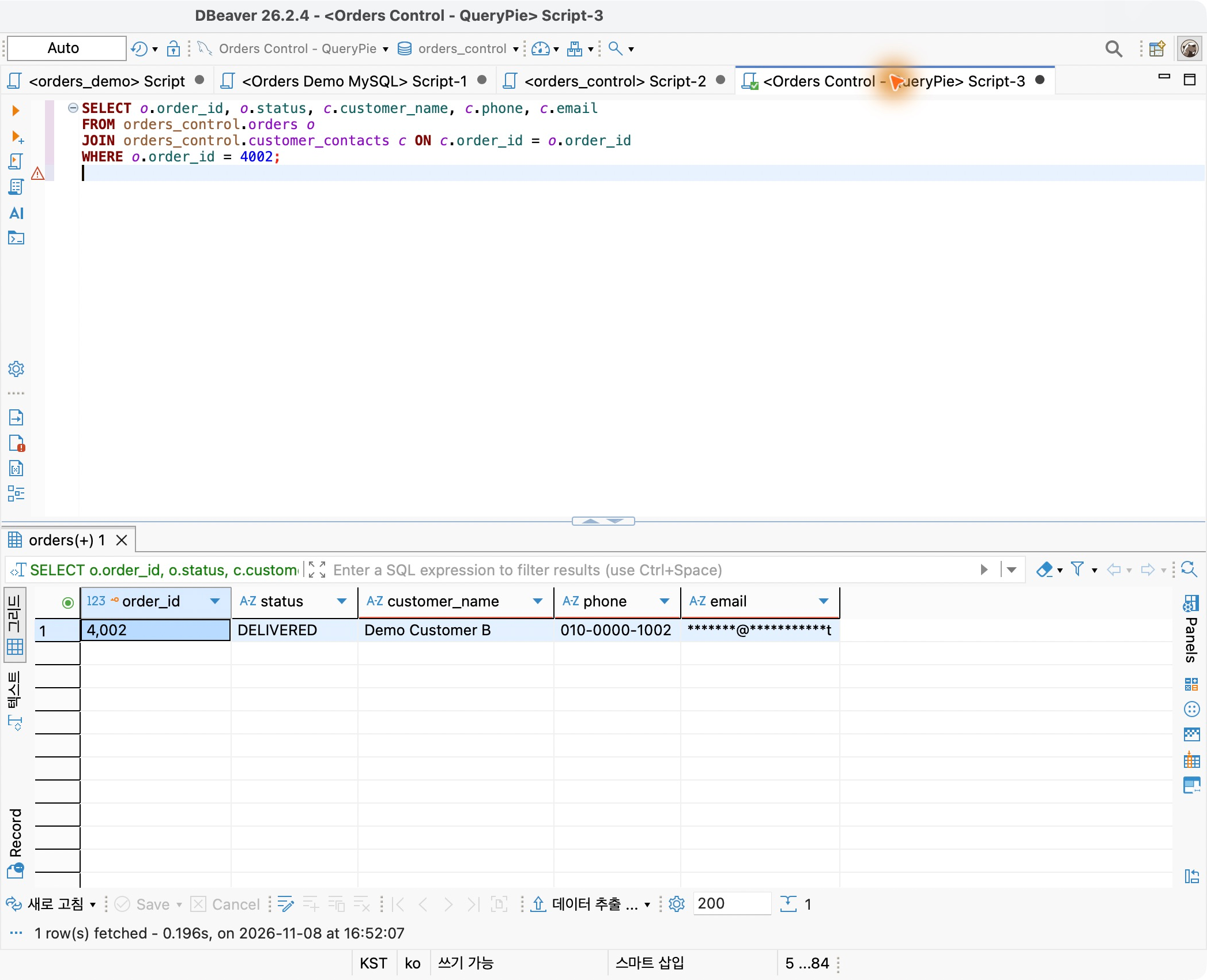
This was the key result: I could obtain the needed number while preserving email protection. The developer kept DBeaver, and the administrator did not need to disable the shared policy.
6. Adding Approval to Work Requiring Personal Data
Masking reduces exposure; unmasking requests let necessary access to originals be handled in the same product.
In practice, the flow was clear: select the needed column, state the reason and duration, and obtain approval. Users know what to request, and approvers know exactly what information they are allowing.
Starting from one needed phone number, I found QueryPie supports not only masking but also the workflow for approving necessary information for the right person.