[Part 28] When a Blocked Delete Command Is Needed — Using It Only During an Approved Window
November 9, 2026
Part 23 allowed server access but blocked deletion. Operations sometimes require normally restricted commands, for example to clean up old files.
I kept the restriction and requested five minutes of rm through Server Privilege Request. Deletion failed before approval, worked afterward, and was restricted again on a new connection after expiry.
Deletion Is Normally Restricted
I reused SSH Operations Lab, labops, and Demo Developer’s Operations Lab Operator. Its policy references Lab - Block Delete to restrict rm.
I prepared a separate test file. In the web terminal, rm returned QueryPie Restricted; a second listing confirmed the file remained.
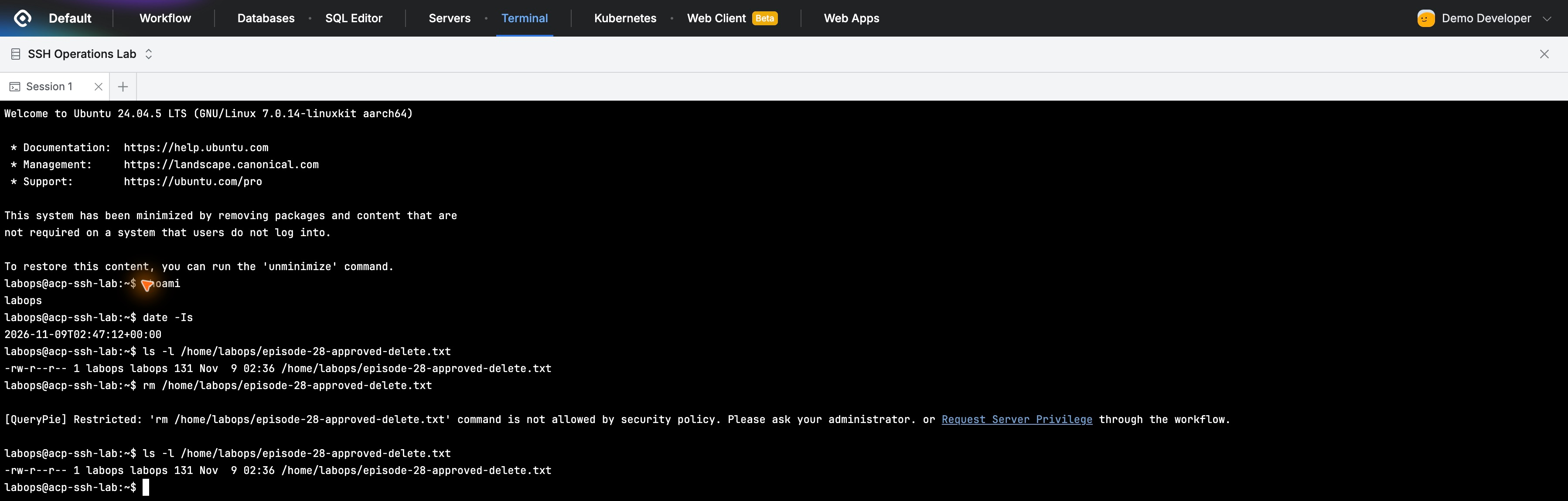
The restriction message also suggested Request Server Privilege, providing an approval route for necessary work. I followed it.
Selecting the Server and Command for Five Minutes
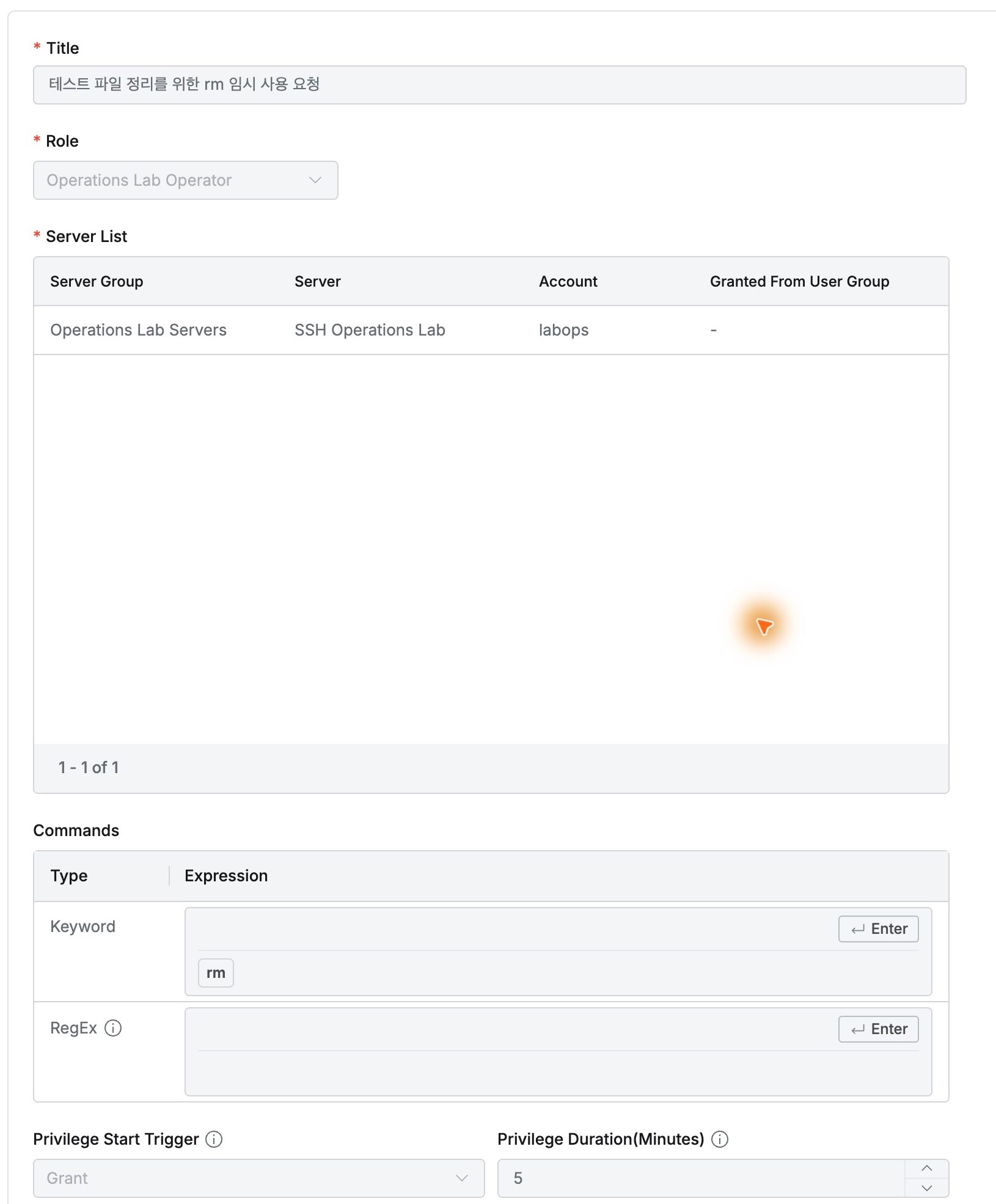
In Workflow → Server Privilege Request, I selected Operations Lab Operator and only SSH Operations Lab/labops, with rm as the Commands keyword.
Duration was five minutes and Privilege Start Trigger Grant, so the clock starts when granted. The reason was cleaning the test file.
Demo Approver was assigned and self-approval disabled. As the approver, I checked target, command, and duration, then left an approval comment.

Target, command, and duration together clarify what approval permits: rm for five minutes on the selected server account.
Cleaning Up the File After Approval
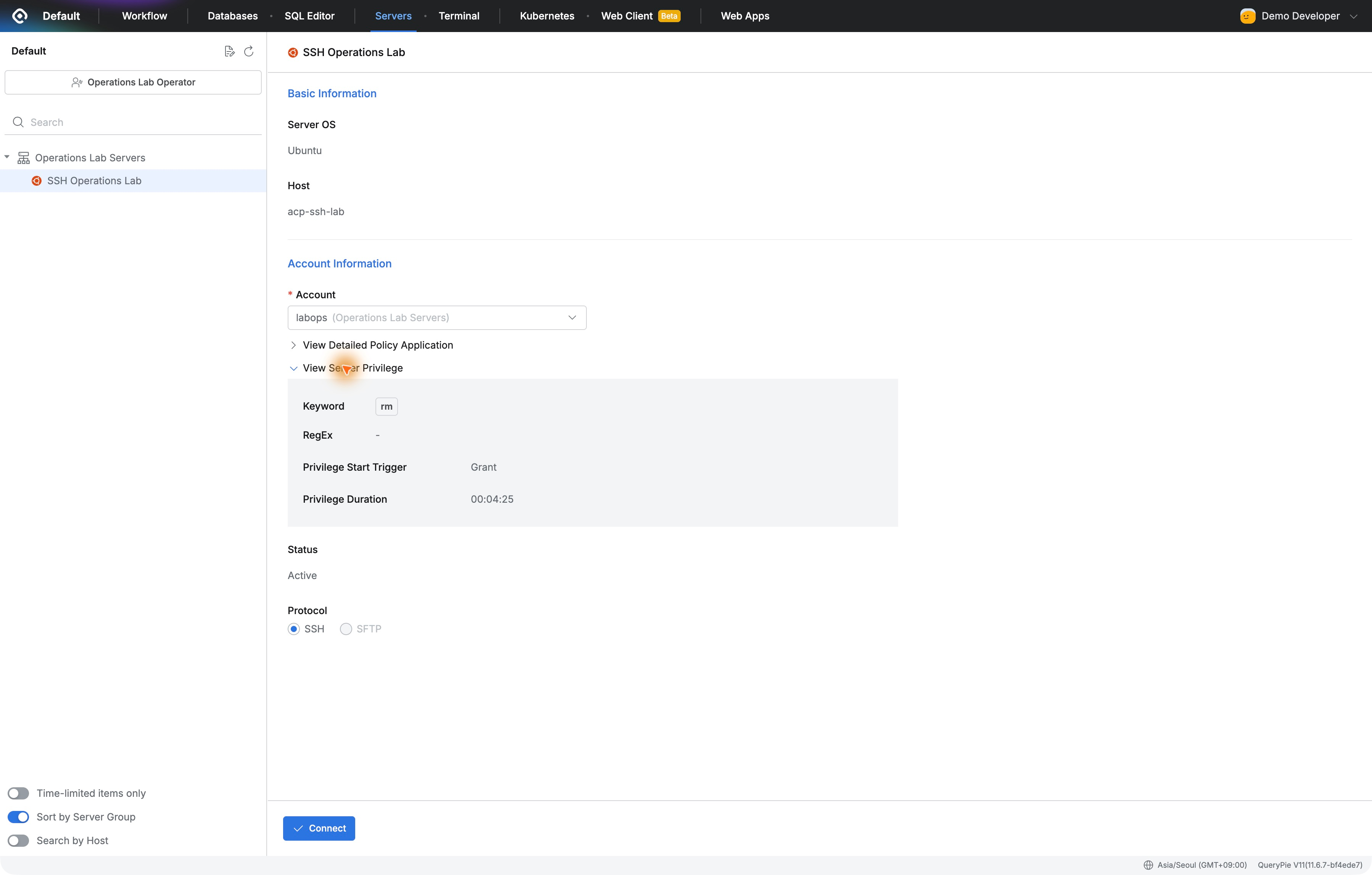
The developer’s connection view showed rm, trigger Grant, and a decreasing remaining time under View Server Privilege.
In a new terminal, I verified the file and reran rm. No restriction appeared. A subsequent listing returned No such file or directory, confirming deletion.
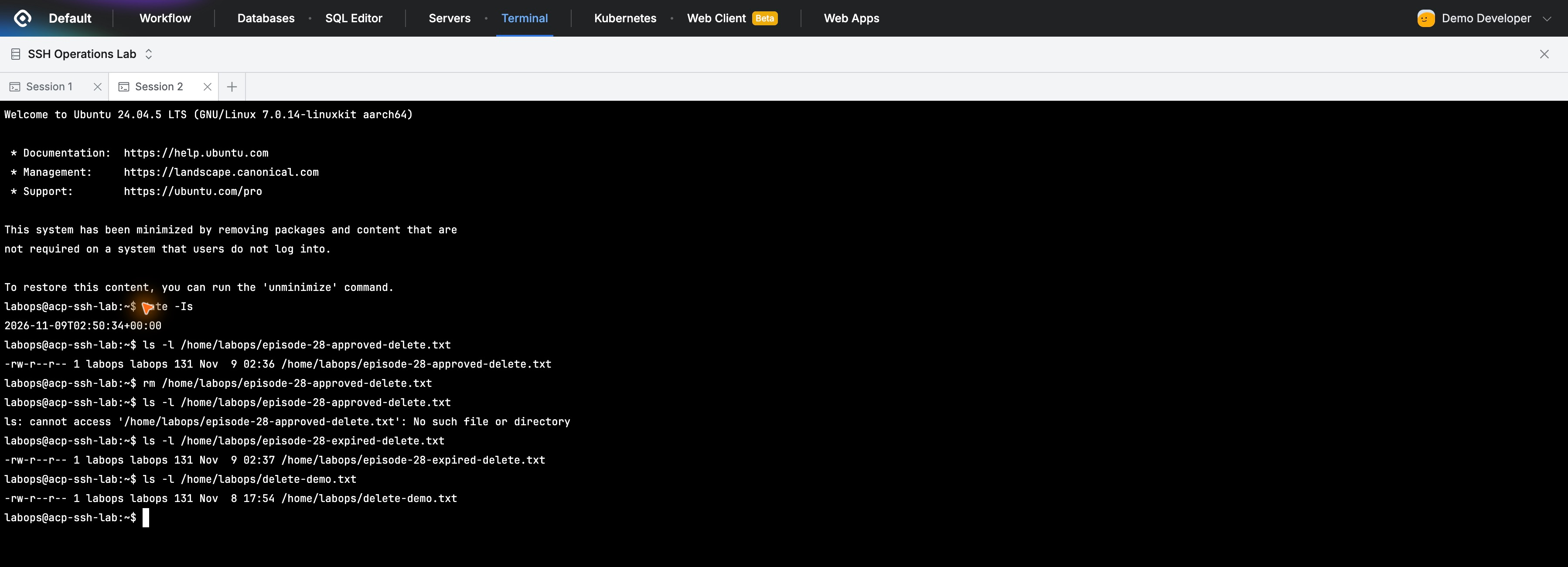
I did not edit the normal deletion policy or remove/re-add rm. I left the original and a second test copy for the next check, then disconnected.
Deletion Becomes Restricted Again After Expiration
After remaining time reached 00:00:00, I opened a new connection. Login and file listing still worked.
rm on the second copy returned QueryPie Restricted again. The file still appeared in the next listing.
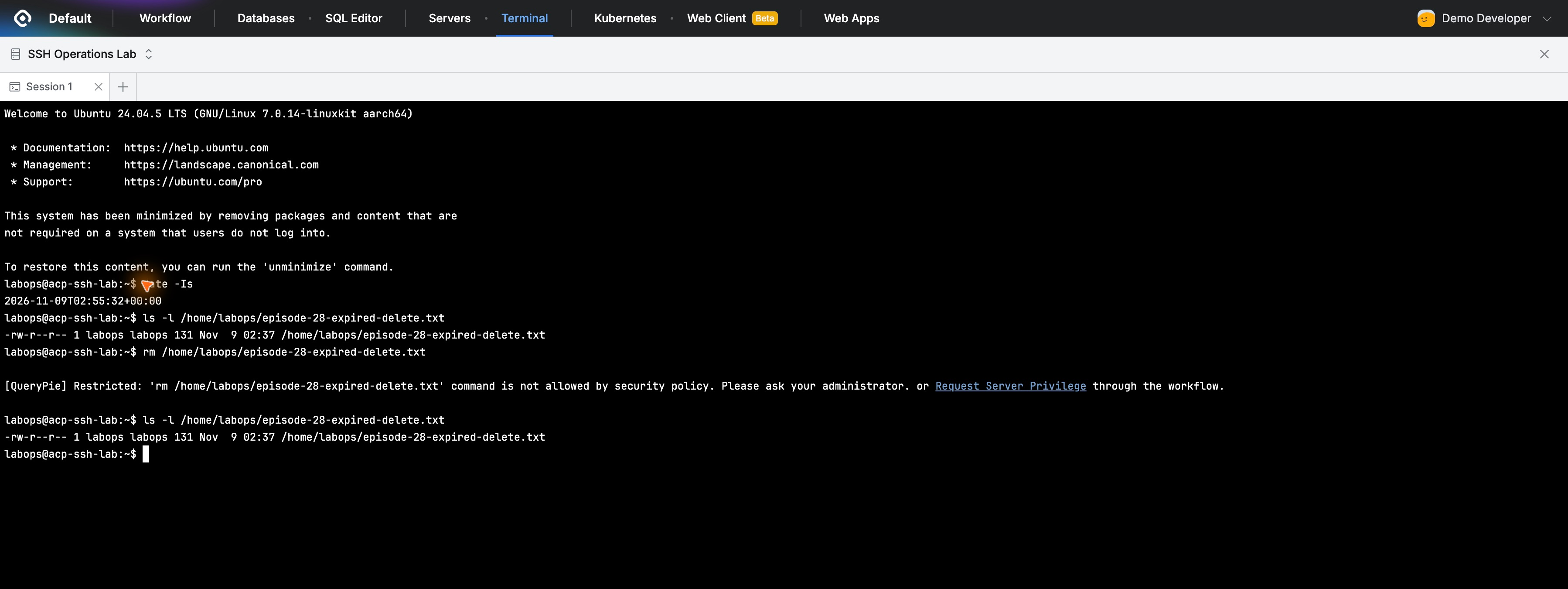
No manual revocation was needed. New connections restored the normal restriction while everyday server access remained available; only the extra command window ended.
Checking Approval and Actual Command Records
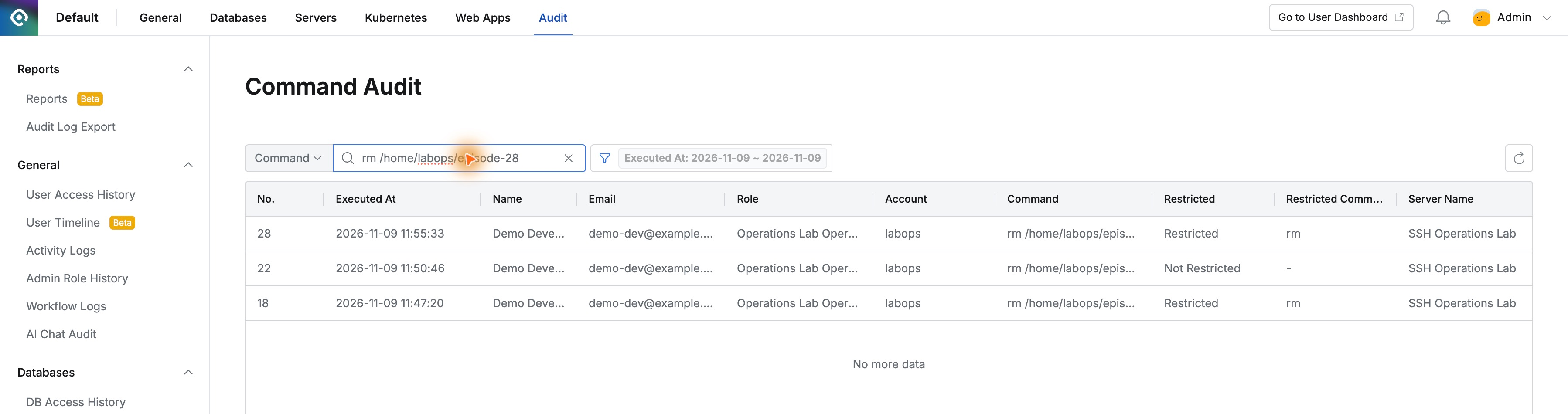
Command Audit showed Restricted before approval, Not Restricted afterward, then Restricted after expiry, all for the same user, role, account, and server.
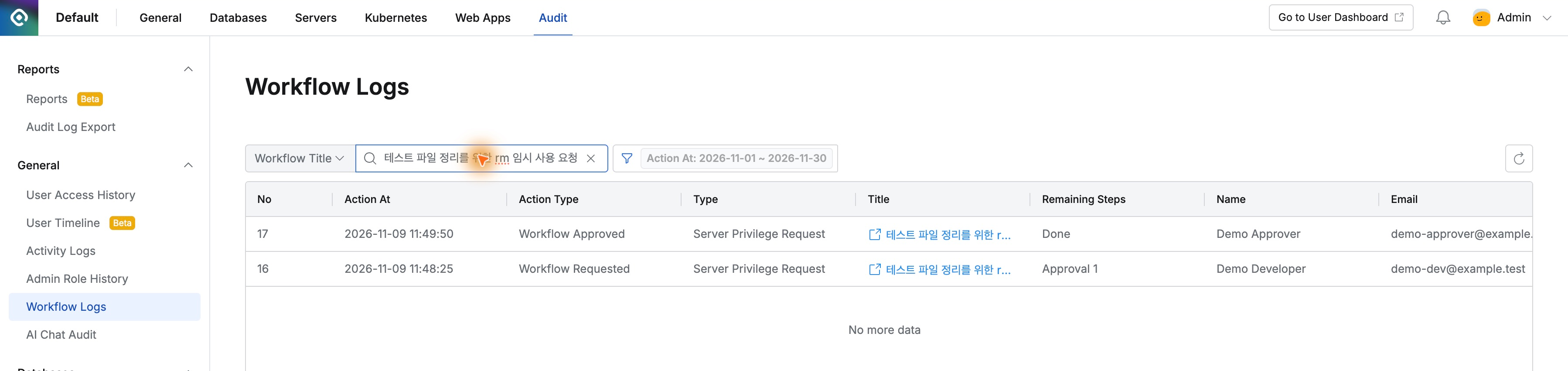
Workflow Logs separately retained Demo Developer’s request time, Demo Approver’s approval time, the reason, and approval comment.
The temporary-work model stood out: keep normal restrictions, approve a specific account, command, and time, then retain actual activity. Exceptions need not mean leaving privileges open indefinitely.
This lab used QueryPie Community 11.6.7 and a separate Ubuntu server. Each before/after/expiry check used a new web terminal, and deletion targets were lab-file copies.
Reference: Server Privilege Request · Managing Server Privilege · Command Audit