[Part 29] Reading Logs While Restricting Container Shell Access
November 9, 2026
Logs are usually the first stop in an incident. Yet everyone reading them does not need container command execution; investigation and remediation are often delegated separately.
Part 26 separated Kubernetes configuration reads and changes. Here I separately configured logs and shell on one Pod, testing whether QueryPie could keep logs readable while denying container entry.
Preparing a Pod with Diagnostic Logs
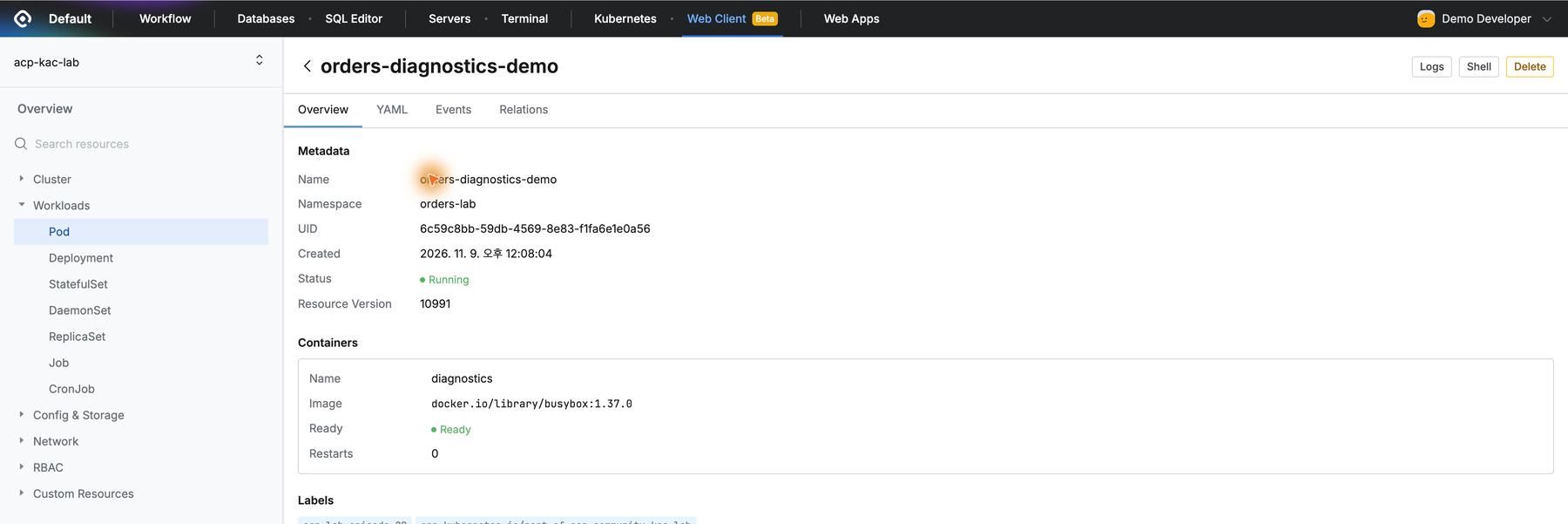
In acp-kac-lab, I created orders-diagnostics-demo in orders-lab with fictional order-status logs, not a real service with customer data.
I created Orders Lab Diagnostics Viewer for Demo Developer. Selecting it and opening Web Client showed the Pod and diagnostics container running normally.
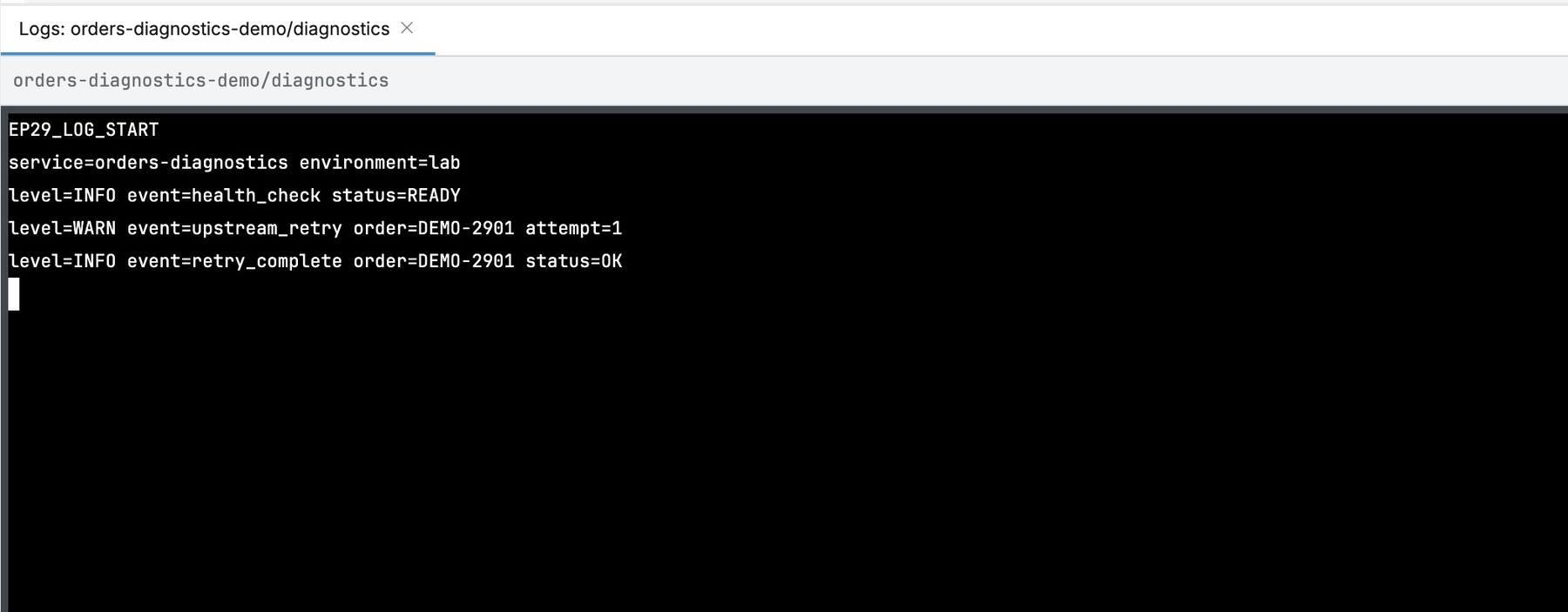
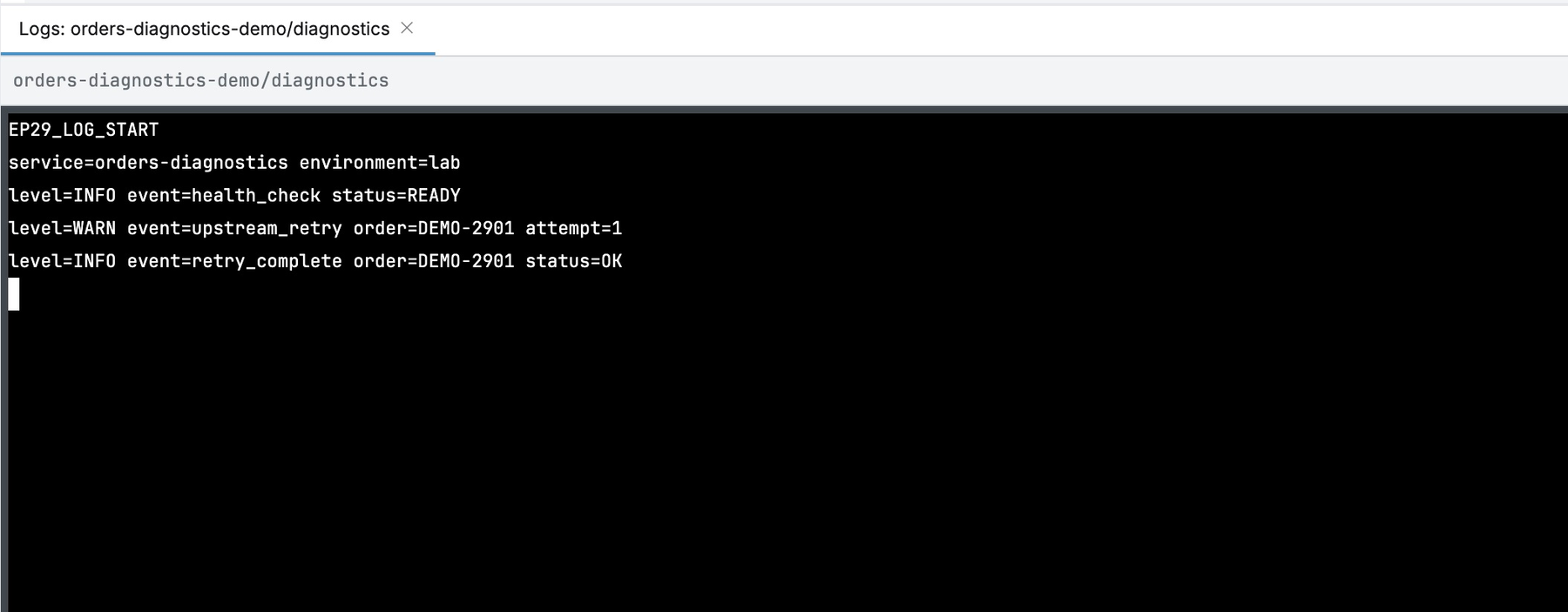
Logs opened directly from Pod details, showing health messages, retries, and completion for fictional DEMO-2901. No shell was needed to inspect events.
Establishing a Working Shell Baseline
Before separating permissions, I allowed both logs and shell in the test role and verified shell connectivity.
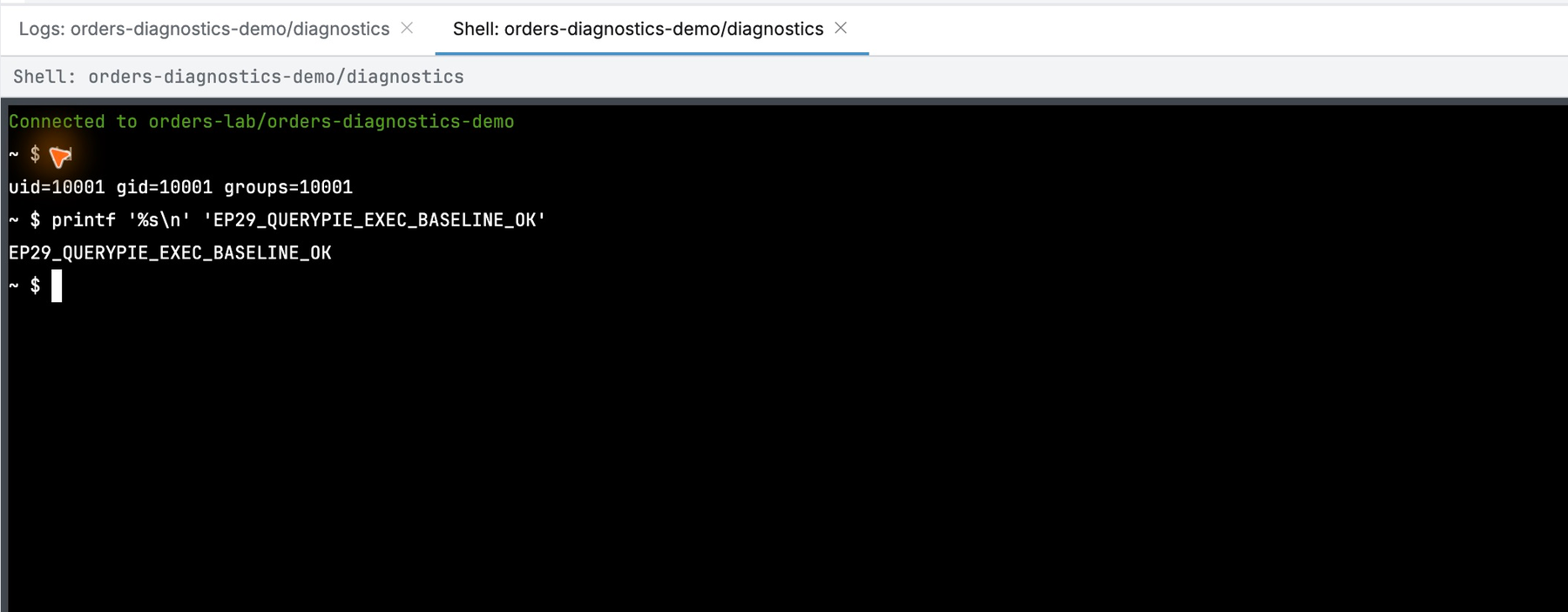
Shell opened a terminal. I ran id and printed EP29_QUERYPIE_EXEC_BASELINE_OK, establishing a working baseline before restricting execution, then exited.
Configuring Logs and Execution Separately
In Orders Lab Pod Diagnostics, I retained Pod discovery/details and allowed get on pods/log.
I denied pods/exec get and create in orders-lab. Even for the same Pod, reading logs and executing commands can be governed separately.
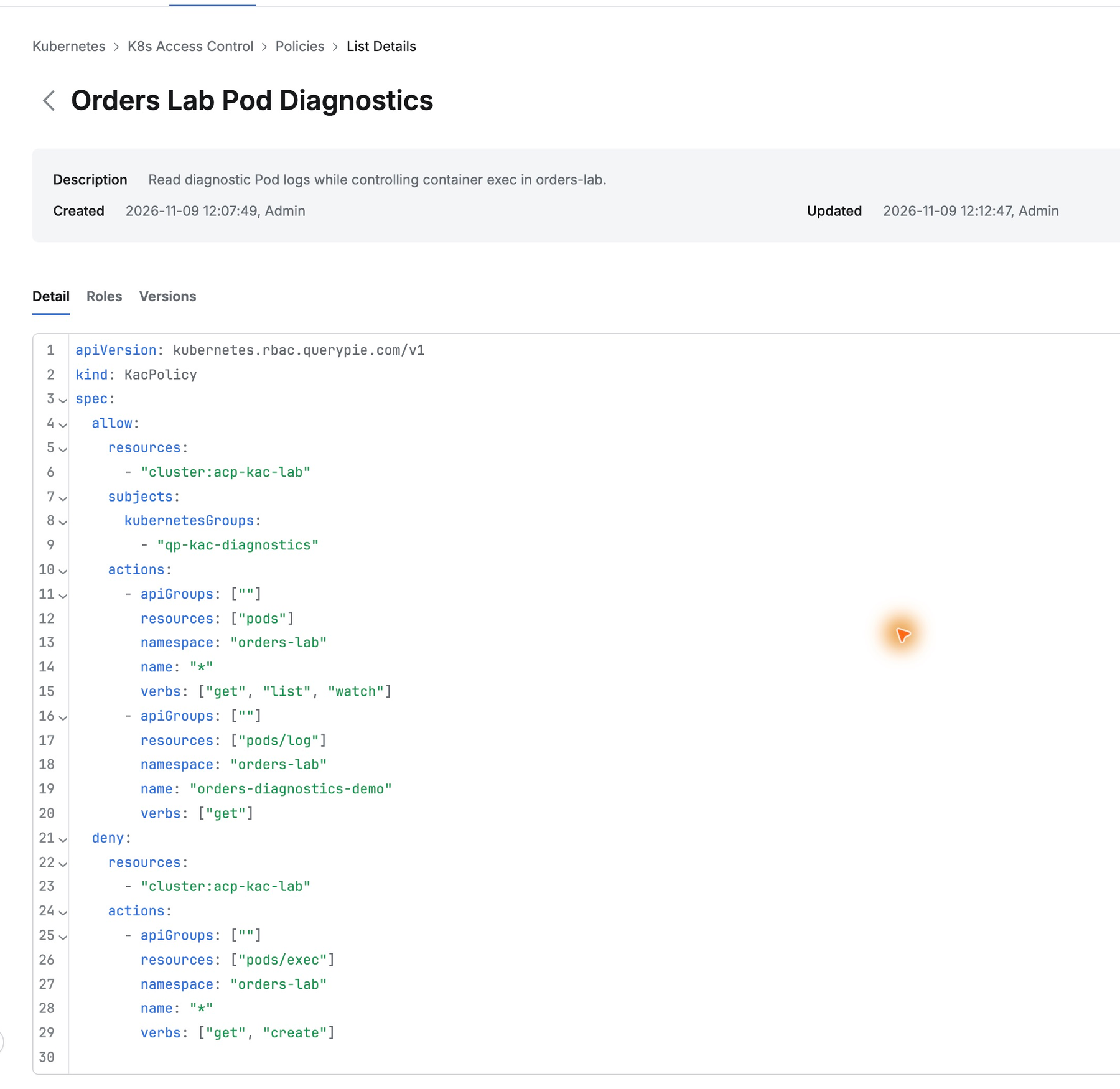
Validation found no errors. I saved with a reason; policy v2 was linked to the diagnostic role.
Logs Remain Available, Shell Does Not
The developer reopened Web Client and the same Pod. Logs still showed health and order-retry events normally.
Shell now returned Socket connection closed instead of a prompt. The previously working entry route was no longer usable after execution was denied.
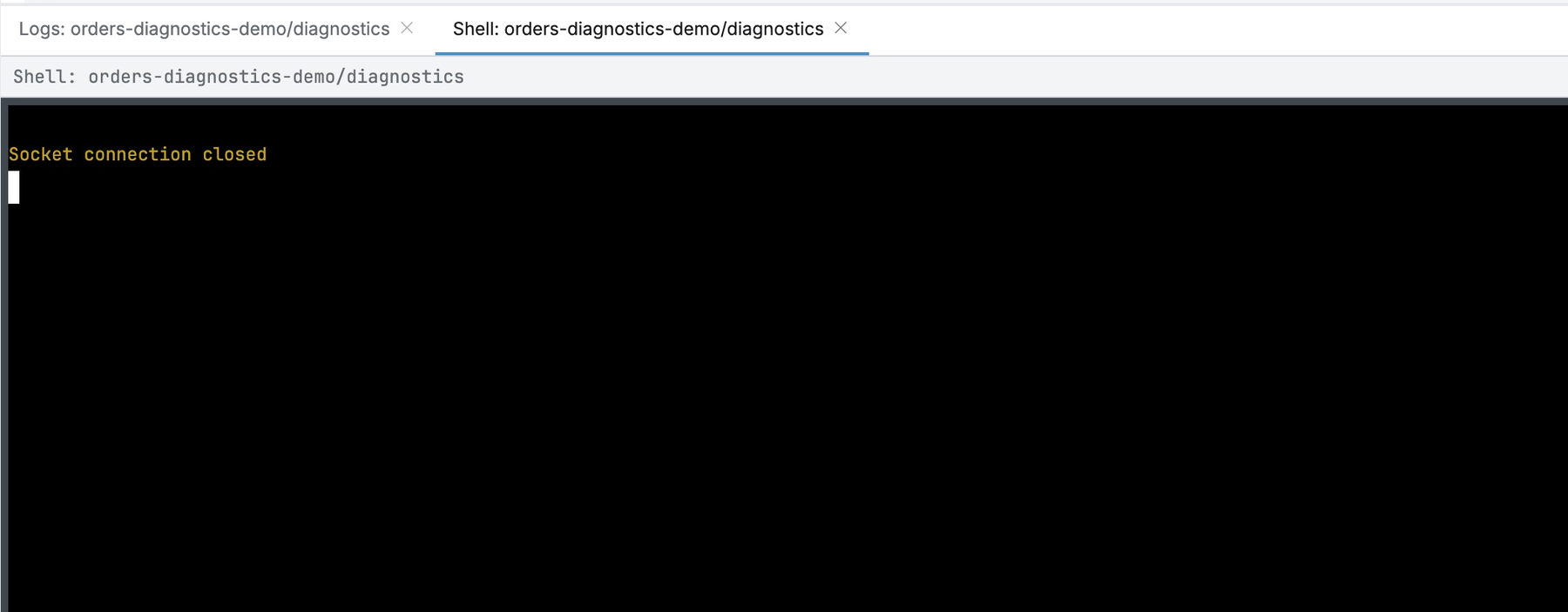
Inspection continued while intervention privileges were managed separately. Delegating troubleshooting did not require giving shell access; operations and development responsibilities could be defined precisely.
Both Allowed Reads and Denied Requests Are Recorded
Request Audit showed pods/exec, create, DENY, with ‘Denied by policy to access the resource.’ The audit confirmed QueryPie policy caused the rejection.
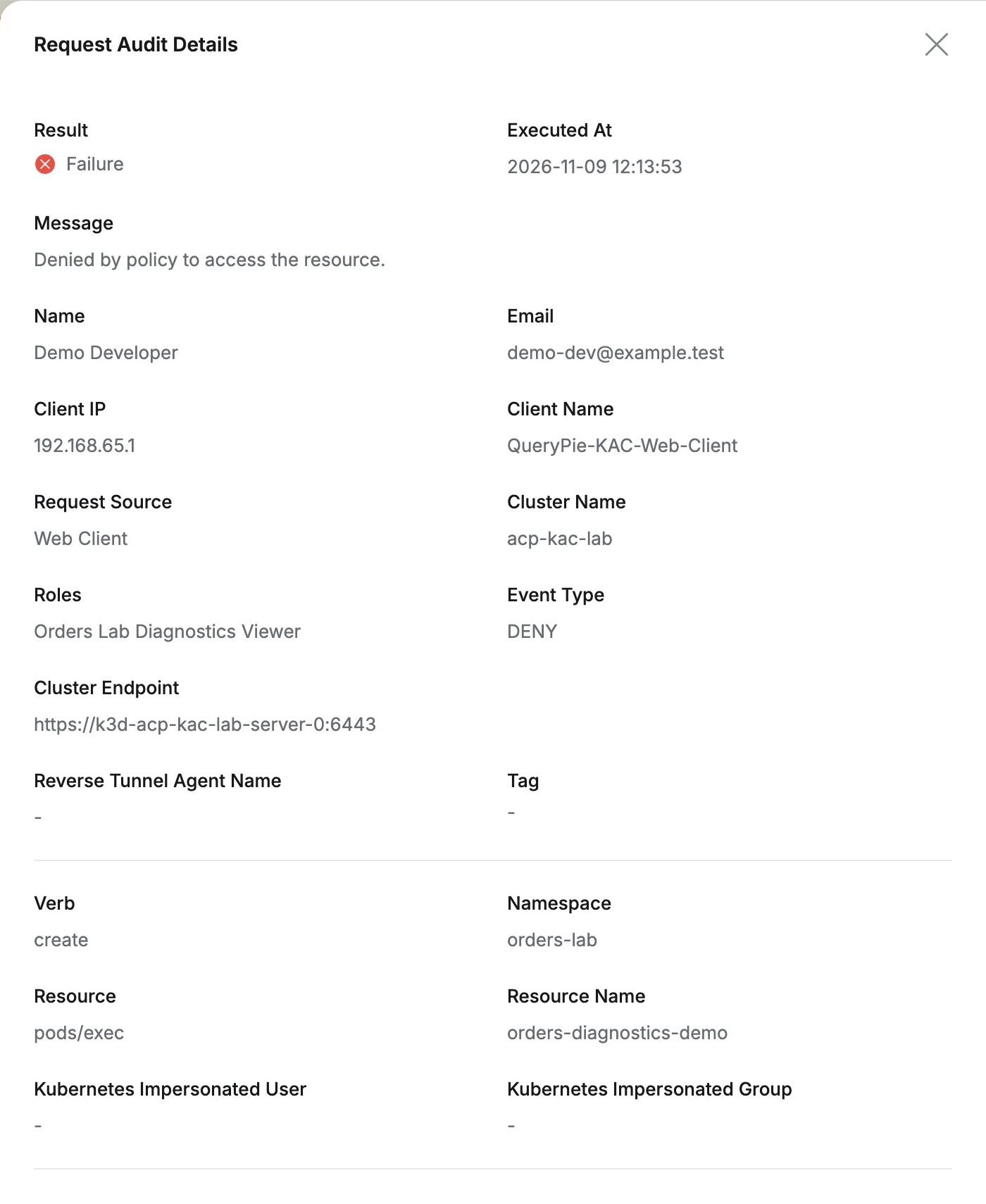
The log read for the same user and role was pods/log, get, ALLOW. Both targeted orders-diagnostics-demo, making permitted and denied operations comparable.
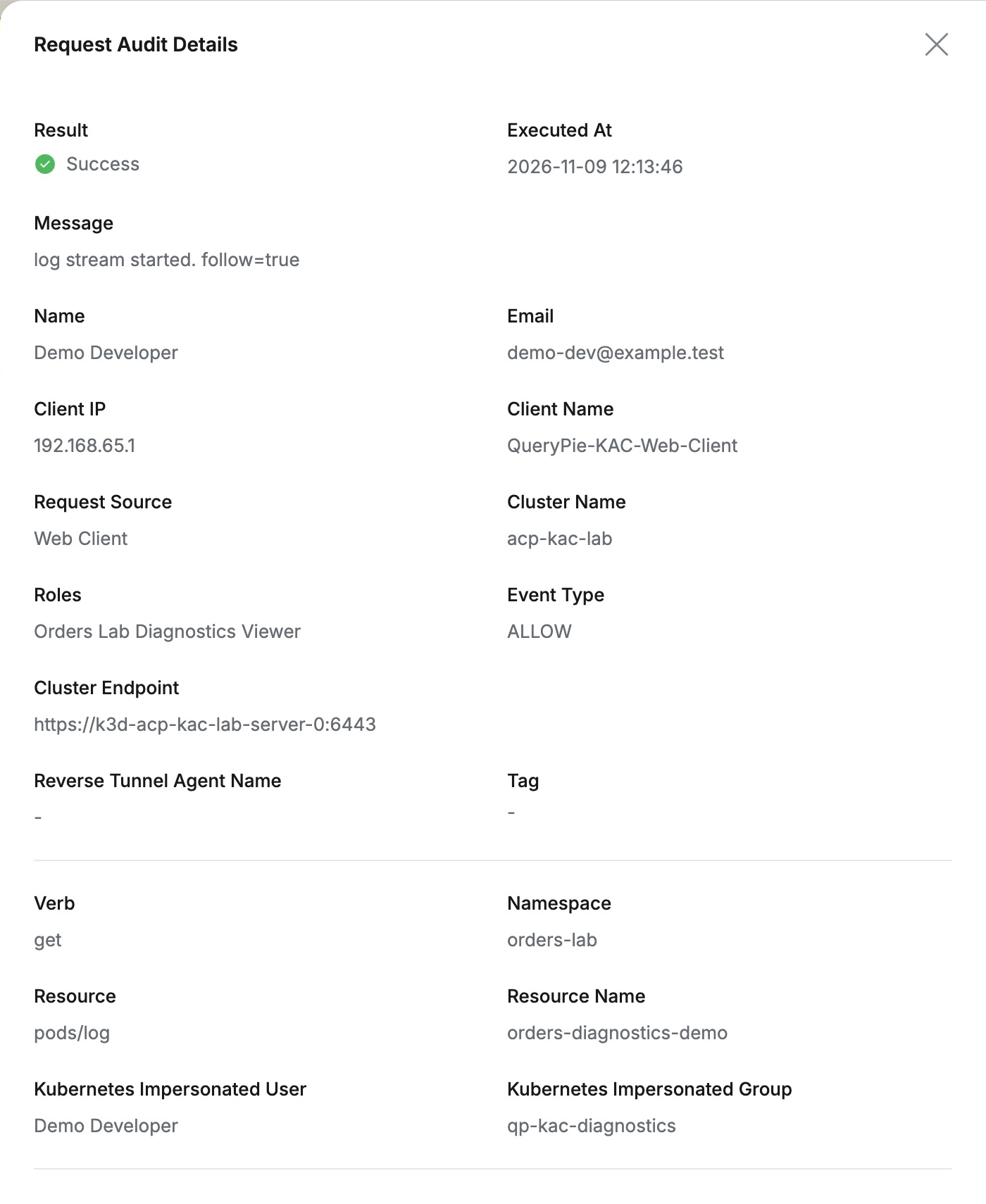
Log-only staff did not need shell privileges. Separating reads and execution on one Pod, with evidence by user and role, was the key benefit: allow necessary inspection and manage direct intervention separately.
The lab used QueryPie Community 11.6.7 Web Client (Beta), a separate K3s cluster, and fictional orders and logs.
References: Kubernetes Web Client · Kubernetes policy configuration tips · Request Audit